
How to Spot Pre-Recorded Software Demos: A Buyer's Guide to Real SaaS Value
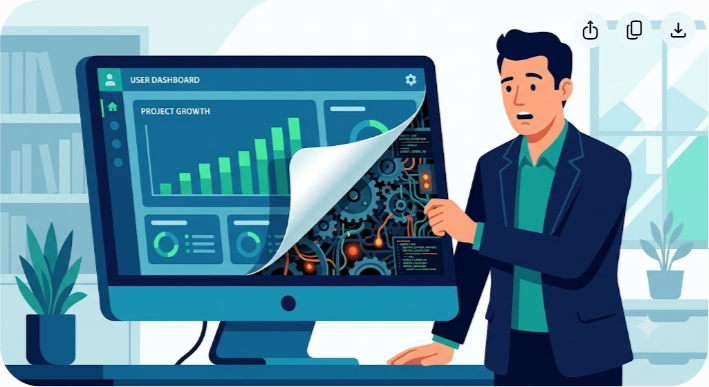
The 2:00 PM Thursday Illusion
It is 2:02 PM on a Thursday. You are sitting in a crowded Zoom room, your camera off, your notebook open. On your screen, a sleek, charismatic sales representative from a hot mid-market SaaS startup is sharing their window. They are showing you their platform's core dashboard.
With effortless grace, their cursor glides across the screen. They click a button. Boom. A complex data visualization chart renders instantly, displaying perfect, upward-trending lines. They click another tab. Whoosh. A fully populated integration pipeline loads without a single millisecond of latency. The UI is gorgeous. The data is immaculate. Your team is silent, nodding in virtual agreement. Your Head of Operations is already calculating how much time this will save the department.
But deep down, a quiet, uneasy feeling starts to settle in your stomach.
Everything is a little too perfect. The cursor moves in weirdly smooth, hypnotic curves, almost like a camera tracking shot in a movie. There are no loading spinners, no API delays, no awkward moments of silence where the rep says, 'Let me refresh that real quick.' When you ask a question about how the platform handles messy CSV uploads, the rep smoothly pivots: 'That's an excellent question, and I'm actually going to cover our data ingestion engine in just a few slides.'
You never see the data ingestion engine. You see a slide with a stock icon of a cloud.
What you just watched was not a live software application. You didn't witness a real, working product running on actual cloud infrastructure. You watched a movie. You sat through a carefully produced, high-fidelity, interactive screen recording designed to simulate a functioning application. Or, worse, you watched a live salesperson click through an incredibly brittle, hard-coded sandbox environment that has been so heavily sanitized it might as well be an interactive PDF.
Three months later, after signing a twelve-month enterprise contract, your engineering team attempts to deploy the tool. They find out the hard way that the seamless data ingestion you saw on Thursday afternoon doesn't actually exist. It is still in 'beta.' The real interface is clunky, the API frequently times out, and that gorgeous dashboard takes twelve seconds to load simple queries.
Your brand-new purchase has just joined the ranks of the $15,000 ghost town sitting in your company's tech stack.
Welcome to the modern era of B2B software sales, where the line between working product and high-fidelity mock-up has completely vanished. At Saasbonus, we are obsessed with helping you find real software value, which means we have to help you see past the smoke and mirrors. Let's look at why sales teams use these illusions, how you can spot them in real-time, and exactly what questions to ask to force a live, honest software demonstration.
Why Sales Teams Hide Behind the Canned Demo
To beat the illusion, you have to understand why it exists. Sales organizations are under immense pressure to convert leads into opportunities, and opportunities into closed-won revenue. In B2B SaaS, the product demo is the critical bridge. It is where intellectual curiosity turns into a financial commitment.
However, real software is notoriously unpredictable. APIs drop packets. Sandbox environments go down for maintenance. Sales reps accidentally click the wrong button and trigger an error screen. Wifi connections at home offices flicker.
To eliminate this risk, sales enablement teams have turned to sophisticated demo-creation tools. Using platforms like Navattic, Arcade, Reprise, or Walnut, a marketing team can capture a pristine, bug-free journey through their app once, package it into an interactive HTML overlay, and give it to every junior sales rep.
From a sales perspective, this makes perfect sense. It yields:
- Zero technical risk: The software cannot crash during the call because there is no actual database behind it.
- Perfect data hygiene: There are no messy test accounts, misspelled names, or weird outlier graphs. Everything looks like a Fortune 500 company's dream dashboard.
- Guaranteed consistency: Every prospect sees the exact same 'happy path' without deviation.
- Accelerated sales cycles: Reps don't need to spend hours configuring a unique sandbox for your specific use case. They just open a bookmark.
But for you, the buyer, this shift is incredibly dangerous. When you buy a SaaS product, you aren't just buying the visual interface. You are buying the engine under the hood. You are buying its ability to handle your messy, unstructured data, your legacy integrations, and your team's erratic workflows. A canned demo tells you absolutely nothing about how the software behaves when subjected to real-world friction.
The Anatomy of an Illusion: 7 Red Flags of a Pre-Recorded Demo
Identifying a pre-recorded or highly simulated demo requires an eye for detail. The next time you are on a vendor call, keep this checklist of red flags nearby. If you spot more than two of these, you are likely looking at a digital facade.
1. The Superhuman Cursor
Watch the mouse. In a genuine, live software environment, human behavior is messy. We hesitate. We overshoot buttons. We scroll down to find something, scroll back up, and occasionally wiggle the cursor while thinking.
In a pre-recorded or simulated demo, the mouse movement is often guided by automated capture software. The cursor will glide across the screen in perfectly smooth, straight, or perfectly curved lines. It moves directly from Button A to Button B with zero acceleration or deceleration lag. It looks less like a human using a mouse and more like an automated camera panning across a landscape.
2. The Mysterious Clock and Crop
One of the easiest ways to spot a recorded demo is to look at the surrounding browser frame.
- Is the URL bar completely hidden? If the presenter is running the demo in full-screen mode and refuses to show the address bar, they might be hiding an HTML file running locally off their desktop (e.g., file:///Users/salesrep/demo/index.html) or a specific interactive demo player URL instead of a live staging environment.
- Is the system clock missing? Reps will often crop their screen to hide their desktop's operating system clock. If you can see the clock, keep an eye on it. If the clock in the top-right corner of their Mac menu bar reads 9:15 AM throughout a thirty-minute presentation, you are watching a video recorded three weeks ago.
3. Supernatural Page Load Speeds

Every B2B software platform has latency. Even the most optimized React or Vue applications require a fraction of a second to query a database, process a request, and render a new page.
If the presenter clicks 'Generate Enterprise Audit Log' (a query that should scan millions of hypothetical rows) and the page displays instantly with zero loading spinners, no skeletal placeholders, and absolutely no browser tab refresh animation, you are looking at a pre-rendered static asset. Real-world databases do not move that fast, especially on a shared Zoom call.
4. The 'Happy Path' Tunnel Vision
During a live demo, a sales rep should be comfortable moving around the platform organically. If they are locked into a simulation, they have to follow a very specific click-path.
If they click anywhere outside of the pre-determined path, the demo software will either do nothing, or it will flash a subtle visual cue showing them where they are allowed to click. Watch closely when they click a dropdown menu. Do they immediately select the only available option without exploring the others? If you ask them to click on a different tab, do they look visibly panicked or quickly deflect?
5. Pristine, Unbroken Data Streams
Take a close look at the numbers, charts, and user profiles shown in the platform.
| Data Element | Real Live Environment | Pre-Recorded / Sanitized Illusion |
|---|---|---|
| User Names | test_user_3, John Smith (Do Not Use), empty profiles | Sarah Jenkins, Alex Rivera, perfectly filled avatars |
| Metrics & Graphs | Jagged lines, flat days, occasional weird spikes | Perfect upward curves, neat cyclical patterns |
| Text Blocks | Truncated sentences, typos, mixed formatting | Clean lorem ipsum or perfectly curated marketing copy |
| Timestamps | '2 minutes ago', 'last Tuesday', raw ISO strings | Exactly matching dates or perfectly spaced intervals |
Real testing and sandbox environments are messy. They are built by engineers and populated by busy sales engineers. If every single piece of data in the demo looks like a graphic designer spent three days aligning it in Figma, it's because they did.
6. The Frame Rate Discrepancy
Pay attention to the visual quality of the screen share. Zoom, Microsoft Teams, and Google Meet compress live video feeds. If the presenter's video feed is slightly blurry, but the actual interface of the app they are showing is incredibly crisp, high-resolution, and running at a flawless 60 frames per second, they might be streaming a pre-rendered video file locally or through an optimized media player.
7. The Micro-Flash of Blue or Yellow Outlines
Many interactive demo creation tools use invisible hotspots to tell the rep where to click next. If the rep accidentally clicks slightly outside of the designated zone, these platforms will briefly flash a colored border (often blue, orange, or yellow) around the correct button to guide them. If you see random, quick colored boxes flashing on the screen when the rep misclicks, they are running an interactive HTML simulation.
A Quick Reality Check It is important to note that a pre-recorded or simulated demo is not inherently an attempt to scam you. Many honest, high-quality B2B SaaS companies use these tools on their marketing sites to give prospects a quick self-guided tour. The problem arises when a sales representative passes off a static simulation as a live, functional, and fully built product during a high-stakes, custom evaluation call.
The 'Chaos Monkey' Strategy: 5 Ways to Disrupt a Canned Script
If you suspect you are being fed a movie instead of a real demo, you don't have to call out the sales rep aggressively. Instead, you can run what we call a 'Chaos Monkey' Intervention.
By gently but firmly introducing unexpected variables into the conversation, you force the software out of its comfort zone and onto the screen. Here are five practical ways to do exactly that.
1. Request a Live Data Variation
If the rep is showing you a beautiful financial dashboard or a marketing attribution funnel, disrupt the data.
"This dashboard looks really clean. Could we adjust the date range to show the last 45 days instead of the trailing 12 months? I want to see how the chart scales when the data pool is smaller."
If it's a pre-recorded demo, changing the date range dynamically is impossible. The rep will almost certainly make an excuse: "Our sandbox environment is currently locked to this historical dataset to preserve our API keys, but I can assure you it looks just as beautiful over 45 days." That is a major red flag.
2. Introduce a Human Error Scenario
Software is built for humans, and humans make mistakes. Ask to see how the platform handles failure states.
"Can we try to upload a user file, but leave the 'Email' column completely blank? Our team always messes up their CSV imports, and I want to see how your error-handling engine displays those warnings to our non-technical staff."
If the application is live, the rep should be able to navigate to the import page, drag in a messy file, and let you see the platform's error messages. If they refuse or redirect, the import page is likely a non-functioning mockup.
3. Demand a Real-Time Text Change
This is a simple, foolproof trick. If they are showing you a collaborative tool, a customer-facing portal, or an internal dashboard configuration page, ask them to type something specific in a text field.
"Could you type our company name, 'Acme Corp Test Office,' into that workspace name field and save it? I'd love to see how the breadcrumbs and headers update dynamically across the rest of the application."
If they are clicking through a pre-rendered interactive mockup, they cannot type arbitrary text into the fields. The mockup is hard-coded to accept only one specific string (like the name of their standard dummy company, 'Stark Industries').
4. Spot-Check the Integration Marketplace
Most modern SaaS applications claim to integrate with everything under the sun: Salesforce, Slack, HubSpot, Zapier, Snowflake. Sales presentations often show these integrations with a series of clean, green 'Connected' badges.
Disrupt this by asking to see the actual setup flow:
"We use a highly customized Salesforce deployment. Could you click into that Salesforce integration settings panel and show me what the field-mapping interface looks like? I want to see how we map our custom lead status objects to your platform."
In a simulated demo, the integration marketplace is usually just a grid of static logo images. Clicking them will yield no action, or the rep will quickly slide past them because the deeper mapping interface hasn't actually been built yet.
5. Ask to See the Settings Menu
Settings pages are the dark, dusty basements of SaaS products. They are rarely pretty, and sales enablement teams almost never bother to simulate them in interactive mockups because they aren't 'sexy.'
If you want to see if an application is real, ask the presenter to click on the gear icon in the bottom corner.
"Before we go any further, could we click into your User Permissions and Role Settings? We have strict compliance guidelines, and I need to see how granularly we can restrict access for our external contractors."

If they hesitate, scramble, or try to show you a help center article instead of clicking the actual button in front of them, you are looking at a product that is mostly facade.
The Business Consequences of Buying the Mirage
It is easy to think, 'Does this really matter? If the product eventually works, who cares if the sales call was a bit staged?'
It matters immensely. When you buy software based on a simulated demo, you are making major business decisions on asymmetrical information. The gap between a simulated demo and a real enterprise deployment represents a massive financial and operational risk. Here is what is actually on the line:
The $15,000 Ghost Town
When software fails to meet the expectations set during the sales process, adoption plummets. Your team will log in once or twice, realize the interface is frustratingly slow, find that integrations frequently break, and quietly return to their legacy spreadsheets. Within six months, you are paying a massive annual subscription fee for a product that has zero active users.
The Integration Bottleneck
Sales reps love to say, 'We have an open API, so integrating with your stack is incredibly straightforward.' If they cannot show you that API working, or if they hide the integration configuration behind mock screens, your engineering team will likely spend three months writing custom middleware just to get basic data moving between systems. What was supposed to be an out-of-the-box solution turns into a custom development project.
Fractured Internal Trust
As a software buyer, your internal reputation is closely tied to the tools you champion. If you present a sleek tool to your executive team, get budget approval, and then deliver a buggy, slow platform that disrupts your department's productivity, you lose political capital. The next time you want to buy a tool, you'll face ten times as much scrutiny.
Moving from Demos to Proof of Value (PoV)
To protect your business from buying vaporware, you need to change your procurement process. The product demo should only be the very first step of an evaluation, never the final one.
To find true SaaS value, you must transition your vendors from a passive product demonstration to an active Proof of Value (PoV) sandbox. Here is how to structure this requirement during your sales conversations.
The Live Sandbox Mandate
Before you sign any contract, demand access to a dedicated, live trial environment. If a company is confident in their software, they should have no problem giving you a 7-day or 14-day playground. Use this simple script to set this expectation early in the sales cycle:
"We have a strict corporate procurement policy. We do not purchase any software platform without our technical lead logging into a live sandbox environment and personally testing our standard data pipeline workflows. When in our evaluation process can we expect to gain hands-on access to a trial instance?"
If the vendor says they do not offer trials or sandboxes because of 'security concerns' or 'complex setup requirements,' you should walk away. Modern, scalable SaaS platforms are built to be provisioned quickly. If they can't give you a playground, it is usually because the software requires constant hand-holding from their professional services team just to stay upright.
The Ultimate SaaS Buyer's Demo Checklist
Print this out, save it to your internal wiki, or keep it open in a side window during your next vendor evaluation call. Use it to keep score and ensure you are buying a real solution, not a high-priced presentation.
| Evaluation Stage | What to Watch For | Action to Take |
|---|---|---|
| Phase 1: Visual Inspection | Smooth, robotic mouse movements; hidden browser URL bar; frozen system clocks in screen share. | Ask the presenter to exit full-screen mode so you can see the application running in their actual browser window. |
| Phase 2: Performance Check | Instantaneous, zero-latency transitions; perfect dashboard data; missing loading animations. | Request a change to a date range, or ask them to filter a large table dynamically to see real processing speeds. |
| Phase 3: Integration Realism | Static logos representing integrations; 'Connected' flags with no setup panel visible. | Ask to click on an integration card and see the live data field-mapping interface. |
| Phase 4: Robustness Test | The presenter sticking strictly to a rigid, step-by-step navigation path. | Introduce a human error scenario, like uploading an incomplete file or saving a field with custom text. |
| Phase 5: Technical Due Diligence | Refusal to grant sandbox access; 'slideware' instead of live screens; vague timelines for core features. | Require a hands-on, 7-day Proof of Value (PoV) trial as a mandatory condition for contract signing. |
How Saasbonus Cuts Through the Smoke
At Saasbonus, we believe that B2B software buyers deserve absolute transparency. The SaaS market is crowded, noisy, and filled with highly polished marketing campaigns. Finding the right tools for your business shouldn't feel like a guessing game or a test of your ability to spot sales illusions.
That is why we build deep, independent, hands-on reviews of B2B software. We don't just look at the marketing materials or rewrite the product's feature list. We log into the actual systems, pressure-test their integrations, evaluate their actual user interfaces under load, and give you an unfiltered look at how they perform when the sales rep isn't there to steer the mouse.
Before you book your next demo call or sign a multi-year software agreement, spend some time digging through our platform reviews. We do the dirty work of breaking, configuring, and analyzing software so you can skip the sales theater and invest in platforms that deliver authentic, long-term business value.
Your tech stack should be a powerhouse of productivity, not a high-priced collection of beautiful movies. Keep your eyes sharp, ask the hard questions, and always make them run the real engine.
Frequently Asked Questions
1. Are pre-recorded or interactive demos always a sign of a bad product?
Not at all. Interactive demo platforms (like Walnut, Reprise, or Arcade) are great tools for marketing sites, allowing users to quickly see what a product looks like without scheduling a call. The issue isn't the technology itself; the issue is transparency. If a sales representative presents a simulated mockup during a custom evaluation call as if it were the live, functioning, production-ready software, that's a breach of trust.
2. Why do sales teams avoid using live sandbox environments on calls?
Mainly to control variables. Live software runs on real networks and databases, meaning it can experience lag, API dropouts, or momentary downtime. Sales reps also worry about making mistakes, clicking the wrong button, or showing messy test data. Pre-recorded or simulated environments ensure a perfectly consistent, bug-free, and rapid-fire showcase every single time.
3. How do I ask for a live demo without sounding rude or combative?
Frame your request around your own internal processes and data needs. You can say: "We have some highly specific and unstructured data formats, and our IT team requires us to see how platforms handle non-standard inputs live on screen. Could we step away from the standard demo environment for a minute and look at a live workspace?" This positions your request as a standard procurement requirement rather than an accusation.
4. What should I do if a vendor refuses to give us a sandbox trial?
If a vendor refuses to provide a self-guided trial or sandboxed Proof of Value (PoV) because of 'security' or 'onboarding complexity,' it's a major warning sign. It often means the software is too brittle to survive without constant manual configuration by their internal team. At the very least, negotiate a 'proof of concept' clause in your contract that allows you to cancel with no penalty within the first 30 days if the software fails to meet specific, pre-defined technical benchmarks.
5. Can a mock demo hide the fact that a feature is actually vaporware?
Yes. This is one of the biggest risks of buying software based purely on sleek sales presentations. It is incredibly easy to build a high-fidelity interactive prototype of a feature that hasn't even been coded yet. If a critical feature you need is shown in a demo, always ask to see the actual database changes, backend configurations, or API documentation supporting that specific feature.
6. Are there specific types of software where live testing is non-negotiable?
Yes. Any software that relies heavily on data ingestion, real-time syncs, third-party integrations, or custom user workflows (such as CRMs, ERPs, billing engines, or automated marketing tools) must be tested live. If the core value of the software is its ability to communicate with your other systems, seeing a simulated demo of that communication is virtually worthless.
Image Prompt
An expressive, high-contrast flat vector illustration depicting a software buyer lifting up a corner of a glossy, beautiful computer screen to reveal a messy, complex, and unpolished engine of gears, wires, and code underneath. The top layer of the screen shows a perfect, clean dashboard with ascending bar charts in green and blue. The underlying layer revealed beneath is cluttered and dark, representing the reality of the software. The style is modern, professional, and slightly witty, using a clean corporate color palette of deep blues, teals, and subtle warning colors like orange.




