
The Hidden Costs of Free Trials: How to Spot Premium Upgrades Before You Sign

It starts with a dopamine hit. You find a software tool that promises to fix your team's biggest operational bottleneck. The landing page is beautiful, the copy is slick, and best of all, there's a big, bright button that says 'Start Your Free 14-Day Trial. No Credit Card Required.' You click it, fill in your details, and within minutes, you're building workflows, inviting team members, and feeling like an operational genius.
Then day nine hits.
You try to export a vital report for your weekly executive meeting, only to be met with a greyed-out screen and a padlock icon. A modal pops up: 'To unlock advanced CSV and PDF exporting, please upgrade to our Growth Plan for $99 per month.'
Two days later, your lead designer joins the workspace to help build a template. The moment they accept the invite, you get an automated email alert: 'You have exceeded the maximum of three users for the Free Trial tier. Your account will automatically transition to the Pro Plan ($45/user/month) at the end of the trial window unless extra users are removed.'
Suddenly, that free trial doesn't feel very free anymore.
At Saasbonus, we spend thousands of hours digging through software pricing pages, testing apps, and writing unbiased reviews. We see this exact scenario play out constantly. The modern SaaS free trial has evolved from a risk-free test drive into a highly engineered customer acquisition funnel designed to lock you into a premium tier before you even realize what hit you.
This isn't to say that free trials are inherently evil. They are an incredible way to evaluate software. But if you don't know how to read between the lines, map out your actual scaling metrics, and identify hidden feature walls, you will end up paying double or triple what you originally budgeted. Here is the ultimate playbook on how to spot premium upgrades before you sign up, ensuring you never get blindsided by a software bill again.
1. The Anatomy of the Modern Free Trial Trap
Software companies aren't giving away their tools out of the goodness of their hearts. A free trial is a financial investment by the vendor to hook you on their product infrastructure. The deeper you integrate a tool into your daily operations, the harder it is to leave. This is known as 'sunk cost dependency,' and SaaS companies use specific, highly calculated mechanics to trigger it.
The 'All-Access' Mirage
When you sign up for a trial, many platforms default you into their absolute highest enterprise-grade tier. They want you to experience the full luxury version of the software. You get the advanced automation builders, the unlimited API calls, the dedicated account support, and the deepest analytics dashboards.
For two weeks, you build an operational workflow that relies entirely on these top-shelf features. But when the trial ends, you plan to subscribe to the modest $29 starter plan. That's when the trap springs. The moment you downgrade to the starter tier, half of your active workflows break because the starter plan doesn't include multi-step automations or premium integrations. You're left with a choice: rebuild your entire operational workflow from scratch, or suck it up and pay for the $149 Pro tier.
The Silent Scaling Taxes
Another favorite tactic is hiding structural limitations behind simple metrics like contact counts, storage space, or monthly actions. A marketing automation tool might look incredibly cheap at $15 a month for up to 1,000 contacts. But what happens when your subscriber list hits 1,001? The platform doesn't just charge you a few extra cents; it automatically bumps you to the next major tier, which might jump straight to $75 a month.
2. The Five Most Common Hidden Upgrades (And How to Unmask Them)
Before you type your email address into another trial sign-up box, you need to know exactly where the hidden pricing walls are buried. These are the five structural areas where SaaS vendors routinely conceal premium upgrades.
The User Seat Multiplier
This is the fastest way a cheap tool becomes an enterprise budget drain. A piece of project management software might advertise a price of $10 per user per month. It sounds completely reasonable. However, the fine print often dictates that features like timeline views, custom fields, or external client sharing require a 'Pro' seat, which costs $35 per user per month.
Furthermore, many platforms enforce seat minimums. You might only have three people on your team, but to get access to advanced security settings or custom permissions, you are forced to buy a minimum pack of 5 or 10 seats. Always look for phrases like 'billed per user' or 'minimum commitment required' on the pricing matrix.
Feature Gating
Feature gating occurs when a platform lets you use a tool but restricts the specific actions that make the tool actually useful. Common examples include:
- Data Exporting: Allowing you to import all your customer data for free, but requiring a premium subscription to download a clean CSV, Excel, or PDF report.
- Integration Locks: Letting you manage tasks inside the app, but charging extra if you want to connect that app to Slack, Google Drive, or HubSpot.
- Historical Data Retention: Giving you a beautiful analytics dashboard but limiting your view to the last 7 or 14 days of history unless you pay for a premium plan with 90-day or unlimited retention.
API and Webhook Caps
If you plan to connect your new software tool to other parts of your internal tech stack, keep a close eye on API limits. A free trial might give you unlimited API access so your developer can build custom connections smoothly. But once the trial expires, you might find out the standard tier caps you at 1,000 API calls per day. For a growing e-commerce store or a busy agency, your system could exhaust that limit by 9:00 AM, forcing an immediate, emergency upgrade to an enterprise tier.
Branding Restrictions ('Whitelabeling')
For agencies and client-facing consultancies, this is a major pain point. A free trial of a reporting tool, proposal builder, or client portal will often let you send documents effortlessly. But those documents will prominently display a large logo saying 'Powered by Brand X' right at the top. If you want to remove that logo, upload your own brand colors, or map the system to a custom domain (e.g., portal.yourcompany.com), you'll almost always have to pay a steep premium for the whitelabel upgrade.
Overage and Usage Add-ons
Usage-based pricing is booming, and it can be highly deceptive. An AI writing tool might promise a free trial with 'unlimited access,' but the terms of service define unlimited as 10,000 words. Cloud storage platforms might give you free space but bill you heavily for data egress (the cost of downloading or moving your data out of their servers). Always check the usage meters inside your account settings during the trial period to track how much volume you are actually consuming.
3. How to Pre-Audit a SaaS Pricing Page Like a Pro
You don't need to sign up for a software tool to figure out if it's going to hit you with hidden costs. You can uncover 90% of a vendor's pricing traps right from their public website if you know exactly where to look.
Step 1: Expand the Entire Pricing Matrix
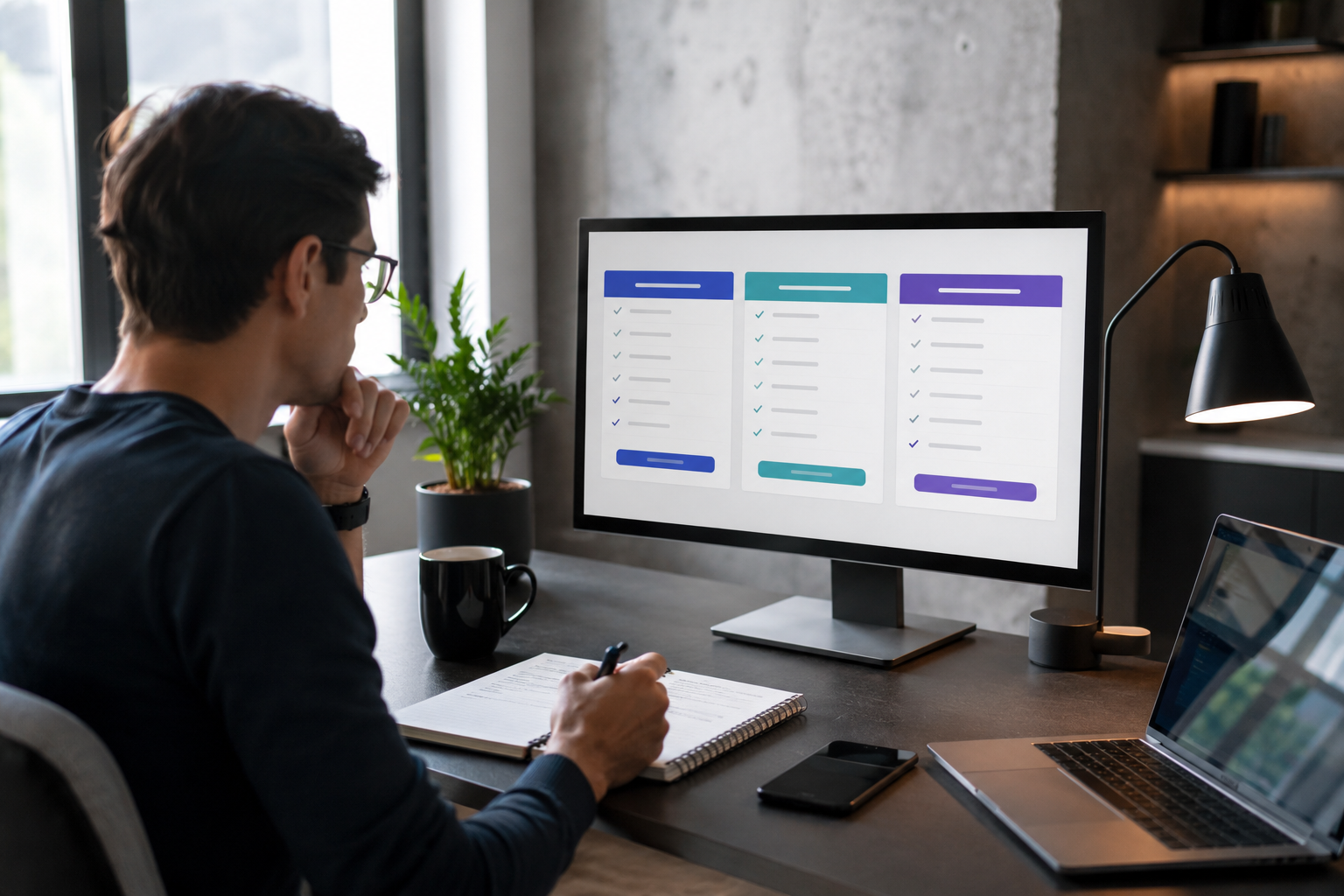
Most SaaS companies design their pricing tables to be clean, minimal, and non-threatening. They show you three or four columns with a short list of bullet points highlighting the good stuff. At the very bottom of that table, there is almost always a faint, grey link that says 'Compare all features' or 'View full plan details.' Click it. This opens the master matrix, containing dozens of rows detailing specific technical permissions. This is where the real story is told.
Step 2: Hunt Down the Multipliers
Look specifically at the differences between the tiers. Identify the exact point where a feature transitions from a number to 'Unlimited.' Pay close attention to things like:
- Custom roles and permissions
- Single Sign-On (SSO) and advanced security
- Audit logs for compliance
- Automated backup frequency
If you are a regulated business or a team larger than 20 people, you will almost certainly be forced into the tier that contains these features, regardless of whether you actually need the core software features of that higher tier.
Step 3: Toggle the Annual vs. Monthly Switch
This is one of the oldest psychological tricks in the book. A pricing page will boldly display '$19 / month' in a massive font. But right above or below it, in a tiny font, are the words 'billed annually.' If you want to pay month-to-month because you don't want to commit to a full year, that $19 price tag suddenly jumps to $29 or $34 a month. Always make sure to toggle the billing switch to the 'Monthly' position to see the true, un-discounted cost of the software.
4. A Tactical Checklist for Executing a Safe Free Trial
To ensure you keep complete control over your software stack and your budget, use this operational checklist every single time you spin up a new trial account.
The 'Burner' Strategy
Never use your primary corporate credit card for a software trial that requires payment details upfront. Instead, use a virtual credit card service like Privacy.com or the built-in virtual card features provided by modern business banks like Mercury or Brex. Create a unique, dedicated virtual card for that specific trial and set a hard spend limit of exactly $0 or $1. If you forget to cancel the trial, or if the company makes it notoriously difficult to unsubscribe, the automated billing attempt will fail instantly, protecting your corporate capital.
Setting the 'T-Minus 48 Hours' Alert
Don't set a calendar reminder for the exact day the trial ends. By then, the automated billing system has often already batched your invoice and processed the transaction. Set your calendar alert for 48 hours before the expiration date. This gives you a clear window to export your data, notify your team, and process the cancellation without stressful, last-minute panics.

The Immediate Downgrade Hack
For platforms that offer a completely free tier alongside their premium trial, use this trick: the exact moment you finish setting up your account, go straight to the billing settings and hit 'Cancel Trial' or 'Downgrade to Free.' Many modern SaaS platforms will let you enjoy the remaining days of your premium trial even after you hit cancel, ensuring it won't automatically renew when the clock runs out.
Audit Your Real Usage Metrics
On day 10 of a 14-day trial, take a break from using the tool and open up the account billing or usage dashboard. Look closely at your consumption metrics. How many automation actions did your team run? How much cloud storage did you occupy? Take those numbers and project them over a full 12-month operating period. If you used 800 actions in 10 days, you'll use roughly 2,400 actions a month. If the standard plan only covers 1,000 actions, you now know that you cannot afford to stay on that lower tier, allowing you to budget accurately before making a final purchasing decision.
5. The True Cost of 'Free': Migrations, Onboarding, and Shadow IT
When calculating the cost of a free trial, the number on the pricing page is only part of the equation. There are several soft costs that businesses routinely overlook, which can dwarf the actual cost of the software subscription.
The Internal Labor Drain
Think about the actual hours your team spends testing a new tool. If you have three senior operations managers spending 5 hours each over a two-week period setting up databases, configuring integrations, and learning an interface, you have invested 15 hours of high-value internal labor. If their average internal cost is $60 an hour, that 'free' trial just cost your business $900 in payroll before you've even written a single check to the vendor. If you walk away from the tool, that investment is entirely gone.
The Data Lock-In Trap
Some software platforms make it incredibly easy to get your data into their system, but purposefully difficult to get it out. They might structure their data exports in proprietary, fragmented formats that require a software engineer to clean up and reformat before it can be moved into a competitor's system. Always test the export functionality on day two of your trial. If you can't get your data out in a clean, standard format like a structured CSV or JSON file with a single click, be very careful about building your operational processes inside that tool.
The Shadow IT Nightmare
When individual team members are allowed to sign up for free trials without centralized oversight, it creates a massive corporate problem known as Shadow IT. A marketing coordinator signs up for a free asset tracking tool using their personal corporate email. They upload proprietary company logos, active client lists, and internal strategy briefs. The trial ends, the coordinator forgets about it, and that sensitive company data now sits abandoned on an insecure, unmonitored external server. Centralizing software evaluation through a clear, approved review process is vital for modern data security.
6. Real-World Case Studies: Spotting the Fine Print
Let's take a look at how these dynamics play out across common software categories so you can recognize the patterns instantly.
Case Study A: The Document Signing Tool
You sign up for a free trial of an electronic signature platform to send contracts to new freelance vendors. The trial lets you send unlimited documents, use custom branding, and collect signatures flawlessly. It feels like an incredible fit.
The Reality: When the trial ends, you discover the entry-level plan ($15/month) limits you to exactly three document sends per month. If you want to send more, you are instantly forced into the Business tier, which costs $65 per user per month and requires an annual contract.
Case Study B: The Customer Relationship Management (CRM) System
A startup team hooks up a new CRM to track their sales pipeline. The free trial gives them access to built-in email sequences, call tracking, and lead scoring. The team loves it and logs all their active deals.
The Reality: The team buys the basic $25/user seat plan. However, the moment they try to connect their corporate Google Workspace email account to run automated sales sequences, they hit a feature wall. Email sequencing is strictly gated behind the 'Professional' plan, which costs $90/user/month. Because their entire sales workflow is already built inside the CRM database, the team is forced to pay the higher fee to avoid halting their sales pipeline.
7. How to Negotiate Beyond the Trial Screen
If you have run a comprehensive free trial, analyzed your metrics, and realized that the premium tier you actually need is slightly outside your budget, don't just give up and walk away. You have far more leverage than you think.
Ask for a Trial Extension
If your team hasn't had enough time to thoroughly evaluate the product, send a polite note to the sales or support team. Explain that you are seriously considering the tool for your operations but need an extra 7 or 14 days to run a final compliance check or get executive sign-off. Nine times out of ten, the vendor will extend your premium trial instantly because they don't want to lose a warm, highly engaged lead.
Request a Custom Feature Un-Gate
If you love the standard plan but only need a single, specific feature from the enterprise tier (like a specific integration or slightly more storage space), talk to a sales representative. Explain that your budget matches the standard plan, and ask if they can manually apply a custom feature flag to your account. Software sales reps often have the administrative power to adjust account parameters to close a deal, especially if you are willing to commit to an annual billing cycle.
Final Thoughts: Becoming a Strategic Software Buyer
The software market is incredibly crowded, and vendors will continue to use highly creative pricing strategies to maximize their average revenue per user. The secret to winning this game isn't avoiding free trials entirely; it's entering them with clear data, absolute clarity on your core business requirements, and a healthy dose of professional skepticism.
Before you start your next software trial, take five minutes to visit resources like Saasbonus to read detailed, real-world breakdowns of the tool's true costs, competitor alternatives, and pricing models. By auditing the pricing matrix upfront, tracking your usage metrics closely, and using virtual payment safety nets, you can leverage free trials exactly how they were meant to be used: as a powerful, risk-free tool to optimize your business operations.




