
10 Hidden SaaS Costs Draining Your Startup's Runway (and How to Audit Them)
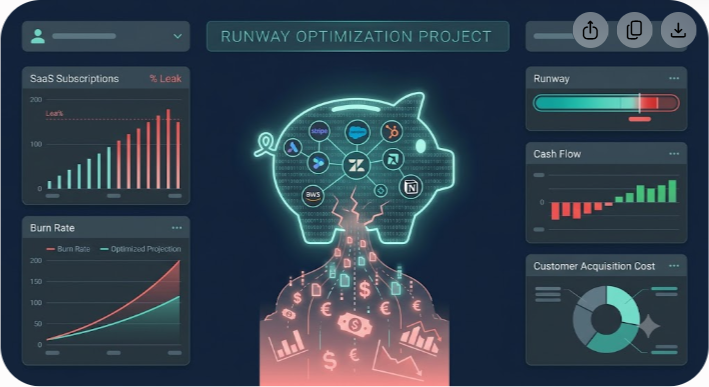
It is 4:15 PM on a Thursday, and you are staring at a line item in your departmental budget that makes your stomach drop. It is a $14,000 monthly charge from an enterprise cloud vendor you do not remember approving. Six months ago, your engineering team spun up a sandbox environment for a two-week sprint, attached a corporate credit card, and completely forgot about it. No one shut down the instances. No one set up budget alerts. The bill simply auto-renewed month after month, silently shaving weeks off your startup's cash runway.
This isn't an isolated incident. It happens in almost every venture-backed startup between Seed and Series B. When founders talk about burn rate, they usually focus on headcount and marketing acquisition costs. Payroll is obvious; paid ads are visible. But software? Software feels like a collection of reasonable $29, $99, and $499 monthly charges.
Until you add them up.
According to recent SaaS spend data, the average mid-market company maintains over 120 separate software subscriptions. More alarming is that roughly 30% of those licenses go completely unused, while another 15% suffer from severe seat bloat or tier overlap. If your startup is burning $150,000 a month, software leakage could easily represent $15,000 to $25,000 in pure waste. That is not just pocket change—it is two full months of engineering runway evaporating every single year.
In this guide, we will unpack the ten most dangerous hidden SaaS costs draining early-stage and growth startups, along with a step-by-step audit playbook you can execute this week to reclaim your cash.
1. Unused and Ghost Licenses (Seat Bloat)
The most common SaaS leak is simple, mundane, and remarkably expensive: paying for seats assigned to people who never log in.
How It Happens
When a sales representative joins, your ops team provisions access across fifteen different platforms—CRM, email sequence tool, call recorder, prospecting database, project management board, internal wiki, slide deck builder, and design suite. Nine months later, that rep transitions out of the company. HR offboards their email, but offboarded emails do not automatically downgrade or cancel individual seat licenses in third-party platforms.
Alternatively, team leads request extra seats in bulk ahead of anticipated hiring rounds. The hiring plan slows down, but the $80/seat monthly charge for twelve empty seats sits on the credit card statement uninterrupted.
The Real Financial Impact
Consider a team of 40 using a stack of 10 seat-based tools averaging $45 per user per month. If 15% of those seats are assigned to departed employees or inactive team members, you are paying for 60 phantom seats. That amounts to $2,700 every month—$32,400 a year flushed down the drain.
How to Fix It
- Run an SSO audit: If you use Google Workspace or Okta, pull a user activity report across all SAML applications. Filter for users who haven't authenticated in over 30 days.
- Deprovision before you offboard: Update your standard offboarding checklist so that revoking and reallocating software seats happens simultaneously with email termination.
- Enforce pooled licensing: Where possible, buy flex-seats or floating licenses rather than fixed annual user tiers.
2. Uncoordinated Shadow IT
Shadow IT isn't malicious; it is born out of speed and productivity. An engineer wants a faster API tester, so they put $20/month on their personal card and expense it. A marketing manager wants a sleek landing page builder, so they start a $149/month plan on the team card.
How It Happens
When purchasing processes are frictionless, individual team members buy point solutions to solve immediate problems. Within six months, three different departments are paying for three separate tools that perform identical functions. Design uses Figma, product uses Miro for wireframing, and engineering pays for Lucidchart—all while marketing pays for Canva enterprise.
The Real Financial Impact
Shadow IT creates two major financial hazards: redundant spending and missed volume discounts. Instead of leveraging company-wide buying power to secure a 30% enterprise discount on one consolidated tool, you pay full retail pricing across four separate vendors.
How to Fix It
- Centralize expense tagging: Instruct your finance team or automated expense platform (Ramp, Brex, Expensify) to flag any recurring charge categorized under 'Software' or 'Subscriptions'.
- Implement a single-card procurement rule: Require all software subscriptions to run through a virtual credit card system with strict merchant locks and monthly spend caps.
- Conduct a feature overlay mapping: Map out your stack visually to identify functional duplicates (e.g., project management, form builders, screen recorders).
3. Tier Upgrade Traps and Feature Gating
SaaS pricing pages are masterclass examples of behavioral economics. They entice you with a modest $49/month 'Pro' tier, but bury crucial security or operational features behind the 'Enterprise' tier.
How It Happens
Your startup grows to 25 people, and your lead customer requests SOC 2 compliance or Single Sign-On (SSO) integration. You open your favorite tool's settings page to enable SAML SSO, only to find a banner reading: Contact Sales to Upgrade to Enterprise.
Suddenly, your cost per user jumps from $15/month to $65/month, accompanied by a mandatory minimum commitment of 50 seats. You didn't need more seats or extra analytics; you just needed one security setting.
The Real Financial Impact
This 'SSO tax' can increase a single software bill by 300% to 500% overnight. When multiplied across five core operational tools (Slack, Notion, GitHub, Figma, Jira), security compliance can unexpectedly add $40,000+ to your annual SaaS bill.

How to Fix It
- Evaluate the SSO Tax upfront: Before adopting any tool at the Seed stage, check sso.tax (a community-maintained database of vendor SSO markups) to know what compliance will cost you later.
- Negotiate custom mid-tier add-ons: Don't automatically buy full Enterprise tiers. Ask sales reps for a custom add-on clause: 'Can we add SAML SSO to our Team plan for a flat $200/month fee?'
- Leverage startup deals: Many platforms offer startup discounts that waive enterprise minimums for 12 to 24 months. Platforms like Saasbonus highlight verified startup deals and software discounts that help early-stage teams access premium feature tiers without taking on enterprise price gouging.
4. API, Bandwidth, and Data Storage Overages
Fixed monthly subscription fees are easy to model in financial projections. Variable usage-based overages are cash-flow wildcards.
How It Happens
Infrastructure platforms, messaging gateways, and AI endpoints (AWS, Twilio, SendGrid, OpenAI, Datadog) bill based on volume. A minor coding loop in staging, an unexpected spike in web traffic, or an unoptimized log file collector can burn through your monthly quota in six hours.
Because many platforms automatically bill overages to the credit card on file without pausing service, you often don't notice the spike until the end-of-month invoice arrives.
The Real Financial Impact
A startup expecting a standard $1,200/month cloud logging bill can easily suffer an $18,000 overage bill due to an unindexed query running over a long weekend.
How to Fix It
- Set hard billing caps, not soft alerts: Soft email alerts get buried in inbox clutter. Configure hard usage limits or auto-scaling circuit breakers that shut down non-critical environments when spending exceeds 120% of baseline.
- Clean up data retention policies: Stop storing raw debug logs for 365 days. Change retention policies in logging tools to 14 or 30 days.
- Audit API call efficiency: Batch API requests and implement server-side caching to prevent redundant external calls.
5. Automatic Annual Auto-Renewals with Price Escalation Clauses
Vendor contracts are built to auto-renew on terms favorable to the vendor, not the customer.
How It Happens
When you signed your contract last year, the sales rep offered a slick 20% discount if you committed to an annual plan. Buried on page 14 of the terms of service was a small clause: Contract automatically renews for successive 12-month periods at standard list price plus a 7% annual escalation, unless written notice of non-renewal is provided at least 60 days prior to the expiration date.
You miss that 60-day window by two days. You call your account executive to downgrade your seats, but they inform you that you are locked in for another full year at a higher rate.
The Real Financial Impact
Unintended annual renewals lock up precious liquidity. Being forced into an $18,000 renewal for a platform your team was planning to replace in Q2 cripples your operational flexibility.
How to Fix It
- Build a central contract calendar: Never rely on the vendor to remind you. Create a master spreadsheet or contract management board with notification triggers set for 90, 60, and 30 days prior to every contract termination date.
- Strike auto-renewal clauses during procurement: Before signing any master services agreement (MSA), cross out automatic 12-month renewals. Replace them with explicit written confirmation requirements or opt for 30-day notice windows.
- Cap annual price increases: Insert a clause limiting any auto-renewal price increase to a maximum of 3% to 5% per year.
6. Premium Support and Onboarding Add-On Fees
When buying mid-market software, the sticker price on the website is rarely what hits your bank account.
How It Happens
You select a CRM solution listed at $80/user/month for 15 users ($14,400/year). But during the checkout process, the vendor insists that 'Mandatory Executive Onboarding & Implementation Services' are required for all new accounts—a one-time non-negotiable fee of $5,000. Additionally, standard email support has a 48-hour response time, so you feel forced to add 'Premier 24/7 Phone Support' for an additional 15% of the contract value.
Your $14,400 commitment suddenly ballooned into $21,560 before you even sent your first email campaign.
The Real Financial Impact
Optional services and mandatory onboarding packages often inflate base software costs by 20% to 50% without delivering proportional value, especially for tech-savvy startup teams capable of self-onboarding.
How to Fix It
- Refuse mandatory onboarding fees: Negotiate to waive implementation fees entirely in exchange for a faster signature or a longer commitment term.
- Audit support tier usage: Check how many times your team actually contacted priority phone support over the past year. If it was twice, drop back to standard email support.
- Leverage third-party implementation partners or communities: Often, independent consultants or public documentation will get your platform configured faster and cheaper than the vendor's internal professional services team.
7. Currency Conversion and Cross-Border Transaction Surcharges
If your startup is based in the US, Europe, or Australia, you likely buy software from international vendors without realizing how much you lose on foreign exchange (FX) conversion fees.
How It Happens
Your design team subscribes to a specialized European asset library billed in Euros (€800/month), or your dev team uses an Australian developer platform billed in AUD. Your corporate credit card charges a standard 2.5% to 3% foreign transaction fee on every billing cycle. On top of that, the card issuer applies an unfavorable baseline currency conversion rate.
The Real Financial Impact
On a $20,000 monthly international software bill, 3% foreign exchange markups drain $600 per month ($7,200 annually) in pure bank fees—zero value returned to your business.
How to Fix It
- Pay with multi-currency corporate cards: Use modern fintech accounts (like Wise, Ramp, or Mercury) that let you hold balances in USD, EUR, and GBP, settling invoices in native currencies.
- Request USD billing: Almost all major international SaaS companies offer USD pricing models. Request your account currency to be locked to USD at contract inception.
8. Misaligned Billing Frequencies (Monthly vs. Annual Inefficiencies)
Choosing between monthly and annual SaaS billing is a delicate balancing act between cash flow preservation and overall discount maximization.
How It Happens

Startups make two distinct mistakes here:
- Paying monthly for core, permanent tools: Tools you know you will never drop (like Google Workspace, GitHub, 1Password, or Slack) are often left on monthly billing, missing out on standard 15% to 25% annual prepay discounts.
- Prepaying annually for experimental tools: Buying an annual plan for a brand-new marketing experiment tool to save $200, only to abandon the tool six weeks later when the acquisition strategy changes.
The Real Financial Impact
Overpaying on staple infrastructure by staying on monthly rates wastes thousands in potential savings. Conversely, locking up cash in unused annual contracts destroys liquidity.
How to Fix It
- Categorize software into Core vs. Experimental:
- Core Tools (Slack, AWS, Workspace): Pay annually to lock in 20%+ discounts.
- Experimental Tools (New ad channels, specialized outreach tools): Pay monthly until the tool proves ROI over at least 90 days.
- Consolidate renewal dates: Stagger annual prepayments across different quarters so your bank account doesn't take a massive hit all in January.
9. Inefficient Workspace and Storage Tier Expansion
Cloud storage, media hosting, and database backups operate on tiered threshold pricing that jumps exponentially once you cross arbitrary limits.
How It Happens
Your media team uploads uncompressed raw video footage to your cloud workspace (Google Drive, Dropbox, Box, or Loom). You cross the 5 TB threshold, automatically triggering an upgrade from $15/user/month to the 'Unlimited Storage' tier at $35/user/month across all 30 company accounts. You just quadrupled your storage bill to keep 2 TB of junk files you haven't opened in two years.
The Real Financial Impact
Data bloat forces account-wide tier upgrades that cost tens of thousands of dollars annually just to host dead files.
How to Fix It
- Enforce cloud cold storage protocols: Move archival data, raw footage, and old database dumps out of active SaaS platforms and into cheap cold storage (like Amazon S3 Glacier or Backblaze B2) at a fraction of the cost.
- Automate file retention lifecycles: Set automatic deletion policies for temporary screen recordings (e.g., auto-delete Loom videos older than 60 days unless explicitly saved).
10. Neglecting Vendor Price Increases and Terms Updates
SaaS vendors regularly adjust their pricing models. Inflation, new features, or private equity acquisitions often result in sudden price hikes that go unnoticed on auto-paying credit cards.
How It Happens
An email lands in your admin inbox with the subject line: Updating Our Pricing to Bring You More Value. It states that starting next month, your plan will increase from $12/user to $16/user. The email is ignored or marked as spam. Next month, the charge goes through on the automated virtual card without anyone questioning the 33% rate hike.
The Real Financial Impact
Across a portfolio of 20 tools, passive acceptance of yearly vendor price increases can creep your total software spend up by 10% to 15% year-over-year without adding a single new seat or capability.
How to Fix It
- Designate a Procurement Lead: Appoint one person (your Ops Lead, Finance Manager, or Founder) who must review and sign off on any price adjustment notification.
- Push back on rate hikes: When a vendor announces a price increase, reply immediately: 'Our current budget allocation does not account for this increase. Can we lock in our current rate for another 12 months?' You will be surprised how often reps grant grandfathered rates just to prevent churn.
- Benchmark prices regularly: Compare your tool costs against market alternatives and peer discounts. Using SaaS research platforms like Saasbonus allows you to evaluate alternative tools, benchmark features, and discover active software deals before accepting a price hike from an incumbent vendor.
The 4-Step SaaS Audit Playbook for Startups
Now that you know where the leaks are, here is a practical framework to execute a complete audit of your software stack over the next seven days.
+-----------------------------------------------------------------------+
| THE 4-STEP SAAS AUDIT | +-------------------+-----------------+------------------+--------------+
| STEP 1: DISCOVER | STEP 2: ANALYZE | STEP 3: OPTIMIZE | STEP 4: GOVERN|
| Export 12mo card | Map usage & | Cancel ghosts, | Lock cards, |
| & bank statements | active licenses | negotiate tiers | centralize calendar| +-------------------+-----------------+------------------+--------------+
Step 1: Discover Everything You Are Paying For
Don't rely on your current software inventory spreadsheet—it is likely outdated. Instead, follow the money:
- Pull 12 months of credit card transactions and bank account statements.
- Filter by merchant category codes related to software, IT, and cloud infrastructure.
- Export expense report submissions from platforms like Ramp, Brex, or Abacus.
- Combine these entries into a master baseline spreadsheet.
Step 2: Analyze Usage and Ownership
For every discovered tool, document five essential data points:
- Owner: Who in the company actually manages this account?
- Active Users: How many total seats are paid vs. how many users logged in during the last 30 days?
- Billing Cycle: Monthly or Annual?
- Renewal Date: Exact contract termination deadline.
- Business Necessity: Critical (Business halts without it), Useful (Saves time), or Redundant (Nice to have, rarely used).
Step 3: Optimize and Eliminate
Take aggressive action based on your findings:
- Cancel the Redundant: Immediately terminate subscriptions for tools categorized as 'Redundant' or those with zero active logins over 45 days.
- Trim the Fat: Reclaim unused licenses on 'Critical' tools and downgrade overall seat tiers.
- Renegotiate and Leverage Deals: For tools coming up for renewal in the next 90 days, reach out to account managers to ask for loyalty pricing, or explore alternative tools offering competitive migration discounts.
Step 4: Institute Long-Term SaaS Governance
Prevent the bloat from returning by setting up basic guardrails:
- Issue Dedicated Virtual Cards: Assign a unique virtual card with a hard budget limit to every individual software vendor. If a vendor tries to charge an unexpected overage or unauthorized price hike, the card declines automatically.
- Centralize Procurement Sign-Offs: Mandate that any new tool costing more than $50/month requires approval from your finance or operations lead.
- Review Quarterly: Make SaaS audits a recurring calendar event at the end of every quarter.
Summary Matrix: Hidden Costs Quick Reference
| Hidden SaaS Cost Leak | Root Cause | Primary Fix | Potential Savings |
|---|---|---|---|
| Unused/Ghost Seats | Poor offboarding procedures | SSO audit & automated license reclamation | 10% – 20% of seat spend |
| Shadow IT | Decentralized purchasing | Virtual cards & centralized procurement | 15% – 25% of overall spend |
| The SSO / Tier Tax | Enterprise feature gating | Negotiate mid-tier add-ons & startup deals | 30% – 50% per upgraded tool |
| API / Usage Overages | Lack of billing controls | Hard spending caps & data retention limits | Variable (Up to 80% on spikes) |
| Auto-Renewals | Missed termination windows | Central contract calendar (90/60/30 day alerts) | 100% of unwanted renewals |
| Mandatory Onboarding | Vendor service add-ons | Request fee waivers during contract sales | $2,000 – $10,000 per tool |
| FX & Bank Fees | Foreign currency billing | Multi-currency corporate cards or USD terms | 2.5% – 3% on foreign billing |
| Monthly Billing Inflation | Staying on monthly plans for core tools | Transition core tools to annual prepay | 15% – 25% on staple tools |
| Storage Tier Jumps | Accumulating archival data | Migrate legacy files to cold storage (S3) | 40% – 60% on storage plans |
| Vendor Rate Hikes | Passive auto-payments | Grandfathering requests & price benchmarking | 10% – 15% across affected tools |
Final Thoughts: Protecting Your Runway
Your startup's runway is your ultimate lifeline. Every dollar saved on unneeded software licenses, hidden overages, and phantom seats is a dollar you can invest in product development, customer acquisition, and key talent.
SaaS tools are essential for building a modern, scalable business, but without proactive oversight, software spend will silently expand until it consumes your cash reserves. By implementing a regular audit cadence, leveraging virtual cards, benchmarking costs against platforms like Saasbonus, and holding vendors accountable to clear contract terms, you keep your stack lean, efficient, and aligned with your growth goals.




