
Automate SaaS Revenue Recognition in Stripe & RevLock
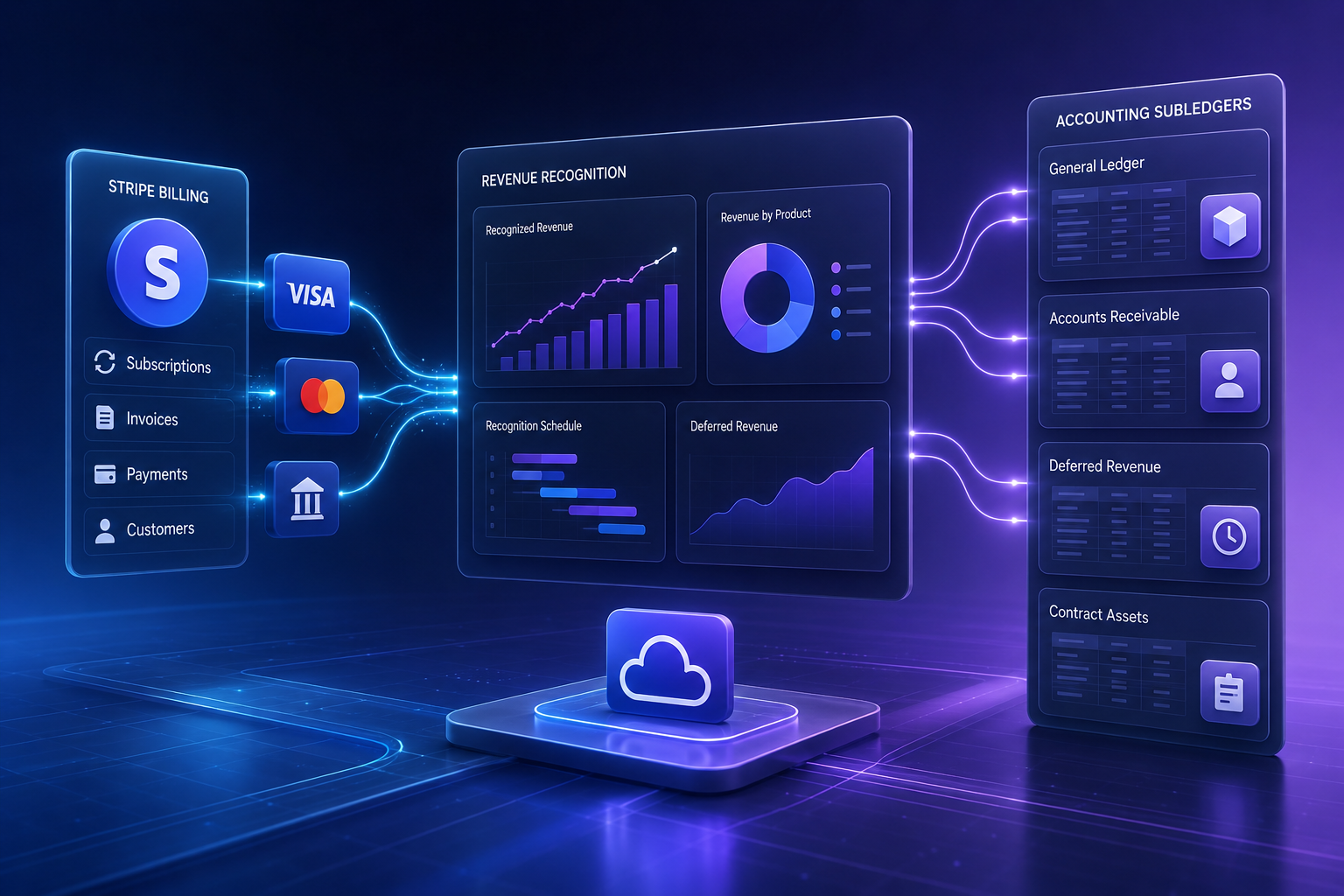
Automating SaaS Revenue Recognition with Stripe and RevLock
Most SaaS finance teams spend the first five business days of every month locked in spreadsheets, manually adjusting deferred revenue schedules across hundreds of monthly and annual subscriptions. If you process billing through Stripe and handle revenue recognition manually, a single mid-cycle upgrade, refund, or custom contract modification can throw off your balance sheet for quarters.
To automate SaaS revenue recognition using Stripe and RevLock (now part of Zuora Revenue), you connect Stripe as your billing source, map your pricing plans to performance obligations inside RevLock, and let RevLock automatically generate ASC 606 and IFRS 15-compliant revenue schedules for every invoice, upgrade, and credit note created in Stripe.
This guide breaks down the architecture, step-by-step setup, common edge cases, and best practices to fully decouple billing from accounting and automate your revenue engine.
Why Stripe Billing Alone Isn't Enough for ASC 606 Compliance
Stripe excels at collecting money from customers. Whether you process credit cards, ACH transfers, or invoicing, Stripe Billing manages recurring subscriptions, payment retries, and invoice generation with high reliability. However, billing is not revenue recognition.
Under GAAP guidelines (specifically ASC 606 and international IFRS 15 standards), revenue must be recognized when—or as—the performance obligation is satisfied, regardless of when cash is collected or invoiced.
Cash collected upon invoicing represents a balance sheet liability under deferred revenue until the service is delivered over time. Recognizing cash immediately as earned revenue distorts your income statement and creates compliance issues during audits.
Here is where relying solely on Stripe's native raw billing data breaks down for growing SaaS businesses:
- Upfront Annual Contracts: A customer pays $12,000 upfront on January 1 for an annual software subscription. Stripe records an invoice and payment for $12,000. Under ASC 606, you cannot count $12,000 as revenue in January. You must record $12,000 to Deferred Revenue on the balance sheet and recognize $1,000 per month across 12 months on the income statement.
- Mid-Cycle Upgrades and Downgrades: A customer on a $100/month plan upgrades to a $500/month plan mid-way through the month. Stripe calculates a prorated charge of $200. Accounting rules require you to adjust the remaining performance obligation and reallocate revenue across the modified contract period.
- Professional Services and Setup Fees: Charging a $2,500 onboarding fee alongside a subscription requires determining whether onboarding represents a distinct performance obligation or must be amortized over the estimated customer life.
- Usage-Based Charges: Overage fees or meter-based usage billed in arrears must be recognized in the period the consumption occurred, not necessarily when the invoice finalizes.
While Stripe offers an add-on product called Stripe Revenue Recognition, fast-growing SaaS companies operating with complex multi-element arrangements, multi-currency invoicing, or ERP systems like NetSuite, QuickBooks Online, or Xero often turn to dedicated subledger engines like RevLock.
What is RevLock and How Does It Fit into Your Tech Stack?
RevLock is a specialized revenue recognition automation platform built specifically to solve ASC 606 and IFRS 15 compliance for subscription and usage-based businesses. It sits between your billing layer (Stripe) and your general ledger (QuickBooks, Xero, Sage Intacct, or NetSuite).
Instead of making accounting entries directly inside Stripe or trying to force your ERP to handle granular daily subscription amortizations, RevLock acts as an automated, audit-ready revenue subledger.
The Role of Each Component in the Stack
- Stripe (Billing & Collection Engine): Handles customer management, payment gateways, dunning, subscriptions, invoice creation, and issuing credit notes.
- RevLock (Revenue Recognition Engine): Ingests raw transactions from Stripe, interprets contract start/end dates, applies revenue rules, calculates daily or monthly recognition schedules, handles contract modifications, and tracks deferred revenue waterfalls.
- General Ledger (Financial Reporting): Receives aggregated monthly journal entries from RevLock (Debits to Deferred Revenue, Credits to Earned Revenue) to keep the primary financial statements balanced.
Stripe Revenue Recognition vs. RevLock: Feature Comparison
Before implementing RevLock alongside Stripe, it helps to understand how RevLock compares to Stripe's native revenue tool so you can ensure you are using the right setup for your business complexity.
| Feature / Capability | Stripe Native Revenue Recognition | RevLock (Zuora Revenue) Integration |
|---|---|---|
| Primary Focus | Out-of-the-box reporting for standard Stripe transactions | Enterprise ASC 606/IFRS 15 compliance across complex tech stacks |
| Data Sources | Strictly Stripe transaction data | Multi-source (Stripe, HubSpot, Salesforce, custom APIs) |
| Standalone Selling Price (SSP) | Basic override rules | Advanced standalone selling price allocation and bundle rules |
| Contract Modifications | Automated proration logic for native Stripe events | Cumulative catch-up and prospective modification workflows |
| General Ledger Integration | Manual CSV exports or basic accounting connectors | Native, automated sync to NetSuite, Sage Intacct, QBO, Xero |
| Custom Amortization Rules | Milestones, ratable daily/monthly schedules | Deep rule customization, usage matching, deferred commission amortizations |
| Audit Trail Depth | Standard system logs | Immutable subledger event logging and detailed ASC 606 disclosures |
For early-stage companies with pure self-serve monthly credit card billing, Stripe's built-in feature may suffice. But the moment you introduce hybrid sales models—combining annual contracts signed in HubSpot or Salesforce with billing executed in Stripe—RevLock provides the flexibility finance teams require.

Step-by-Step Implementation: Integrating Stripe with RevLock
Setting up automated revenue recognition between Stripe and RevLock does not require writing custom code, provided your Stripe data is clean and well-structured. Follow these concrete steps to configure the integration.
Step 1: Prepare and Clean Your Stripe Metadata
RevLock relies on transaction dates and subscription metadata in Stripe to establish the exact service period for revenue recognition. Before connecting the systems, audit your Stripe catalog:
- Service Period Dates: Ensure your application or billing script sets explicit service start (`period_start`) and service end (`period_end`) dates on line items. If a customer pays an annual invoice on March 15, but the contract covers April 1 through March 31 of the following year, metadata fields should reflect the actual performance timeline.
- Product Catalog Consistency: Ensure each product in Stripe represents a clear category (e.g., Software License, Professional Services, Usage Add-on). Ambiguous line items like 'Custom Fee' will require manual mapping later.
Step 2: Establish the Direct API Connection in RevLock
RevLock offers a pre-built connector for Stripe that syncs customer accounts, products, prices, invoices, payments, and credit notes in near-real-time.
- Log into your RevLock dashboard.
- Navigate to Environment Settings > Integrations > Connectors.
- Select Stripe from the list of available sources and click Add Connection.
- You will be prompted to authenticate with Stripe via OAuth or by supplying a restricted Stripe API key. If using an API key, ensure it grants read permissions for `Customers`, `Invoices & Invoice Items`, `Subscriptions`, `Credit Notes`, and `Plans & Products`.
- Select the sync frequency. For most finance teams, an automated daily sync (or real-time webhook sync) provides up-to-date reporting without overloading API limits.
Step 3: Map Products to Performance Obligations
Once RevLock completes its initial data ingest from Stripe, you must define your revenue recognition rules. This is where you map Stripe product SKUs to ASC 606 revenue recognition logic inside RevLock.
- Standard Recurring Subscriptions: Map to Ratable Amortization (Daily/Monthly) across the subscription term.
- One-Time Setup Fees: Map to Immediate Recognition upon invoice date (if deemed a separate performance obligation) or Amortized over Customer Lifecycle (e.g., 24 months) if bundled with the primary contract.
- Prepaid Usage Credit Packages: Map to As-Consumed Recognition, where revenue drops out of deferred status only when usage events are ingested.
Step 4: Configure Contract Modification Rules
When a customer upgrades, downgrades, cancels, or adds seats in Stripe prior to contract end, RevLock needs instructions on how to calculate the accounting impact.
- In RevLock, navigate to Policy Rules > Contract Modifications.
- Choose between two primary ASC 606 methods:
- Prospective Treatment: Unrecognized revenue from the existing contract plus the new contract value are combined and amortized over the remaining future term. This is common for standard plan additions.
- Cumulative Catch-Up: Re-calculates total contract revenue from inception and posts an immediate adjusting entry in the current open accounting period. This is typically used when pricing discounts are applied retroactively.
Step 5: Run Data Validation and Reconcile Historical Balances
Before enabling automated posts to your general ledger, perform a historical reconciliation run inside RevLock:
- Run the RevLock Sync Validation Tool to check for orphaned Stripe invoices (e.g., invoices without assigned start/end dates or unmapped SKUs).
- Compare RevLock's calculated Deferred Revenue Balance on a specific past date against your existing accounting balance sheet.
- Fix any date discrepancies in Stripe or create custom override rules inside RevLock for legacy contracts.
Step 6: Connect RevLock to Your General Ledger (GL)
With data validation complete, link RevLock to your accounting system (QuickBooks Online, Xero, Sage Intacct, or NetSuite).
- Go to Integrations > General Ledger in RevLock.
- Map your Chart of Accounts:
- Deferred Revenue Account (Liability)
- Recognized Revenue Account (Income)
- Accounts Receivable / Cash Clearing Account (Asset)
- Unbilled Receivables Account (Asset, if applicable)
- Set your closing schedule. At month-end, RevLock automatically compiles all daily recognition events into a single journal entry ready for approval and posting.
Complex Edge Cases: Handling Upgrades, Refunds, and Prorations
Automating basic annual plans is simple. The true test of a Stripe-to-RevLock automation architecture lies in handling real-world subscription edits without human intervention.
1. Mid-Month Plan Upgrades with Prorated Charges
Scenario: A customer on a $1,000/month plan upgrades to a $3,000/month plan on day 15 of a 30-day month. Stripe issues an immediate prorated credit of $500 for the remaining unused days on the old plan, and a charge of $1,500 for the remaining days on the new plan. The net invoice generated in Stripe is $1,000.
How the Automation Handles It:
- Stripe webhook sends the updated subscription event, credit item, and new invoice item to RevLock.
- RevLock automatically truncates the original revenue schedule on day 15, recognizing exactly $500 for the first half of the month.
- RevLock creates a new schedule for the upgraded tier, recognizing $1,500 over the remaining 15 days of the month.
- Result: Total revenue recognized for the month equals $2,000 ($500 + $1,500). Your deferred revenue account balances without manual journal adjustments.
2. Issuing Partial Refunds and Credit Notes
Scenario: A customer experiences a service outage and you issue a $300 credit note against a previously paid $1,200 annual invoice 4 months into the term.

How the Automation Handles It:
- The credit note is created in Stripe and synced to RevLock.
- RevLock evaluates how much revenue was already recognized ($400 over months 1-4) versus what remains in deferred status ($800).
- RevLock reduces the remaining deferred revenue balance by $300 and automatically adjusts the prospective monthly recognition amount for months 5 through 12 from $100/month down to $62.50/month.
3. Usage-Based Billing with Minimum Commitments
Scenario: An enterprise customer commits to paying $5,000/month minimum, which includes up to 50,000 API calls. Any usage above 50,000 calls is billed in arrears at $0.10 per call via Stripe at the start of the next month.
How the Automation Handles It:
- RevLock amortizes the $5,000 base fee ratably across the current month.
- When Stripe finalizes the overage invoice in month 2 for usage incurred in month 1, RevLock reads the usage period metadata (`period_start` and `period_end`).
- RevLock attributes the overage revenue back to month 1 (when the consumption occurred), keeping your monthly revenue matching strict ASC 606 matching principles.
Auditing and Reporting: Deferred Revenue Waterfalls and Schedule Reports
One of the most immediate benefits of connecting Stripe to RevLock is eliminating manual month-end reporting preparation. Revenue recognition engines provide built-in financial schedules.
1. The Deferred Revenue Waterfall Report
This schedule displays your deferred revenue balance sliced by the month invoices were billed, showing exactly when that cash converts into recognized revenue over time. It provides complete transparency for board reporting and financial audits.
Here is a simplified example of how RevLock transforms raw Stripe billing events into a structured monthly waterfall report:
| Cohort / Invoiced Month | Total Invoiced | Jan Recognized | Feb Recognized | Mar Recognized | Apr Recognized | Remaining Deferred |
|---|---|---|---|---|---|---|
| Jan Contracts | $120,000 | $10,000 | $10,000 | $10,000 | $10,000 | $80,000 |
| Feb Contracts | $240,000 | $0 | $20,000 | $20,000 | $20,000 | $180,000 |
| Mar Contracts | $180,000 | $0 | $0 | $15,000 | $15,000 | $150,000 |
| Apr Contracts | $360,000 | $0 | $0 | $0 | $30,000 | $330,000 |
| Total Recognized | $900,000 | $10,000 | $30,000 | $45,000 | $75,000 | $740,000 |
2. Standalone Selling Price (SSP) Disclosures
Under ASC 606, if you bundle software licenses, support packages, and implementation services into a single Stripe charge, you must allocate total contract value based on the relative Standalone Selling Price (SSP) of each component. RevLock stores your SSP pricing tiers and automatically re-allocates revenue amounts across line items before generating journal entries.
3. Immutable Event Logs for Auditors
When external auditors review your financial statements, they want to trace every dollar of recognized revenue back to an underlying contract or invoice event. RevLock logs every Stripe event ID, subscription change, price alteration, and rule execution with exact timestamps, giving auditors full traceability from General Ledger down to individual Stripe customer IDs.
Best Practices for Maintaining Automated Revenue Recognition
Automating your accounting stack removes manual toil, but requires ongoing system hygiene. Maintain these best practices across your sales, finance, and engineering teams:
- Lock Down Stripe Product Creation Rights: Do not allow sales or customer success representatives to create arbitrary custom price points or one-off items directly in Stripe without consulting accounting. Unmapped custom prices can cause RevLock sync exceptions.
- Pass Explicit Service Dates via API: If you build custom billing integrations using Stripe's API, always populate the `period_start` and `period_end` fields explicitly on every invoice item. Do not rely on default creation timestamps.
- Schedule a Monthly Sync Check: Set a recurring calendar reminder two days before month-end close to review RevLock's unmapped transactions queue. Resolving simple mapping warnings ahead of time ensures a smooth accounting close.
- Maintain Open Communication Between Sales and Accounting: When closing custom enterprise contracts with non-standard terms (e.g., clawback clauses, acceptance periods, or extended payment terms), document these early. While RevLock automates standard rules, unique legal clauses may require custom rule assignment.
Frequently Asked Questions
Can RevLock handle multi-currency transactions originating in Stripe?
Yes. RevLock ingests multi-currency invoices directly from Stripe, applies real-time or monthly average exchange rates, and converts amounts into your functional presentation currency for accurate balance sheet reporting.
What is the difference between ASC 606 and IFRS 15 for SaaS companies?
ASC 606 (US GAAP) and IFRS 15 (International) are substantially converged frameworks for revenue recognition. Both require identifying contract performance obligations and recognizing revenue as control transfers. RevLock complies with both frameworks simultaneously.
What happens to revenue recognition when a customer cancels their subscription in Stripe?
When a subscription is canceled in Stripe, RevLock receives the cancellation event via API. It immediately stops future ratable revenue amortization and keeps past recognized revenue intact. Any unearned deferred revenue balance is adjusted based on your contract terms and refund policies.
Does RevLock require manual journal entries to update my accounting software?
No. Once configured, RevLock automatically compiles daily recognition entries and posts summary journal entries directly into connected GL systems like QuickBooks Online, Xero, Sage Intacct, or NetSuite at the end of each accounting period.
How does RevLock calculate revenue for usage-based plans billed in Stripe?
RevLock matches invoice line-item service periods with consumption logs. When Stripe bills usage in arrears, RevLock recognizes the associated revenue in the historical period during which the actual usage occurred, preserving accurate revenue matching principles.
Streamline Your SaaS Stack with Saasbonus
Automating revenue recognition across Stripe, RevLock, and your accounting stack eliminates manual data entry, prevents costly balance sheet audit findings, and gives you real-time visibility into actual earned revenue.
At Saasbonus, we specialize in providing independent, hands-on software reviews, technical breakdowns, and integration guides to help SaaS leaders and finance teams build scalable tech stacks. Whether you are evaluating subscription billing tools, revenue subledgers, or financial automation engines, explore our latest reviews and comparisons to pick the right software the first time.




