
Cal.com vs Calendly for B2B SaaS: 2026 Comparison
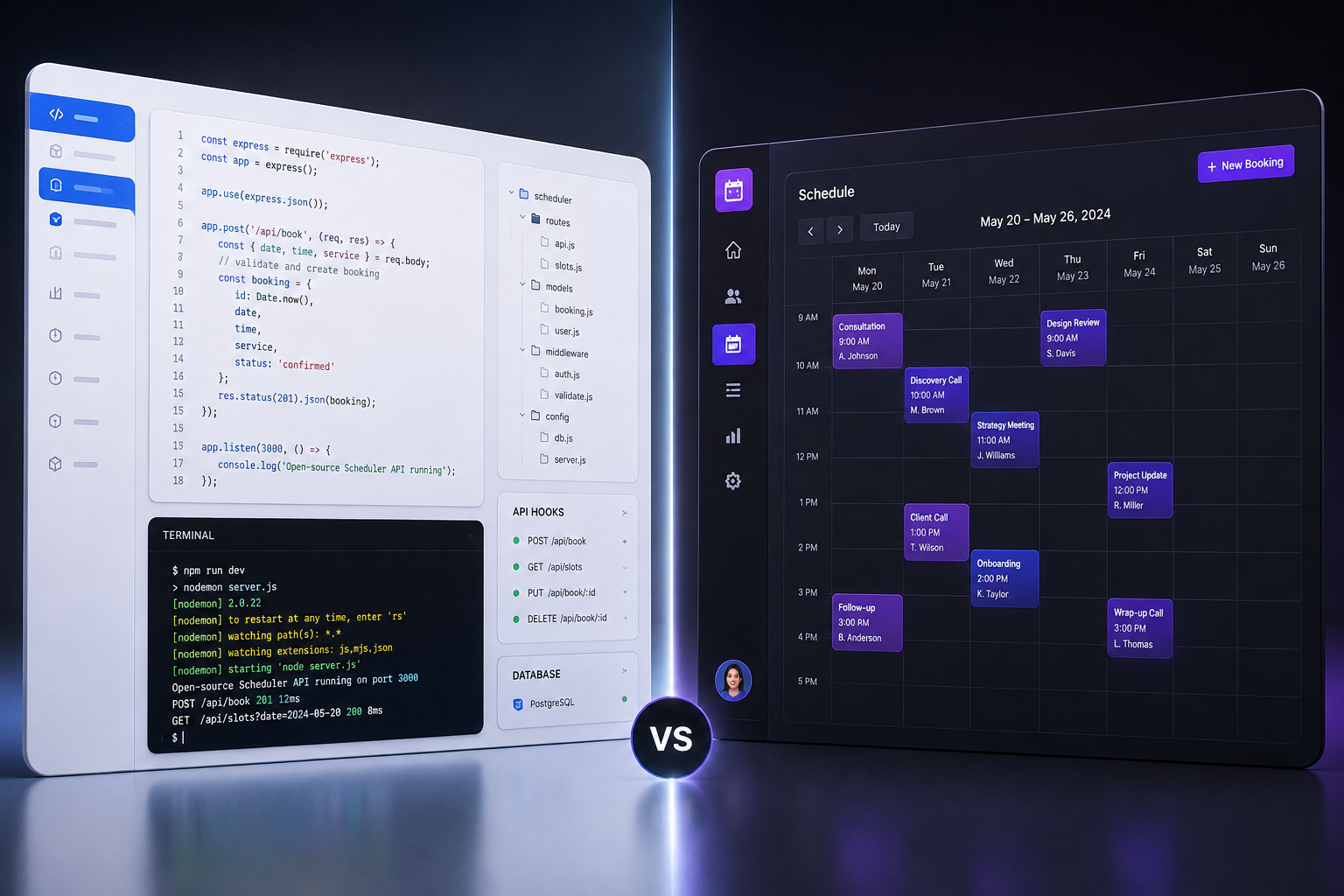
Choosing between Cal.com and Calendly is not a choice between two identical tools with different logos. It is a fundamental choice between open-source scheduling infrastructure and closed commercial SaaS.
If you run a B2B SaaS company, your scheduling tool is not an administrative convenience. It is the front door of your revenue funnel. A single friction point on your booking page can drop inbound demo conversion by 15% to 30%. Yet most growth teams treat scheduling as an afterthought, sticking with the tool their founders picked during their pre-seed days.
Calendly popularized the 'send-a-link' revolution and remains the undisputed market standard. It is polished, predictable, and immediately familiar to almost every prospect who opens your link.
Cal.com (formerly Calendso) emerged directly to break Calendly's closed ecosystem. Built as open-source infrastructure with over 41,000 GitHub stars, Cal.com gives product and engineering teams full control over their code, data residency, and white-label branding.
This guide tears down how both platforms handle the brutal demands of modern B2B SaaS: lead routing, security compliance, developer extensibility, and long-term seat pricing.
Cal.com vs Calendly: At a Glance
If you are evaluating both platforms for a fast-moving SaaS team, here is how the core specifications stack up.
| Feature / Metric | Calendly | Cal.com |
|---|---|---|
| Core Architecture | Closed-source commercial SaaS | Open-source (AGPL v3 / Commercial) |
| Hosting Options | Cloud-only (Calendly hosted) | Cloud-hosted SaaS or Self-Hosted |
| Free Tier Generosity | 1 calendar, 1 event type, basic features | Unlimited event types, calendars, & workflows |
| Team Plan Pricing | $16/user/month (Teams plan) | $15/user/month (Teams plan) |
| Developer API & Webhooks | REST API on higher paid tiers | Full REST API & GraphQL, open codebase |
| White-Labeling & Branding | Remove logo on paid tiers; no custom domain | Full white-labeling, custom domains, SMTP support |
| Lead Routing Forms | Available on Teams/Enterprise tiers | Included with advanced condition logic |
| Enterprise Security | SAML SSO, SCIM, SOC 2 Type II | SOC 2 Type II, ISO 27001, HIPAA, self-hosting |
| Ecosystem & Apps | 100+ native integrations | 60+ apps + open app store ecosystem |
1. Speed-to-Meeting & Inbound Routing
For B2B SaaS teams, the time elapsed between a prospect filling out a lead form and securing a demo call directly dictates close rates. Research consistently shows that contacting a prospect within 5 minutes yields dramatically higher conversion rates than waiting even 30 minutes.
How Calendly Handles Inbound Routing
Calendly handles inbound routing through Routing Forms. You can build forms directly within Calendly or integrate existing form builders like Typeform, HubSpot, or Marketo.
When a visitor fills out the form, Calendly evaluates response logic (e.g., Company Size > 50 employees OR Region = 'APAC') and routes the prospect to the appropriate booking page or team pool.
- Round-Robin Scheduling: Calendly offers optimized round-robin assignment based on availability, equal distribution, or priority weighting.
- Collective Scheduling: Easily pools multiple team members (e.g., an Account Executive and a Solutions Engineer) onto a single availability slot.
- The Drawback: Complex logic based on custom enrichment data (like Clearbit or ZoomInfo lookups) requires Zapier, Make, or custom middleware before hitting Calendly.
How Cal.com Handles Inbound Routing
Cal.com takes routing further by treating scheduling as programmable data. Its Routing Forms feature supports conditional redirection to booking links, external URLs, or custom confirmation pages based on dynamic form inputs.
- Advanced Attribute Matching: Cal.com lets you route leads based on complex user attributes, team schedules, and custom CRM parameters out of the box.
- Instant Call Options: Beyond static booking slots, Cal.com supports instant video calls. If an Account Executive is online when a high-intent enterprise lead fills out a form, Cal.com can trigger an immediate 'Jump on a call now' prompt.
- Open Routing Logic: Because Cal.com's routing engine is open, engineering teams can extend routing rules directly using JavaScript/TypeScript or intercept booking requests via webhooks.
The Verdict on Inbound Routing: For standard B2B sales pods running SDR-to-AE handoffs, Calendly is turn-key and reliable. For growth-engineering teams wanting to build custom lead qualification pipelines with real-time routing logic, Cal.com provides far greater programmatic power.
2. Developer Extensibility & API Integration
This is the largest structural divide between the two platforms.

If your SaaS product requires embedded scheduling—for instance, allowing your end-users to book calls within your own web application—you are comparing two completely different design paradigms.
Under Calendly's closed SaaS model, your application connects via API or iframe directly to Calendly's servers, which comes with limited visual styling, strict API rate limits, and vendor lock-in.
Under Cal.com's open infrastructure model, your application communicates with native SDKs and open APIs connected to either cloud SaaS or a self-hosted instance. This gives your team complete UI control, custom webhooks, and direct database access.
Calendly's API
Calendly provides a clean, well-documented REST API. It allows you to invite users, retrieve event details, list availability, and set up webhooks for booking events.
However, Calendly's iframe embeds are strictly styled. You can adjust basic accent colors and hide the profile picture, but the booking UI always clearly looks like Calendly. You cannot modify the underlying scheduling logic or override CSS inside the iframe.
Cal.com's Open Infrastructure
Cal.com was built developer-first. It is available under an open-source license, meaning your engineering team can clone the repository, inspect the code, or contribute custom modules.
- Embed Flexibility: Cal.com offers lightweight React, HTML, and Vue embed libraries that load effortlessly. You can run floating buttons, inline embeds, or full-page booking overlays.
- CSS & Design System Control: You can completely overhaul the visual styling of Cal.com to match your product's design system down to the exact pixel, typography, and micro-interactions.
- Platform Edition / Atoms: Cal.com offers dedicated developer APIs and SDKs specifically designed for companies building scheduling into their own SaaS products. You get raw API endpoints for availability, slots, and bookings without forcing your users to interact with third-party branding.
- Self-Hosting Capability: You can deploy Cal.com on your own AWS, GCP, or Docker infrastructure. This gives you complete ownership over your database, eliminates external vendor data processing, and bypasses third-party rate limits.
The Verdict on Developer Extensibility: Cal.com wins decisively. If you need to embed customized scheduling inside your product, Cal.com is an extensible framework while Calendly is a closed black box.
3. Data Privacy, Governance, & SOC 2 Compliance
For enterprise B2B SaaS companies selling to financial, healthcare, or government clients, data residency and compliance are non-negotiable evaluation criteria.
Security Standards & Certifications
- SOC 2 Type II: Both Calendly and Cal.com are SOC 2 Type II certified.
- ISO 27001: Both platforms hold ISO 27001 certifications for information security management.
- GDPR Compliance: Both platforms offer Data Processing Agreements (DPAs) and comply with European data transfer regulations.
- HIPAA Compliance: Cal.com offers HIPAA compliance with signed Business Associate Agreements (BAAs) on its Organizations and Enterprise plans, as well as on self-hosted instances. Calendly offers HIPAA compliance exclusively on its Enterprise tier.
The Self-Hosting Privacy Advantage
While cloud-hosted SaaS tools encrypt data at rest and in transit, your customer data—names, email addresses, meeting notes, and phone numbers—still resides on third-party servers.
For security-conscious SaaS firms (especially those operating in Europe under strict GDPR guidelines or handling healthcare data), Cal.com's self-hosting option changes the equation.
By deploying Cal.com within your own Virtual Private Cloud (VPC), customer PII (Personally Identifiable Information) never leaves your cloud boundary. You maintain absolute control over database backups, access logs, and retention policies.
In a standard Calendly data flow, a prospect submits information that routes to the Calendly Cloud, passes through third-party storage, and syncs to your CRM. In a self-hosted Cal.com data flow, the prospect submits information directly to your private VPC or server, storing everything inside your private database with zero PII exposed to external scheduling vendors.
The Verdict on Privacy & Governance: Calendly meets all standard corporate compliance requirements for sales operations. However, for SaaS teams with strict data sovereignty rules, Cal.com's self-hosting architecture provides a level of data governance that closed SaaS products cannot match.
4. Ecosystem & Native Integrations
A scheduling tool must link seamlessly with your CRM, video conferencing platforms, marketing automation tools, and payment gateways.
Calendly's Integration Maturity
Having been in the market for over a decade, Calendly boasts a massive, battle-tested integration ecosystem with over 100 native connections.
- CRMs: Deep, native bidirectional sync with Salesforce, HubSpot, Close, and Zoho.
- Video Tools: Zoom, Google Meet, Microsoft Teams, Webex, and GoToMeeting.
- Payment Gateways: Stripe and PayPal for paid strategy sessions.
- Workflow Automation: Extensive Zapier and Make integrations, alongside direct native pushes to Slack and Marketo.
The primary benefit of Calendly's ecosystem is operational maturity. These integrations have been refined over millions of bookings. Edge cases—such as dealing with duplicate CRM contacts or reassigned owners—are handled gracefully out of the box.
Cal.com's App Store & Webhooks
Cal.com operates its own App Store, allowing third-party developers to build and publish integrations. While its count of native integrations (60+) is smaller than Calendly's, Cal.com covers every core tool required by modern tech stacks:
- CRMs: HubSpot, Salesforce, Close, and Zoho.
- Video Tools: Zoom, Google Meet, Microsoft Teams, Webex, plus developer-centric platforms like Daily.co, Whereby, and Jitsi.
- Messaging & Alerts: WhatsApp, Telegram, Signal, and Slack integrations for instant booking alerts.
- Webhooks: Native, high-reliability webhooks that emit fine-grained payload data on every event state change (created, rescheduled, canceled, completed).
The Verdict on Integrations: Calendly holds an edge for standard corporate stacks—especially enterprise Salesforce environments with complex custom objects. Cal.com excels if your stack uses modern developer tools, messaging apps, or custom webhook architectures.
5. User Experience: Booking Flow & Admin Controls
A scheduling page must be friction-free for the invitee and simple to manage for internal administrators.
Invitee Experience
- Calendly: The booking interface is a globally recognized standard. Because tens of millions of people use Calendly monthly, most B2B buyers can select a date, pick a time, and confirm a meeting in under 10 seconds without thinking.
- Cal.com: Features a clean, ultra-fast interface designed with modern web aesthetics. Page load times are exceptionally fast, which is critical for mobile conversion rates. Cal.com also supports custom domain URLs (e.g., `meet.yourcompany.com/sales`) even on lower tiers, reinforcing brand trust during the booking step.
Administrative Experience & Team Workflows
Managing availability, buffer times, and calendar overrides across a 50-person go-to-market team requires robust admin controls.
- Calendly Admin Controls: Excellent team governance. Ops managers can lock event templates, enforce mandatory buffer times, automatically assign licenses via SCIM, and monitor team booking metrics through native dashboard analytics.
- Cal.com Workflows: Cal.com handles admin automation through an explicit Workflows engine. Instead of buried settings, you build event-driven triggers in four clear sequence steps:
- Booking Trigger: A prospect confirms a meeting on your booking page.
- Instant Notification: Cal.com fires a WhatsApp confirmation or Slack ping immediately.
- Timed Delay: The system waits until a set interval (such as 2 hours before the call).
- Automated Follow-up: Cal.com sends an SMS reminder and executes a webhook push to your internal analytics database.
6. Real-World Pricing Breakdown
Pricing structure is often where team budgets get derailed as headcount scales. Let's compare how both platforms charge growing SaaS businesses in 2026.
Calendly Pricing Structure
Calendly operates a traditional per-seat monthly tier model:
- Free Plan: Extremely limited. 1 connected calendar per user, 1 active event type, basic video integrations. Unusable for professional team scheduling.
- Standard ($10/user/month billed annually): Unlocks unlimited event types, multiple calendar connections (up to 6 per user), edit notifications, and basic payment collection.
- Teams ($16/user/month billed annually): Unlocks round-robin scheduling, collective events, routing forms, Salesforce/HubSpot CRM sync, and admin locking features.
- Enterprise (Starts around $15,000/year): Custom contracts including SAML SSO, SCIM provisioning, dedicated account management, and advanced security reviews.
Cal.com Pricing Structure
Cal.com disrupts standard SaaS pricing by offering enterprise-grade features on lower tiers:
- Free Forever Plan: Unusually generous. Includes unlimited event types, unlimited calendar connections, custom branding, payment collection via Stripe, and access to the automated Workflows engine for individual seats.
- Teams Plan ($15/user/month billed annually): Designed for GTM teams. Unlocks team round-robin, collective scheduling, advanced lead routing, managed event types, and white-label booking pages.
- Organizations Plan ($37/user/month): Built for multi-team companies. Adds sub-teams, custom domain routing (`meet.yourcompany.com`), organizational whitelabeling, and advanced SOC 2 / HIPAA compliance features.
- Enterprise / Self-Hosted: Custom licensing for dedicated infrastructure, SLA guarantees, and full platform API deployment.
Annual Cost for a 25-User Team
To put these plans in perspective for a 25-user GTM team requiring standard team capabilities:
- Calendly Teams Tier ($16/user/month): $4,800 per year.
- Cal.com Teams Tier ($15/user/month): $4,500 per year.
Note that Cal.com includes full workflow automation and white-labeling at this tier without requiring an Enterprise upgrade.
The TCO (Total Cost of Ownership) Nuance
- For Small Teams (1-5 users): Cal.com is significantly cheaper because its Free tier includes unlimited event types and custom workflows that Calendly forces behind paid walls.
- For Mid-Sized SaaS Teams (10-100 users): Per-seat costs are comparable ($15 vs $16/user/month). However, Cal.com delivers more built-in features (custom domains, complete white-labeling, SMS workflows) without requiring a jump to high-tier enterprise contracts.
- For Engineering Teams: Self-hosting Cal.com shifts your cost structure from a scaling per-seat operational expense to a flat cloud hosting server fee.
7. Strategic Verdict: Which Should You Pick?
To choose the right tool for your SaaS business, evaluate your team's primary core operational requirement.
| Operational Goal | Recommended Tool | Core Reason |
|---|---|---|
| Plug-and-play setup for sales pods | Calendly | Zero engineering overhead and instant familiar UI for buyers. |
| Enterprise Salesforce integration | Calendly | Battle-tested CRM sync with complex object mapping out of the box. |
| Embedded product scheduling | Cal.com | Native SDKs, open APIs, and total UI styling control. |
| Self-hosted data residency & HIPAA | Cal.com | Full database ownership inside your VPC without enterprise lock-in. |
| White-labeling on custom domains | Cal.com | Run booking pages on `meet.yourcompany.com` without enterprise markups. |
Choose Calendly If:
- You want zero operational overhead: Your team wants a scheduling tool that works immediately out of the box without design, CSS, or API configuration.
- You rely on an enterprise Salesforce setup: Calendly's native Salesforce routing and CRM logging are battle-tested across thousands of enterprise deployments.
- Your GTM team is non-technical: Ops managers can easily build routing forms and manage sales pod distribution through a familiar, intuitive UI.
Choose Cal.com If:
- You are a developer-led or engineering-heavy team: You want full access to source code, APIs, GraphQL, and webhooks to integrate scheduling directly into your product.
- You require total data control or self-hosting: You operate under strict data privacy regulations, operate in sensitive sectors, or want to host scheduling infrastructure inside your own cloud environment.
- You want a fully white-labeled booking experience: You refuse to send prospects to a third-party vendor domain and want booking pages hosted on your own custom domain (`meet.yourcompany.com`).
- You want maximum value on lower tiers: You want unlimited event types, custom automated workflows, and advanced routing without being forced into expensive enterprise contracts.
Summary and Next Steps
Both Cal.com and Calendly are top-tier scheduling tools, but they serve fundamentally different software philosophies. Calendly remains the standard for traditional, plug-and-play commercial SaaS. Cal.com represents the modern shift toward open, programmable software infrastructure.
If you are auditing your SaaS growth stack, choosing the right scheduling tool is only one part of optimizing your conversion funnel. Exploring automated lead qualification, churn prediction, and product analytics integrations can help maximize pipeline velocity.
For in-depth, hands-on software reviews and growth stack teardowns built specifically for software founders and growth teams, explore our latest guides at Saasbonus. We analyze the tools powering modern SaaS operations so you can make confident software decisions the first time.




