
ChatGPT Agent Guide: What It Can Do and How to Use It
What Is a ChatGPT Agent and Why Does It Matter?
It usually happens around 2:15 PM on a Tuesday. You are staring at sixteen open browser tabs, cross-referencing three spreadsheets, and manually copy-pasting customer data into your CRM. You know ChatGPT can answer questions, but answering questions does not clear your task queue. You need something that actually performs the work for you.
That is where AI agents come in.
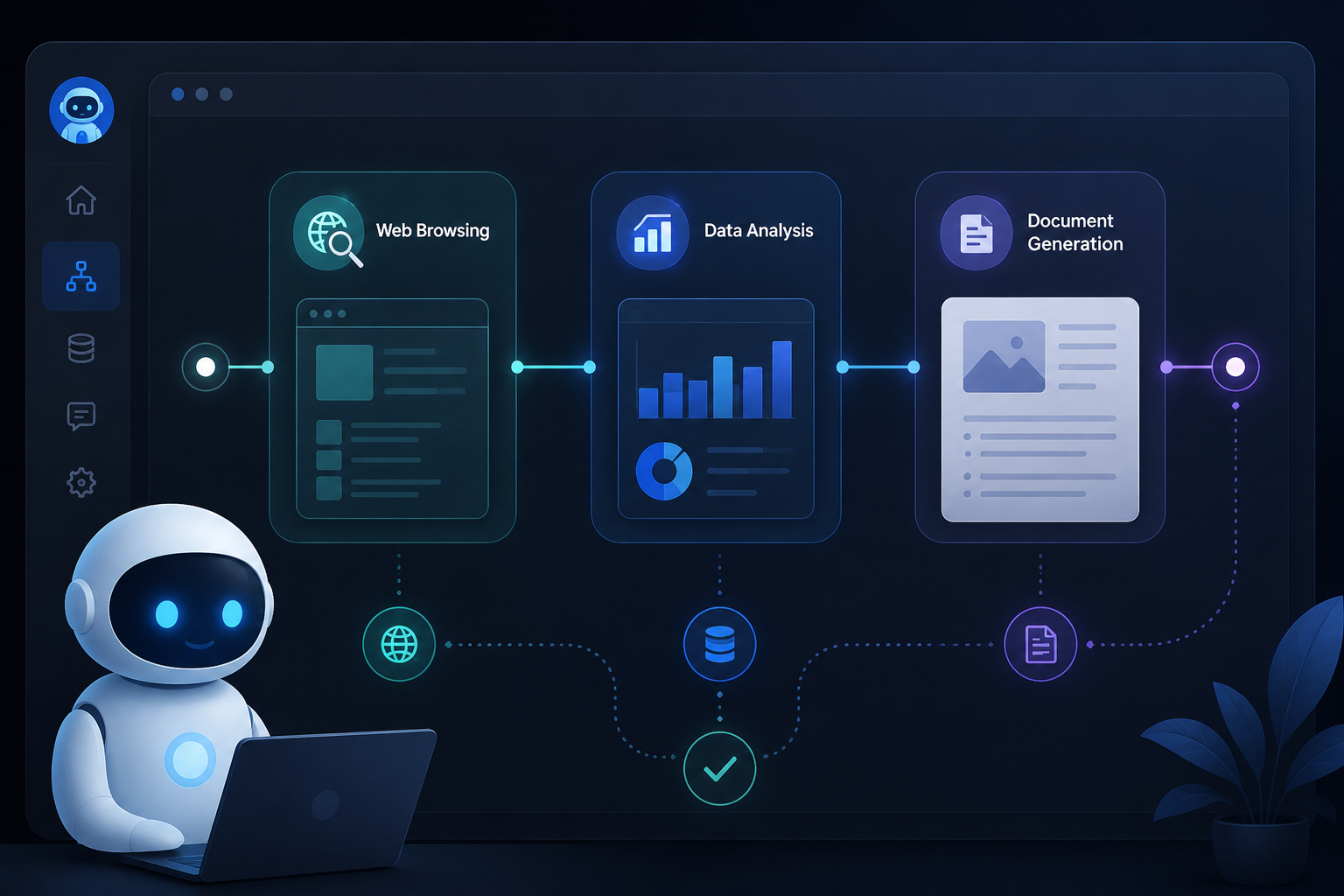
A ChatGPT agent is an autonomous or semi-autonomous extension of OpenAI's language models designed to execute multi-step workflows with minimal manual intervention. Unlike standard conversational AI—which simply generates text responses based on a prompt—an agent can reason through a problem, break it down into sequential tasks, interact with third-party software, retrieve external data, and make decisions to complete a specific goal.
Think of standard ChatGPT as a subject-matter consultant: you ask a question, and it gives you an answer. A ChatGPT agent is more like an executive assistant: you give it an outcome ('research our top five competitors, summarize their pricing, and update this tracking table'), and it goes off to execute the steps on its own.
Chatbots vs. AI Agents: The Core Differences
To understand how to leverage this technology effectively, you need to understand the structural shift happening in artificial intelligence. We are moving from passive text generation to active execution.
Traditional chatbots operate on a direct input-output loop. You feed them a prompt, and they predict the next sequence of words based on their training data. If the answer requires looking up fresh data, calculating custom formulas, and sending an email, a standard chatbot fails—it can only produce the text suggesting you do those things.
AI agents break out of this loop through three primary capabilities:
- Tool Integration: They access outside applications via API calls, web browsing modules, and code execution environments.
- Memory & Persistence: They retain context across complex sequences, maintaining state while jumping between sub-tasks.
- Autonomous Planning: They analyze a complex objective, construct a plan, execute step one, evaluate the result, and adjust step two based on what they learned.
| Capability | Traditional ChatGPT | ChatGPT AI Agent |
|---|---|---|
| Primary Function | Answer questions, write text | Execute multi-step tasks |
| Workflow Style | Single turn or conversational back-and-forth | Autonomous loop with goal tracking |
| Tool Usage | Text generation only | Web browsing, Python execution, external APIs |
| Data Fetching | Static knowledge base | Real-time live data queries |
| Output | Copy, summary, or code snippet | Completed task, updated database, filed ticket |
What Can a ChatGPT Agent Actually Do?
The capabilities of ChatGPT agents span simple administrative support to complex software engineering support. Let us look at the practical applications driving real productivity gains today.
1. Complex Web Research and Market Synthesis
Instead of opening dozens of tabs to research a market segment, an agent can be tasked to gather data independently. It navigates to targeted websites, extracts key metrics, cross-references conflicting reports, and aggregates the findings into a cleanly formatted report.
2. Multi-Step Data Processing and Analysis
With Advanced Data Analysis (formerly Code Interpreter) enabled, a ChatGPT agent acts as an automated data analyst. You can upload a raw, messy CSV file containing sales records. The agent writes and executes Python scripts to clean the dataset, run statistical checks, plot trendlines, and return actionable business insights alongside downloadable charts.
3. Automated Content Strategy and Drafting
Rather than asking ChatGPT to 'write a blog post,' an agent-driven content workflow takes an outline, conducts live keyword search analysis, reviews existing top-ranking articles, writes structured sections, verifies internal links, and generates ready-to-publish Markdown.
4. Software Development and Code Debugging

Developers use agents to refactor legacy code bases. The agent ingests a repository, identifies security vulnerabilities or performance bottlenecks, writes unit tests to verify the issue, refactors the code, and verifies that all tests pass before proposing a pull request.
5. API-Driven Task Execution
When combined with custom actions or middleware like Zapier, a ChatGPT agent can manage daily administrative workflows. It can check your calendar for schedule conflicts, draft tailored meeting briefs based on recent email exchanges with attendees, and send reminder notes directly via Slack.
How ChatGPT Agents Work Behind the Scenes
Understanding the basic engine under the hood helps you prompt and structure your agent workflows far more effectively. Every AI agent relies on a continuous loop often referred to as the Thought-Action-Observation loop (or ReAct framework).
[ Goal / Prompt ] ? ? ??????????? ? THOUGHT ? ??? "To find sales figures, I need to check the database." ??????????? ? ? ??????????? ? ACTION ? ??? [ Calls SQL Database API ] ??????????? ? ? ??????????????? ? OBSERVATION ? ??? "Database returned 400 records for Q3." ??????????????? ? ? (Repeat or Output Final Answer)
- Planning (Thought): The agent breaks down your main prompt into smaller, sequential steps. It asks itself: What is the current state, and what is the logical next step to get closer to the final goal?
- Execution (Action): The agent selects a specific tool to execute that single step. This tool might be a web browser, a Python compiler, or a custom API endpoint connected to your CRM.
- Evaluation (Observation): The agent inspects the output from the tool. Did the web page load? Did the Python script execute without errors? Did the API return the expected JSON?
- Refinement: If the step succeeded, the agent moves to step two. If the step failed—say a web page threw a 404 error—the agent adapts its strategy, selects a different search query, and tries again.
How to Build and Use a ChatGPT Agent: Step-by-Step
You do not need a computer science degree to start using agents. OpenAI has made custom GPTs accessible directly within the ChatGPT interface, while developer tools allow for deeper custom builds.
Here is how to create a custom, functional ChatGPT agent using the native GPT Builder.
Step 1: Define a Hyper-Specific Role
Generic prompts create generic outputs. Before touching any settings, establish a clear role, scope, and objective for your agent.
- Bad: 'You are an assistant that helps with marketing.'
- Good: 'You are a Senior B2B SaaS Copy Editor. Your job is to review draft blog posts against our brand guidelines, check for tone consistency, ensure proper SEO heading structures, and output a list of required edits alongside a corrected version.'
Step 2: Access the GPT Builder
In your ChatGPT account (Plus, Team, or Enterprise subscription required), navigate to the Explore GPTs tab in the sidebar and click + Create in the top right corner. You will see two tabs: Create (an interactive setup chat) and Configure (manual precision settings).
Step 3: Configure System Instructions
Switch to the Configure tab for precise control over your agent's behavior. In the Instructions box, lay out exact operational rules:
- Define the goal clearly.
- Specify step-by-step processing logic.
- State explicit boundaries (what the agent should never do).
- Specify the required output format (e.g., Markdown tables, clean code blocks, structured summaries).
Step 4: Attach Knowledge Base Documents
Upload reference materials that your agent should use as its source of truth. This might include style guides, standard operating procedures, technical documentation, or pricing sheets. The agent will reference these files using Retrieval-Augmented Generation (RAG) before answering.
Step 5: Enable Capabilities and Custom Actions
Toggle the built-in capabilities your agent needs:
- Web Browsing: Enables live information retrieval.
- Code Interpreter: Enables math, data analysis, and file generation.
If you want your agent to interact with outside tools, click Add Actions. Here, you can paste OpenAPI schema definitions to connect your agent to third-party endpoints like HubSpot, Jira, or custom internal databases.
Step 6: Test and Iterate
Use the preview window on the right side of the screen to stress-test your agent. Give it complex tasks, edge cases, and incomplete inputs. Pay attention to where it deviates from your instructions, and update your configuration prompt accordingly.
Real-World Examples of ChatGPT Agents in Action

To see how this transforms daily workflows, let us look at three practical implementations implemented by real teams.
Example A: The Financial Report Auditor
An enterprise finance team built a custom agent configured with Code Interpreter and an internal financial compliance checklist.
- Input: A raw PDF income statement and a quarterly budget CSV.
- Agent Workflow: The agent extracts numbers from the PDF using OCR, parses the CSV budget, writes a Python script to compare actual vs. budgeted line items, identifies variance higher than 5%, and highlights anomalies in a summary table.
- Time Saved: Reduced manual audit checks from three hours per report to under two minutes.
Example B: Technical Support Triage Agent
A SaaS support team configured an agent linked via API to their customer support desk.
- Input: Incoming customer tickets.
- Agent Workflow: The agent reads the ticket description, queries the internal technical documentation database, determines if the issue is a known bug or user error, drafts a step-by-step solution, and prepares the response for a human support rep to review and send with one click.
- Impact: Reduced ticket first-response time by 65% while keeping human oversight in the loop.
Example C: Competitor Intelligence Tracker
A product marketing manager built an agent tasked with monthly product tracking.
- Input: A list of five competitor product update URLs.
- Agent Workflow: On command, the agent crawls the target change-logs, extracts newly launched features, compares them against the company's existing roadmap, and drafts a competitive briefing document for executive review.
- Impact: Saved eight hours of tedious browsing every month.
Common Mistakes to Avoid When Using ChatGPT Agents
While agents are immensely powerful, poor implementation leads to frustrating errors, hallucinations, and wasted time. Avoid these common traps:
1. Vague or Overly Ambitious Scope
Trying to build a single agent that handles marketing, customer support, sales, and analytics will result in poor performance. Keep your agents specialized. Build small, single-purpose agents that perform one job exceptionally well rather than a jack-of-all-trades.
2. Leaving Out Explicit Guardrails
Agents try to complete tasks even when missing crucial information. If you do not give explicit instructions like 'If the uploaded document does not contain explicit pricing data, reply that the data is missing instead of estimating,' the agent may invent plausible-sounding numbers.
3. Neglecting Human-in-the-Loop Safeguards
Fully automated execution sounds appealing, but giving an early-stage AI agent unfiltered permission to post to public social media, delete database records, or send emails directly to clients is a major risk. Always build checkpoints where human review is required before external actions execute.
4. Overloading Knowledge Base Files
Uploading 500 pages of dense, unorganized PDFs into a custom GPT will slow down retrieval speed and lower accuracy. Clean and split your files into relevant, well-organized markdown or text documents before uploading.
Choosing the Right AI Agent Architecture for Your Workflow
Depending on your team's technical resources and operational demands, native ChatGPT agents may not be the only tool you consider. Here is a breakdown of how different agent environments compare:
[ Low Complexity / No Code ] [ High Complexity / Developer ] ??????????????????????????????????????????????????????????????????????????????? Native ChatGPT GPTs ??? Zapier / Make + OpenAI ??? LangChain / AutoGen (Fastest setup) (No-code automation) (Full programmatic control)
- Native ChatGPT GPTs: Best for quick internal deployment, individual productivity, and teams using standard no-code interfaces. Fast to set up, highly secure, but restricted to OpenAI's native interface.
- Zapier Central / Middleware Agents: Great for operational workflows connecting cloud applications (Google Sheets, Slack, Hubspot, Trello). Easy trigger-action setup without coding.
- Custom Frameworks (LangChain, LlamaIndex, AutoGen): Built for software engineers who need fine-grained control over model routing, custom vector stores, self-hosted deployment, and multi-agent coordination systems.
When evaluating software platforms to manage or scale these workflows, teams often need clear comparisons to avoid overpaying for unnecessary features. Platform reviews on resource hubs like Saasbonus provide clear breakdowns of pricing tiers and feature limits, helping software buyers select software that fits their exact workflow maturity.
The Future of AI Agents: What to Expect Next
We are moving rapidly toward systems capable of handling multi-hour, multi-step projects independently. Key improvements arriving in agent technology include:
- Multi-Modal Execution: Agents that seamlessly process voice prompts, analyze live screen video, interpret design files, and output software code simultaneously.
- Multi-Agent Orchestration: Networks of specialized agents operating in teams. For instance, a 'Researcher' agent gathers data, passes it to a 'Writer' agent to draft content, which then hands off to an 'Editor' agent for compliance checks—all managed by an 'Orchestrator' agent.
- Deeper Computer Use: Emerging agents can navigate full desktop operating systems, controlling mouse pointers, clicking browser elements, and typing into desktop software just like a human team member.
Getting Started Today
AI agents are shifting software from tools we operate into digital colleagues we manage. The fastest way to master this technology is to pick one repetitive, manual task on your desk right now—a task that takes 30 minutes every afternoon—and build a simple agent to handle the initial heavy lifting.
Start small, define explicit instructions, test thoroughly, and refine as you go. You will quickly transform chaotic workdays into streamlined, automated processes.




