
Cursor vs Windsurf (2026): Real Dev Workflow Benchmark
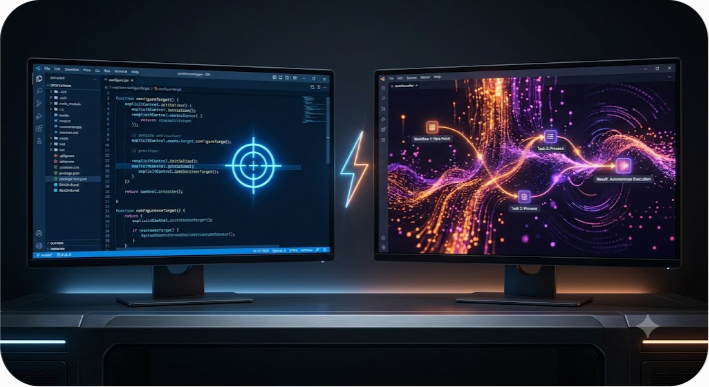
Evaluating an AI coding assistant in a market dominated by Cursor and Windsurf often devolves into evaluating cherry-picked marketing demos. While both IDEs promise to eliminate developer toil, their underlying architectures handle production codebases in fundamentally different ways. Cursor prioritizes explicit, human-guided context control, whereas Windsurf relies on its autonomous Cascade agent to take the steering wheel.
To find out which editor actually produces shippable code—rather than code that merely looks plausible—we ran identical prompts across four core software engineering workflows: building a REST API endpoint, executing a multi-file refactor, debugging a production stack trace, and building a React component with complex state edge cases.
Here is what happens when you put Cursor and Windsurf head-to-head on real-world engineering tasks.
The Short Answer: Which AI IDE Wins?
If you want the immediate verdict: Cursor wins on context fidelity and codebase consistency, while Windsurf wins on autonomous execution speed and low-friction setup.
- Choose Cursor if you work on large, established codebases with strict architectural patterns. Its explicit context references (`@file`, `@folder`, `@docs`), explicit `.cursorrules` (now Cursor Rules) system, and multi-model flexibility (swapping between Claude 3.7 Sonnet, GPT-4o, and Gemini models) ensure generated code fits seamlessly into existing architectures with minimal cleanup.
- Choose Windsurf if you want a self-driving IDE experience that minimizes manual context assembly. Its Cascade agent automatically indexes your repository, predicts dependencies, and executes multi-step tasks across terminal commands and code files with fewer human interventions. Windsurf also offers plugins for 40+ IDEs including JetBrains, whereas Cursor is strictly a VS Code fork.
| Evaluation Dimension | Cursor (Anysphere) | Windsurf (Codeium) |
|---|---|---|
| Core Philosophy | Developer-in-the-loop cockpit | Self-driving Cascade agent |
| Context Strategy | Explicit (`@` references + Rules) | Implicit (Automatic indexing & flows) |
| Model Flexibility | Deep (Claude, GPT, Gemini, Cursor models) | Curated (Cascade engine + select frontier LLMs) |
| Multi-File Edits | High precision, follows local abstractions | High initiative, occasionally invokes new patterns |
| IDE Availability | Standalone VS Code Fork | Standalone Editor + 40+ IDE Plugins |
| Pro Tier Price | $20 / month | $20 / month |
Core Architecture: How Cursor and Windsurf Approach Context
The fundamental divide between Cursor and Windsurf isn't raw speed—it's how each system solves the context window problem. Large language models are only as effective as the context fed into their prompts. Feeding an entire 500,000-line repository into a model is computationally prohibitive and dilutes output quality. How each tool selects what to include determines its practical utility.
Cursor: Explicit Context & Granular Control
Cursor treats the developer as the navigator and the AI as the engine. Built as a direct fork of VS Code, Cursor uses explicit context pointers. By typing `@`, you directly attach specific files, directory trees, Git commits, web documentation, or code symbols to your prompt.
```text @src/modules/auth/ @docs/stripe-api-v3.md Refactor the subscription webhook handler to use the new idempotent event format. ```
Complementing this is Cursor's rule system. By placing a `.cursorrules` file in your repository root, you define strict constraints—such as mandatory error handling formats, banned libraries, or required state management libraries. Cursor feeds these rules into every prompt session, forcing the model to adhere to your project's architectural standards.
Windsurf: Implicit Context & Cascade Flows

Windsurf, developed by Codeium, takes the opposite approach with its Cascade engine. Instead of requiring you to manually `@`-mention relevant files, Cascade runs a continuous background indexer that analyzes system dependencies, active file buffers, terminal outputs, and historical edits.
When you give Windsurf a prompt, Cascade automatically determines which files need to be read, modified, or created. It forms a step-by-step action plan, runs terminal commands (such as linters or test suites), observes the terminal errors, and iteratively fixes its own code without waiting for explicit permission at every step. This creates a remarkably fluid, flow-state experience for net-new feature creation.
Real-World Workflow Benchmarks
To test both tools beyond artificial micro-benchmarks, we ran four real-world engineering tasks through both environments using identical prompts and identical base codebases.
Benchmark 1: REST API Endpoint with Validation & Auth
- The Task: Build an enterprise REST API endpoint in TypeScript for user invitations. Requirements included JWT role validation, request payload validation using Zod, rate limiting, and structured logging.
- Cursor Performance: Cursor strictly observed the existing project structure. It located our custom `AppError` class and existing Zod schema wrappers, generating an endpoint that matched our existing API modules pixel-for-pixel. It required zero post-generation structural fixes.
- Windsurf Performance: Windsurf built a fully functional endpoint in significantly fewer clicks. However, Cascade introduced an external validation approach rather than utilizing our internal Zod wrapper, and used standard `console.error` calls instead of our custom Logger service. The code worked in isolation, but required 5 minutes of refactoring to align with existing codebase standards.
- Winner: Cursor (Superior pattern matching and architectural compliance).
Benchmark 2: Multi-File Service Layer Extraction
- The Task: Extract business logic from a bloated 1,200-line controller into a decoupled, dependency-injected service layer spanning 4 separate files, including unit test updates.
- Cursor Performance: Using Cursor's Composer feature, we tagged the target controller and directory. Cursor highlighted diffs inline across all 4 files. Because Cursor prompts you to approve file modifications, we were able to review the interface extraction step-by-step. The final abstraction was clean and maintainable.
- Windsurf Performance: Cascade handled the multi-file refactor autonomously. It created the service files, updated the controller, and updated the module exports in a single continuous execution loop. It even recognized that a database migration file was missing and generated it automatically. While impressive, Cascade modified an adjacent helper file that wasn't strictly necessary for the refactor.
- Winner: Tie (Cursor wins for precision; Windsurf wins for proactive initiative).
Benchmark 3: Debugging Production Stack Traces
- The Task: Feed a raw, truncated production stack trace from a distributed microservice environment involving an unhandled rejection in an asynchronous event queue.
- Cursor Performance: When fed the raw log, Cursor required us to manually point it to the queue configuration file using `@queue.config.ts`. Once provided, it accurately identified a missing retry policy and a dangling database connection.
- Windsurf Performance: Cascade analyzed the stack trace, searched the workspace for the matching function signatures without manual intervention, and identified the root cause immediately. Furthermore, Cascade executed `npm test` in the integrated terminal to reproduce the bug, observed the failure, patched the code, and re-ran the test until it passed green.
- Winner: Windsurf (Cascade's terminal integration and auto-context retrieval excel at root-cause analysis).
Benchmark 4: React Component with Edge Case Handling
- The Task: Build a multi-step checkout form component in React with dynamic discount code application, localized currency formatting, and edge-case error states.
- Cursor Performance: Leveraging Claude 3.7 Sonnet inside Cursor, the resulting JSX component was clean, fully typed, and accurately handled loading skeletons, API failure states, and accessibility tags (`aria-*` attributes).
- Windsurf Performance: Windsurf generated a working component quickly, but missed key accessibility properties and hardcoded currency symbols instead of utilizing the browser's `Intl.NumberFormat` API.
- Winner: Cursor (Higher baseline code quality for frontend state edge cases).
IDE Ecosystem & Multi-Tool Flexibility
A critical factor often overlooked in AI IDE comparisons is developer environment lock-in.
Cursor: The VS Code Specialist
Cursor is an outright fork of VS Code. This means your VS Code extensions, settings, keybindings, and themes port over with near 100% fidelity. However, because Anysphere maintains Cursor as a separate binary, you must switch away from stock VS Code. If your primary engineering environment relies on JetBrains (IntelliJ, PyCharm, WebStorm), Neovim, or Xcode, Cursor cannot be used natively inside those editors.
Windsurf: Cross-IDE Availability
While Windsurf offers its own standalone editor (also a VS Code fork), Codeium built Cascade to operate across ecosystems. Windsurf provides native plugins for 40+ IDEs, including the entire JetBrains suite, Vim/Neovim, and Visual Studio. While the full, immersive Cascade sidebar experience works best in the standalone Windsurf editor, developers who refuse to leave IntelliJ or PyCharm can still access Codeium's agentic workflows directly in their preferred environment.

Enterprise Governance, Pricing, and Security
When rolling out AI development tools across engineering teams, individual developer preference takes a backseat to security, compliance, and predictable cost structures.
Pricing Models in 2026
Both platforms offer free tiers with generous monthly limits, but their paid tiers address usage differently:
- Cursor: Pro costs $20/month for individual developers, offering a monthly pool of fast model requests along with unlimited slow/auto-mode usage. The Business/Team plan starts at $40/user/month and provides centralized admin dashboards, usage analytics, and pooled credit allocations.
- Windsurf: Pro costs $20/month. Windsurf utilizes a quota system with daily and weekly limits. The Team plan ($40/user/month) doubles per-seat quotas and provides centralized team billing and access controls.
Data Privacy & Intellectual Property Safeguards
Both vendors offer robust enterprise data protection, but contract terms must be reviewed carefully:
- Privacy Defaults: Both Cursor and Windsurf offer zero-data-retention options and guarantee that user code is not used to train proprietary foundational models on paid team tiers.
- Admin Controls: Cursor provides deeper administrative visibility today, including fine-grained Role-Based Access Control (RBAC), SCIM provisioning, SAML/OIDC SSO, and a dedicated Code Tracking API to audit how much generated code enters production.
- Windsurf Enterprise: Offers full SSO/SCIM compliance, custom model deployments, and specialized terms for on-premise or isolated cloud deployments via Codeium's established enterprise infrastructure.
Common Pitfalls When Implementing AI IDEs
Deploying an AI IDE across an engineering team without guardrails frequently leads to code inflation, architectural drift, and security vulnerabilities. Here is how to avoid the most common mistakes:
- Treating AI Output as Production-Ready: Neither tool eliminates the need for strict code reviews. AI agents frequently generate code that runs cleanly in isolation but violates security policies, lacks input sanitization, or introduces subtle memory leaks.
- Neglecting Repository Rules: Running Cursor without a well-defined `.cursorrules` file negates its greatest advantage. Take time to document project conventions, import rules, and styling standards in your repository root.
- Over-relying on Autonomous File Modification: Letting Windsurf's Cascade agent edit dozens of files unmonitored can lead to unexpected side effects. Always review Git diffs thoroughly before committing agentic edits.
- Ignoring Context Size Limits: Blasts of huge, irrelevant files into your AI prompt degrade output quality. Explicitly constrain context to only what is necessary for the task.
How to Choose the Right Tool for Your Team
To simplify your decision, align your choice with your primary development style:
When Cursor is the Right Fit
- You work in large, existing codebases with strict architectural patterns.
- You demand fine-grained control over which files enter context.
- You want to switch between Claude 3.7 Sonnet, GPT-4o, and Gemini.
- Your entire team already lives in VS Code.
When Windsurf is the Right Fit
- You want a proactive agent that automates multi-file tasks.
- You prefer zero-setup automatic context retrieval.
- You use JetBrains, Neovim, or other non-VS Code editors.
- You value automated terminal command execution and quick debugging.
At Saasbonus, we evaluate developer tooling through the lens of long-term efficiency and operational ROI. If you are building complex SaaS software, picking the right software stack early prevents costly architectural refactors down the line.
Final Verdict
Neither Cursor nor Windsurf is a silver bullet, but both represent a generational leap over first-generation autocomplete extensions. If your priority is architectural precision, granular control, and multi-model flexibility, Cursor remains the gold standard for senior engineers on complex production stacks. If your priority is raw speed, autonomous multi-step execution, and cross-IDE support, Windsurf's Cascade agent delivers an unmatched flow-state experience for rapid feature development.




