
Dify vs Flowise: Best Open-Source LLM App Builder in 2026
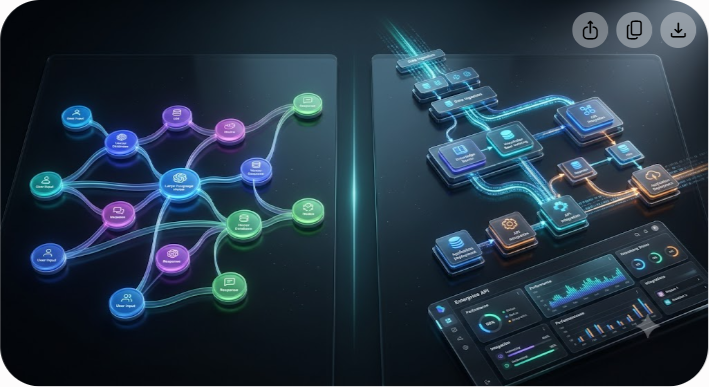
Choosing between Dify and Flowise is no longer a simple cosmetic decision about which visual canvas looks cleaner. In 2026, both platforms sit at the center of the open-source generative AI ecosystem, enabling engineering teams and non-technical builders to skip thousands of lines of boilerplate Python or JavaScript code. However, they are built on fundamentally different architectural philosophies, target distinct team structures, and impose dramatically different resource requirements when deployed at scale.
Flowise offers a rapid, lightweight entry point that turns LangChain primitives into drag-and-drop nodes. Dify, on the other hand, operates as a comprehensive, multi-user LLMOps platform designed to orchestrate complex Directed Acyclic Graph (DAG) workflows, manage enterprise RAG knowledge bases, and expose production endpoints out of the box.
If you need to spin up a quick, single-user AI agent or prototype a multi-step retrieval chain in under thirty minutes on a 2 GB virtual private server, Flowise is the faster launchpad. But if you are building multi-tenant AI applications, requiring role-based access controls, native Model Context Protocol (MCP) integrations, robust observability, and managed vector pipeline chunking for an entire organization, Dify is the superior production engine.
Below is a detailed engineering breakdown of how Dify and Flowise compare across core visual capabilities, RAG management, developer ergonomics, infrastructure costs, and long-term maintainability.
Core Architectural Differences: Node-Based Canvas vs Directed Acyclic Graphs
To understand where each tool shines, you must first look under the hood at how each framework structures its execution flow.
Flowise: The Modular LangChain Ecosystem in a UI
Flowise is built on Node.js and TypeScript, serving as a visual interface directly on top of LangChain and LlamaIndex concepts. Every node in Flowise represents an explicit code class—such as an LLM provider, a memory buffer, a text splitter, a vector store retriever, or an agent tool.
Connecting nodes in Flowise feels similar to wiring breadboard components. You manually connect a ChatOpenAI node to a BufferMemory node, pass that into an API Chain node, and attach an Output Parser. This granular approach provides raw flexibility for developers who already understand LangChain concepts but want to visually debug how components talk to each other.
Dify: Declarative LLMOps and Structured DAG Workflows
Dify takes a higher-level, application-centric approach built on FastAPI (Python) and Next.js. Rather than exposing low-level code abstractions as raw canvas nodes, Dify provides functional, structured primitives: Start, LLM, Knowledge Retrieval, Code Execution (Python/Node), IF/ELSE Conditionals, Iteration Loops, and HTTP Requests.
Workflows in Dify execute as a strict Directed Acyclic Graph (DAG). Instead of wiring individual memory or parser blocks manually, state management, prompt variables, and context pass down the execution tree declaratively. This structure makes Dify workflows inherently easier to debug, govern, and scale across multi-developer teams because execution paths remain deterministic and easy to follow.
Feature Comparison Matrix
The table below highlights the operational and technical differences between Dify and Flowise for current deployments.
| Feature / Metric | Dify (v1.13+) | Flowise (v3.1+) | Winner / Edge |
|---|---|---|---|
| Core Tech Stack | Python (FastAPI) + Next.js | Node.js + TypeScript | Tie (Depends on team stack) |
| GitHub Stars | ~140,000+ | ~52,000+ | Dify (Higher community velocity) |
| Open-Source License | Apache 2.0 (with cloud-service restriction) | Apache 2.0 / MIT | Flowise (Unrestricted self-hosting license) |
| Idle Hardware Footprint | 3 GB – 4 GB RAM (PostgreSQL, Redis, Weaviate) | 512 MB – 1 GB RAM (Single Node process) | Flowise (Significantly lighter) |
| Native RAG Engine | Built-in (Parsing, chunking, hybrid search, reranking) | Requires third-party vector DB nodes | Dify (Complete out-of-the-box RAG) |
| Agent Orchestration | Tool-calling agents, multi-agent iteration, MCP | Sequential Agents, LangChain Agent Executor | Dify (Native MCP & structured loops) |
| Multi-User Governance | Role-Based Access Control (RBAC), team workspaces | Basic authentication, single workspace | Dify (Enterprise multi-tenancy) |
| API & App Publishing | One-click REST API, embeddable script, web app | API Endpoint, embeddable chat widget | Dify (Richer SDK & API documentation) |
| Observability & Evals | Built-in trace logs, token counts, annotation feedback | Integrates with LangSmith / Langfuse | Dify (Native built-in analytics) |
Retrieval-Augmented Generation (RAG): How They Handle Data
Retrieval-Augmented Generation remains the primary use case for enterprise LLM applications. The way Dify and Flowise handle custom document knowledge bases marks one of their biggest functional splits.
Dify's Built-In Data Ingestion Pipeline
Instead of making you wire separate vector DBs, splitters, and parsers on a canvas, Dify processes documents in five automated steps:

- Document Upload: Ingest raw files (PDF, CSV, TXT, or Markdown) directly in the Knowledge dashboard.
- Parsing & Cleaning: Normalize text and strip out unwanted layout artifacts automatically.
- Configurable Chunking: Apply automated or custom character/token chunking with custom overlap settings.
- Hybrid Indexing: Index data simultaneously through dense vector embeddings and sparse BM25 keyword search.
- Reranking & Retrieval: Route queries through reranking models (Cohere, BGE, or Jina) and output refined context to a single Knowledge Retrieval node.
Dify’s Native, Battery-Included Knowledge Engine
In Dify, document management is a first-class feature. You do not need to construct a vector database pipeline manually on the canvas. Instead, Dify includes a dedicated Knowledge tab where you upload PDFs, web links, TXT, or Markdown files.
Inside this engine, Dify automatically executes:
- Document Parsing & Cleaning: Removes layout artifacts and normalizes text.
- Custom Chunking Strategies: Offers automated or custom character/token chunking with configurable overlap.
- Hybrid Search Indexing: Combines vector semantic retrieval with BM25 full-text keyword search.
- Reranking Integration: Directly connects to reranking models (such as Cohere, BGE, or Jina) to score retrieved chunks before passing them to the prompt context window.
Once indexed, any visual workflow in Dify can query this dataset using a single Knowledge Retrieval node. This saves engineering teams weeks of building custom data ingestion pipelines.
Flowise’s Canvas-Driven Vector Pipeline
In Flowise, RAG is constructed manually on the visual workflow canvas. To build a document retrieval agent, you place individual component nodes:
- A Document Loader node (e.g., PDF Loader or Web Scraper)
- A Text Splitter node (e.g., Recursive Character Text Splitter)
- An Embeddings node (e.g., OpenAI Embeddings)
- A Vector Store node (e.g., Pinecone, Chroma, Qdrant, or Memory Vector Store)
- A Vector Store Retriever node
The Advantage: Flowise gives you total control over every individual LangChain class. If you want to drop in a bespoke custom vector connector or rapidly test an experimental retriever chain, Flowise lets you connect it visually without altering the underlying framework codebase.
The Drawback: Managing large, dynamic, multi-file enterprise knowledge bases inside Flowise can become cumbersome. Updating documents, managing index versions, and conducting hybrid search reranking require complex visual node networks that clutter the workspace.
Agentic Workflows and MCP Support
Autonomous agents that call external APIs, run code, and execute multi-step reasoning are now standard in modern AI app development.
Dify’s Multi-Agent Framework and Model Context Protocol (MCP)
Dify supports both lightweight function-calling agents and complex multi-agent orchestration. A major highlight in Dify is its native integration with the Model Context Protocol (MCP).
Dify can act dual-directionally within an enterprise ecosystem:
- As an MCP Client: Dify workflows can connect to external MCP servers to execute database queries, file actions, or local system scripts as native tools.
- As an MCP Server: Workflows and agents built within Dify can be exposed directly as tools to external AI clients (like Claude Desktop or custom enterprise software).
Additionally, Dify includes a built-in Python and JavaScript sandbox code execution node, allowing workflows to run custom data transformation scripts securely during execution.
Flowise’s Sequential Agents and Custom Tools
Flowise leverages LangChain's Agent Executor along with its custom Sequential Agents node ecosystem. Sequential Agents allow you to set up state-machine architectures where worker agents pass tasks to specialized supervisor agents.
Flowise excels at creating custom JavaScript function tools directly inside the UI. If you need an agent to run an arbitrary HTTP request, parse a specific JSON payload, and update an internal database, you can write inline JavaScript inside a custom tool node within minutes. However, advanced orchestration across disparate workflows requires managing state variables manually across flow boundaries.
Developer Ergonomics, Self-Hosting, and Resource Demands
Deployment costs and system footprint often determine which software fits your infrastructure budget.
Memory and Infrastructure Requirements
- Flowise (Single Node.js Process): Requires 512 MB to 1 GB RAM idle footprint. Runs easily on low-cost virtual private servers.
- Dify (Microservices Stack): Requires 3 GB to 4 GB RAM idle footprint across FastAPI, Celery, PostgreSQL, Redis, and vector DB containers.
Flowise Deployment Profile
Flowise is exceptionally lightweight. Because it runs as a single Node.js application, you can spin up a production-ready instance using Docker or `npm` on a minimal 2 GB RAM Virtual Private Server (VPS).
- Commands to start: `npm install -g flowise` followed by `npx flowise start`
- Database: Uses SQLite by default (can be upgraded to PostgreSQL for production persistence).
- Maintenance overhead: Very low. Ideal for solo developers, small agencies, or side projects.
Dify Deployment Profile
Dify is a microservice-based architecture distributed via Docker Compose or Kubernetes Helm charts. Its core stack includes FastAPI backend containers, a Next.js web application, Celery background task workers, a PostgreSQL database, Redis caching, and an integrated vector database (like Weaviate or Qdrant).

- Minimum Infrastructure Requirement: 2 CPU Cores, 4 GB RAM (8 GB RAM recommended for production traffic).
- Idle Footprint: Typically consumes ~3 GB to 3.5 GB RAM before handling incoming user traffic.
- Maintenance Overhead: Medium to high. Upgrading requires managing database migrations and environment variables across multiple container services.
Licensing: Understanding the fine print
Before picking a tool for commercial software products, carefully review open-source license agreements.
Flowise Licensing
Flowise operates under permissive open-source terms (Apache 2.0 / MIT style). You are free to modify, self-host, embed, or package Flowise into commercial products, multi-tenant SaaS offerings, or internal business applications without strict restrictions.
Dify Licensing
Dify is published under the Dify Open Source License (an Apache 2.0 license with cloud-service restrictions). Under these terms:
- Permitted: You can self-host Dify internally for your team, build client applications, run commercial workflows, and use its APIs behind your proprietary software.
- Restricted: You cannot take Dify’s source code, wrap it in a multi-tenant cloud dashboard, and resell it as a competing 'Managed Dify-as-a-Service' platform without obtaining a commercial license from Dify AI.
When to Choose Which Platform: Practical Scenarios
Choose Flowise if:
- You are a solo developer or prototyping rapidly: You want to test a concept, wire together an API flow, and see results in under an hour.
- Resource efficiency is a priority: You are deploying on lightweight infrastructure (e.g., $5–$10/month VPS or small cloud containers).
- You prefer JavaScript/Node.js ecosystems: You want to write inline JS custom tools and stay aligned with LangChain.js.
- You need completely unrestricted licensing: You plan to white-label or repackage the workflow engine into a multi-tenant product service.
Choose Dify if:
- You are building production enterprise applications: You need robust RAG pipelines, multi-model support, and structured error handling.
- Multiple team members collaborate: Your team requires shared workspaces, role-based access control, prompt version history, and human-in-the-loop annotation.
- Native observability matters: You want built-in trace tracking, latency breakdown, token cost tracking, and end-user conversation history.
- You require Model Context Protocol (MCP): You want your visual workflows to interact standardly with local or cloud-based MCP server tools.
Step-by-Step: Deploying Dify and Flowise on Docker
If you want to evaluate both tools hands-on, Docker Compose provides the fastest setup path.
Quick Start: Running Flowise via Docker
Create a `docker-compose.yml` file:
```yaml version: '3.8' services: flowise: image: flowiseai/flowise:latest restart: always ports:
- "3000:3000"
environment:
- PORT=3000
- FLOWISE_SECRETKEY=your_secret_key_here
volumes:
- ~/.flowise:/root/.flowise
```
Run `docker compose up -d` and navigate to `http://localhost:3000` to launch the Flowise canvas instantly.
Quick Start: Running Dify via Docker Compose
Clone the official repository and navigate to the Docker directory:
```bash git clone https://github.com/langgenius/dify.git cd dify/docker cp .env.example .env docker compose up -d ```
After containers initialize, visit `http://localhost` to complete the initial admin onboarding setup for your Dify deployment.
Summary Verdict
Both Flowise and Dify represent major steps forward for open-source AI application orchestration. Flowise remains the ultimate sandbox tool for rapid, lightweight experimentation and LangChain-native development. Dify has matured into an industrial-grade engine for teams building production-ready RAG systems, autonomous agent workflows, and governed enterprise AI infrastructure.
At Saasbonus, we specialize in testing, evaluating, and reviewing leading software platforms to help engineering leaders choose the right stack early. If you are comparing tools for your startup's growth stack or evaluating enterprise software solutions, explore our independent software reviews and operational comparisons to save hours of trial and error.




