
How to Automate SaaS Churn Prediction using PostHog and Make
Why Early Churn Detection Is Your SaaS Growth Engine
Most SaaS companies measure churn by looking backward. You open your revenue dashboard on the first of the month, notice a drop in Monthly Recurring Revenue (MRR), and attempt to send a win-back email to accounts that already canceled their subscriptions three weeks ago. By the time a user clicks Cancel Subscription, the decision was made weeks prior.
Predictive churn management flips this sequence. Instead of reacting to cancellations, you track silent drops in product activity—such as declining login frequencies, unused core features, or missed workflow completions—and intervene while the account is still paying and reachable.
Combining PostHog for product telemetry and user cohorting with Make for workflow orchestration lets you build an automated early warning system without writing custom backend microservices or managing complex machine learning pipelines.
Understanding the Core Architecture
Building an automated churn prediction engine relies on three operational layers:
- Data Collection and Signal Scoring (PostHog): Capturing behavioral events inside your web or mobile application, mapping them to individual user profiles, and identifying negative trends.
- Cohort Triggering and Webhooks (PostHog to Make): Automatically emitting an event or payload when a user transitions from an Active state into an At-Risk Cohort.
- Intervention Orchestration (Make to Downstream Tools): Catching that payload, calculating account priority, and initiating re-engagement sequences across Slack, Customer.io, HubSpot, or Email.
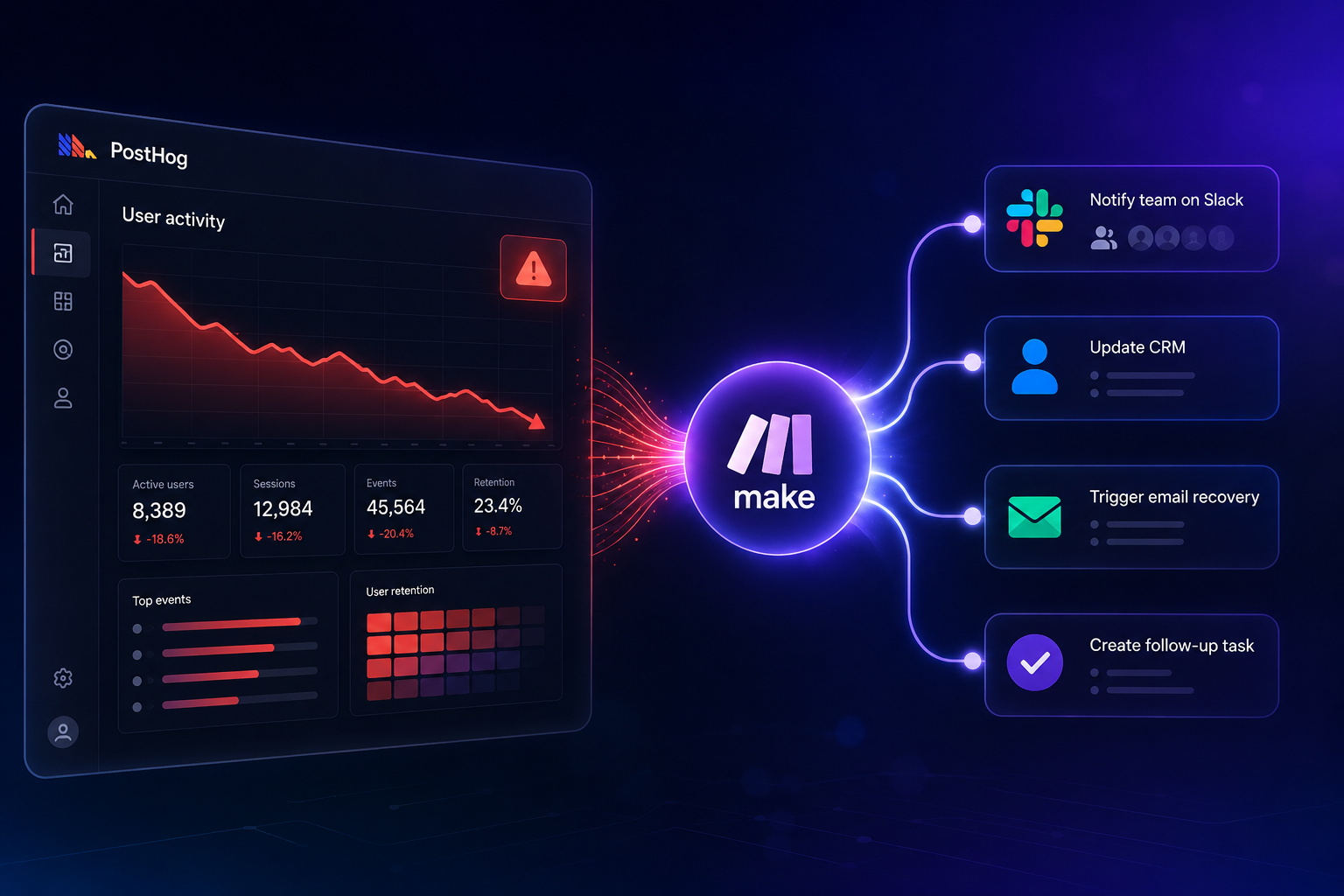
The system works as a direct sequence: PostHog product events populate a dynamic at-risk cohort, which triggers a Make webhook payload to execute multi-channel intervention workflows.
Comparing Churn Interventions: Manual vs. Fully Automated
| Operational Capability | Manual / Reactive Approach | Automated PostHog + Make System |
|---|---|---|
| Detection Timeframe | 30 to 60 days after activity drops | Real-time (within minutes of entering cohort) |
| Signal Input | Cancellation survey or failed payment | Multi-factor behavioral decay score |
| Engineering Overhead | Low initial, high manual ops | Zero custom backend code needed |
| Intervention Channel | Standard exit email | Targeted Slack alerts, in-app tours, sales outreach |
| Scalability | Fails above 500 active accounts | Handles 100,000+ active profiles seamlessly |
Step 1: Identifying the Behavioral Churn Signals in PostHog
Before configuring automation in Make, you need to establish what churn actually looks like in your application data. B2B and B2C software products exhibit distinct churn footprints:
- Frequency Decay: A user who used to log in five times a week now logs in once every 14 days.
- Feature Abandonment: A team stops running key exports, creating new project boards, or inviting team members.
- Value Boundary Blockers: Persistent friction events, such as encountering export errors or hitting API rate limits multiple times in a row.
Setting Up a Custom Health Score Event in PostHog
Instead of monitoring a single event like user_logged_in, create a composite understanding of user health. You can use PostHog's HogQL or dynamic cohorts to group users based on aggregated activity over rolling time windows.
For example, define an At-Risk Power User cohort using the following criteria:
- Event dashboard_viewed or core_action_completed count is less than 2 in the past 14 days.
- Account creation date is more than 30 days ago (excluding new trialists undergoing standard onboarding).
- Historical activity in the prior 30-day window was greater than 15 core actions.

This filter excludes casual users who were never active while accurately isolating previously engaged accounts undergoing usage drops.
Step 2: Creating the At-Risk Dynamic Cohort in PostHog
Once your behavioral criteria are clear, build the dynamic cohort inside PostHog so it automatically evaluates users in real time.
- Navigate to People > Cohorts inside your PostHog dashboard.
- Click New Cohort and name it At-Risk: High Usage Decay.
- Select Match criteria: Match all conditions.
- Add Condition 1: User performed event Core Value Event less than 1 time in the last 14 days.
- Add Condition 2: User performed event Core Value Event greater than 8 times between 14 days ago and 45 days ago.
- Save the cohort.
PostHog updates dynamic cohorts continually. When a user meets these time-bucketed thresholds, their profile is added to the cohort, providing a clean state-change trigger for external tools.
Step 3: Setting Up the PostHog Webhook to Make
To pass state changes from PostHog to Make, establish a webhook pipeline that fires as soon as a user enters your target cohort.
Creating the Catch Webhook in Make
- Log into your Make account and create a new Scenario.
- Add a primary module and select Custom Webhook (under the Webhooks application).
- Click Add to generate a new Webhook address.
- Name the webhook PostHog At-Risk Churn Signal.
- Copy the unique URL generated by Make.
- Keep the Make scenario in Listening mode.
Exporting Cohort Events from PostHog
You can stream cohort updates to Make using PostHog Data Pipelines or Webhook Subscriptions:
- In PostHog, go to Data Pipeline > Destinations.
- Add a new Webhook destination.
- Paste your unique Make Webhook URL into the target field.
- Set the event filter to emit when a user action matches your dynamic cohort transition, or use a PostHog Action configured for User joined cohort: At-Risk.
- Click Test & Save to verify the payload transmission.
Return to Make. You will see a Successfully Determined Data Structure notification confirming that Make captured the user payload, including parameters like distinct_id, email, company_name, and current_plan.
Step 4: Structuring the Automation Workflow in Make
Now that Make receives the user payload, design the logic flow to parse the signal, evaluate account revenue tier, and route the appropriate retention playbook.
- Parse and Filter Webhook Payload: Extract the incoming JSON values from PostHog. Use a Make Router module immediately following the Webhook step to branch your workflow based on the user's monthly spending tier (MRR).
- Enrich Account Data via CRM or Database: Pass the distinct_id or email into your CRM module (such as HubSpot or Salesforce) to retrieve account owner details, contract renewal dates, and health notes logged by Customer Success reps.
- Apply Exclusion and Suppression Logic: Add a Data Store Search or Filter step inside Make to verify that this specific user has not received an automated churn outreach in the last 30 days. This prevents message fatigue.
- Execute Multi-Channel Retention Action: Route high-value enterprise accounts (MRR greater than $500) directly to a private Customer Success Slack channel with account contextual data. Route self-serve accounts (MRR less than $500) to an automated re-engagement campaign inside Customer.io or your email platform.
Step 5: Advanced Automation Logic: Calculating a Dynamic Churn Risk Score
Single-trigger systems can produce false positives. For example, a user taking a two-week vacation might temporarily trip a simple usage decay rule.
To build a more resilient system, use Make to aggregate multiple behavioral metrics into a Dynamic Churn Risk Score before initiating outreach:
Risk Score = (Days Since Last Active 2.5) + (Unresolved Support Tickets 15) - (Team Members Added * 10)
Building the Math Matrix in Make
- Place a Tools: Set Variable module in Make after data enrichment.
- Combine variables returned from PostHog and your support desk (e.g., Zendesk or Intercom):

- Assign +30 points if core feature usage dropped over 50% month-over-month.
- Assign +20 points if open support tickets exceed 2.
- Assign +25 points if the user visited the billing or cancellation page in the last 7 days.
- Add a Filter to the workflow output path: Only execute automated messaging if the cumulative Risk Score exceeds 60 points.
Common Pitfalls When Automating SaaS Churn Signals
Building an automated churn pipeline using zero-code tools is straightforward, but subtle operational design errors can diminish its effectiveness:
1. Treating All User Inactivity as Churn
Not all inactive users are abandoning your product. Seasonal usage, vacation schedules, or completed workflows (e.g., a quarterly tax filing app) naturally lead to periodic usage drops. Always evaluate usage decay against a historical baseline specific to that account, rather than applying flat universal thresholds.
2. Sending Robotic Re-Engagement Emails
Avoid generic subject lines like 'We noticed you haven't logged in lately.' These remind users that they are paying for software they aren't actively using, often triggering the exact cancellation you are trying to prevent. Instead, trigger value-focused messaging: 'Here is a template to complete your project faster' or offer direct, hands-on support from an account strategist.
3. Neglecting Payload Rate Limits
If your PostHog application tracks millions of events daily, setting up a naive webhook on raw event data will exceed your Make operation quotas within minutes. Always perform filtering and cohorting inside PostHog first, sending webhooks only when a user profile transitions into an evaluated state.
Real-World Case Study: Reducing B2B Churn by 24%
A mid-market project management SaaS handling 12,000 active accounts implemented this exact PostHog and Make stack to address silent account churn.
Prior to automation, their Customer Success team manually reviewed usage reports at the end of each month. By the time account managers scheduled check-in calls, over 40% of targeted accounts had already determined their software stack for the upcoming quarter and refused renewal.
The Automated Solution
- Signal Isolation: The team used PostHog to discover that accounts dropping below 3 active board views per week had an 80% probability of canceling within 60 days.
- Cohort Routing: They built a PostHog dynamic cohort streaming directly into a Make scenario via custom webhooks.
- Tiered Interventions:
- Tier 1 ($1,000+ MRR): Make automatically posted an urgent notification into the dedicated Slack channel #account-health-alerts, tagging the assigned Customer Success manager with a direct link to the account's PostHog user session playback.
- Tier 2 (Self-Serve): Make triggered an automated email offer via Customer.io providing a free 1-on-1 workflow review call with a product specialist.
Operational Results
Within 90 days of deploying the automated pipeline:
- First Response Time: Reduced from 22 days (end-of-month review) to 15 minutes post-cohort entry.
- Early Intervention Success: 31% of flagged self-serve accounts resumed regular activity after completing the automated workflow offer.
- Net Churn Reduction: Overall net MRR churn dropped by 24%, adding over $140,000 in annualized retained revenue without expanding the Customer Success headcount.
Optimizing Your Tech Stack for Long-Term Growth
Combining PostHog and Make offers an accessible entry point for behavioral churn automation. As your data volume and account complexity expand, ensure your broader software stack scales seamlessly with your operational needs.
Selecting the right tools for user analytics, workflow automation, and customer outreach requires balancing implementation speed against ongoing operational costs. Independent tool comparisons and integration blueprints help teams optimize software selections without trial-and-error delays.
If you are evaluating software platforms for your SaaS growth engine, explore hands-on reviews and implementation playbooks on Saasbonus to select tools that match your technical setup and revenue goals.
Building Your Early Warning Churn System
Preventing SaaS churn relies on timing. Waiting for explicit cancellation requests puts your team at an unnecessary disadvantage, whereas acting on silent usage decay gives you the opportunity to address customer issues early.
By leveraging PostHog for dynamic cohort analysis and Make for flexible workflow orchestration, you can launch a production-grade churn intervention system in an afternoon. Start small by tracking a single high-confidence decay metric, refine your intervention workflows based on initial response rates, and expand your automated logic as your team scales.




