
How to Automate SaaS Subscription Invoicing in 2026
SaaS subscription invoicing gets complicated long before most teams expect it to. A few customers on fixed monthly plans can be billed manually. Add annual contracts, seat changes, usage-based pricing, discounts, failed payments, tax requirements, credits, refunds, and accounting integrations, and the process becomes difficult to manage safely by hand.
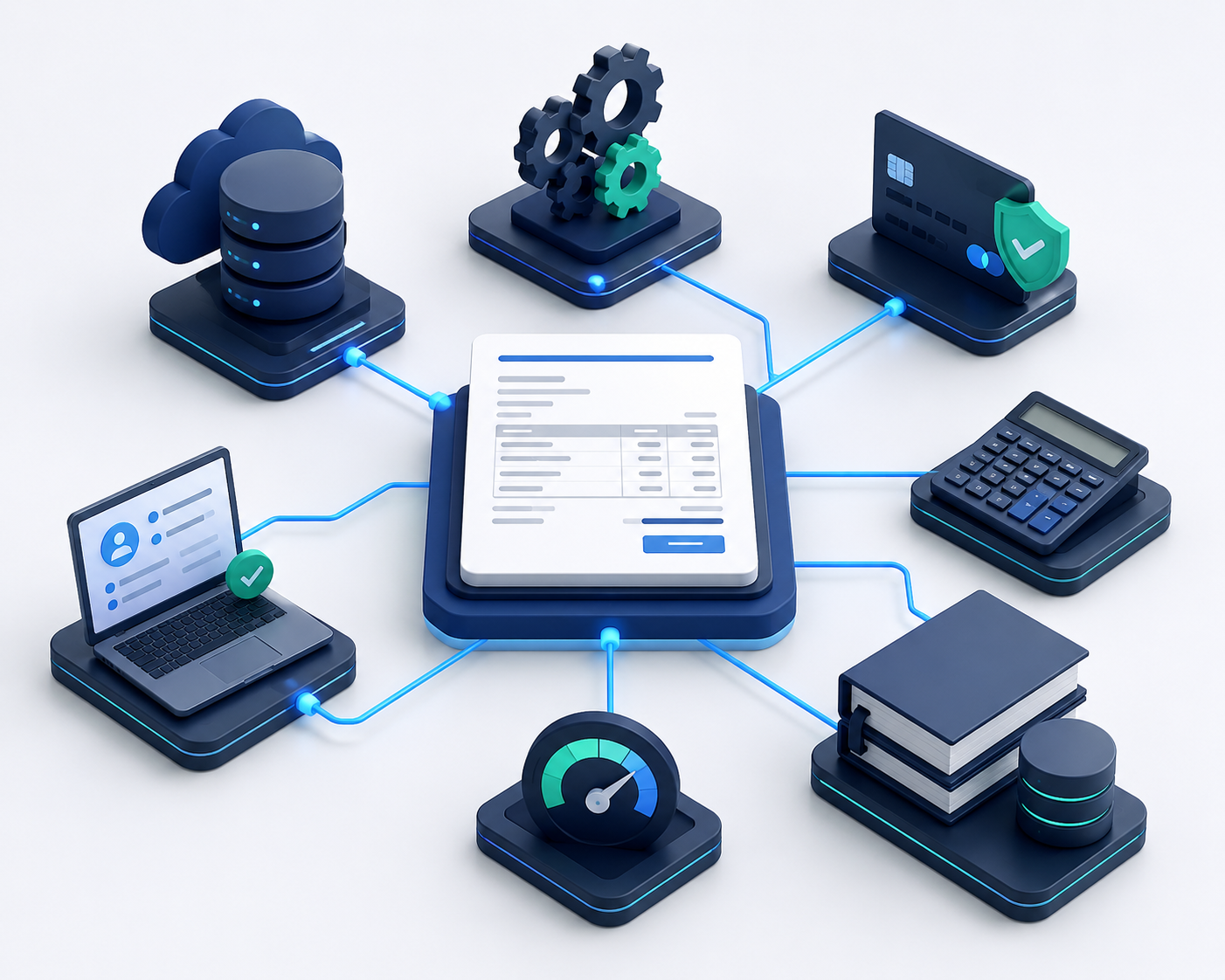
The practical answer to how to automate SaaS subscription invoicing is to treat billing as a system rather than a collection of invoices. Your application should provide customer and usage data to a billing engine, the billing engine should calculate charges and taxes, the payment system should collect money, and accounting systems should receive the resulting financial data. Webhooks, reconciliation, and clear rules connect those pieces.
A good setup doesn't simply send invoices faster. It makes billing predictable, gives customers a reliable way to manage their subscriptions, reduces avoidable payment failures, and gives finance a cleaner record of what was billed, collected, deferred, refunded, and recognized as revenue.
This guide explains how to build that workflow, which architecture to choose, what to automate first, where teams commonly make mistakes, and how to evaluate SaaS billing platforms before committing to one.
What Is SaaS Subscription Invoicing Automation?
SaaS subscription invoicing automation is the use of software to calculate recurring charges, create invoices, collect payments, manage subscription changes, apply taxes, and send financial data to downstream systems with little or no manual intervention.
Instead of asking a finance employee to check every account at the end of the month, the system uses subscription records and billing rules to determine what each customer owes. For usage-based plans, it also consumes measured usage before calculating the final amount.
A typical automated SaaS invoicing setup has four connected layers:
- Application layer: Your SaaS product records customers, subscriptions, seats, product usage, plan changes, and entitlements.
- Billing layer: A billing platform or custom billing service applies pricing rules, billing periods, discounts, credits, proration, and invoice logic.
- Payment and tax layer: Payment providers collect money, while tax software calculates applicable sales tax, VAT, or GST based on the customer's transaction and jurisdictional requirements.
- Accounting layer: Accounting and revenue management systems record invoices, payments, refunds, receivables, deferred revenue, and recognized revenue.
The exact products in each layer vary. A smaller SaaS business might use one provider for several functions, while a larger company may use separate billing, payment, tax, and accounting systems.
The important part is the contract between these systems. Every event should have a clear source of truth, a unique identifier, an expected status, and a recovery path if something fails.
Why Manual SaaS Invoicing Stops Working at Scale
Manual billing isn't automatically wrong. It's often the right starting point. The problem appears when the number of billing decisions grows faster than the finance team can reliably review them.
Revenue Leakage From Missed Billing Events
A customer upgrades from a $100 plan to a $500 plan halfway through the month. Another adds five seats for ten days. A third receives a negotiated discount that applies for six months. If these changes are tracked in spreadsheets or email threads, someone eventually misses one.
Automated billing gives each change a defined rule. The system can record when the subscription changed, calculate the applicable adjustment, and place the resulting credit or charge on the correct invoice.
That doesn't eliminate billing errors entirely. It moves the work from repeated manual calculations to designing and testing the rules once.
Failed Payments Create Preventable Churn
Recurring payments fail for ordinary reasons: an expired card, a replacement card, insufficient funds, bank restrictions, authentication requirements, or a temporary decline. A billing system should distinguish between these situations rather than treating every failure as a reason to cancel an account immediately.
Automated retries and dunning can give a customer time to resolve a payment problem. The workflow might retry according to the payment provider's supported strategy, notify the account owner, provide a secure payment-update page, and suspend service only after the defined grace period.
The exact recovery rate depends on the business, payment mix, geography, customer behavior, and retry strategy. There is no universal percentage that an automated dunning system will recover.
Tax Gets Harder With Geographic Expansion
SaaS tax obligations can depend on where the customer is located, what is being sold, the customer's tax status, the seller's registrations, and the rules of the relevant jurisdiction. In the United States, state and local sales tax rules can differ. International sales may involve VAT, GST, or other indirect taxes.
For that reason, don't build a table of tax rates into your application and assume it will stay correct. Use a tax service or a billing platform with appropriate tax capabilities, and make sure your business has a process for registrations, exemptions, filings, and tax data retention.
A tax calculation tool can automate calculations, but it doesn't remove the need for sound tax advice and compliance processes.
Revenue Recognition Is Different From Billing
One of the most important distinctions in SaaS finance is that an invoice is not the same thing as recognized revenue.
Suppose a customer pays $12,000 upfront for a 12-month subscription. The invoice and cash receipt happen at the beginning of the contract, but the accounting treatment generally depends on when the promised services are delivered. Under ASC 606 or IFRS 15, revenue is recognized as the relevant performance obligations are satisfied.
For a straightforward stand-ready SaaS service, that may result in revenue being recognized over the service period. More complex contracts can require different treatment.
Automating revenue recognition therefore requires more than connecting invoices to an accounting system. Your finance team needs defined rules for service periods, contract modifications, refunds, credits, discounts, and performance obligations.
How to Automate SaaS Subscription Invoicing Step by Step
The best implementation starts with the business rules and data model, not with a payment provider's checkout page. Work through the following steps before moving production traffic into the new system.
Step 1: Map Your Pricing and Billing Models
Write down every way customers can be charged. Don't start with the easy plans and assume the difficult cases can be added later.
Common SaaS pricing models include:
- Flat-rate recurring billing: A fixed amount such as $99 per month or $999 per year.
- Per-seat billing: The invoice changes as the number of billable users changes.
- Tiered pricing: The unit price or total price changes when usage reaches a defined tier.
- Volume pricing: The price per unit changes according to the total quantity purchased.
- Usage-based billing: Customers pay according to measured consumption such as API requests, storage, messages, or processed records.
- Hybrid billing: A recurring platform fee is combined with usage, seats, or overage charges.
- Contract billing: Enterprise customers may have negotiated prices, minimum commitments, billing schedules, purchase orders, or invoice terms.
For each model, document the billing frequency, billing anchor, currency, tax treatment, discount rules, proration policy, cancellation policy, refund policy, and payment terms.
Your data model should also separate concepts that are easy to mix together. A customer is not necessarily the same record as a subscription, and a subscription is not necessarily the same thing as an invoice.
Useful identifiers include customer ID, subscription ID, plan ID, invoice ID, payment ID, and billing cycle anchor. Keep these identifiers stable so events can be reconciled across systems.
Step 2: Build a Reliable Usage Metering Process
Usage-based SaaS billing requires a trustworthy record of consumption. Don't wait until invoice generation to run a large query across your production database and hope the totals are correct.
Instead, define the billable event first. For example, an API-based SaaS product might record an API request event with the customer identifier, event timestamp, event type, and billable quantity.

A useful event structure might contain:
- Customer identifier
- Event name
- Event timestamp
- Quantity
- Product or meter identifier
- Unique event identifier
- Relevant metadata needed for billing
The system should also decide what happens when an event arrives twice, arrives late, or needs correction. Idempotency matters because duplicate usage can produce duplicate charges.
At the end of a billing period, the billing system should use the approved meter total to calculate the invoice. For high-volume products, store usage in a system designed for event ingestion and aggregation rather than repeatedly scanning transactional tables.
Step 3: Define Proration Rules Before Automating Them
Proration sounds simple until customers start changing plans in the middle of a billing period.
Consider a customer who starts the month on a $100 plan, adds seats on day 12, and upgrades to a $500 plan on day 22. Your system needs a consistent answer to several questions: What portion of the old plan remains? When does the new plan become effective? Should the customer receive a credit? Should the difference be charged immediately or on the next invoice?
A common proration process is:
- Determine the unused portion of the existing subscription.
- Calculate the applicable charge for the replacement subscription during the remaining period.
- Apply the credit and new charge according to the billing provider's proration rules.
- Decide whether the net amount is invoiced immediately or carried into the next billing cycle.
- Record the subscription change so the invoice and customer history can be reconciled later.
Don't copy a provider's proration behavior into custom code without understanding its billing model. If the billing platform already supports the required behavior, using its tested implementation is usually safer than maintaining your own calculation engine.
Step 4: Automate Tax Calculation Without Hardcoding Rates
Tax automation should be based on the customer's transaction details and your tax configuration, not a hardcoded percentage in application code.
A tax service may use information such as the customer's billing address, business location, tax identification number, product classification, seller registration, and other jurisdiction-specific data. The precise inputs depend on the provider and jurisdiction.
For B2B SaaS, build support for tax IDs and exemption information where relevant. Don't assume that entering a VAT or GST number automatically makes every transaction tax-free. Validation and the applicable local rules still matter.
During testing, cover several cases rather than testing only a domestic customer. Include taxable and exempt customers, different jurisdictions, valid and invalid tax IDs, changes to customer addresses, credits, refunds, and invoice adjustments.
Step 5: Configure Payment Retries and Dunning
Payment recovery should be part of the billing design from the beginning.
When a recurring payment fails, the system should record the failure, determine the next action, and communicate with the customer. Depending on the payment method and provider, the next action may involve an automatic retry, customer authentication, payment-method update, or manual review.
A practical dunning workflow can include:
- Record the failed payment and failure reason returned by the payment provider.
- Attempt supported recovery actions according to the provider's retry rules.
- Send a clear notification to the billing contact.
- Provide a secure, authenticated page for updating payment details.
- Continue service during a defined grace period when appropriate.
- Escalate unresolved accounts to a human or suspend service according to the company's policy.
- Record the final outcome for reporting and reconciliation.
Avoid promising that machine-learning retry schedules will always recover payments. Some providers offer optimized retry features, but recovery depends on the payment method, issuer, customer, and failure reason.
Step 6: Connect Billing With Accounting and Revenue Recognition
Once billing works, connect it to the financial systems that need the resulting data.
At a minimum, define how your system handles invoices, credit notes, payments, refunds, taxes, accounts receivable, and deferred revenue. Then determine which system owns each record.
For example, a $12,000 annual subscription could create a $12,000 invoice and payment while the accounting or revenue system schedules revenue recognition across the applicable service period. The exact schedule depends on the contract and accounting assessment.
Your finance team should approve the mapping before automation goes live. A technically correct API integration can still produce poor accounting results if the chart-of-accounts mapping or revenue rules are wrong.
Choosing the Right SaaS Billing Architecture
There isn't one best billing stack for every SaaS company. The right choice depends on pricing complexity, engineering resources, geographic reach, enterprise requirements, and how much tax and billing responsibility you want to keep internally.
| Operational Factor | Payment Platform and Custom Billing | Dedicated Billing Platform | Merchant of Record |
|---|---|---|---|
| Typical Examples | Stripe Billing, Adyen, custom services | Chargebee, Maxio, Recurly, Lago | Paddle, Lemon Squeezy |
| Development Effort | High to moderate | Moderate | Low to moderate |
| Billing Flexibility | Very high | High | Moderate |
| Custom Data Model | Full control | Depends on platform | More constrained |
| Tax Responsibility | Primarily yours, with optional tax tools | Shared between your team and selected tools | Provider generally manages applicable transaction tax obligations within its scope |
| Payment Control | High | High to moderate | Lower |
| Enterprise Contract Support | Depends on your implementation | Strong on many platforms | Depends on provider and commercial model |
| Ongoing Engineering Work | High | Moderate | Lower for billing operations |
| Best Fit | Product teams with strong engineering capacity | Growing SaaS with complex billing needs | Companies prioritizing simplified global selling |
Option 1: Payment Platform With Custom Billing Logic
A custom approach gives your engineering team the most control. You can build billing rules around your exact product model and avoid forcing unusual contract structures into a platform's standard workflow.
The trade-off is ownership. Your team becomes responsible for subscription state, proration rules, invoice generation, webhook handling, reconciliation, customer billing experiences, testing, and many operational edge cases.
This approach can make sense when billing is closely tied to a differentiated product model or when the company has the engineering and finance capacity to maintain it properly.
Option 2: Dedicated Billing Orchestration Platform
A dedicated billing platform provides an abstraction between your application and payment providers. Depending on the product, it may handle subscriptions, invoices, proration, usage billing, dunning, customer portals, reporting, and integrations.
This is often a strong fit for B2B SaaS companies with several pricing models or enterprise billing requirements. You spend less time maintaining commodity billing behavior and more time integrating the platform with your product and finance stack.
The main trade-offs are platform cost, vendor dependency, and the need to understand how the provider represents subscriptions and financial events.
Option 3: Merchant of Record
A Merchant of Record takes on a broader commercial role than a payment gateway. The provider generally becomes the seller or reseller for the transaction and takes responsibility for specified payment, sales tax, and compliance obligations within its service scope.
This can be attractive for SaaS companies selling internationally that don't want to build their own tax registration and collection infrastructure in every market.
The trade-offs include higher fees in many cases, less control over the payment relationship, provider-specific checkout and commercial rules, and potential limitations for complex enterprise contracts.
Before choosing an MoR, review exactly which obligations it assumes, which markets it supports, how refunds and chargebacks work, how customer data is handled, and how payouts are reported to your accounting team.
Stripe Billing vs. Chargebee Automation
Stripe Billing and Chargebee can both support recurring SaaS billing, but they approach the problem from different angles.
Stripe is deeply integrated with the broader Stripe payment ecosystem and is attractive to teams that want a developer-oriented stack with substantial control over payment flows. Its billing capabilities can cover subscriptions, invoices, usage-based billing, payment recovery, and related workflows.
Chargebee is more focused on subscription management and recurring revenue operations. It can be useful for SaaS businesses that need a billing layer with extensive subscription and revenue-management workflows without building those capabilities internally.
The decision shouldn't be based on a feature checklist alone. Compare the platforms using your actual pricing models, contract changes, payment methods, tax requirements, accounting integrations, reporting needs, and expected transaction volume.
A simple proof of concept is often more revealing than a sales demonstration. Test one new subscription, one upgrade, one downgrade, one failed payment, one refund, one annual contract, and one usage-based invoice before making a final decision.
Essential Features in SaaS Invoicing Software
Whether you're evaluating SaaS subscription management tools or building part of the stack yourself, focus on the operational features that prevent billing problems.
Reliable Webhooks and Event Processing
Billing systems produce events that your application needs to consume. Examples include successful payments, failed payments, invoice finalization, refunds, subscription changes, and cancellations.
Your webhook receiver should be idempotent, authenticated, observable, and able to retry failed processing. Store event identifiers so the same event can be safely delivered more than once without creating duplicate records or granting access twice.
Self-Service Customer Billing Portal
A customer billing portal reduces support work and shortens the path from a payment problem to resolution.
Depending on your business model, customers should be able to:
- View and download invoices.
- Update supported payment methods.
- Review subscription details.
- Change seats or plans when your commercial rules allow it.
- Update billing addresses.
- Add or update tax identification information.
- See payment history and account status.
For enterprise accounts, you may also need purchase order fields, invoice contacts, payment terms, billing entities, and approval workflows.

Multi-Currency and Local Payment Methods
Global SaaS billing isn't simply a matter of displaying a different currency symbol. You need consistent rules for currency, price books, exchange rates where applicable, refunds, taxes, payment methods, and reporting.
Depending on your target markets, customers may expect cards, ACH, SEPA direct debit, bank transfers, or other regional methods. Confirm that your billing provider supports the methods and settlement currencies you actually need before promising them at checkout.
Invoice Customization
B2B customers often have accounts-payable requirements that consumer-oriented billing flows don't cover. Your invoice system may need purchase order numbers, legal entity names, billing addresses, tax IDs, payment terms, service periods, contract references, and custom fields.
Treat these requirements as part of the data model rather than as manual notes added at the end of each month.
Audit Trails and Reconciliation
An automated billing system should make it possible to answer basic finance questions quickly. Why did this invoice change? Which subscription generated this charge? Was the payment successful? Was a credit applied? Did the webhook arrive? Does the accounting record match the billing record?
Keep enough history to investigate those questions without asking an engineer to reconstruct the transaction from application logs.
Common SaaS Billing Automation Mistakes
Automation doesn't fix a poorly designed billing process. It can make the same mistake happen faster. These are the problems worth addressing before launch.
Mistake 1: Treating Every Cancellation the Same Way
Cancellation policies differ. Some companies cancel immediately, some at the end of the paid term, and others provide credits or refunds under specific conditions.
Document what happens for immediate cancellation, end-of-term cancellation, refunds, prepaid annual plans, promotional credits, and account suspension. Then encode those rules explicitly.
Mistake 2: Mixing Entitlements With Billing Logic
A billing plan and a product entitlement are related but shouldn't become one inseparable piece of code.
The billing system can say that a customer is subscribed to a certain plan. Your entitlement system should determine what the customer is allowed to use. This separation makes it easier to change prices or package features without rewriting access-control logic.
Mistake 3: Assuming Webhooks Always Arrive Once and in Order
Distributed systems don't work that way. Events can be delayed, duplicated, retried, or delivered in an order you didn't expect.
Build idempotency into webhook handlers. Store event state, verify signatures where supported, retry transient failures, and reconcile important records periodically against the billing provider.
Mistake 4: Using Tax Calculation as a Substitute for Tax Compliance
A tax API can calculate an amount. It doesn't necessarily determine whether your company should be registered in a jurisdiction, whether a product classification is correct, or whether a filing is required.
Keep tax calculation, registration, filing, exemption management, and professional tax review as separate responsibilities in your operating model.
Mistake 5: Ignoring Credits, Refunds, and Contract Changes
Teams often automate the happy path first and leave financial adjustments for later. That's backwards.
Credits, refunds, discounts, plan changes, contract modifications, and write-offs are exactly the transactions that need clear rules because they affect both customer balances and financial reporting.
Mistake 6: Failing to Reconcile Systems
Even reliable APIs can fail at the application level. A webhook may be rejected, an internal database transaction may roll back, or an integration may be temporarily unavailable.
Run scheduled reconciliation between important systems. Compare invoices, payments, subscriptions, refunds, and accounting records, then create an exception queue for mismatches that need investigation.
A Practical SaaS Invoice Automation Workflow
A production-ready workflow should be understandable by both engineers and finance professionals.
- Customer signs up or an existing contract changes. The application records the subscription and commercial terms.
- Billing data is synchronized. The billing system receives the plan, quantity, billing period, currency, discount, and relevant customer information.
- Usage is recorded when applicable. Metered events are validated, deduplicated, and aggregated.
- The billing period reaches its billing point. The billing system calculates recurring, usage-based, prorated, discounted, and credited amounts according to the configured rules.
- Tax is calculated. The tax service determines applicable taxes using the transaction data and configured tax settings.
- The invoice is generated. The invoice contains the required line items, customer details, tax information, service periods, and payment terms.
- Payment is collected. The payment provider attempts the configured payment method.
- The customer is notified. The system sends the invoice, receipt, or payment-failure message through the configured communication channel.
- Financial records are synchronized. Invoice, payment, tax, credit, and refund information moves into accounting and revenue systems.
- Exceptions are reconciled. Failed payments, missing events, mismatched records, and unusual transactions are routed for review.
This workflow is more valuable than a simple invoice generator because it describes what happens before, during, and after the invoice is created.
Testing Your SaaS Billing Automation Before Launch
Billing systems need more than a successful checkout test. Test the financial edge cases that can create customer disputes or accounting problems.
At minimum, test:
- New monthly subscription
- New annual subscription
- Upgrade during a billing period
- Downgrade during a billing period
- Seat increase and decrease
- Usage above a plan threshold
- Zero usage
- Discount codes and contract discounts
- Credits and refunds
- Failed card payment
- Expired payment method
- Payment retry
- Customer payment-method update
- Taxable customer
- Tax-exempt customer where applicable
- Invalid or changed tax information
- Currency changes where supported
- Cancellation at the end of the term
- Immediate cancellation
- Annual renewal
- Duplicate webhook delivery
- Out-of-order webhook delivery
- Temporary accounting integration failure
- Invoice and payment reconciliation
Run these tests in a sandbox environment before processing real customer transactions. For financial workflows, also have finance review the resulting invoices and accounting entries rather than relying only on engineering tests.
How to Measure Whether Billing Automation Is Working
Once the system is live, don't judge it only by whether invoices are being generated. Track operational quality.
Useful measures include:
- Percentage of invoices generated without manual intervention
- Invoice error and correction rate
- Payment failure rate by payment method
- Recovery rate for failed recurring payments
- Time required to resolve billing exceptions
- Number of unreconciled transactions
- Credit and refund volume
- Billing-related support tickets
- Percentage of customers using self-service billing features
- Time required to close the billing and accounting period
These metrics tell you where the automation is actually helping and where manual work has simply moved somewhere else.
When Should a SaaS Company Automate Invoicing?
There isn't a specific customer count at which every SaaS company must automate. The better trigger is billing complexity.
Automation becomes especially valuable when your team has multiple plans, recurring invoices, usage-based charges, mid-cycle changes, international customers, annual contracts, sales-assisted deals, or a growing number of billing exceptions.
If finance spends hours every month checking spreadsheets, correcting invoices, chasing payment failures, or preparing data for accounting, the business is already paying for manual billing through staff time and operational risk.
Start with the highest-volume, lowest-ambiguity billing flows. Then add usage billing, contract billing, tax complexity, and more advanced revenue workflows as the business requires them.
SaaS Subscription Invoicing Automation Checklist
Use this checklist before moving automated billing into production:
- Audit the current process: Document every manual billing step, pricing model, contract exception, and reconciliation task.
- Choose the architecture: Decide between custom billing, a dedicated billing platform, or a Merchant of Record model.
- Define ownership: Decide which system is authoritative for customers, subscriptions, invoices, payments, usage, tax, and accounting records.
- Design the data model: Use stable customer, subscription, invoice, payment, and event identifiers.
- Configure pricing rules: Document recurring charges, usage rates, discounts, credits, proration, and cancellation behavior.
- Implement usage metering: Validate, deduplicate, aggregate, and reconcile billable usage before invoicing.
- Configure tax handling: Connect the appropriate tax service and define processes for tax IDs, exemptions, registrations, and exceptions.
- Set up payment recovery: Configure retries, customer notifications, payment updates, grace periods, and account suspension rules.
- Build webhook resilience: Authenticate events, make handlers idempotent, retry failures, and store event history.
- Connect accounting: Map invoices, payments, refunds, credits, taxes, receivables, and revenue schedules to the accounting system.
- Create reconciliation jobs: Compare billing, payment, application, and accounting records regularly.
- Test financial edge cases: Run upgrades, downgrades, cancellations, refunds, failed payments, tax scenarios, usage events, and webhook failures in a sandbox.
- Launch gradually: Start with a controlled customer group or a limited billing flow before moving the entire customer base.
- Monitor after launch: Track billing errors, payment recovery, reconciliation exceptions, support tickets, and close-time improvements.
Final Takeaway
Automating SaaS subscription invoicing isn't just about replacing manual invoices with an API call. The real goal is to create a billing system that can consistently answer four questions: what the customer should be charged, what they actually paid, what the business owes in taxes and other liabilities, and when the resulting revenue should be recognized.
Start with clear pricing and subscription rules. Then connect usage, billing, payments, tax, and accounting through reliable APIs and event handling. Keep entitlements separate from billing logic, design for duplicate and failed events, and reconcile the systems regularly.
For teams evaluating SaaS invoicing software, the best choice is the platform that fits the company's actual billing model rather than the one with the longest feature list. Compare real workflows, test difficult cases, and involve both engineering and finance before committing.
Saasbonus provides hands-on software comparisons and reviews for teams evaluating SaaS tools, so use those comparisons alongside your own pricing, integration, and finance requirements when selecting a billing stack.
Frequently Asked Questions
What is automated SaaS subscription invoicing?
Automated SaaS subscription invoicing uses software to calculate recurring or usage-based charges, create invoices, apply configured tax rules, collect payments, and update financial systems. APIs and webhooks connect the product, billing platform, payment provider, and accounting systems. The goal is to reduce repetitive manual work while keeping billing records consistent and auditable.
How do you handle sales tax in automated SaaS invoicing?
Use a supported tax service or billing platform to calculate applicable sales tax, VAT, or GST from transaction and customer information. Keep tax calculation separate from broader compliance responsibilities such as registrations, exemptions, filings, and product classification. Test address changes, tax IDs, exemptions, refunds, and credits before enabling automated tax calculation in production.
How does automated invoicing reduce SaaS churn?
Automated invoicing can reduce avoidable payment-related churn by detecting failed recurring payments, applying supported retry strategies, notifying customers, and providing a secure way to update payment details. The result depends on payment methods, failure reasons, customer behavior, and the recovery process. Automation helps most when payment failures are handled quickly and consistently.
What is the difference between a Payment Gateway and a Merchant of Record?
A payment gateway or payment processor primarily helps process transactions, while the merchant generally remains responsible for the broader selling and tax obligations. A Merchant of Record takes a broader role in the transaction and typically handles specified payment, tax, and compliance responsibilities within its service scope. Review each provider's legal and commercial terms before choosing one.
Can you automate usage-based billing in SaaS?
Yes. Usage-based billing can be automated by recording billable events, validating and deduplicating them, aggregating usage through a meter, and passing the approved total to the billing system. The billing engine can then calculate usage charges and include them on an invoice. The implementation should also handle late events, corrections, duplicate events, and usage disputes.




