
How to Build a SaaS Self-Service Customer Portal (2026 Guide)
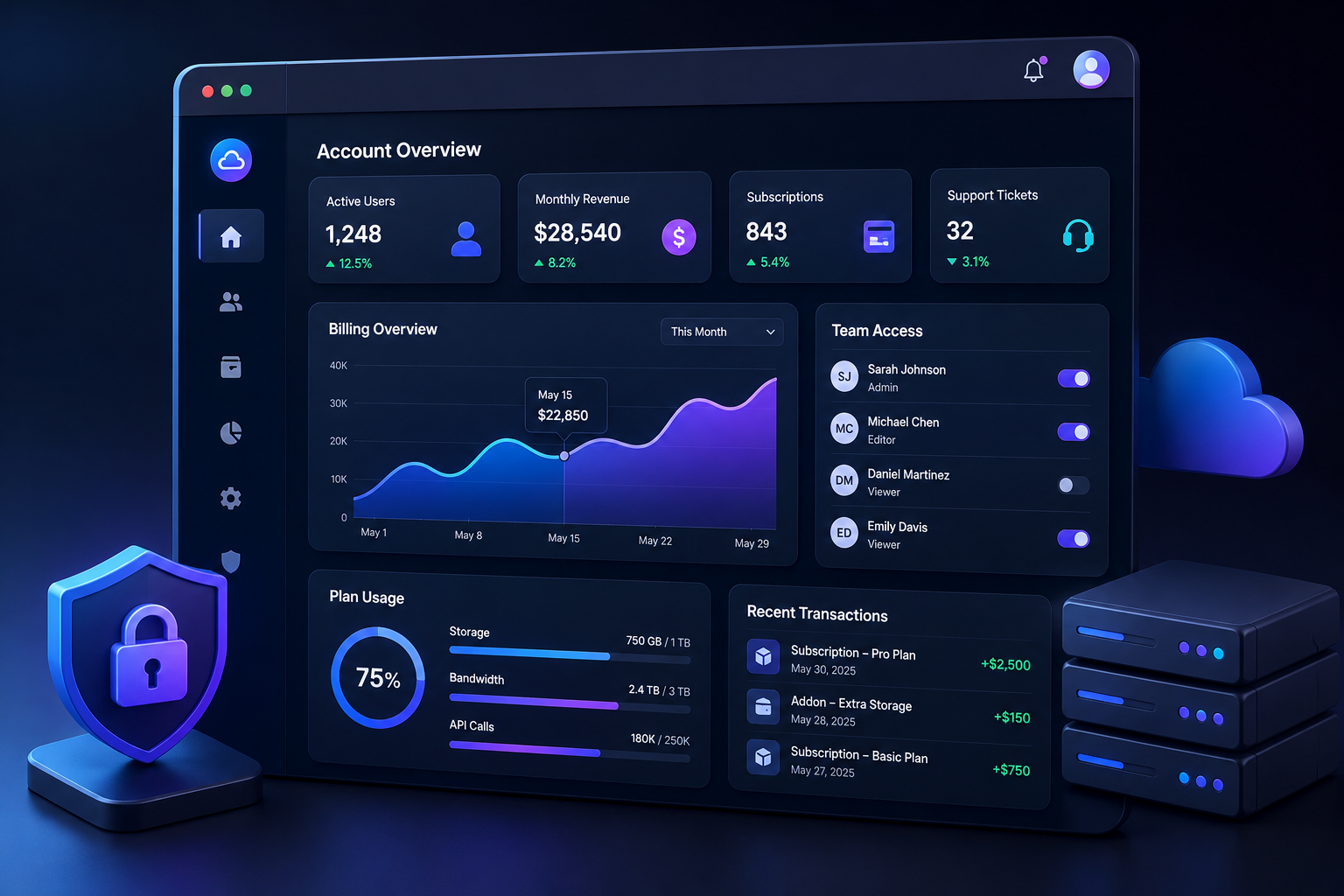
Over 70% of modern software customers prefer resolving account, billing, and technical issues on their own rather than speaking with a human support agent. Yet, most B2B SaaS teams continue to funnel routine tasks—like updating credit cards, upgrading seats, downloading invoices, or checking API usage—through manual support tickets.
Building a SaaS self-service customer portal isn't just an exercise in improving user experience; it's an operational necessity. A properly architected self-service portal directly lowers customer acquisition cost payback periods, reduces support overhead by up to 45%, and prevents churn caused by simple friction points.
This guide breaks down everything required to design, architect, and deploy a production-grade self-service customer portal for your SaaS platform, whether you build it natively into your core application or leverage modular infrastructure.
What Is a SaaS Self-Service Customer Portal?
A SaaS self-service customer portal is a secure, authenticated hub within or alongside your primary application where users independently manage their account lifecycle. Instead of waiting hours for a support representative to update an enterprise billing contact or issue a read-only API key, users complete these administrative tasks autonomously.
Unlike a static public help center or documentation site, a self-service portal is dynamic and contextual. It interacts directly with your application's backend databases, payment gateways, and identity providers to present real-time user data.
The Core Distinction: Help Center vs. Customer Portal
Many product teams confuse a knowledge base with a true customer portal. While both aim for support deflection, their underlying architecture and capabilities differ radically:
| Capability | Static Help Center / Docs | Self-Service Customer Portal |
|---|---|---|
| Authentication | Public or basic gate | RBAC, Single Sign-On (SSO), JWT |
| Data Flow | Read-only static text | Two-way read/write API execution |
| Primary Use Cases | Troubleshooting guides, API reference | Billing management, team access, usage monitoring |
| Backend Systems | CMS or static site generator | Relational DBs, Payment Gateways (Stripe/Paddle), Auth providers |
| Personalization | Low (generic articles) | High (tenant-specific usage, custom roles, active plan limits) |
Core Components of a Modern Customer Portal
To build a portal that users actually adopt, you must structure it around functional clusters rather than dumping links into a generic settings drop-down. Every enterprise-ready SaaS portal comprises five fundamental pillars:
1. Subscription & Billing Management
Billing friction is one of the highest drivers of preventable churn. A self-service portal must allow account admins to:
- View, download, and email historical PDF invoices containing proper tax registration details (VAT/GST).
- Update payment methods (credit card, ACH, direct debit) seamlessly.
- Upgrade, downgrade, or cancel subscriptions without waiting for a customer success manager, unless bound by a custom enterprise contract.
- View active usage metrics against plan caps (e.g., API requests used, active seats consumed).
2. Identity & Access Management (IAM)
In B2B SaaS, accounts are rarely managed by a single user. The portal serves as the administrative command center for organization accounts:
- Team invite flows via email link or domain auto-join.
- Role-Based Access Control (RBAC) assignment (e.g., Admin, Developer, Billing Contact, Read-Only).
- Single Sign-On (SSO) configuration for SAML/OIDC providers like Okta, Azure AD, or Google Workspace.
- Security audit logging to monitor team sign-ins, privilege changes, and API key generation.
3. Usage Analytics & Resource Monitoring
Transparency builds trust. When users can see how close they are to their usage limits, upsell conversations become natural rather than forced. Your portal should display:
- Real-time consumption charts for metered variables.
- Historical usage trends over 30, 60, and 90-day windows.
- Overage warnings and threshold configuration to prevent unexpected monthly bill spikes.
4. Technical Configuration & Developer Tools
If your SaaS offers integrations, APIs, or custom workflows, technical users need a dedicated environment within the portal to:
- Generate, rotate, and revoke production and sandbox API keys.
- Configure webhook endpoints and view historical payload delivery logs with retry triggers.
- Monitor system status, latency, and scheduled maintenance windows.
5. Embedded Support & Conversational Deflection
Self-service does not mean completely abandoning your users. When self-service fails, the portal must bridge the gap smoothly:
- Contextual knowledge base search bars pre-filtered by the user's current screen or plan level.
- In-app support ticket submission with automated metadata attachment (current route, account ID, browser state).
- Real-time status tracking for past and open support tickets.
Step-by-Step Architecture: How to Build the Portal
Building a self-service portal requires balancing developer velocity with long-term security and scalable data architecture. Follow these five distinct phases to plan and execute your build.
Phase 1: Define User Persona Permissions & Data Boundaries
Before writing code, map out every operation a user can perform inside the portal based on their assigned role. Creating an enterprise matrix upfront prevents security flaws where low-privilege users access billing data or revoke admin API keys.
Common permission boundaries to enforce:
- Owner/Admin: Full access to billing, team settings, security policies, and resource allocation.
- Billing Contact: Access restricted exclusively to invoices, payment methods, and plan adjustments.
- Developer: Access limited to API keys, webhooks, sandbox environments, and usage metrics.
- Standard Member: Access confined to primary core application features without administrative modification rights.
Phase 2: Choose Your Architectural Strategy (Build vs. Buy vs. Hybrid)
Product teams generally evaluate three routes when implementing portal infrastructure:
Option A: Custom Native Build
- How it works: You construct the UI components, database schemas, and API endpoints directly inside your main application codebase (e.g., React/Next.js frontend connected to your primary backend framework).
- Best for: Core product experiences where custom UI consistency is non-negotiable.
- Trade-off: Devours significant engineering sprint time (typically 6-12 weeks of initial build + ongoing maintenance).
Option B: Embedded Third-Party Modular Portals
- How it works: You integrate specialized external components—such as the Stripe Customer Portal for billing, Clerk or Auth0 for identity management, and Plain or Pylon for support ticketing.
- Best for: Fast-growing startups that want enterprise-grade compliance out of the box without building infrastructure from scratch.
- Trade-off: Requires managing multiple vendor styling systems, though modern SDKs offer extensive customization.
Option C: The Hybrid Approach (Recommended for mid-stage SaaS)
- How it works: Build core operational screens natively inside your app while embedding specialized third-party widgets for high-compliance tasks like payment collection and enterprise SAML SSO.
- Best for: Maximizing engineering focus on core product differentiators while offloading heavy security and regulatory compliance.
Phase 3: Design the UI/UX for Frictionless Navigation
A self-service portal fails if users cannot locate what they need within two clicks. Avoid hiding critical functions behind deep, nested sub-menus.
Structure your layout with clear horizontal tabs or an intuitive vertical side navigation bar:

- Overview / Dashboard
- Team Management
- Billing & Plans
- API & Developers
- Support & Resources
Ensure mobile responsiveness across all screens. While B2B users primarily access portals via desktop, executives often attempt to approve invoices or reset access credentials on mobile devices.
Phase 4: Implement Secure Backend & API Gateways
Because customer portals expose sensitive corporate data and billing operations, security must be implemented at every endpoint. Never rely solely on client-side routing to restrict access.
Key technical guardrails:
- Mandatory Tenant Isolation: Ensure every database query explicitly validates the authenticated tenant context (WHERE org_id = current_user_org). Prevent cross-tenant data leakage by enforcing Row-Level Security (RLS) if using PostgreSQL databases.
- Rate Limiting: Protect sensitive portal actions—such as API key generation, password resets, and team invite dispatches—using token bucket rate-limiting algorithms to block automated brute-force attacks.
- Audit Trail Logging: Record all state-changing actions executed within the portal (e.g., user added, subscription canceled, webhook URL updated) with timestamps, IP addresses, and user IDs.
Phase 5: Test, Launch, and Iterate
Before rolling out the portal to your entire user base, conduct validation across real-world operational scenarios:
- Test invoice downloads across different currency and tax configurations.
- Verify that revoking a user's access immediately invalidates their active JWTs and session cookies across all connected services.
- Run usability tests with non-technical users to confirm that self-service tasks are completed without requiring support intervention.
Custom vs. Off-the-Shelf: Making the Architectural Decision
Choosing whether to construct your self-service portal entirely in-house or leverage off-the-shelf tooling depends heavily on team size, engineering bandwidth, and market stage.
| Criteria | Custom In-House Build | Off-the-Shelf / Hybrid Integration |
|---|---|---|
| Time to Market | 6 to 12 weeks | 1 to 3 days |
| Engineering Cost | High ($30k-$80k in dev time) | Low (Software subscription fees) |
| Maintenance Overhead | Ongoing updates for API shifts | Handled by vendor platform |
| Customization | 100% control over UX and workflow | Constrained by vendor design systems |
| Security & Compliance | In-house team manages SOC2/PCI | Vendor provides pre-certified infrastructure |
For early to mid-stage SaaS companies, building every portal component from scratch often leads to technical debt. Offloading standard components—such as billing portals and documentation search—allows your core product team to focus on feature velocity.
5 Common Pitfalls to Avoid When Building Your Portal
Even experienced engineering teams fall into preventable design traps when building self-service infrastructure. Watch out for these operational mistakes:
1. Hiding the Cancellation or Plan Change Button
Some product teams deliberately obfuscate cancellation or downgrade options inside the portal, forcing users to contact support to make changes. While intended to prevent churn, this tactic universally hurts user trust, increases chargebacks, and damages your brand reputation. Allow self-service downgrades while embedding a quick, single-question exit survey to capture actionable product feedback.
2. Failing to Provide Partial-Access Roles
Assigning every user blanket administrator access creates immediate security vulnerabilities for enterprise customers. If an accounting manager logs in to retrieve a monthly invoice, they should not have the authorization to delete product workspaces or alter API configurations.
3. Decoupling the Portal from Your Main App UX
If your portal is hosted on a separate subdomain (e.g., portal.yourcompany.com) using entirely different fonts, colors, and navigation paradigms than your main application (app.yourcompany.com), users feel disconnected. Ensure your design system token set extends seamlessly into the portal environment.
4. Neglecting Automated Email Notifications
Self-service actions inside the portal should trigger immediate, automated confirmation emails to relevant stakeholders. When an admin updates a billing credit card, send a confirmation receipt to the designated financial contact to ensure operational visibility.
5. Ignoring Search Functionality
As your portal grows to encompass documentation, settings, and support histories, users will default to searching rather than browsing navigation links. Incorporate a universal search shortcut (such as Cmd + K or Ctrl + K) that scans documentation, account settings, and help center topics instantly.
How Saasbonus Accelerates Your SaaS Architecture Choices
Selecting the right ecosystem tools to power your self-service stack can feel overwhelming given the hundreds of SaaS providers on the market today. Evaluating whether to pair Stripe with custom billing code, integrate Clerk for user management, or deploy dedicated help desk platforms like Pylon requires unbiased, hands-on operational insights.
At Saasbonus, we provide deep technical reviews, architectural breakdowns, and comparative analyses of modern software tools. Whether you're deciding on an authentication provider, selecting an API documentation platform, or picking an end-to-end customer success engine, Saasbonus helps engineering and product leaders choose the right software stack the first time—saving you hundreds of development hours and preventing costly migration traps.




