
How to Pick the Right SaaS Tool Without Wasting Your Trial
Nearly 70 percent of B2B SaaS free trials end without a clear buying decision, not because the software fails, but because the evaluation team runs out of time before testing core features. Most organizations trigger a 14-day trial window, invite three colleagues, click around an empty dashboard for twenty minutes, and then get swallowed by daily fire-fighting. By the time they log back in on day twelve, the trial has expired, the sales team is sending automated cadence emails, and no meaningful performance data was gathered.
Selecting the right software does not require months of committee meetings or endless product demos. It requires treating a free trial as a time-bounded Proof of Concept (POC) with clear criteria, pre-loaded data, and defined evaluation tasks.
To choose the right SaaS platform without wasting free trial windows, you must establish an evaluation methodology long before clicking the 'Start Free Trial' button. This guide outlines an end-to-end framework for defining requirements, prepping data, running structured trial sprints, and calculating real total cost of ownership.
The Real Cost of Unplanned SaaS Trials
Starting a software trial without preparation feels low-risk because no credit card is required up front. In reality, modern software evaluations carry substantial hidden overhead.
When an evaluation stalls, your team incurs three main costs:
- Context switching fatigue: Team members log into unfamiliar interfaces, attempt to build ad-hoc workflows, fail to find documentation, and abandon the task. Re-starting the process two months later doubles the onboarding time.
- Vendor lock-in via dirty migration: Rushing a trial leads to impulse purchases. Six months later, you discover the tool lacks essential API integrations or enterprise security controls, forcing a costly migration to another platform.
- Subscription sprawl: Unused trials frequently transform into low-tier paid accounts requested by department heads seeking quick fixes. Over time, companies accumulate overlapping tools with redundant functionality.
To prevent these issues, treat software selection as a structured project. The trial itself is simply the execution phase of a strategic evaluation.
Phase 1: Pre-Trial Preparation (The 80/20 Rule)
Eighty percent of software evaluation success happens before you create an account. If you sign up for a service on a Monday morning without preparing sample data or an evaluation checklist, you have already wasted the trial.
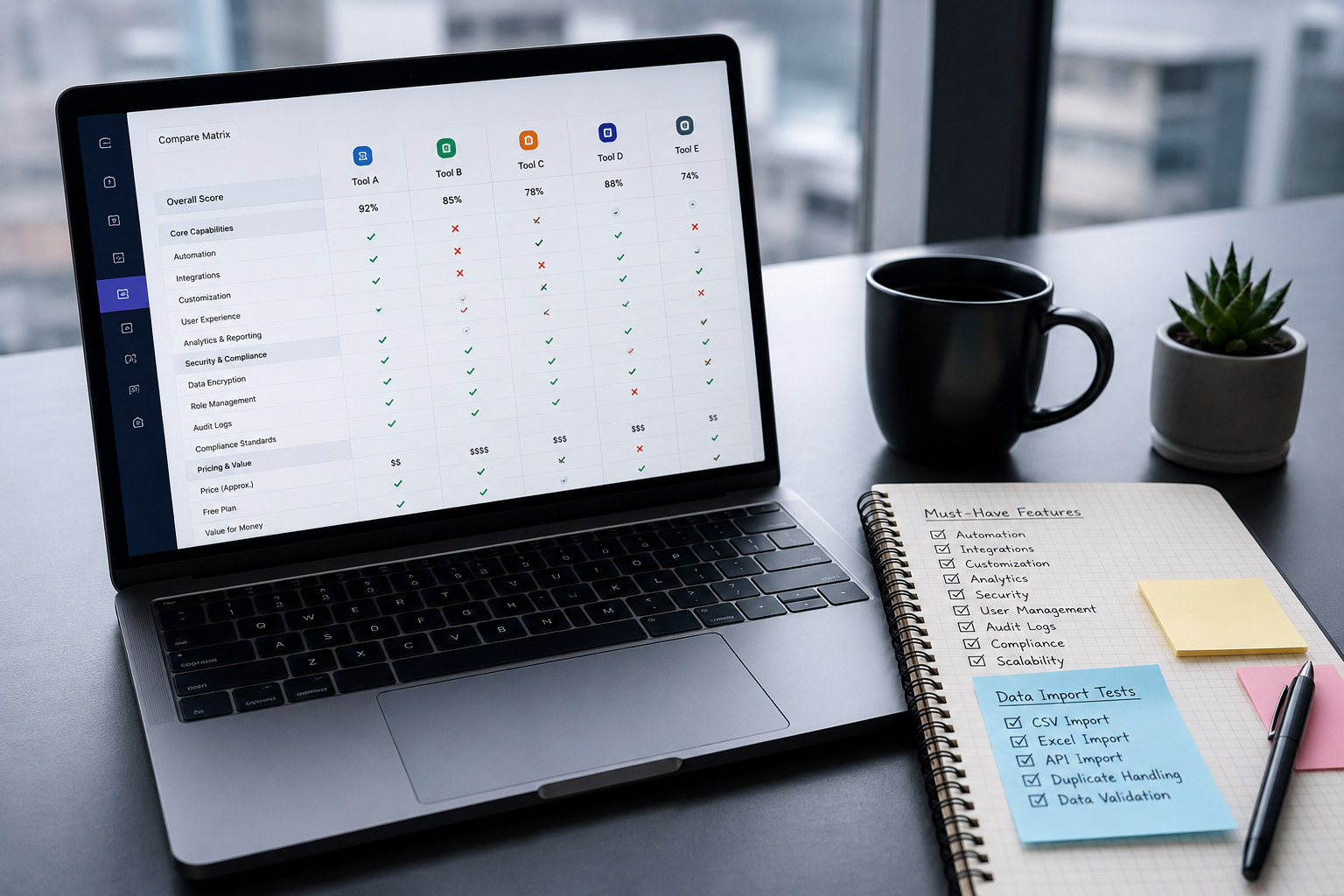
Define Core Requirements Using the MoSCoW Method
Software vendors design marketing pages to showcase every feature their engineering teams build. If you evaluate a tool based on the vendor's feature matrix, you will evaluate what they sell rather than what you need.
Gather your key stakeholders—end-users, department heads, and IT administrators—and map functional requirements into four distinct categories:
- Must-Have: Features non-negotiable for daily operations. If a tool lacks even one Must-Have requirement, it is disqualified immediately, regardless of price or visual design.
- Should-Have: Important capabilities that significantly increase efficiency but have manual workarounds if absent.
- Could-Have: Nice-to-have features that offer small productivity gains but do not impact primary goals.
- Won't-Have (for now): High-level capabilities that add complexity and cost without serving immediate objectives.
Limit your Must-Have list to five core items. If everything is a priority, nothing is a priority, and your evaluation framework will collapse under its own weight.
Build a Realistic Evaluation Dataset
Testing software using pre-populated sample data gives a false impression of system performance. Vendor demo data is curated to make search functions feel instant, visualizations appear flawless, and workflows look seamless.
Before creating your account, assemble a sanitized, production-adjacent dataset in a CSV file or dedicated repository:
- For CRM or Billing platforms: Sanitize 100 to 500 real customer records, including edge cases like multi-currency transactions, non-standard address formats, and past refund logs.
- For Analytics or Observability tools: Dump 24 hours of real application logs or event payloads to test ingest limits, parsing accuracy, and querying speed.
- For Project Management software: Export an active project containing dependencies, sub-tasks, mixed file attachments, and custom permissions.
Importing messy, realistic data into a trial environment immediately highlights interface flaws, bulk import errors, and poor search indexing that clean vendor datasets hide.

Secure Stakeholder Time Alignment
Never start a trial during peak operational periods such as quarterly accounting closes, major product launches, or core holiday seasons. Ensure the primary end-users who will operate the tool daily can commit three to five hours during the trial period to execute specific tasks.
Assign explicit roles within the evaluation team:
- Evaluation Lead: Owns the scorecard, tracks deadline milestones, and manages vendor communications.
- Technical Tester: Validates API documentation, security controls, SSO support, and data export capabilities.
- Primary End-User: Executes standard daily tasks inside the interface and logs friction points.
Phase 2: Evaluating Vendor Architecture and Compatibility
Modern business software does not exist in isolation. A platform can feature an intuitive user interface and fast processing speeds, yet still fail if it cannot integrate cleanly into your technical stack.
| Technical Evaluation Criteria | Key Verification Steps | Common Red Flags |
|---|---|---|
| Data Import/Export Capabilities | Test bulk CSV/JSON imports and export raw account data back out. | Vendor locks data behind proprietary formats or charges hidden export fees. |
| Integration Ecosystem | Verify native connectors with your primary database, CRM, or identity provider. | Integrations require third-party middleware for basic sync actions. |
| Security & Compliance | Review SOC 2 Type II reports, GDPR compliance, and Role-Based Access Control (RBAC). | Admin privileges are all-or-nothing with no granular role customization. |
| API Depth & Rate Limits | Audit REST/GraphQL documentation, rate limits, and webhook reliability. | Webhooks lack retry logic or offer limited event payloads. |
| Performance & Latency | Benchmark search queries, page load speeds, and API response times under load. | Dashboard UI stutters when processing datasets over 10,000 rows. |
The Build vs. Buy Architectural Friction
When choosing specialized backend infrastructure—such as authentication engines, usage-based billing systems, feature flagging platforms, or vector databases—you are deciding where your operational boundary stops.
For example, choosing a fully managed SaaS billing engine like Stripe Billing or Paddle simplifies global tax compliance and merchant-of-record logistics. However, it locks your subscription logic into their framework. Conversely, adopting open-source developer infrastructure like Lago or Polar gives engineering teams complete control over raw usage metrics inside their database, but requires your team to manage database scaling and maintenance.
During the trial, determine whether the tool forces your team to adapt your internal processes to its architecture, or if it flexes to match your business logic. Forcing an incompatible tool into established technical workflows creates friction that outlives any software discount.
Phase 3: Executing the 14-Day Free Trial Sprint Plan
Treating a two-week free trial like a software development sprint keeps team members focused and prevents scope creep. Break the trial window down into actionable, time-bounded milestones.
Day 1 to Day 3: Technical Onboarding and Environment Setup
Do not invite the entire team into the platform on Day 1. Use the first three days exclusively for administrative and technical groundwork:
- Configure Account Controls: Set up Single Sign-On (SSO), domain verification, and two-factor authentication rules.
- Import Test Datasets: Upload your pre-sanitized production data. Measure how long imports take and document any schema mapping errors.
- Connect Core Integrations: Authenticate integrations with primary operational systems (e.g., primary database, communication tools, CRM). Ensure bidirectional data syncing works as expected without duplicating records.
If technical onboarding encounters major errors, contact vendor support immediately. The speed, accuracy, and tone of their technical support during a trial is an accurate indicator of the support quality you will receive as a paying customer.
Day 4 to Day 9: Core Workflow Stress-Testing
Once the environment is configured and loaded with real data, invite primary end-users to perform actual business tasks. Avoid synthetic scenario testing; run actual operational tasks through the system alongside your existing process.
Focus testing on three core dimensions:
- Routine Task Execution: Time how long it takes an employee to complete standard daily operations compared to your current tool or manual process. If simple actions require extra clicks or menu navigations, calculate that productivity tax across your team.
- Edge-Case Handling: Intentionally attempt to break the system. Enter incorrect data formats, trigger simultaneous concurrent edits, simulate network disconnects, and attempt bulk updates. Observe whether the platform displays helpful error messages or fails silently.
- Reporting and Querying: Generate key management reports using the imported data. Verify whether filtering, sorting, and data visual creation match your reporting requirements without requiring raw CSV exports to external spreadsheets.
Day 10 to Day 12: Administrative and Security Audit
While end-users complete workflow testing, the Evaluation Lead and technical admins must conduct an administrative audit:
- Granular Permission Verification: Create user accounts with limited permissions (e.g., Read-Only, Contractor, Manager). Verify that restricted users cannot access sensitive system settings, financial logs, or export master data lists.
- Audit Logging Review: Perform high-level admin changes (deleting records, altering billing settings, changing user roles) and inspect the platform's security audit logs. Confirm logs capture precise timestamps, user IDs, and IP addresses.
- Offboarding and Data Erasure: Delete a test profile or dataset. Confirm that data removal permanently purges information across secondary index tables without leaving ghost records.
Day 13 to Day 14: Scoring, Vendor Negotiation, and Final Decision
Use the final two days to collate team feedback, compile scorecard values, and reach a final decision before the trial expires.
Hold a thirty-minute wrap-up session with evaluation team members. Collect individual scores against your pre-defined MoSCoW framework, discuss unexpected friction points, and review vendor support responses.

If the platform meets your criteria, reach out to vendor sales reps before the trial expires. Requesting pricing negotiations while your trial remains active provides leverage, particularly if you disclose that you are concurrently evaluating a competing platform.
Phase 4: Scoring Matrix and TCO Calculation
Software sticker prices are misleading. A tool advertising a low per-user monthly tier frequently costs significantly more once you account for mandatory add-ons, API usage overages, and administrative overhead.
To understand true software costs, calculate Total Cost of Ownership (TCO) across three distinct areas:
Direct Subscription Costs
- Base Licensing: Tiered user seat costs, volume discounts, and annual versus monthly commit terms.
- Usage Overages: Variable charges triggered by event logs, tracked monthly active users (MAUs), API calls, or stored vector embeddings.
- Add-On Features: Enterprise necessities like SAML SSO, advanced audit logs, dedicated IP addresses, or premium SLA guarantees that are frequently gated behind higher tier plans.
Implementation and Maintenance Overhead
- Developer Implementation Hours: Total engineering effort required to build custom API integrations, setup database hooks, and maintain sync scripts.
- Data Migration Overhead: Internal labor or external consultant fees spent cleansing, transforming, and loading historical data into the new system.
- Onboarding and Training: Productivity loss during employee training phases and initial operational ramp-up.
Hidden Operational Risks
- Vendor Lock-In and Exit Costs: Expense and technical effort required to extract raw data and migrate off the service if pricing or service terms change.
- Vendor Financial Stability: Risk of product deprecation, platform acquisition, or unexpected API changes that disrupt downstream dependencies.
Use a weighted scoring formula to evaluate candidate solutions objectively:
$$ ext{Final Score} = ( ext{Functional Fit} imes 0.40) + ( ext{Usability} imes 0.25) + ( ext{Technical Architecture} imes 0.20) + ( ext{TCO Efficiency} imes 0.15)$$
Rating candidates against standardized criteria using this formula prevents individual bias from driving enterprise procurement decisions.
Common SaaS Trial Pitfalls (And How to Avoid Them)
Even experienced engineering and operations teams fall into common traps during software evaluations. Recognizing these patterns helps keep your trial on track.
Pitfall 1: Testing Multiple Complex Tools Simultaneously
Running three concurrent free trials for complex infrastructure platforms creates evaluation chaos. Team focus splits, users confuse platform-specific features, and evaluation deadlines pass without decisive metrics.
Solution: Evaluate software sequentially, or limit concurrent trials to two direct competitors. Stagger start dates by three days so administrative setup is completed on Option A before Option B testing begins.
Pitfall 2: Falling in Love with UI over API and Data Layer Reliability
Modern web design frameworks allow vendors to build polished, visually appealing frontends in days. However, a beautiful user interface often masks slow database queries, fragile API endpoints, and unreliable background jobs.
Solution: Force team members to look past dashboard aesthetics. Prioritize platform performance under real data loads, API documentation clarity, webhook delivery reliability, and data export capability over sleek visual animations.
Pitfall 3: Ignoring the Vendor's True Business Model
If a SaaS platform offers an overly generous free tier or trial without a clear path to monetization, inspect their business model carefully. Platforms operating on heavy venture burn rates without clear revenue metrics frequently pivot abruptly, introduce aggressive price hikes, or shut down service.
Solution: Evaluate vendor pricing models carefully. Sustainable, predictable pricing models based on value metrics (e.g., active billing volume, server node counts, compute time) indicate a healthy platform built for long-term operational stability.
Pitfall 4: Leaving Sales Contact Until Day 14
Waiting until the final hours of a free trial to speak with sales reps often results in lost leverage. If you need enterprise add-ons, contract adjustments, or extended trial windows, reaching out late limits your room to negotiate.
Solution: Initiate contact with sales reps midway through the evaluation sprint (around Day 7). Use this touchpoint to clarify pricing tiers, verify custom contract terms, and request trial extensions if edge-case testing requires extra days.
Making the Final Decision: Buy, Extend, or Walk Away
When your trial evaluation sprint concludes, you face three potential decisions:
- Buy: The platform satisfies all Must-Have criteria, scores high on usability, fits your technical architecture, and aligns with your Total Cost of Ownership budget. Proceed with contract negotiation and deployment planning.
- Extend: The platform shows strong promise and satisfies primary operational requirements, but critical edge-case testing stalled due to unexpected internal delays. Reach out to the vendor sales rep with specific testing goals and request a structured 7-day trial extension.
- Walk Away: The platform failed critical Must-Have criteria, exhibited persistent technical bugs, or presented hidden enterprise costs. Terminate account connections, revoke API tokens, export any uploaded test data, and shift attention to alternative solutions.
Walking away from an inadequate tool during a free trial is a successful outcome. It saves your organization from long-term financial bloat, technical debt, and operational friction.
Finding the right software requires objective, head-to-head analysis anchored in real engineering and business metrics. At Saasbonus, we publish independent, hands-on reviews and technical comparison breakdowns—from usage-based billing engines like Lago and Stripe Billing to developer tools like Sentry, Supabase, and PostHog—to help engineering teams and business leaders pick the right software the first time.




