
Linear vs Jira: Which Tool Works Best for Fast SaaS?

The Core Verdict: Speed vs. Scale
Linear is purpose-built for high-velocity software engineering teams that value sub-100ms speed, keyboard-first navigation, and opinionated workflows over infinite customization. Jira is the enterprise standard designed for cross-functional scale, intricate permission schemes, custom issue types, and deep compliance frameworks.
If your SaaS team has fewer than 100 engineers and wants to ship software without getting bogged down in configuration overhead, Linear wins on developer experience, execution momentum, and speed. If your organization requires complex multi-team dependencies, custom workflow transitions, non-engineering department integration, or strict audit compliance, Jira remains the necessary operational backbone.
Understanding the Fundamental Philosophies
To choose between Linear and Jira, you first have to understand that they are not merely two different software interfaces. They represent two fundamentally opposing management philosophies.
Linear Philosophy
Linear operates on the principle that tooling should adapt to engineer speed rather than forcing engineers to model complex administrative processes. Key tenets include:
- Minimalist, sub-100ms UI: Local-first architecture ensures instant page loads and zero interface latency.
- Keyboard-first interaction: Full command palette control allows developers to manage issues without taking their hands off the keyboard.
- Opinionated, built-in cycles: Automated sprint planning removes manual rollover ceremonies and reduces project management overhead.
Jira Philosophy
Jira operates on the principle that software must flexibly model any enterprise process across thousands of employees. Key tenets include:
- Highly configurable workflows: Complete control over custom status transitions, field validation, and conditional rules.
- Deep reporting and analytics: Native JQL queries, cross-project dashboards, and velocity tracking across large portfolios.
- Cross-departmental coverage: Standardized templates for engineering, product, marketing, operations, and IT support.
Linear: Speed as a Core Feature
Linear emerged in 2019 out of developer frustration with laggy enterprise issue trackers. Founded by former Coinbase and Airbnb engineers, Linear operates on a strict design rule: every interaction must feel instantaneous (sub-100ms latency).
Linear assumes your software team already knows how to practice modern agile principles. It does not force you to configure custom issue states or set up complex permission matrices. Instead, it provides a clean, dark-mode-first environment where developers create, update, and close issues using global command palettes (Cmd + K) without taking their hands off the keyboard.
Jira: Flexibility and Governance at Scale
Jira, developed by Atlassian, has spent more than two decades establishing itself as the undisputed market leader in issue tracking. Its primary superpower is configurability. In Jira, virtually every component can be modified: custom field types, multi-step workflow transitions, security schemes, automated triggers, and board layouts.
This level of power makes Jira indispensable for large enterprises, publicly traded companies, and heavily regulated industries (such as healthcare, fintech, and government tech). However, that same flexibility often creates friction for smaller SaaS squads, turning the project management platform into a full-time administration tax.
Side-by-Side Comparison: Linear vs Jira
| Feature / Metric | Linear | Jira Software | Winner for Fast SaaS |
|---|---|---|---|
| Interface Speed | Instant (<100ms response time) | Can feel sluggish with heavy plugins | Linear |
| User Experience (UX) | Keyboard-first, clean, modern dark mode | Dense, multi-layered menus | Linear |
| Workflow Flexibility | Opinionated (Backlog, Todo, In Progress, Done) | Infinite custom states and transition logic | Jira |
| Sprint Setup | Automated 'Cycles' with auto-rollover | Manual Sprint planning and board config | Linear |
| Ecosystem & Apps | Core dev integrations (GitHub, Slack, Sentry) | 3,000+ Atlassian Marketplace apps | Jira |
| Cross-Functional Use | Optimized for Dev, Design, and Product | Native templates for Marketing, Ops, HR | Jira |
| Reporting & Analytics | Native velocity, burntime, and project progress | JQL queries, rich dashboards, eazyBI | Jira |
| Compliance & Audit | Basic role-based access, SOC2 Type II | Advanced permission schemes, audit logs | Jira |
| Starting Price (Paid) | $8 / user / month (Basic) | $7.16 - $8.15 / user / month (Standard) | Tie |
1. Speed, Interface, and Developer Experience
For a fast-growing SaaS startup, context switching and software lag carry a hidden toll. Every second spent waiting for a page to load or hunting through multi-nested menus breaks a developer's flow state.
Linear's Sub-100ms Execution
Linear's architecture utilizes local-first client caching and optimistic web sockets updates. When you press C to create an issue, A to assign it, or S to change its status, the change happens instantly in your client interface while syncing silently in the background.
- Command Palette (Cmd + K): Navigate to any project, search any issue, or execute bulk actions instantly.
- Full Offline Support: Read, write, and reorder issues without an active internet connection; synchronization takes place automatically when connection is restored.
- Triage View: Dedicated inbox workflow for incoming bugs, customer support tickets, and feature requests that require engineer review before hitting the active backlog.
Jira's Feature-Rich Interface
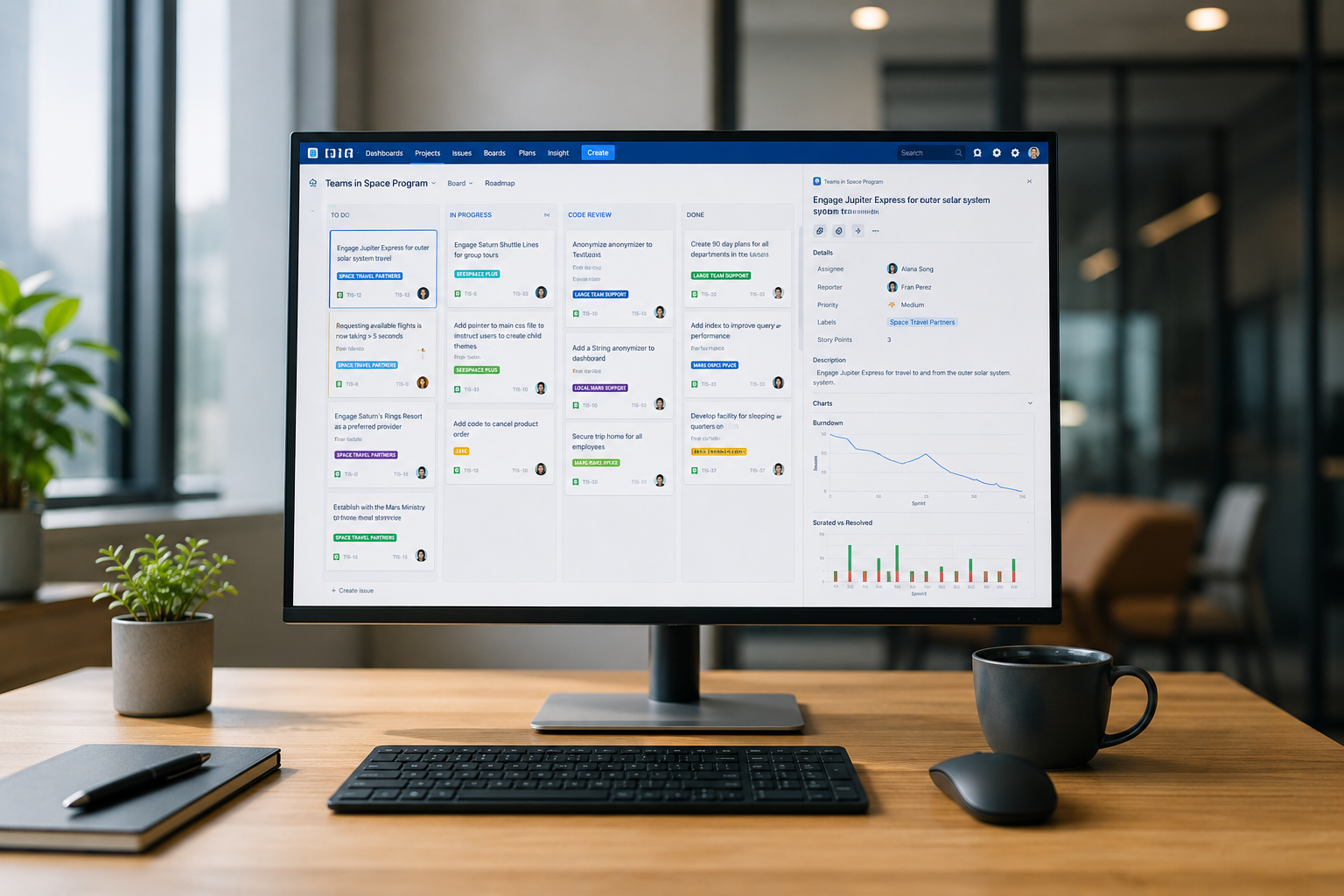
Jira Cloud has made noticeable strides in modernizing its user interface over recent years. However, because Jira must load custom fields, permission checks, app integrations, and automation triggers for every item view, page transitions feel noticeably slower than Linear.
For developers who spend several hours a day inside their tracker, Jira's visual density can feel exhausting. On the other hand, for engineering managers who need to view multi-team roadmaps or complex epic dependencies in one screen, Jira's interface offers visual controls that Linear simply omits by design.
2. Sprint Planning: Linear Cycles vs Jira Sprints
Both platforms support agile methodology, but they handle cycle planning differently.
Linear Cycles: Low Maintenance Momentum
Linear handles sprints through a mechanism called Cycles. Unlike traditional sprints, Cycles are designed to reduce manual admin work:
- Fixed Duration: You configure cycle lengths (typically 1, 2, or 3 weeks).
- Automatic Rollover: Unfinished work from the current cycle automatically moves to the next cycle or back to the backlog based on your team settings—no manual sprint closure ceremonies required.
- Scope Freeze Visuals: Linear automatically tracks scope added mid-cycle, clearly delineating original commitment versus added work in burnup charts.
This automated flow prevents engineering teams from spending an hour at the end of every sprint manually triaging left-over tickets.
Jira Sprints: Granular Control and Governance
Jira's Sprint planning engine provides complete control over agile execution:
- Sprint Ceremonies: Supports explicit Sprint creation, start dates, custom goals, and formal close routines.
- Story Point Velocity: Deep historical tracking of planned vs. completed story points across multiple historical sprints.
- Jira Query Language (JQL): You can query sprints with precision commands like sprint in openSprints() AND assignee = currentUser() AND status != Done to generate filtered views for standups.
While Jira requires more hands-on configuration during sprint planning, it provides product operations managers with exact historical data for team capacity planning.
3. Customization and Enterprise Governance
When a SaaS company scales beyond 150–200 employees, project management requirements shift from purely shipping fast to maintaining cross-department alignment and security.
Custom Fields and Workflows
- Linear: Intentionally limits status customization. You work within standard workflow buckets (Backlog, Unstarted, Started, Completed, Canceled). You can create custom issue labels and roadmap categories, but you cannot invent arbitrary multi-step status pipelines or mandatory field requirements.
- Jira: Offers total freedom. You can construct custom workflow schemes with conditional logic, mandatory transition fields (e.g., requiring a QA approval signature before moving to 'Done'), and custom fields ranging from user pickers to external API parameters.
Security and Access Control
- Linear: Provides workspace-level role permissions (Admin, Member, Guest) along with SAML SSO, audit logs, and SOC2 compliance on higher plans. However, fine-grained access control at the individual project or issue field level is absent.
- Jira: Features some of the most advanced permission schemes in enterprise software. You can restrict issue visibility down to specific security levels, project roles, or individual field edits—a mandatory requirement for SaaS companies dealing with HIPAA, SOC2 Type II, or FedRAMP audits.
4. Ecosystem and Integrations

No project management tool exists in isolation. How well it connects to your code repository, CI/CD pipelines, customer support platforms, and documentation hubs determines its real-world value.
| Integration Category | Linear Approach | Jira Approach |
|---|---|---|
| Developer Tools | Deep native GitHub/GitLab PR linking and branch auto-closing | Bitbucket integration and broad Git app connections |
| Team Communication | Slack/Discord triage conversion with zero configuration | Slack/Teams notifications and deep automation rules |
| Support Platforms | Native Plain, Intercom, and Front integrations | Jira Service Management, Zendesk, and Salesforce apps |
| Documentation | Light project documents (requires Notion/Coda for wikis) | Deep native sync with Confluence spec pages |
| App Ecosystem | Curated core dev suite | 3,000+ Atlassian Marketplace plugins |
Linear's Focused Integration Suite
Linear offers native, deeply polished integrations for the core tools fast SaaS startups rely on:
- GitHub & GitLab: PR branch names automatically link to Linear issue IDs (eng-123-fix-auth). Opening a PR transitions the issue to 'In Review'; merging closes it automatically.
- Slack & Discord: Convert messages directly into triage issues with two clicks.
- Customer Support (Intercom, Plain, Front): Link incoming support requests directly to backlog issues so engineers can report back when a bug fix ships.
- Figma: Embed live designs into product specs with real-time preview sync.
Linear's integration philosophy favors high-quality native connections over thousands of third-party options.
Jira's Atlassian Marketplace Powerhouse
Atlassian boasts over 3,000 add-ons in its marketplace. If your team relies on niche software, legacy ERPs, complex test management platforms (like Zephyr), or advanced time tracking tools (like Tempo), Jira almost certainly has a pre-built app for it.
Furthermore, Jira integrates natively with Confluence, Atlassian's enterprise documentation system. For companies that document technical specifications, architecture decisions, and business requirements inside Confluence, linking tickets directly to spec pages is seamless.
5. Real-World Cost Analysis: Sticker Price vs Hidden Costs
Evaluating the true cost of project management tools requires looking beyond the advertised monthly per-user rate.
Linear Pricing Breakdown
- Free Tier: Unlimited members, but capped at 250 active issues (great for initial testing, but small teams will hit this limit fast).
- Basic Tier ($8 / user / month): Unlimited issues, unlimited file uploads, custom views, and priority support.
- Business Tier ($12 / user / month): Adds SAML SSO, advanced analytics, admin controls, and guest accounts.
- Enterprise Tier (Custom): Dedicated success management, custom contract terms, and enhanced security controls.
Hidden Costs in Linear: Because Linear lacks a native long-form documentation engine (it has lightweight project documents, but not a full wiki), you will likely need to pair it with tools like Notion or Coda for technical specs.
Jira Pricing Breakdown
- Free Tier: Free for up to 10 users with 2 GB file storage and basic reporting.
- Standard Tier ($7.16 – $8.15 / user / month): Up to 100,000 users, advanced permissions, 250 GB storage, and audit logs.
- Premium Tier ($12.48 – $16.00 / user / month): Unlimited storage, 24/7 support, global automations, and Advanced Roadmaps.
- Enterprise Tier (Custom): Centralized licensing, unlimited sandboxes, and enterprise SLAs.
Hidden Costs in Jira: While Jira's base Standard price looks slightly cheaper than Linear, the real bill often inflates when teams add marketplace plugins for reporting, test management, or time tracking—each adding $2 to $10 per user per month.
Practical Decision Framework: Which Tool Should You Pick?
To help you evaluate options for your technical stack, consider where your team sits in terms of headcount and process maturity:
Choose Linear If:
- You are a seed-stage to Series B SaaS company (1 to 100 engineers) looking to maximize shipping velocity.
- Your developers complain about slow tools and want a clean, dark-mode, keyboard-driven interface.
- You want opinionated processes that eliminate time spent setting up custom fields, workflow schemes, and complex permissions.
- Your team uses modern tools like GitHub, Slack, Figma, and Sentry, and wants seamless auto-linking.
Choose Jira If:
- You are an enterprise or mid-market organization with cross-functional teams (Marketing, Sales, Legal, HR) working out of the same platform.
- You operate in a highly regulated domain requiring granular permission controls, custom audit trails, and strict compliance sign-offs.
- You require advanced cross-project roadmapping and depend on tools like Confluence, Bitbucket, and Jira Service Management.
- Your engineering workflow requires custom field rules, rigid QA transitions, and multi-team release management.
How to Migrate from Jira to Linear (Step-by-Step)
If your SaaS squad has decided to move away from Jira's configuration bloat toward Linear's streamlined environment, here is how to execute a clean transition:
- Audit Your Jira Backlog: Before exporting, delete dead issues, duplicate tickets, and outdated epics. Do not migrate years of stale backlog noise into your fresh workspace.
- Export Projects via CSV/API: Linear provides a dedicated Jira Importer tool built into the workspace settings. Connect your Atlassian API token to import projects, issues, comments, attachments, and user mappings automatically.
- Map Jira Statuses to Linear States: Map your Jira custom statuses (e.g., 'In QA', 'Design Review', 'Blocked') into Linear's standard states (Triage, Backlog, Todo, In Progress, Done, Canceled).
- Set Up GitHub Integration: Connect your organization's GitHub repository. Configure automated branch naming conventions so your engineers can close Linear issues directly from pull requests.
- Train the Engineering Team: Host a 15-minute onboarding session emphasizing the keyboard shortcuts (Cmd + K, C to create, Shift + C to cycle) to ensure immediate team adoption.
Final Thoughts and Next Steps
In the debate between Linear vs Jira, there is no single universal winner—only the right tool for your current stage of growth. For early and growth-stage SaaS startups, Linear removes friction, speeds up issue triage, and keeps engineers focused on building products rather than filling out ticket metadata.
As you optimize your SaaS tech stack and evaluate modern software tools, check out Saasbonus for detailed, hands-on software comparisons, benchmarks, and actionable buying guides tailored for fast-growing engineering teams.




