
LiveKit vs Daily: Best WebRTC Engine for Voice AI?
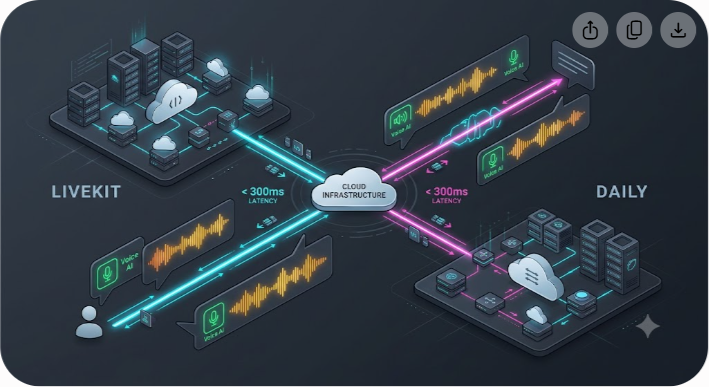
Choosing between LiveKit and Daily for real-time voice AI comes down to a fundamental architectural decision: do you want an open-source, orchestrator-centric WebRTC engine that you can self-host, or a managed, developer-centric WebRTC pipeline that abstracts raw infrastructure so you can focus purely on frame orchestration?
If you build a conversational voice agent on standard WebSockets, your end-to-end latency will routinely spike above 800 milliseconds. Network jitter, TCP packet retransmissions, and lack of client-side echo cancellation destroy natural human conversation. To achieve true turn-taking under 300 milliseconds—where the AI feels indistinguishable from a human speaker—you must run your transport on WebRTC.
LiveKit and Daily (often evaluated via its underlying open-source framework, Pipecat) are the two dominant WebRTC engines powering production voice AI. Both handle the complex realities of media routing, NAT traversal, and real-time audio transport. However, their philosophies regarding server control, state management, orchestration, and scaling costs diverge sharply.
Below is the definitive, production-grade breakdown to help engineering teams choose the right WebRTC stack for their voice AI architecture.
LiveKit vs Daily: The 60-Second Verdict
If you need an open-source Selective Forwarding Unit (SFU) that you can run on your own Kubernetes cluster, complete control over worker nodes, and built-in SIP telephony bridging, LiveKit is the superior choice. It provides a full real-time media server combined with the LiveKit Agents framework, making it ideal for teams with dedicated infrastructure engineers.
If you want to bypass WebRTC cluster management entirely and write modular, Python-first pipeline architectures using frame processors, Daily (paired with the open-source Pipecat framework) is the better path. Daily handles the global WebRTC network edge, while Pipecat gives you fine-grained, frame-by-frame control over audio streams, Speech-to-Text (STT), Large Language Models (LLMs), and Text-to-Speech (TTS) pipelines.
| Architectural Vector | LiveKit (LiveKit Agents) | Daily (Daily.co + Pipecat) |
|---|---|---|
| Core Philosophy | Distributed WebRTC SFU + Agent Server | Managed Global WebRTC Network + Pipeline Framework |
| Open Source Model | Fully open-source server (Apache 2.0) & SDKs | Framework (Pipecat) is open source; SFU cloud is proprietary |
| Self-Hosting | Supported (Docker, Kubernetes, Bare Metal) | Not supported for SFU (Pipecat runs anywhere, Daily RTC is cloud-only) |
| Orchestration Paradigm | Event-driven worker processes & room subscriptions | Sequential frame pipeline flow (Audio Input to STT to LLM to TTS to Audio Output) |
| Turn Detection & VAD | Built-in Silero VAD + End-of-Turn models | SmartTurnDetection, VAD, and customizable frame gates |
| Native Telephony (SIP) | Built-in SIP trunking & egress stack | Integrated via Twilio, Plivo, or Daily SIP bridges |
| Modal Support | Audio, Video, Screen Share, Data Packets, Avatars | Audio, Video, Screen Share, Data Packets, Avatars |
| Pricing Model | $0.01/agent-min + RTC bandwidth OR self-hosted infra | Usage-based RTC participant minutes + Pipecat Cloud compute |
Why WebRTC is Mandatory for Voice AI
Before comparing engine specifics, it is vital to understand why standard web protocols fail for real-time voice agents.
When building an AI voice assistant, developers often start with WebSockets. A WebSocket connection sends binary PCM or WAV audio over TCP. While simple to set up, TCP guarantees packet delivery by retransmitting dropped packets. On a congested mobile or Wi-Fi network, a single dropped packet stalls the entire stream. This creates audio buffering, robot voice artifacts, and unpredictable latency spikes ranging from 500ms to 2000ms.
WebRTC runs on top of UDP using SRTP (Secure Real-time Transport Protocol). It prioritizes timeliness over perfection. If a single audio frame is dropped, WebRTC skips it and uses jitter buffers and packet loss concealment to keep the stream moving.
Furthermore, WebRTC provides native client-side features:
- Acoustic Echo Cancellation (AEC): Prevents the AI's own voice coming through the speaker from triggering its own microphone input.
- Noise Suppression & Auto Gain: Filters background office noise or street sounds before sending audio to the STT model.
- Sub-200ms Global Transport: Relays media packets across edge networks using TURN/STUN servers to pierce strict enterprise firewalls.
Both LiveKit and Daily leverage WebRTC to deliver the low-latency baseline required for natural conversational AI. How they expose this transport to developers, however, is radically different.
LiveKit Architecture: Open-Source SFU & Event-Driven Agents
LiveKit was engineered from the ground up as a high-performance, open-source Selective Forwarding Unit (SFU) written in Go. It handles pub/sub media routing at scale. When applied to voice AI, LiveKit acts as a full media routing mesh where the user, the AI agent, and observers (like analytics tools or human supervisors) connect as equal participants in a virtual room.
The LiveKit Agents Framework
LiveKit provides a dedicated application framework (available in Python and Node.js) for building agents. In LiveKit's architecture, your agent process acts as a worker that joins a LiveKit room as a media participant.
How data flows through the LiveKit Agent architecture:
- User Client Application: Connects to the LiveKit SFU via WebRTC track.
- LiveKit SFU (Go Server): Manages room state and bi-directional track routing.
- LiveKit Agent Worker Process (Python/Node.js): Joins the room, runs Silero VAD, passes streams to STT/LLM/TTS integrations, and publishes synthesized audio back to the SFU.
When a user connects via a web browser or mobile app, LiveKit's worker pool assigns an available Python process to the room. The process subscribes to the user's incoming audio track, runs Voice Activity Detection (VAD), passes transcriptions to an LLM, and streams synthesized TTS audio back into the room over a publication track.
Key Technical Strengths of LiveKit
- True Open-Source Independence: You can run the complete LiveKit stack on local bare metal or Kubernetes using official Helm charts. You are not locked into a single cloud provider.
- Speech-to-Speech & Realtime API Support: LiveKit has native integrations for multimodal models like OpenAI Realtime API and Gemini Live. It handles raw WebRTC data channel handshakes directly with model endpoints without forcing intermediate text conversion.
- Native SIP Infrastructure: LiveKit includes a native SIP server plugin. If you are building AI call centers or PSTN voice bots, you can bridge incoming phone lines directly into WebRTC rooms without third-party proxy tools like Twilio Media Streams.
- Distributed Room State: Because rooms are first-class primitives in LiveKit, multi-party calls (e.g., two humans talking to one AI assistant, or an AI agent translating between two non-native speakers) work out of the box.
Daily Architecture: Managed WebRTC Edge & Pipecat Pipelines
Daily took a different path. Rather than asking developers to deploy and scale SFU instances, Daily provides a fully managed, globally distributed WebRTC infrastructure. Daily's infrastructure optimizes packet routing through edge networks, guaranteeing low latency without infrastructure overhead.
The Pipecat Framework

To serve the voice AI ecosystem, Daily spearheaded and core-maintains Pipecat, an open-source Python framework designed specifically for real-time conversational agents.
Unlike LiveKit's event-based room model, Pipecat operates on a frame-based pipeline architecture. Audio data, text tokens, control signals, and system instructions flow through a directional graph of frame processors.
The sequential flow inside a Pipecat execution pipeline:
- Audio Input Stage: Captures incoming WebRTC audio frames.
- VAD Gate: Filters silence and detects user speech boundaries.
- STT Service Processing: Converts speech frames into text transcripts.
- LLM Service Generation: Streams text completion tokens.
- TTS Service Synthesis: Converts text tokens into PCM audio frames.
- WebRTC Audio Output Stage: Sends generated audio back to the client connection.
A typical Pipecat pipeline executes according to these clear operational steps:
- Transport Input: Captures audio frames from Daily WebRTC (or WebSockets/Twilio).
- VAD / User Interruption: Evaluates incoming frames to detect if the user spoke while the AI was talking.
- STT Service: Converts audio frames to text (e.g., Deepgram, AssemblyAI).
- LLM Service: Streams text tokens out of OpenAI, Anthropic, or local models.
- TTS Service: Converts text tokens back into audio chunks (e.g., Cartesia, ElevenLabs).
- Transport Output: Pushes synthesized audio frames back to the client WebRTC connection.
Key Technical Strengths of Daily & Pipecat
- Pipeline Modularity: Pipecat's frame system makes swapping components seamless. Changing from Deepgram to Whisper, or Cartesia to ElevenLabs, requires changing a single pipeline node class without touching transport logic.
- Zero Media Server Maintenance: Daily manages packet delivery, global TURN servers, and WebRTC renegotiation. Engineering teams do not need SREs to monitor TURN node health or SFU CPU utilization.
- Granular Frame Interruption Control: Because audio and text travel as discrete frame objects inside the Python event loop, cancelling an in-flight LLM completion or flushing the TTS buffer when a user interrupts takes only a few lines of code.
- Transport Agnostic Framework: Pipecat can run on top of Daily's WebRTC network, but it can also attach to standard WebSockets, local mic inputs for desktop apps, or phone streams.
Head-to-Head Architectural Comparisons
To make an informed decision for your production stack, analyze how each engine handles critical voice AI requirements.
1. Latency & Turn-Taking Performance
When evaluating voice AI engines, latency is measured across three primary distinct phases:
- User Interruption Latency (VAD): Time taken to detect that the user started speaking and stop the AI's audio output.
- Time to First Token (TTFT): The time from user silence to the LLM generating its first response token.
- Time to First Byte Audio (TTFB): The time from the LLM generating tokens to the TTS engine streaming the first audio frame back over WebRTC.
Both LiveKit and Daily achieve sub-300ms transport latency under ideal network conditions. The performance bottleneck is rarely the WebRTC layer itself; it is how the framework orchestrates VAD and interruption handling.
LiveKit uses client-side and server-side VAD with integrated end-of-turn detection models. It can trigger an immediate stop signal over WebRTC data channels the millisecond speech energy crosses a threshold.
Pipecat handles interruption handling via dedicated frame handlers inside Python. When an audio frame containing speech is detected by the VAD processor, an UserStartedSpeakingFrame is pushed downstream, cancelling queued TTS frames instantly.
Winner: Tie. Both platforms hit sub-300ms transport latency easily. LiveKit has a slight edge in raw connection setup speed using pre-connect audio buffering, while Pipecat offers clearer state tracing during complex turn interruptions.
2. Developer Ergonomics & Pipeline Control
How your engineering team writes, tests, and debugs code differs dramatically between the two platforms.
LiveKit's agent framework relies on event callbacks and asynchronous context listeners. Your code listens for events like track_subscribed, speech_started, or data_received. This fits developers accustomed to real-time event-driven backends.
Pipecat uses explicit pipeline processing graphs. You instantiate pipeline processors and link them sequentially. This structure makes it easy to inject custom middleware—such as a real-time sentiment analyzer, a prompt-guard filter, or an automated PII redactor—directly between the STT and LLM stages.
Winner: Daily / Pipecat for pipeline flexibility and custom middleware injection. LiveKit for developers building complex multi-user or multi-agent rooms.
3. Speech-to-Speech (STT-LLM-TTS vs. Multimodal Realtime APIs)
Voice AI architecture is shifting from cascaded pipelines (STT to LLM to TTS) toward unified, multimodal Speech-to-Speech (S2S) models like OpenAI's Realtime API or Gemini 2.5 Flash Native Audio.
Cascaded pipelines suffer from accumulated latency (100ms STT + 200ms LLM TTFT + 150ms TTS = 450ms total), but they are economical and allow granular text processing. S2S models reduce latency to under 250ms and preserve emotion, tone, and inflection, but they carry higher per-minute costs.
LiveKit supports both patterns out of the box. You can deploy a traditional Deepgram + GPT-4o mini + Cartesia pipeline, or attach a LiveKit agent directly to OpenAI Realtime API via WebRTC data channels with zero intermediate transformation.
Pipecat also supports both patterns through its unified pipeline abstractions. You can swap a cascaded pipeline context for an OpenAI Realtime API model context while keeping your transport layer intact.
Winner: LiveKit has a slight advantage due to its native C++ and Go WebRTC bindings when bridging raw binary WebRTC frames directly to external multimodal model WebRTC endpoints.
4. Telephony Integration (SIP Trunking)
If your voice AI agent needs to answer standard phone calls or dial outbound PSTN numbers, telephony support is non-negotiable.
LiveKit includes a dedicated SIP bridge module. You can point any SIP trunk (Twilio, Telnyx, Bandwidth) directly to your LiveKit SIP URI. LiveKit converts g.711 or Opus telephony packets directly into WebRTC tracks inside a room, allowing the exact same Python agent code to handle both web visitors and phone callers.
Daily supports telephony by bridging phone connections through partner networks or third-party trunking services into Daily rooms. While functional, it requires configuring external SIP gateways or utilizing Twilio Media Streams as an intermediate bridge.
Winner: LiveKit. Built-in SIP trunking with native room mapping makes enterprise telephony far cleaner.
Cost & Infrastructure Breakdown: Self-Hosting vs Cloud
Understanding the total cost of ownership (TCO) for voice AI requires looking at two distinct layers:
- WebRTC Transport & Agent Hosting Infrastructure
- Inference Costs (STT, LLM, TTS Model APIs)
LiveKit Pricing Structure
LiveKit offers two primary modes:
- LiveKit Cloud: Charges $0.01 per agent-session minute plus nominal WebRTC bandwidth costs ($0.0004 to $0.0005 per participant minute). You pay your AI model providers (Deepgram, OpenAI, Cartesia) separately or via LiveKit's unified inference key.
- Self-Hosted LiveKit: Open-source and free of platform license fees. You pay solely for bare-metal servers or cloud infrastructure (e.g., AWS EC2, Hetzner) and engineering maintenance time.
Daily Pricing Structure
- Daily WebRTC Cloud: Charges based on WebRTC participant minutes (typically around $0.0009 to $0.0015 per audio minute depending on volume and tier).
- Pipecat Cloud: Daily offers managed hosting for Pipecat agent processes, billing for background server compute runtime.
- Self-Hosting: You can self-host the open-source Pipecat agent code anywhere (AWS ECS, Fly.io, Kubernetes), but you cannot self-host the underlying Daily WebRTC media server network.

The Self-Hosting Break-Even Threshold
For high-volume applications scaling past 1,000,000 conversation minutes per month, LiveKit's self-hosting capability becomes a major cost driver.
| Monthly Cost Vector (1.5M Agent Minutes) | LiveKit Cloud | Daily Cloud | LiveKit Self-Hosted |
|---|---|---|---|
| Platform / Agent Minutes | ~$15,000 | ~$1,500 - $3,000 | $0 |
| Infrastructure & Compute | Included | Compute billed separately | ~$2,000 (Kubernetes/Cloud) |
| DevOps / SRE Overhead | Minimal | Minimal | Requires dedicated maintenance |
| Model Inference Costs | Separate (Pay-per-token) | Separate (Pay-per-token) | Separate (Pay-per-token) |
If you process millions of minutes, self-hosting LiveKit on raw cloud compute can cut your WebRTC platform bill by 70% to 80% compared to fully managed cloud rates. However, operating a high-availability WebRTC cluster requires serious DevOps and SRE expertise to manage TURN server scaling, UDP port exhaustion, and regional failover.
Real-World Use Cases: Which Engine Should You Choose?
To make your architectural selection straightforward, match your core requirements to the scenarios below.
Choose LiveKit If:
- You Require Full Infrastructure Ownership: You have strict data sovereignty or compliance needs that demand running all WebRTC media servers inside your own VPC or private Kubernetes cluster.
- You are Building Enterprise Telephony Apps: Your primary entry point is PSTN phone calls, and you need a native SIP bridge to connect phone numbers directly to WebRTC agents.
- You are Building Multi-User Spatial/Room AI: You need complex room topologies where human users, AI agents, screen shares, and video tracks interact inside a shared space.
- You Want a Single Engine for Both Open-Source Self-Hosting and Cloud Migration: You want the option to start on LiveKit Cloud and migrate to self-hosted infrastructure as volume scales.
Choose Daily (Daily + Pipecat) If:
- You Want Maximum Python Pipeline Flexibility: You prefer building modular frame-based pipelines where audio, text, and control frames flow through clean, decoupled Python classes.
- You Want Zero DevOps Overhead: You refuse to manage WebRTC SFU clusters, TURN server IP rotation, or UDP infrastructure.
- You Plan to Deploy Across Multiple Transports: You want your agent logic written in Pipecat so it can run over Daily WebRTC today, WebSockets tomorrow, and local devices next week.
- You focus purely on 1-on-1 Conversational Web Agents: You are building customer support avatars, AI language tutors, or web sales agents that do not require complex multi-participant room routing.
Implementation Quickstart: Building a Basic Voice Agent
To highlight the practical differences in code structure, here is how both frameworks define a basic voice AI agent session.
LiveKit Agents Paradigm (Python)
LiveKit uses an entrypoint worker pattern that connects to a room upon assignment.
python import asyncio from livekit import agents from livekit.agents import JobContext, WorkerOptions from livekit.plugins import deepgram, openai, cartesia
async def entrypoint(ctx: JobContext):
Connect to the LiveKit room
await ctx.connect()
Initialize cascaded AI modules
vad = agents.vad.SileroVAD.load() stt = deepgram.STT() llm = openai.LLM(model="gpt-4o-mini") tts = cartesia.TTS()
Create a voice assistant worker
assistant = agents.voice_assistant.VoiceAssistant( vad=vad, stt=stt, llm=llm, tts=tts, )
Start listening and speaking inside the room
assistant.start(ctx.room) await assistant.say("Hello! How can I help you today?", allow_interruptions=True)
if __name__ == "__main__": agents.cli.run_app(WorkerOptions(entrypoint_fnc=entrypoint))
Daily + Pipecat Paradigm (Python)
Pipecat defines an explicit pipeline where frame processors pass data sequentially down a chain.
python import asyncio from pipecat.pipeline.pipeline import Pipeline from pipecat.pipeline.runner import PipelineRunner from pipecat.pipeline.task import PipelineTask from pipecat.processors.aggregators.llm_response import LLMAssistantResponseAggregator from pipecat.services.cartesia import CartesiaTTSService from pipecat.services.deepgram import DeepgramSTTService from pipecat.services.openai import OpenAILLMService from pipecat.transports.services.daily import DailyTransport
async def main():
Configure Daily WebRTC transport layer
transport = DailyTransport( room_url="https://yourdomain.daily.co/your-room", token="your-daily-token", bot_name="AI Assistant" )
Initialize modular services
stt = DeepgramSTTService(api_key="DEEPGRAM_KEY") llm = OpenAILLMService(api_key="OPENAI_KEY", model="gpt-4o-mini") tts = CartesiaTTSService(api_key="CARTESIA_KEY", voice_id="your-voice-id")
Build the directional processing pipeline
pipeline = Pipeline([ transport.input(), # WebRTC Audio In stt, # Audio to Text llm, # Text to LLM Tokens tts, # Tokens to Speech Audio transport.output() # WebRTC Audio Out ])
task = PipelineTask(pipeline) runner = PipelineRunner() await runner.run(task)
if __name__ == "__main__": asyncio.run(main())
Notice the core conceptual difference: LiveKit encapsulates session state and VAD management inside the VoiceAssistant room participant object, while Pipecat exposes every node in the stream as a pipeline element you can modify or extend.
Common Pitfalls in Production Voice AI
Whichever engine you choose, engineering teams frequently hit three critical bottlenecks when moving from local prototypes to production WebRTC deployments:
- Failing to Configure TURN Servers Properly: WebRTC peer connections fail roughly 10% to 15% of the time on enterprise networks due to strict corporate firewalls blocking UDP traffic. If you self-host LiveKit, you must deploy dedicated TURN servers listening on TCP/TLS port 443. Daily handles this automatically through its global edge network.
- Ignoring Server-Side VAD Calibration: Overly sensitive VAD triggers false interruptions whenever the user breathes heavily or background noise occurs. Undersensitive VAD makes the AI feel sluggish because it waits too long after a user finishes speaking. Fine-tune your VAD activation threshold parameters before launching to production.
- Unbounded Agent Compute Overhead: Running LLM completions, real-time VAD audio decoding, and TTS audio streaming inside a single unthrottled Python thread will freeze your event loop under load. Ensure your worker nodes are properly autoscaled using metrics like CPU utilization and active concurrent session count.
Final Recommendations
Both LiveKit and Daily have pushed WebRTC engineering into a new era, making real-time, sub-300ms conversational AI accessible to software teams everywhere.
- Choose LiveKit if you want an open-source media server that you can control end-to-end, native SIP phone support, and direct room-based orchestration.
- Choose Daily + Pipecat if you want to eliminate WebRTC infrastructure management entirely and build modular, frame-driven AI voice pipelines in Python.
Evaluating the broader software ecosystem for your AI startup or enterprise engineering stack? Explore hands-on software reviews, architectural breakdowns, and vendor comparisons on Saasbonus to select the right developer tools with confidence.




