
Loops vs Customer.io: Best Email Engine for SaaS in 2026
Loops vs Customer.io: The Core Verdict for Early SaaS
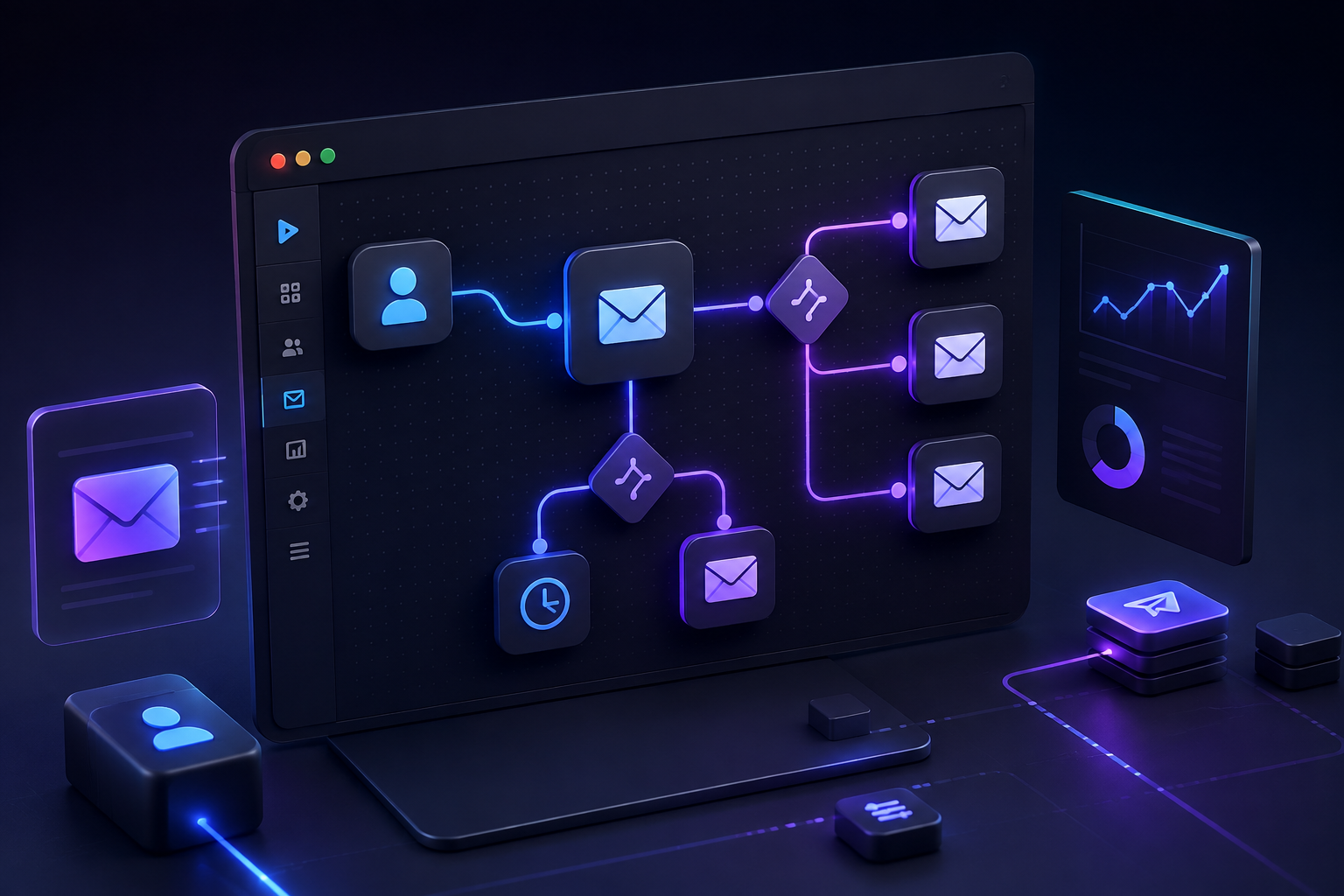
Choosing the right email engine for an early-stage SaaS startup comes down to one trade-off: speed and simplicity versus visual orchestration power. Loops is built specifically for modern software startups that want clean transactional and lifecycle emails up and running in minutes without heavy engineering overhead. Customer.io is a heavy-duty customer engagement platform designed for growth teams requiring complex multi-channel journeys, deep behavioral branching, and cross-channel messaging across email, push, SMS, and in-app feeds.
For an early-stage SaaS team with fewer than 10,000 users, Loops is almost always the smarter choice. It offers low-friction API integration, clean modern templates, built-in transactional sending, and a predictable pricing model starting with a practical free tier. Customer.io shines when you scale past early validation, hire a dedicated lifecycle marketer, and need multi-branching behavioral workflows across multiple customer touchpoints. However, its $100/month starting price, profile-based billing, and setup curve make it overkill for founders who simply need fast onboarding sequences, trial conversion emails, and dunning alerts.
| Evaluation Criteria | Loops.so | Customer.io | Winning Edge |
|---|---|---|---|
| Starting Price | Free (up to 1,000 contacts, 4k sends/mo); Paid from $19/mo | Starts at $100/mo (Essentials plan up to 5,000 profiles) | Loops (significantly cheaper for early stages) |
| Setup Speed | Under 30 minutes with Notion-like editor and clean API | Days to weeks; requires strict event schema planning | Loops |
| Message Channels | Native Email (Marketing & Transactional) | Email, Push, SMS, In-App, Webhooks, Slack | Customer.io |
| Behavioral Branching | Clean linear sequences & simple event triggers | Advanced multi-branch visual workflow builder | Customer.io |
| Transactional Email | Integrated out of the box on all paid plans | Included, but requires separate workspace setup | Loops |
| Target User | Founders, solo devs, lean early SaaS growth teams | Dedicated CRM leads, lifecycle marketers, scale-ups | Depends on stage |
Why Early SaaS Email Engines Differ From Traditional Email Marketing
Most legacy email marketing platforms were built for e-commerce stores or content creators who rely on static subscriber lists and scheduled newsletters. Software-as-a-Service companies operate on an entirely different engine driven by real-time user behavior, account state changes, and API events.
When a user signs up for a trial, provisions a database, invites a team member, or fails a credit card payment, your system needs to fire an immediate automated email. Choosing an engine that cannot easily ingest product events leads to fragile webhooks and painful refactoring within six months.
The Dual Engine Problem: Transactional vs. Lifecycle
SaaS email messaging breaks down into two distinct categories:
- Transactional Emails: Critical system notifications like password resets, email verification links, workspace invitations, and payment receipts. They require near-instant delivery rates and must bypass standard marketing unsubscribe filters.
- Lifecycle & Behavioral Emails: Automated sequences triggered by user actions or inactions. Examples include onboarding drip campaigns, feature activation nudges, trial expiration reminders, and dunning workflows for failed payments.
Historically, startups had to separate these jobs. You used SendGrid or Postmark for transactional API calls and Mailchimp or ActiveCampaign for marketing drip campaigns. Both Loops and Customer.io solve this fragmentation by unifying transactional and lifecycle messaging under one roof, but they execute this vision with vastly different operational philosophies.
What Is Loops? The Low-Friction Choice for Modern SaaS
Loops was launched to eliminate the administrative clutter of traditional email platforms. Built explicitly for modern software startups, it combines a Notion-style document editor, lightweight event tracking, and direct developer integration into a minimalist dashboard.
Instead of making you wade through complex enterprise interfaces, Loops focuses on the core workflows every SaaS needs: sending clean onboarding sequences, delivering transactional API messages, and triggering simple event-based campaigns.
Loops Data Architecture and Message Processing
To understand how Loops operates under the hood, consider this three-step data flow:
- Inbound Data Ingestion: Your product application passes account events or user attribute updates to the Loops Contact Engine via REST API calls or client SDKs.
- Contact State Management: Loops evaluates whether the recipient is a marketing subscriber, a transactional contact, or an inactive record, maintaining clean separation between promotional lists and system notifications.
- Automated Message Delivery: Based on the payload type, Loops routes the trigger either into an instant transactional email (such as a password reset) or an event-driven lifecycle sequence (such as a feature highlight on day three).
Key Strengths of Loops
- Rapid Implementation: Integrating Loops takes minutes rather than days. With native SDKs for Node.js, Python, and React, developers can push product events and trigger transactional templates with a few lines of code.
- Modern Notion-Style Editor: Writing copy in Loops feels like drafting inside Notion or Linear. You can inline variable tags, insert clean CTA buttons, and preview desktop and mobile formats without wrestling with complex HTML containers.
- Unified Transactional and Marketing Feeds: You do not need to maintain two separate platforms for system emails and onboarding sequences. Loops handles both natively while maintaining strict separation between marketing subscriber statuses and transactional delivery.
- Transparent Contact-Based Pricing: Loops charges based on stored subscribed contacts with unlimited sends on paid plans. You are not penalized with unexpected per-email overage charges as your user engagement increases.
- Zero Per-Seat Costs: Inviting team members, copywriters, and co-founders is completely free, making collaboration seamless for budget-conscious teams.
Where Loops Falls Short
- Limited Journey Branching: If you need multi-path decision trees based on complex conditional logic (e.g., if a user completed Event A but did NOT complete Event B within 48 hours and holds a specific plan tier), Loops feels restrictive.
- Email-Only Scope: Loops does not support native mobile push notifications, SMS, or in-app pop-ups. It is strictly an email engine.
- Younger Ecosystem: While rapidly expanding, its native integration catalog is smaller than legacy platforms, relying heavily on webhooks, API calls, or Zapier for custom syncs.

What Is Customer.io? The Enterprise-Grade Messaging Engine
Customer.io is an industry powerhouse built for behavioral messaging at scale. It functions as an advanced customer data engine combined with an automated journey builder, allowing teams to route messages across almost any digital touchpoint based on live user data.
If your SaaS relies on intricate retention strategies, multi-tier user permissions, or multi-channel campaigns, Customer.io provides granular control.
Key Strengths of Customer.io
- Behavioral Workflows: The visual drag-and-drop workflow builder in Customer.io allows for unlimited branching, time delays, conditional split-testing, and dynamic wait states based on incoming user events.
- True Multi-Channel Capabilities: You can orchestrate unified campaigns across Email, SMS, Push Notifications, In-App Messages, Webhooks, and direct Slack channel notifications from a single workflow.
- Deep Segment Filtering: Build dynamic audience segments using complex state rules, event history, attribute changes, and historical engagement data updated in real time.
- Data Warehouse Integration: Native sync capabilities with tools like Segment, Reverse ETL platforms (Census, Hightouch), and data warehouses (Snowflake, BigQuery) ensure your customer records remain synchronized.
Where Customer.io Creates Friction for Early SaaS
- High Starting Cost: The base Essentials plan starts at $100 per month for up to 5,000 profiles. For pre-revenue or early seed startups, this is a noticeable recurring overhead compared to free or lower-tier alternatives.
- Implementation Complexity: Fully setting up Customer.io requires designing a clear event taxonomy, mapping payload attributes, and establishing dynamic data feeds. Without an engineer or dedicated growth marketer, setting it up can take weeks.
- Steep Interface Curve: The depth of functionality means the learning curve is real. Non-technical founders often find themselves lost in workspace settings, data schemas, and complex campaign rules.
Feature-by-Feature Head-to-Head Comparison
To see how these two platforms stack up in daily engineering and growth operations, let's examine their performance across five key functional areas.
1. Developer Experience & Integration
When evaluating email engines, developer experience dictates how quickly your product team can ship onboarding features without getting bogged down in third-party documentation.
- Loops provides lightweight REST APIs and client SDKs designed for modern stacks (Next.js, Node, Python, React). Adding a contact or triggering a transactional email requires only an API call with a simple payload. The platform handles subscriber states automatically, letting developers spend less time managing contact states.
- Customer.io offers robust APIs and server SDKs, but its architecture requires a disciplined approach to event schema design. Every track call, identify payload, and custom attribute must adhere strictly to your workspace data model. This provides power down the road but creates immediate setup friction for small dev teams.
Winner: Loops for early setup speed; Customer.io for complex data pipeline customization.
2. Campaign Builder & Editor UX
- Loops features a distraction-free, rich-text editor that mimics modern productivity tools. Adding personalizations, dynamic event parameters, dark mode support, and call-to-action buttons feels natural. You don't have to battle messy table layouts or inline CSS quirks.
- Customer.io offers multiple editor choices, including a visual drag-and-drop builder, a rich-text editor, and a code editor for custom HTML. While versatile, building responsive templates often feels like working in an enterprise marketing suite rather than a lean editor.
Winner: Loops for intuitive usability and clean aesthetic output.
3. Behavioral Segmentation & Workflow Automation
Creating conditional branches in Customer.io follows a structured step-by-step logic path:
- Trigger Event: A new user signs up for an account (user_signed_up).
- First Evaluation: The system checks if onboarding setup was completed within 24 hours.
- Branch Path A (Completed): The user enters a 3-day delay state, after which the workflow checks for paid plan conversion. If paid, it sends a thank-you note; if still on trial, it sends an upgrade incentive.
- Branch Path B (Not Completed): The workflow fires an in-app nudge on day two, followed by a direct support email from a customer success rep on day four.
- Loops uses a linear sequence model where users enter a drip sequence based on event triggers or list additions. You can add delays and basic filters, but creating complex split paths based on secondary behavioral conditions requires workarounds.
- Customer.io is built specifically for multi-branching behavioral flows. You can hold users at specific delay steps until an event occurs, branch based on user attributes, send webhook payloads back to your application servers, and conduct multi-variant A/B tests within a single campaign.
Winner: Customer.io by a wide margin.
4. Deliverability & Infrastructure
Both platforms utilize established delivery backends, but their routing configurations differ:
- Loops manages deliverability through established underlying email delivery networks, enforcing anti-spam monitoring across its tenant base. Transactional sends operate on dedicated infrastructure pools on paid plans to ensure system emails don't get stuck behind marketing queues.
- Customer.io gives growth teams deep deliverability metrics, custom domain authentication controls, dedicated IP options on enterprise tiers, and granular deliverability diagnostic dashboards.
Winner: Tie for standard deliverability performance; Customer.io for advanced enterprise monitoring.
5. Pricing Models and Real-World Costs
Pricing structures impact your startup's monthly burn rate as your sign-up funnel expands.
| Subscriber Volume | Loops Monthly Cost | Customer.io Monthly Cost | Operational Difference |
|---|---|---|---|
| 1,000 Contacts | $0 / mo (Free Tier) | $100 / mo | Loops saves $1,200/year at seed phase |
| 5,000 Contacts | ~$49 / mo | $100 / mo | Loops remains half the price of Customer.io |
| 25,000 Contacts | ~$149 / mo | ~$250+ / mo | Customer.io costs scale faster with profile tiers |
- Loops Pricing: Features an early-stage free plan (up to 1,000 contacts and 4,000 sends per month). Paid tiers scale predictably based on contact volume, with unlimited sending capacity and no seat-based charges.
- Customer.io Pricing: Starts at $100/month for the Essentials tier, which covers up to 5,000 stored profiles and 1 million sends. As profile counts scale into tens of thousands or require multi-channel add-ons, costs increase toward their Premium tier ($1,000/month).
Winner: Loops for budget efficiency and early runway preservation.
Practical Use Cases: When to Choose Which

To make this decision concrete, let me walk you through four common early SaaS scenarios and identify the right tool for each.
Scenario A: The Lean Bootstrapped Startup
- Profile: Solo founder or two co-founders building a B2B SaaS tool. User base is under 2,000 accounts. Primary focus is shipping product updates, onboarding trial users, and sending transactional invoices.
- Verdict: Choose Loops. The free plan eliminates monthly software expenses while providing a polished, professional email presence. Setup takes under an hour, preserving precious engineering time for product development.
Scenario B: The Developer-Tool Platform
- Profile: Developer-focused API platform where user interactions happen primarily via the terminal or code rather than a complex web UI. Requires fast transactional API calls for key generation and account alerts.
- Verdict: Choose Loops. Its clean API, SDKs, and built-in transactional capabilities align with developer-first workflows without forcing you to configure complex marketing suites.
Scenario C: The Product-Led Growth (PLG) Scale-Up
- Profile: Seed or Series A startup with 15,000+ active free tier users, multiple buyer personas, and a dedicated growth marketer. Needs to trigger personalized in-app notifications, SMS alerts, and tailored email sequences based on precise feature usage metrics.
- Verdict: Choose Customer.io. The visual journey engine and multi-channel support are essential for optimizing conversion rates across a complex freemium user funnel.
Scenario D: The B2B Enterprise SaaS
- Profile: High-touch B2B application selling custom seat licenses to large corporate accounts. Low contact volume (under 3,000 total leads), but high deal value. Requires deep CRM synchronization and custom webhook actions.
- Verdict: It depends. If you only send clean onboarding sequences and quarterly product updates, Loops offers speed. If you need complex webhook automation to alert sales reps in Slack when an account performs a key action, Customer.io is worth the investment.
Step-by-Step Implementation Guide for Early SaaS
Regardless of which platform you select, following a structured setup methodology prevents deliverability issues and technical debt down the road. Here is the recommended implementation playbook:
Step 1: Establish Authentication Records
Before firing a single message, configure your domain's email authentication settings inside your DNS provider (Cloudflare, AWS Route 53, or Namecheap):
- DKIM (DomainKeys Identified Mail): Adds a cryptographic signature to every outgoing email to verify origin authenticity.
- SPF (Sender Policy Framework): Specifies which mail servers are authorized to send messages on behalf of your domain.
- DMARC (Domain-based Message Authentication, Reporting, and Conformance): Protects your domain against spoofing and phishing attacks.
Step 2: Define Your Minimal Viable Event Schema
Avoid the common mistake of sending hundreds of raw application events to your email provider on day one. Focus on tracking the five critical events every SaaS needs:
- user_signed_up: Triggers the primary welcome and onboarding sequence.
- workspace_created: Identifies account creation and setup completion.
- core_feature_activated: Marks the user's initial conversion value milestone.
- trial_expiring_soon: Triggers time-sensitive upgrade reminders.
- payment_failed: Initiates dynamic dunning sequences to prevent involuntary churn.
Step 3: Draft Your Core Onboarding Sequence
Design a 4-email onboarding sequence focused on bringing new signups to their first key activation milestone:
- Email 1 (Immediate): Welcome message + single immediate action item (e.g., Verify your email and complete step 1).
- Email 2 (Day 1): Key feature spotlight showing how to get value quickly.
- Email 3 (Day 3): Social proof, case study, or quick video walkthrough.
- Email 4 (Day 6): Soft upgrade prompt or invitation to schedule a support demo.
How to Transition When You Outgrow Your First Engine
Many founders worry about getting locked into an email platform early on. The reality is that switching email engines in a modern SaaS architecture is straightforward if you keep your business logic clean.
To ensure frictionless migration down the road, implement an event abstraction architecture:
- Application Event Trigger: Your backend application emits an internal event, such as user_upgraded.
- Central Event Service: An internal wrapper or analytics layer receives the event payload.
- Provider Router: The wrapper function dispatches the payload outward to your active email engine (Loops API during early stages, or Customer.io API as you scale).
By routing events through a centralized analytics handler or lightweight wrapper function within your codebase, migrating from Loops to Customer.io in the future requires updating your backend service handlers rather than rewriting your entire frontend application.
Final Decision Framework
To pick your ideal email engine right now, answer these three questions:
- What is your budget limit for marketing tools today?
If you need a free tier or want to keep monthly recurring costs under $50, start with Loops.
- Do you need SMS, push notifications, or complex multi-branching journeys?
If multi-channel workflows and conditional logic are non-negotiable requirements right now, choose Customer.io.
- Do you have dedicated marketing resources to build and manage campaigns?
If developers or busy founders are handling email copy and setup, choose Loops for its speed and simplicity.
Choosing software tools for your startup shouldn't stall your momentum. Pick the tool that matches your current operational stage, get your onboarding sequences live, and focus on delivering value to your users.
For more software comparisons, startup stack teardowns, and actionable SaaS tooling reviews, explore our full library at Saasbonus.




