
Perplexity AI vs Google Search: Which Is Best for Research?
If you are trying to write an executive brief, evaluate a new SaaS tool, or conduct an academic review, your research process usually devolves into the exact same mess: thirty open tabs, six sponsored links at the top of your screen, and five minutes spent skimming SEO fluff before finding a single hard fact.
Here is the short answer: Perplexity AI is substantially better for deep research, literature reviews, technical comparisons, and multi-step synthesis. It acts as an active research assistant that reads, synthesizes, and cites sources for you, cutting down raw research time by 30% to 40%. Google Search remains superior for real-time breaking news, local search, product shopping, direct navigation, and indexing broad web resources.
To understand why this shift is happening—and how you can structure your daily work to use both tools efficiently—we need to look past the marketing hype and examine how both engines process information, verify sources, and deliver answers in practice.
The Fundamental Shift: Synthesis Engine vs. Discovery Engine
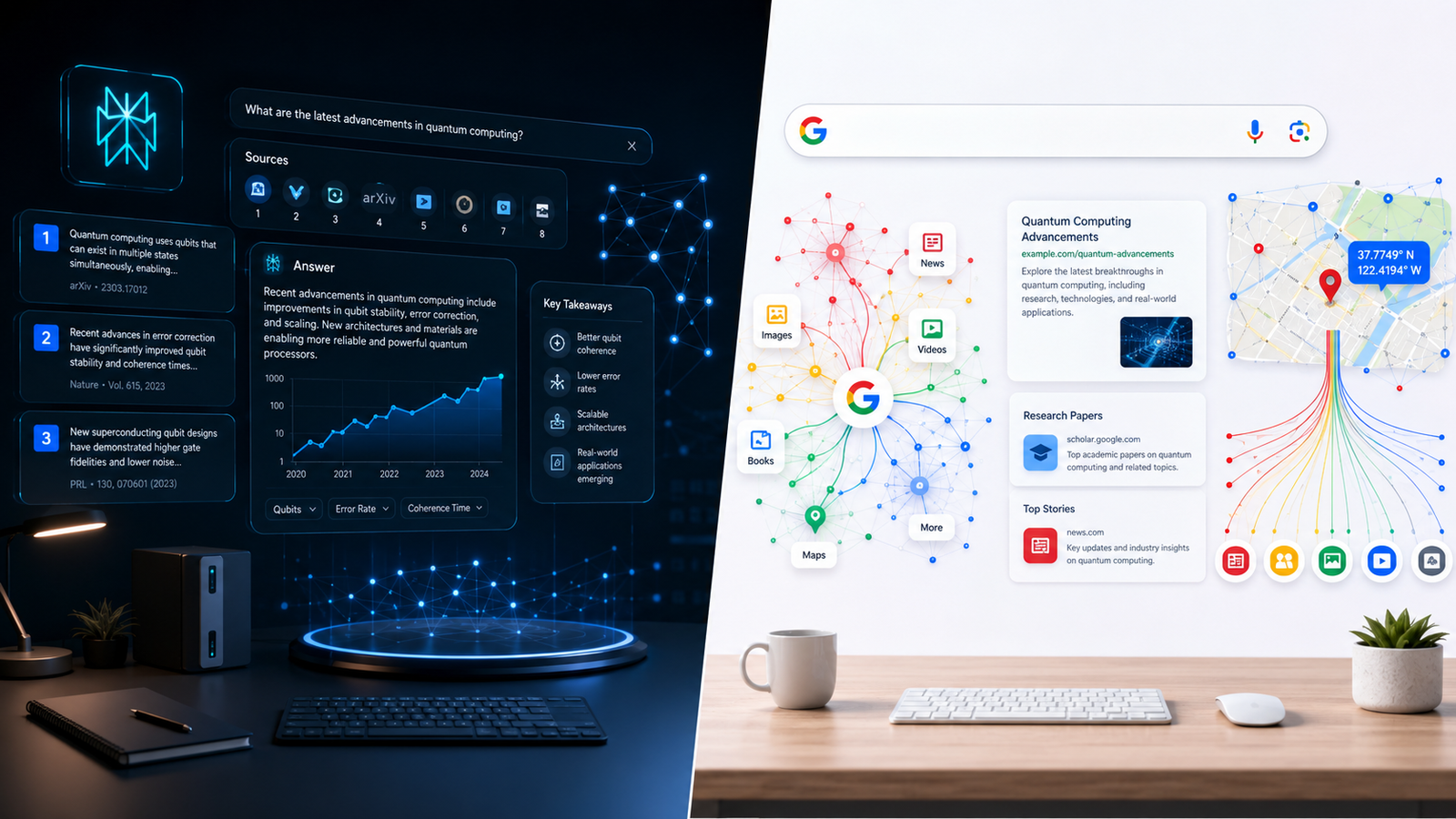
To understand why researchers are migrating to Perplexity AI, you first have to understand the core mechanical difference between these two systems.
Google Search was built as a discovery engine. Its primary objective is to crawl the web, index pages, assess their authority using thousands of algorithmic signals, and present you with a list of blue links, snippets, and ads. Google hands you the map and expects you to drive to each location, inspect the content, evaluate its credibility, and synthesize the facts inside your own head.
Perplexity AI, by contrast, is a synthesis engine (often called an answer engine). When you enter a prompt into Perplexity, it does not just search for keywords. It runs live search queries in the background, fetches top-ranking articles, reads their contents simultaneously, passes that data into large language models, and writes a unified answer with numbered inline citations tied to original web pages.
Instead of making you open ten tabs to piece together an answer, Perplexity collapses the reading, filtering, and cross-referencing phases into a single readable summary.
``` Traditional Search Workflow (Google): Query -> 10+ Blue Links -> Open 8 Tabs -> Dodge Ads -> Read & Skim -> Manually Synthesize Notes
AI Answer Workflow (Perplexity): Query -> Multi-Source Web Fetch -> LLM Synthesis -> Direct Answer with Inline Citations -> Refine with Follow-up ```
This distinction changes everything about how quickly you can digest complex information.
Deep Dive: How Perplexity AI Handles Research
Perplexity is built from the ground up for people who read, write, analyze, and build for a living. Here is a breakdown of the specific features that make it a formidable research environment.
1. Live Web Search with Explicit Citations
Unlike standard ChatGPT sessions that rely on training cutoffs or opaque web browsing plugins, Perplexity displays its sources upfront. Every claim, figure, or historical date in its output is accompanied by a small numbered bracket `[1]`, `[2]`, `[3]`. Hovering over or clicking these brackets immediately brings up the excerpted sentence and URL from which the factual claim was pulled. This makes auditing hallucinations significantly faster than checking generic AI responses.
2. Focus Mode & Domain Filters
Before running a query on Perplexity, you can adjust your Focus setting to constrain where the system searches:
- Web: Searches the entire open web.
- Academic: Filters sources specifically to peer-reviewed academic papers and scientific databases like arXiv, PubMed, and Semantic Scholar.
- Writing: Disables live web search entirely to focus purely on text generation, editing, or coding without hallucinating outside citations.
- YouTube: Searches video transcripts to pull precise timestamps and spoken explanations.
- Reddit / Social: Pulls user experiences, discussions, and anecdotal feedback directly from community threads.
For academic researchers and industry analysts, switching to the Academic focus mode eliminates commercial SEO blogs entirely, delivering source material straight from vetted whitepapers and journals.
3. Pro Search and Agentic Deep Research
When you toggle on Pro Search (or run a Deep Research session), Perplexity stops acting like a simple search bar and begins operating as an agentic assistant.
Instead of firing off one static search query, Pro Search breaks down complex questions into multi-stage logical steps. If you ask: "How do the compliance obligations under the EU AI Act compare to California's SB 1047 for a mid-sized B2B SaaS platform?", Perplexity will:
- Formulate initial search queries regarding EU AI Act requirements for B2B SaaS.
- Formulate separate queries regarding California SB 1047 provisions.
- Analyze both sets of retrieved documents.
- Detect missing details or edge cases.
- Issue secondary searches to fill in regulatory enforcement timelines.
- Compile a structured report complete with cross-regulatory comparative analysis.
This multi-pass research loop mimics what a junior research analyst does over two hours, completing the draft in under forty seconds.
4. Model Flexibility
Perplexity Pro lets you switch between leading frontier models—including Claude 3.5 Sonnet, GPT-4o, Sonar (Perplexity's fine-tuned model), and specialized reasoning models. If you need clean, nuanced writing for a literature review, you can run Sonnet; if you need structured logical extraction, you can switch to GPT-4o or a reasoning engine with a single click.
Deep Dive: How Google Search Handles Research
Google has not been standing still. In response to conversational AI engines, Google deeply integrated AI Overviews (powered by Gemini) directly into the main Search Engine Results Page (SERP). However, Google's architectural priorities remain tied to its core business model.
1. Google AI Overviews
For many standard queries, Google now displays an AI-generated summary at the very top of the page. These overviews synthesize top-ranking web results and display clickable link cards alongside the text.
While Google AI Overviews offer quick snapshots for simple informational intent, they suffer from two key limitations for serious researchers:
- Density and Depth: Google AI Overviews are intentionally kept brief (typically 100 to 250 words) so they do not completely displace organic search clicks. They provide high-level background rather than granular, deep-dive analysis.
- Inconsistent Citation Mapping: Unlike Perplexity's sentence-by-sentence numeric brackets, Google's links are often grouped as generic source blocks at the side, making it harder to track which exact website backed up a specific statement.
2. Search Operators and Index Depth
Where Google still completely outclasses every competitor is its unmatched index depth and precise search operators.
If you need to find an exact phrase published on a specific government domain three years ago, Google's Boolean operators (`site:`, `filetype:pdf`, `intitle:`, `"exact string match"`) remain the industry gold standard. Perplexity can parse full text wonderfully, but it cannot match Google's ability to surgically locate a specific document among billions of indexed web pages using structural search commands.

3. Google Scholar & Specialized Verticals
Google's ecosystem includes specialized databases that have no direct match in Perplexity:
- Google Scholar: Indexing millions of legal opinions, patents, and peer-reviewed articles with comprehensive citation metrics (h-index, i10-index, backwards and forwards citation chaining).
- Google Books: Digitized full text of millions of printed books.
- Google Finance & Patents: Real-time financial market data and international patent databases.
For researchers who need to trace how a specific academic paper has been cited over the past twenty years, Google Scholar remains indispensable.
Head-to-Head Comparison: Perplexity vs. Google Search
Here is how both platforms perform across the critical dimensions of research workflows:
| Feature / Metric | Perplexity AI (Pro / Deep Research) | Google Search (with AI Overviews) |
|---|---|---|
| Primary Paradigm | AI Answer Engine (Synthesis) | Link & Discovery Engine |
| Research Speed | 30-40% faster for complex synthesis | Faster for instant facts & nav queries |
| Citation Precision | Line-by-line numeric citations (`[1]`, `[2]`) | Grouped URL cards or footnoted blocks |
| Ad Distraction | Zero traditional ads in answer stream | High; top results dominated by sponsored ads |
| Follow-up Dialogues | Seamless conversational thread memory | Limited; requires modifying original search query |
| Academic Filtering | Built-in Focus mode (PubMed, arXiv) | Requires separate platform (Google Scholar) |
| Local & Commercial Data | Basic overview; lacks deep local business integration | Best-in-class (Google Maps, local reviews, live inventory) |
| Search Operators | Natural language prompts; limited Boolean support | Industry standard (`site:`, `filetype:`, `""`) |
| Source Auditing | High transparency with source drawer | Moderate; requires clicking through to external pages |
Real-World Research Benchmarks: Testing Both Tools
To see how this plays out outside of theoretical feature lists, let us examine three real-world research scenarios commonly faced by SaaS founders, market analysts, and technical writers.
Benchmark 1: Technical & Code Audit
Scenario: A software engineer needs to migrate an authentication system and check breaking changes between two major library versions.
- Google Search: Entering `NextAuth vs Auth.js breaking changes Next.js 15` brings up official documentation links, GitHub issue threads, and several third-party blogs. The developer must open four tabs, skim migration guides, read through GitHub discussions to spot undocumented edge cases, and manually summarize the breaking parameters. Total time: 18–25 minutes.
- Perplexity AI: Running the same query produces a structured breakdown categorized by API routes, session handling modifications, and environment variable naming updates. Each code snippet contains direct citations pointing back to official migration docs and release notes. The engineer asks a follow-up: "Show me an example updating the middleware configuration for this migration." Perplexity generates the exact code snippet based on the cited documentation. Total time: 4–6 minutes.
Winner: Perplexity AI (saves roughly 70% of developer research time).
Benchmark 2: Market Intelligence & SaaS Competitor Analysis
Scenario: A product marketer needs to analyze the pricing structures, target audiences, and recent funding rounds of three emerging workflow automation platforms.
- Google Search: Requires typing individual queries for each platform (`[Company A] pricing`, `[Company A] funding round`, `[Company B] target market`). Top results include sponsored ads from competitors and generic software comparison directory pages that hide actual pricing behind request-a-quote buttons. Total time: 20–30 minutes.
- Perplexity AI: Prompting: "Build a comparative matrix analyzing Company A, Company B, and Company C covering pricing tiers, core target audience, key differentiators, and latest funding raised." Perplexity fetches live company blogs, press releases, and industry databases, rendering a complete Markdown table with exact numbers and cited sources. Total time: 3–5 minutes.
Winner: Perplexity AI.
Benchmark 3: Local Vendor & Commercial Search
Scenario: A business operations director needs to hire an enterprise IT support vendor with an office within 15 miles of downtown Austin, Texas, that offers 24/7 on-site response times.
- Perplexity AI: Generates a list of IT firms mentioned on local directories and blogs, but cannot accurately verify exact physical distance, live Google Business Profiles, or recent customer service reviews. It provides general recommendations but lacks real-time map verification.
- Google Search: Leverages Google Maps integration. Typing `enterprise IT support near Austin TX 24/7 on-site` immediately displays an interactive map pack with exact distances, verified user reviews, phone numbers, opening hours, and direct website links. Total time: 2 minutes.
Winner: Google Search.
When Perplexity AI Wins (and Why It Saves Hours)
If your daily workload involves processing dense information, Perplexity excels in four specific areas:
1. Eliminating SEO Fluff and Ad Friction
Traditional search results have become increasingly congested with long articles written purely to rank for keywords rather than deliver immediate value. You often have to scroll past three display ads, a newsletter popup, and 500 words of introductory fluff before reaching the table containing the information you sought. Perplexity bypasses the page layout entirely—it extracts the underlying factual data and presents it clean and ad-free.
2. Multi-Step Conversational Iteration
Research is rarely finished after one query. When you find an interesting data point on Google, you have to craft an entirely new search query to dive deeper. On Perplexity, you maintain a continuous thread. You can ask: "Now re-evaluate those figures assuming a 15% inflation rate," or "Which of these three vendors offers the strict SOC2 Type II compliance mentioned in point two?" The system understands conversational context and refines its synthesis instantly.
3. Document and File Analysis
Perplexity allows you to upload PDFs, CSV files, images, and text documents directly into your research thread. You can upload a 60-page PDF financial report and ask Perplexity to cross-reference the Q3 balance sheet figures against real-time web searches of competitor earnings reports. This hybrid document-plus-web analysis is something standard Google Search simply cannot perform.
When Google Search Still Holds the Crown
Despite the rapid growth of AI answer engines, Google Search remains essential for several daily tasks:
1. Breaking News and Live Events
When a major news event breaks, Google's indexing infrastructure processes new news articles within seconds. Perplexity can summarize news, but because its synthesis layer requires pulling, reading, and parsing multiple sources, it suffers a slight delay compared to Google's real-time News tab. For live sports scores, election results, breaking financial market shifts, or press conferences, Google is faster and more reliable.
2. Direct Navigation and Specific Website Retrieval
If you simply want to log into your bank account, find the login page for your payroll software, or visit a specific URL, typing the destination into Google remains faster. Asking an AI answer engine to synthesize a response when you just want a single bookmark link adds unnecessary overhead.
3. Visual, Shopping, and Multimedia Discovery
Google's index includes millions of high-resolution images, YouTube video chapters, product availability listings, and local store inventories. If you are researching physical products, comparing prices across major retailers, or looking for visual design inspiration, Google's rich media snippets and Shopping ecosystem remain superior.
Common Mistakes Researchers Make with AI Search Tools
While Perplexity AI is an extraordinary research tool, relying on it blindly can lead to subtle errors. Here are three common pitfalls and how to avoid them:
- Failing to Audit Key Citations: Just because an answer has numbered brackets does not mean the underlying source is accurate. AI models can occasionally misinterpret a source's context. Always click the critical bracket numbers for stats, legal rules, or medical claims to verify the original text.
- Using Vague Prompts: Treating an AI answer engine like a traditional search bar (`"SaaS retention benchmarks"`) yields generic results. Instead, give the AI a role and constraint: "Act as a B2B SaaS CFO. Synthesize net revenue retention (NRR) benchmarks for enterprise software companies, breaking down results by ARR tiers."
- Ignoring the Search Focus Toggles: Leaving Perplexity on the general web setting when analyzing scientific or medical questions allows low-quality commercial content to dilute your results. Toggle to Academic or Reddit depending on whether you need peer-reviewed data or real user feedback.
The Optimal Hybrid Research Workflow
Instead of choosing one tool exclusively, high-output researchers, strategists, and founders use a hybrid workflow that leverages the distinct strengths of both platforms:
``` Step 1: Synthesis & Mapping (Perplexity AI) Start with Perplexity to map out unfamiliar topics, generate structured comparative tables, and identify key industry terms and foundational sources.
Step 2: Verification & Original Source Retrieval (Google Search / Google Scholar) Take specific claims, author names, whitepaper titles, or complex Boolean queries to Google or Google Scholar to retrieve full primary source PDFs and raw original data.
Step 3: Execution & Output Formulation Return to Perplexity or your primary workspace to synthesize the verified findings into your final deliverable, report, or strategy document. ```
By using Perplexity for heavy synthesis and Google for precise verification and link retrieval, you build a research stack that is both blazingly fast and factually airtight.
Choosing the Right Software Stack for Your Workflow
Deciding between a $20/month Perplexity Pro subscription, a Google Workspace ecosystem, or specialized AI tools depends heavily on your team's specific bottlenecks.
At saasbonus.com/">Saasbonus, we evaluate software platforms through rigorous hands-on testing to help you allocate your tech budget effectively. Whether you are choosing between enterprise AI assistants, marketing automation platforms, or productivity suites, having clear, unbiased comparisons ensures you pay for tools that actually move the needle for your business.
If your daily work involves heavy writing, market research, or technical analysis, adding an AI answer engine like Perplexity alongside Google Search is one of the highest-ROI productivity upgrades you can make this year.




