
Perplexity Pro Pros and Cons: Is It Worth $20 a Month?
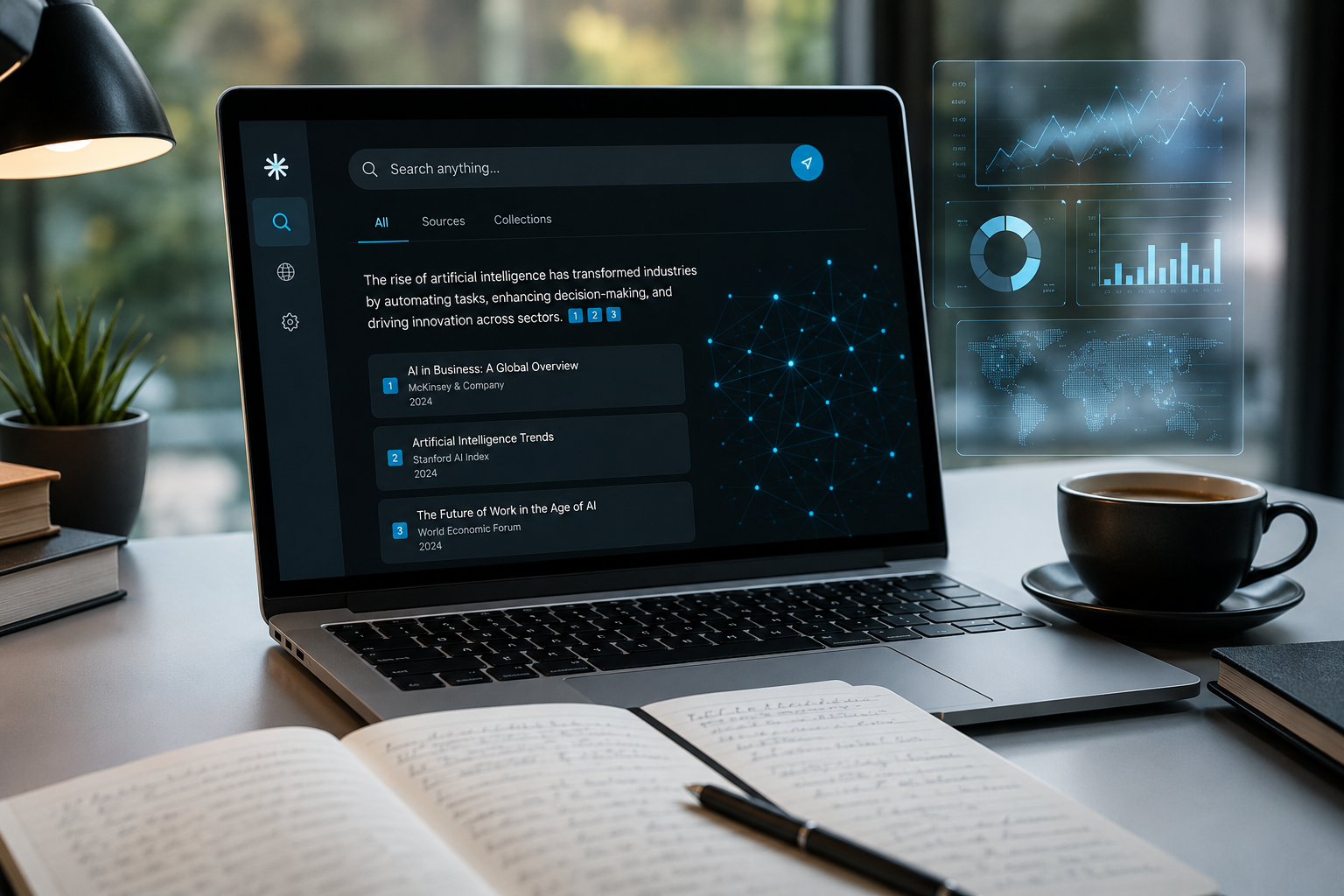
You are staring at a checkout screen asking for $20 a month, wondering if another AI subscription will actually make your workday lighter or just sit on your credit card statement quietly collecting dust. It usually happens around 2:15 PM on a Tuesday. Your browser is choking under twenty-seven open tabs—four dense industry PDFs, three news reports, a competitor's pricing page, and two Reddit threads where people disagree on basic facts. You try searching Google, but the first page is an endless wall of sponsored ads, SEO-bloated affiliate blogs, and AI-generated overviews that repeat your query without answering it.
That exact moment of frustration is where Perplexity Pro makes its pitch. Positioned as an answer engine rather than a conversational chatbot, Perplexity promises to read the live web, synthesize complex answers in real time, and back up every single claim with clickable citations.
Here is the short answer right up front: Perplexity Pro is worth the $20 per month if your primary daily task involves searching, verifying, and synthesizing current web information. If you spend hours sifting through web pages to write briefs, analyze competitors, or track industry news, it cuts research time in half. However, if you primarily need an AI partner for creative writing, long-form drafting, complex coding, or deep logical reasoning, Perplexity Pro will disappoint you. In those areas, standalone tools like ChatGPT Plus or Claude Pro blow it out of the water.
Below, we break down every major feature, cost tier, real-world strength, hidden limitation, and workflow trade-off so you can make an informed decision before clicking subscribe.
What Is Perplexity Pro and How Does It Actually Work?
To understand whether the paid plan makes sense, you need to understand how Perplexity differs from traditional AI chatbots like ChatGPT or Claude.
Standard large language models (LLMs) rely on pre-trained datasets. When you ask a standard chatbot a question, it generates text based on probabilistic patterns learned during training. Even when standard chatbots have web browsing enabled, searching the live web is an afterthought—a secondary tool they invoke occasionally.
Perplexity reverses this architecture completely. It operates as a Retrieval-Augmented Generation (RAG) system built from the ground up. Every time you enter a prompt, Perplexity performs three distinct operations:
- Query Expansion & Web Retrieval: It parses your request into multi-step search queries, sweeps the live internet across hundreds of index sources, and pulls relevant content fragments.
- Re-ranking & Verification: It evaluates source credibility, cross-references facts across pages, and filters out obvious spam or low-quality content.
- Model Synthesis: It feeds those retrieved fragments into an LLM (such as GPT-4o, Claude 3.5 Sonnet, or Perplexity's native Sonar models) to write a unified response with numbered footnote citations linking directly back to the original URLs.
Instead of receiving an open-ended narrative where you have to take the AI's word for it, you get an organized executive summary attached to real web links.
Perplexity Free vs. Perplexity Pro: Feature Comparison
Many users start with the free version of Perplexity and wonder why they should pay. The free tier is remarkably capable, but it imposes hard boundaries around model selection, search depth, and file analysis.
| Feature | Perplexity Free Tier | Perplexity Pro Tier ($20/mo) |
|---|---|---|
| Monthly Cost | $0 | $20/month or $200/year |
| Pro Searches | ~3 to 5 per day | 300+ per day |
| Deep Research Queries | ~5 per day | ~20 per day |
| Default AI Model | Fixed Sonar model (no switching) | Choice of GPT-4o, Claude 3.5, Sonar Pro, etc. |
| File Uploads | Very limited / capped | Unlimited (PDFs, CSVs, Images up to 50MB) |
| Spaces & Collections | Basic usage | Full collaborative Spaces & file repositories |
| Image Generation | Not available | Included (DALL-E 3, Flux, Stable Diffusion) |
| API Credits | None | ~$5 monthly Sonar API credit allowance |
The free plan works well if you only need quick factual answers a couple of times a day. However, if you hit five complex queries before lunch, the free version locks you into shallow searches powered by basic models.
The Core Advantages of Perplexity Pro (The Pros)
Why do so many researchers, marketers, analysts, and students happily pay $20 a month for Perplexity Pro? Here are the biggest practical strengths of the platform.
1. Real-Time Web Synthesis with Inline Citations
The standout reason to subscribe is the speed and clarity of its search synthesis. When you search for a fast-moving topic—like quarterly corporate earnings, recent regulatory changes, or tech release notes—Perplexity scans dozens of pages in seconds.
It presents a coherent narrative accompanied by explicit, bracketed numbers like [1], [2], and [3]. Hovering over or clicking a citation opens a side panel showing the exact page and sentence used to construct the answer. This makes fact-checking dramatically faster than opening ten Google tabs, skimming every article manually, and taking notes on a notepad.
2. Multi-Model Flexibility Under One Roof
If you subscribe to ChatGPT Plus, you are tied to OpenAI's ecosystem. If you subscribe to Claude Pro, you are locked into Anthropic.
Perplexity Pro acts as an aggregator. Inside your settings, you can toggle the underlying engine driving your searches and analysis:
- Claude 3.5 Sonnet: Outstanding for nuanced text comprehension, clear synthesis, and structured technical explanations.
- GPT-4o: Reliable across broad reasoning tasks, data parsing, and multimodal inputs.
- Sonar Pro / Deep Research: Perplexity's custom fine-tuned models optimized specifically for aggressive web browsing and deep retrieval.
Having access to top-tier models from competing AI labs for a single $20 monthly fee provides exceptional flexibility. If one model gives a stiff answer, you can rerun the exact search with a different model in two clicks.
3. Deep Research Mode for Multi-Step Investigations
One of the most valuable recent additions to Perplexity Pro is Deep Research mode. Traditional web searches look at top-level search results and stop. Deep Research acts like an autonomous research intern.
When you activate Deep Research, Perplexity generates an initial search plan, reads top sources, identifies missing angles, formulates follow-up queries, reads dozens of secondary sources, and synthesizes everything into a comprehensive multi-page report. For market research, competitor benchmarking, or literature reviews, a single Deep Research run saves 2–3 hours of manual reading.
4. Focused Search Modes
Standard search engines throw everything at you at once. Perplexity lets you narrow your source pool before you hit enter through Focus Modes:
- Web: Searches the entire public internet.
- Academic: Restricts search results exclusively to peer-reviewed journals, arXiv papers, and scholarly databases.
- Writing: Disables web browsing entirely, converting Perplexity into a standalone LLM for pure brainstorming or editing.
- YouTube: Searches video transcripts to pull exact timestamps and concise summaries of spoken content.
- Reddit / Social: Pulls discussion threads, honest user recommendations, and real peer discussions while filtering out corporate marketing fluff.
The Academic and Reddit filters alone make Perplexity Pro an indispensable tool for anyone who needs clean academic sources or authentic community sentiment without commercial bias.
5. Shared Spaces and Custom Knowledge Hubs
Perplexity Pro offers Spaces, which act as dedicated workspace folders for specific projects. Within a Space, you can upload PDFs, research papers, CSVs, or text guidelines up to 50MB per file.

You can then set custom instructions for that Space (e.g., 'Act as a financial analyst evaluating SaaS metrics') and invite teammates to collaborate. When you search inside a Space, Perplexity cross-references your uploaded documents alongside the live web. This creates a hybrid knowledge base that grounds external research in your internal business data.
6. Clean, Distraction-Free Search UI
Google's search interface has become cluttered with sponsored links, video carousels, shopping ads, and intrusive widgets. Perplexity Pro provides a clean, minimalist canvas. You get direct answers, clear source cards, clean typography, and instant thread sharing options without a single banner ad or sponsored pop-up interrupting your flow.
The Drawbacks and Hidden Limitations (The Cons)
No software is perfect, and Perplexity Pro is no exception. Before handing over your payment details, you should be aware of several real friction points and structural trade-offs.
1. Phantom Citations and Source Misattribution
While citations give the impression of absolute accuracy, Perplexity is still prone to hallucinations. The most common failure mode is what researchers call phantom attribution.
Because Perplexity synthesizes text from multiple fetched pages simultaneously, it occasionally attaches a numbered footnote citation to a stat or claim that does not actually appear on that specific linked page. The statistic might be true, but it came from a different tab, or the AI inferred it based on general context. If you publish cited work professionally without manually clicking every single link to confirm the exact source sentence, you run the risk of spreading misattributed facts.
2. Shallow Reasoning and Weak Long-Form Writing
Perplexity is optimized for search retrieval and concise synthesis. It is not designed for deep creative writing, nuanced editorial drafting, or complex multi-turn logic.
If you ask Perplexity Pro to draft a 2,500-word essay, an engaging marketing email series, or a detailed fictional story, the output often feels repetitive, overly formal, and bullet-point heavy. Even when switching the model to Claude 3.5 Sonnet, Perplexity's underlying prompt scaffolding pushes the output toward summarized reports rather than fluid narrative writing.
3. Limited Coding Capabilities
Developers looking for an AI pair-programmer will find Perplexity Pro lacking compared to dedicated coding assistants or native ChatGPT/Claude sessions.
Perplexity can find code snippets, look up API documentation, or debug simple script errors. However, it lacks a dedicated coding environment, workspace file trees, or execution sandboxes. It struggles to maintain state across large codebases or refactor complex multi-file projects.
4. Strict Rate Limits on Heavy Features
Although Perplexity advertises 'unlimited' usage for Pro Search, true power users frequently run into cap boundaries on heavy feature sets.
Deep Research queries, in particular, are soft-capped at roughly 20 runs per day due to the massive computational overhead required to crawl and analyze dozens of web pages per prompt. If you plan on running automated market sweeps all day long, you will hit daily rate limits quickly.
5. Inconsistent Customer Support and Account Management
A frequent complaint among individual Pro subscribers relates to customer support responsiveness. Subscription management, billing inquiries, and account downgrades are largely handled through automated support flows. When bugs occur—such as temporary feature lockouts or billing sync issues—getting a timely response from a human support representative can take several days.
Real-World Use Cases: Where Perplexity Pro Shines (and Fails)
To give you a practical picture of how Perplexity Pro performs during a normal workweek, let's look at four common professional scenarios.
Scenario A: Competitor & Market Analysis (Perplexity Wins)
Imagine your boss asks you to prepare a brief on how three major SaaS competitors updated their pricing over the last six months.
- Google Search: You spend 45 minutes opening pricing pages, searching Wayback Machine archives, reading press releases, and piecing together notes.
- ChatGPT / Claude: Their base models might give outdated details or refuse to browse all three sites reliably.
- Perplexity Pro: You type: 'Compare the pricing changes for Product A, Product B, and Product C made over the last 6 months. Create a Markdown table comparing tiers, feature gates, and enterprise options, with cited sources.' In 90 seconds, you receive a structured table backed by direct links to official blog announcements and press releases.
Scenario B: Drafting a Weekly Newsletter (Mixed Result)
You need to write a 1,200-word engaging email newsletter summarizing key tech developments.
- Perplexity Pro: Excellent at gathering the top five stories with cited key takeaways in 2 minutes. However, when you ask it to draft the actual email body, the prose reads stiffly and relies heavily on generic summaries.
- Best Workflow: Use Perplexity Pro to conduct the preliminary news research, then paste those research notes into Claude or ChatGPT to draft the narrative in your brand voice.
Scenario C: Deep Academic Research (Perplexity Wins)
You are writing a research literature review on the impact of sleep quality on cognitive retention in older adults.
- Perplexity Pro: Switch Focus Mode to Academic. It ignores commercial blogs and searches PubMed, JSTOR, and arXiv. It synthesizes findings from six peer-reviewed papers published in the last three years, complete with DOIs and direct author citations.
Scenario D: Building a Complex Web Application (Perplexity Fails)
You are trying to architect a full-stack React application with authentication, database schemas, and edge functions.
- Perplexity Pro: Useful for pulling current documentation for a specific third-party library. However, trying to write multi-file application code within its chat interface quickly breaks down due to lack of project context memory.
- Better Choice: Dedicated developer tools like Cursor, GitHub Copilot, or native Claude Pro.
Perplexity Pro vs. ChatGPT Plus vs. Claude Pro
Choosing between the big three $20/month AI subscriptions comes down to matching your primary daily workflow with the right tool. Here is how they compare head-to-head:
| Feature / Tool | Perplexity Pro ($20/m) | ChatGPT Plus ($20/m) | Claude Pro ($20/m) |
|---|---|---|---|
| Primary Strengths | Live search, citations, research synthesis | General intelligence, Voice, DALL-E, Canvas | Long-form writing, code, complex logic |
| Web Search Capabilities | Built-in core engine with live multi-source re-ranking | Secondary feature (can be slow or land on paywalls) | Basic browsing via search connectors |
| Model Selection | Toggles GPT-4o, Claude, Sonar Pro, etc. | OpenAI models only | Anthropic models only |
| Citation Quality | High (direct bracketed web links) | Variable / embedded text links | Basic inline mentions |
| Writing & Creativity | Moderate (formal, outline-driven) | High (flexible, adaptable voice) | Very High (nuanced, human-like tone) |
| Coding & Development | Basic snippets & docs | Strong (Advanced Data Analysis & Canvas) | Excellent (Artifacts & superior refactoring) |
The Bottom-Line Rule for Choosing:
- Buy Perplexity Pro if your day revolves around research, source collection, market intelligence, and fast fact verification.
- Buy ChatGPT Plus if you want an all-around virtual assistant capable of handling voice interaction, custom GPTs, image creation, and data analysis.
- Buy Claude Pro if your primary work involves long-form drafting, heavy writing, editing, or building complex software.
How to Get the Maximum Value Out of Perplexity Pro
If you decide to subscribe, these practical tips will ensure you get every penny's worth from your $20 investment:
- Master the Focus Filters: Never leave your search on generic 'Web' if you know exactly what kind of source you need. Use Academic for peer-reviewed studies, Reddit for honest user feedback on products, and YouTube when looking for step-by-step tutorial timestamps.
- Set Up Specialized Workspaces in Spaces: Organize your research by project. Create a Space for a specific client or topic, upload relevant PDF guidelines, and set custom prompt rules. This keeps your context clean and prevents different topics from polluting search results.
- Verify Critical Footnotes: When pulling numbers, statistics, or quotes for a client presentation or published article, always click the bracketed citation number. Spend 5 seconds confirming that the linked source actually contains that exact claim.
- Combine Perplexity with Comet Browser: Perplexity offers its own free desktop browser (Comet) that integrates search features directly into your sidecar navigation. Using the browser allows you to summarize active web pages, compare opened tabs, and trigger Pro searches directly without switching back and forth to a chat window.
Final Verdict: Who Should Subscribe (and Who Should Pass)?
Perplexity Pro is not a magic bullet that replaces every other AI tool on the market. However, as a dedicated research companion and modern search engine, it has no equal.
You SHOULD subscribe if you are:
- A market researcher, financial analyst, or business consultant needing up-to-date competitive intelligence.
- A student, academic, or journalist who requires traceable, cited sources for every research claim.
- A content strategist or marketer who spends hours aggregating web research before writing.
- Someone tired of sifting through ad-cluttered Google search results every day.
You SHOULD PASS if you are:
- A software engineer needing a deep coding partner.
- A creative writer or copywriter who needs an AI to write long-form content from scratch.
- A casual searcher whose needs are completely met by the free tier or standard Google searches.
Taking the Next Step with Saasbonus
At Saasbonus, we specialize in testing, reviewing, and comparing enterprise software so you never waste money on subscriptions that don't fit your exact workflow. Before you commit your tech budget to new software, check out our latest software guides, discount breakdowns, and side-by-side feature comparisons to make sure you get the best possible return on your investment.




