
PostHog vs Mixpanel: Which SaaS Analytics Tool Is Better?
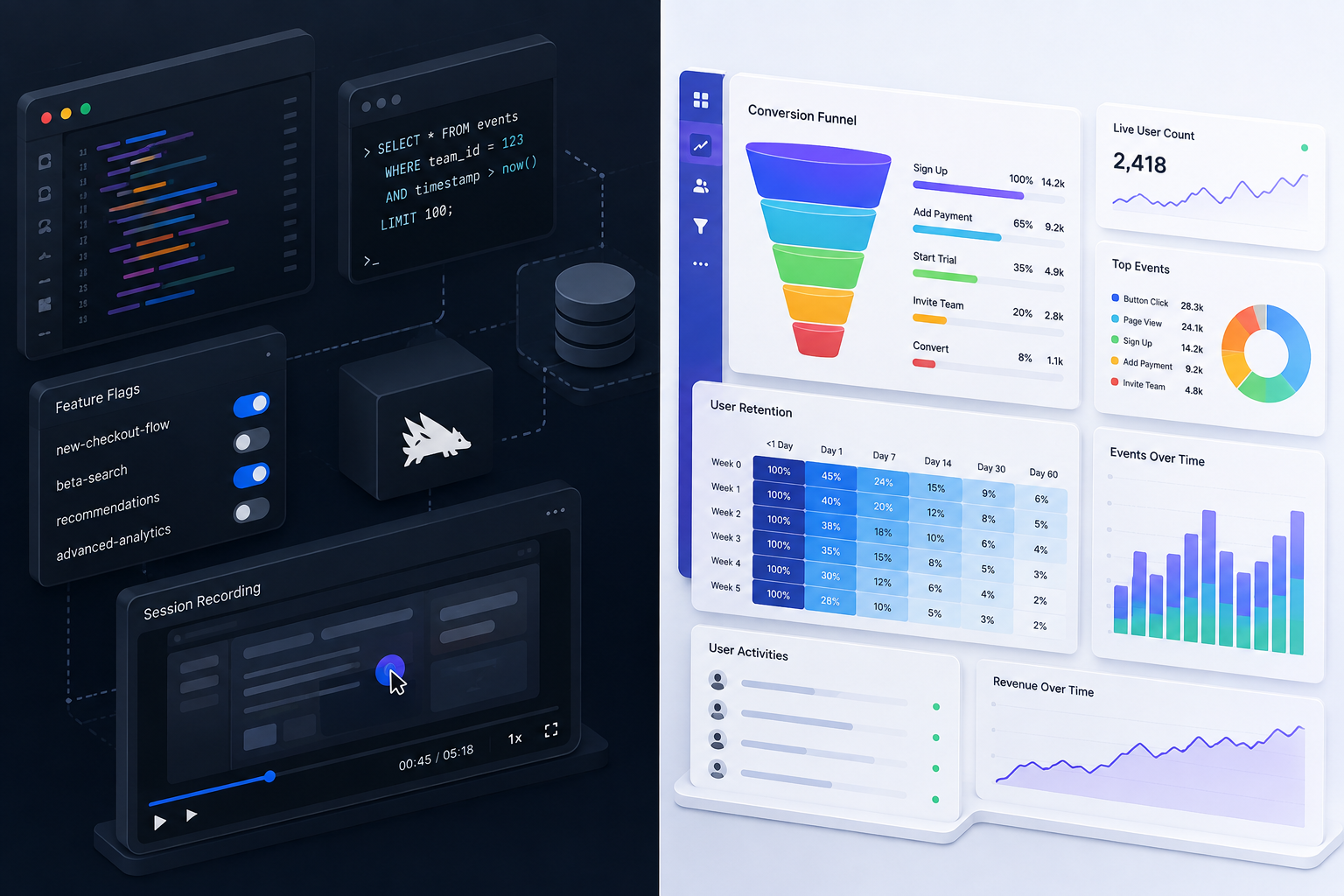
Choosing between PostHog and Mixpanel comes down to a fundamental team decision: do you want an open-source, engineering-first platform that consolidates five distinct developer tools into one, or a specialized, cloud-native behavioral analytics engine designed for product managers who need deep funnel analysis out of the box?
If you are an engineering team building a modern SaaS product, PostHog gives you product analytics, session replays, feature flags, A/B testing, and surveys under a single roof with transparent usage-based pricing. If you are a product-led growth team with dedicated product managers, Mixpanel provides unmatched visual report building, cleaner event schemas, and faster ad-hoc exploratory analysis.
At Saasbonus, we conduct hands-on software teardowns to help engineering and product leaders pick the right stack without wasting thousands of dollars on ill-fitting software contracts. In this guide, we break down the architecture, features, real-world pricing scenarios, and team workflows of PostHog and Mixpanel so you can make a definitive choice.
The Core Verdict: PostHog vs Mixpanel in 60 Seconds
To save you time, here is the immediate breakdown of how PostHog and Mixpanel stack up across core operational dimensions:
| Evaluation Criteria | PostHog | Mixpanel |
|---|---|---|
| Core Platform Focus | All-in-one developer & product platform | Specialized behavioral product analytics |
| Primary User Persona | Software Engineers, Technical Founders, CTOs | Product Managers, Growth Leads, Data Analysts |
| Built-in Toolset | Analytics, Session Replay, Flags, Experiments, Surveys | Product Analytics, Web Analytics, Basic Replay |
| Event Capture Model | Autocapture (DOM events) + Custom API tracking | Explicit manual event tracking via SDKs |
| Hosting & Data Control | Managed Cloud or Self-Hosted (Docker/Kubernetes) | SaaS Cloud-only (US/EU data residency) |
| Free Tier Allotment | 1M events/mo + 5k session replays/mo | 100,000 Monthly Tracked Users (MTUs) |
| Pricing Model Structure | Event-based micro-billing with volume tiers | MTU-based tiers or event-based enterprise |
| Query Interface | SQL-first, developer dashboards, raw event access | Visual query builder, intuitive funnel models |
PostHog shines when engineering teams want to replace three to four point solutions—like Mixpanel for analytics, FullStory for session replays, and LaunchDarkly for feature management—with a single self-serve platform. Mixpanel excels when product managers need clean, disciplined event data to run deep conversion funnels, retention cohorts, and cross-platform user journey mapping without touching a line of code.
Understanding the Architectural Split
Understanding why these two platforms feel so different in daily operation requires examining their underlying product philosophies.
PostHog: The Integrated Developer Platform
PostHog was born as an open-source alternative to proprietary product analytics. Its fundamental premise is that modern software development requires continuous feedback loops. When an engineer deploys a new feature, they shouldn't need to log into four separate dashboards to answer three connected questions: Did users click the new button? Did the application throw JavaScript errors? Did conversion improve?
By bundling event tracking, frontend error monitoring, session recordings, feature flag gating, and experimentation into one infrastructure layer, PostHog eliminates context switching. Data lives in ClickHouse, allowing engineers to query raw underlying event tables directly using SQL.
Mixpanel: The Specialized Behavioral Analytics Engine
Mixpanel pioneered modern event-based product analytics over a decade ago. Rather than spreading engineering effort across peripheral dev tools, Mixpanel focuses single-mindedly on answering complex questions about user behavior.
Mixpanel assumes that clean data produces accurate business decisions. It eschews indiscriminate DOM autocapture in favor of explicit, developer-defined event schemas. Because every event and property is intentionally instrumented, Mixpanel's user interface can present complex multi-step funnels, custom formulas, and correlation insights with speed and visual polish.
Core Analytics Capabilities Compared
When evaluating daily analytics workflows, small differences in data ingestion and visualization create vastly different user experiences.
1. Event Tracking and Schema Design
PostHog provides a dual approach to event tracking: broad autocapture and explicit custom events. Installing PostHog's JavaScript snippet automatically captures every pageview, button click, form submission, and DOM element change out of the box. For fast-moving startups that forgot to instrument a new feature rollout, autocapture acts as a safety net, allowing you to backfill analysis on events that occurred prior to defining a formal metric. However, unmanaged autocapture can clog your dataset with DOM noise like random div clicks or dynamic CSS class names.
Mixpanel emphasizes deliberate schema design. You explicitly define event names (e.g., 'workspace_created') and pass typed JSON properties (e.g., 'plan_type', 'team_size') using Mixpanel SDKs. While this requires upfront planning and developer time, it creates a clean, predictable data dictionary. Non-technical team members can jump into Mixpanel without sifting through auto-generated DOM strings.
2. Funnel and Conversion Analysis
Both platforms handle multi-step conversion funnels well, but their presentation and flexibility vary significantly.
Mixpanel's funnel builder is industry-leading. It allows you to specify precise conversion timeframes, set custom conversion windows per step, order events flexibly (strict order, any order, or session-constrained), and compare historical cohorts in a single view. Mixpanel automatically highlights conversion drop-offs with intuitive color coding and lets you drill down into specific user properties with one click.
PostHog's funnel analysis is functional and fast, but its visual presentation is utilitarian. What PostHog lacks in chart polish, it makes up for in workflow integration: when you spot a drop-off step in a PostHog funnel, you can immediately click a button to view recorded session replays of users who dropped off at that exact stage. This direct bridge between quantitative data (funnel metrics) and qualitative evidence (session recordings) is a major advantage for debugging user friction.
3. Retention, Cohorts, and Segmentation
Understanding user stickiness requires measuring how frequently users return to perform core value actions over time.
Mixpanel excels at cohort segmentation. You can build complex, multi-condition cohorts based on event frequency, property changes, time-bounded behaviors, and relative formulas (e.g., 'Users who completed Event A 3+ times within 7 days of signing up'). These cohorts update dynamically across all dashboards.
PostHog supports behavioral and property-based cohorts with similar logical flexibility. Furthermore, because PostHog houses feature flags and surveys within the same system, you can immediately target a behavioral cohort with a targeted survey or roll out an experimental feature to a specific cohort without exporting data to external marketing tools.
4. Direct SQL and Data Exploration
For technical teams, raw query access is paramount. PostHog includes a built-in SQL query editor (HogQL) directly in the UI. HogQL allows data engineers and technical founders to execute custom SQL queries against their ClickHouse event store, perform complex table joins, and build custom visualizations that standard chart builders cannot accommodate.
Mixpanel relies primarily on its visual query builder and custom metric formulas. While you can write custom math expressions in Mixpanel, you cannot execute arbitrary SQL against your dataset directly in the interface. Mixpanel expects you to export event streams to an external warehouse like Snowflake or BigQuery if you require full SQL joins.
Beyond Analytics: Feature Scope and Tool Consolidation
One of the biggest differences between these two platforms lies in what happens outside core event reporting.
Session Replay and Heatmaps
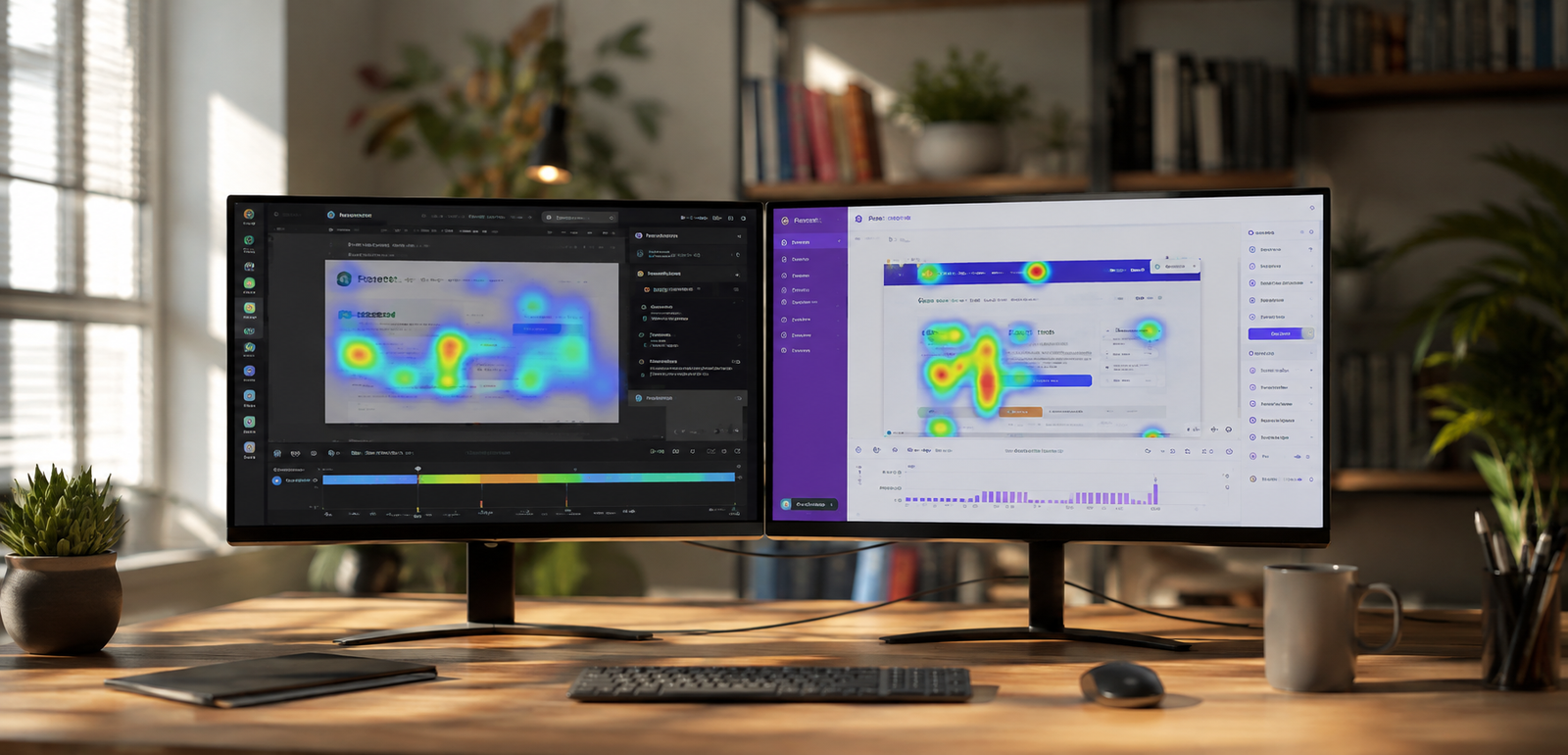
PostHog includes native web and mobile session replays, clickmaps, and scrollmaps as part of its core platform. You can set custom sampling rates, capture canvas elements, mask sensitive PII inputs, and filter recordings by specific console logs or JavaScript errors. For B2B SaaS applications, watching how users interact with a complex dashboard yields insights that raw event counts alone can never reveal.
Mixpanel historically relied entirely on third-party integrations (such as FullStory or Hotjar) for session playback. While Mixpanel has added native session replay capabilities to its suite, its core architecture remains built around quantitative event charts rather than granular video playback.
Feature Flags, Experiments, and A/B Testing
PostHog features a robust, server-side and client-side feature flagging engine. You can run multivariant feature rollouts, target users based on user properties or behavioral cohorts, and immediately measure the impact of those flags through integrated A/B experimentation. Because feature evaluation and analytics share the same database, calculating conversion uplift across variant groups requires zero external configuration.
Mixpanel does not offer a standalone feature flag management infrastructure. It integrates with external feature management vendors like LaunchDarkly, Statsig, or GrowthBook. To analyze feature flags in Mixpanel, your application must manually push flag state change events into Mixpanel's tracking pipeline.
Surveys and User Feedback
PostHog includes built-in, non-intrusive survey widgets. You can trigger NPS surveys, CSAT polls, or open-ended feedback overlays based on user actions (e.g., prompt a user for feedback immediately after they downgrade their plan or use a specific workflow). Survey responses automatically attach to individual user profiles in PostHog.
Mixpanel does not include in-app survey widgets. Collecting qualitative survey responses requires using tools like Typeform, Sprig, or Qualtrics and ingesting those responses back into Mixpanel as user profile attributes or custom events.
Developer Tooling: Error Tracking and AI Observability
PostHog has expanded aggressively into developer-focused application monitoring. It provides frontend exception and error tracking, log ingestion, and LLM/AI observability for applications built on Anthropic, OpenAI, or custom LLM pipelines. Engineers can track token costs, prompt latency, and output accuracy alongside user behavior.
Mixpanel focuses squarely on product and business analytics. It does not attempt to monitor infrastructure health, trace application logs, or track LLM API execution metrics.
Data Governance, Hosting, and Compliance
Where your user data lives and how it is secured can make or break software procurement, particularly for security-conscious SaaS companies.
Self-Hosting vs. Managed Cloud
PostHog offers both a fully managed cloud platform (EU and US regions) and self-hosted deployment options via Docker and Kubernetes. Self-hosting allows privacy-sensitive SaaS applications (e.g., healthcare, fintech, enterprise security) to keep all telemetry and user data inside their own AWS, GCP, or Azure Virtual Private Cloud (VPC). However, running self-hosted ClickHouse requires dedicated DevOps resources to manage scaling, backups, and cluster maintenance as event volumes scale into hundreds of millions.
Mixpanel operates strictly as a cloud SaaS platform. You cannot self-host Mixpanel on your own infrastructure. To accommodate global data sovereignty regulations, Mixpanel offers dedicated residency options in both US and European data centers. Setting up Mixpanel requires zero infrastructure maintenance, making it a zero-DevOps solution.
Compliance Standards
Both platforms maintain enterprise security standards:
- PostHog: SOC 2 Type II compliant, GDPR compliant, HIPAA compliant (with Business Associate Agreements available on Enterprise plans).
- Mixpanel: SOC 2 Type II compliant, ISO 27001 certified, GDPR/CCPA compliant, HIPAA compliant.
Pricing Model Breakdown: Events vs. Monthly Tracked Users (MTUs)
Understanding the total cost of ownership requires looking closely at how each platform bills for usage as your SaaS company grows.

PostHog Pricing Structure
PostHog uses a usage-based micro-billing model where each product feature is metered independently, with a generous free monthly allowance across all tools:
- Product Analytics: First 1,000,000 events/month are free. Paid volume starts at $0.000050 per event and drops progressively down to $0.000009 per event at higher scale.
- Session Replay: First 5,000 web recordings/month are free. Paid volume starts at $0.0050 per recording.
- Feature Flags: First 1,000,000 flag requests/month are free. Paid volume starts at $0.000100 per request.
- Surveys: First 1,500 responses/month are free. Paid volume starts at $0.10 per response.
Because team seats are completely free and unlimited in PostHog, you never pay extra for adding developers, product managers, or executives to your workspace.
Mixpanel Pricing Structure
Mixpanel primarily structures its billing around Monthly Tracked Users (MTUs) or total event volume:
- Free Plan: Free for up to 100,000 Monthly Tracked Users (MTUs) with core analytics capabilities.
- Growth Plan: Starts at $28/month for up to 10,000 MTUs and scales dynamically based on your active user volume. Allows custom saved reports, data modeling, and group analytics add-ons.
- Enterprise Plan: Custom annual contracts tailored for large organizations needing advanced data pipelines, single sign-on (SSO), automated governance, and dedicated account support.
An MTU is defined as a unique user who performs at least one tracked event in a calendar month. If a single user logs into your SaaS app 50 times in a month and performs 2,000 events, Mixpanel counts them as exactly 1 MTU.
Total Cost of Ownership Scenarios
To see how this plays out in real life, let's look at two standard SaaS company profiles:
Scenario A: High-Engagement B2B SaaS (10,000 Active Users, High Event Volume)
Suppose a B2B project management platform has 10,000 active users. Because users spend all day inside the app, each user generates 800 events per month (8,000,000 total events per month).
- PostHog: First 1M events free. Remaining 7M events cost ~$250/month. Plus 5,000 free session replays. Total cost: ~$250 - $300/month.
- Mixpanel: 10,000 MTUs falls comfortably into Mixpanel's Growth tier. Cost: ~$28 - $80/month (depending on add-ons).
- The Takeaway: For applications with a small, hyper-active user base that generates massive event volume per user, Mixpanel's MTU model can be surprisingly cost-effective.
Scenario B: The Multi-Tool Stack vs. Consolidation (100,000 Active Users)
Suppose a scaling B2B SaaS platform has 100,000 active users and wants analytics, session replay, and feature flag management.
- Separate Best-of-Breed Stack:
- Mixpanel (Analytics): ~$2,100/month
- FullStory (Session Replay): ~$850/month
- LaunchDarkly (Feature Flags): ~$1,000/month
- Total Separate Stack Cost: ~$3,950/month ($47,400/year)
- Consolidated PostHog Stack:
- PostHog Cloud (Analytics + Replay + Flags combined): ~$350 - $500/month ($4,200 - $6,000/year)
- The Takeaway: Consolidating three point solutions into PostHog can reduce software licensing costs by over 80% while eliminating vendor integration overhead.
Team Experience and Operational Workflows
Beyond cost and technical features, the best tool is the one your team will actually use every day.
The Developer Experience
Engineers generally love PostHog. The SDKs are lightweight, setup takes under five minutes, and autocapture means devs don't have to write tedious instrumentation code every time a UI designer moves a button. Having feature flags, session replays, and error logs in the same developer interface makes debugging production issues fast and straightforward.
In Mixpanel, engineers must explicitly define event calls inside their application code. While this takes more upfront effort, developers who value strict schema typing and clean API contracts appreciate that Mixpanel's data structure remains predictable and clutter-free.
The Product Manager Experience
Product managers often prefer Mixpanel. The interface is refined, chart colors are clean, and creating funnels or retention boards takes seconds without knowing any query syntax. PMs can drop reports directly into client presentations or executive decks without reformatting charts.
PostHog's UI is built for utility. While it is clean and readable, non-technical product managers may find the query-first builder slightly less intuitive than Mixpanel's drag-and-drop report widgets.
5 Common Pitfalls When Selecting Your Analytics Tool
Avoid these frequent mistakes when implementing product analytics in your SaaS organization:
- Over-relying on Autocapture without Data Hygiene: Autocapture in PostHog is fantastic for getting started, but if you do not define clean taxonomy rules, your workspace will quickly become a chaotic mess of unnamed element clicks. Always combine autocapture with custom event naming for core business actions.
- Underestimating Self-Hosting Maintenance: Choosing self-hosted PostHog to save on cloud fees can backfire if your engineering team spends 15 hours a month tuning ClickHouse clusters and managing database upgrades. Cloud-hosted PostHog is usually far cheaper when accounting for total engineering time.
- Failing to Track Group/Account Entities Early: For B2B SaaS platforms, tracking individual user actions is not enough. You must track account-level behavior (e.g., workspaces, companies, tenants). Ensure you configure Group Analytics in either platform during initial SDK setup so you can measure account retention and account health scores.
- Ignoring Event Multipliers in Product Analytics: Tracking high-frequency events like scroll positions, mouse movements, or live typing indicators can inflate your event volume by millions of events overnight, resulting in unexpected cloud bills. Always sample or block high-frequency events.
- Selecting Software Without Team Alignment: Buying Mixpanel for a team made entirely of full-stack engineers who want session replays and feature flags will lead to low adoption. Likewise, forcing PostHog on a non-technical product team that hates query builders will result in unused software. Match the tool to your team's dominant skill set.
Step-by-Step Decision Framework: Which Should You Pick?
To make your final decision straightforward, follow this clear selection criteria:
Choose PostHog if:
- You want an all-in-one developer platform that replaces separate analytics, session replay, feature flag, and survey tools.
- Your core users are engineers, CTOs, technical founders, or developer-focused product teams.
- You need data residency flexibility, including the ability to self-host inside your own private cloud or VPC.
- You want native SQL access to query raw event tables directly inside your analytics dashboard.
- You want unlimited team seats without paying per-user license fees.
Choose Mixpanel if:
- Your analytics workflow is driven primarily by dedicated product managers, growth marketers, and business analysts.
- You prioritize polished, presentation-ready funnel charts, visual query builders, and intuitive drop-off reports.
- You prefer a zero-DevOps, cloud-only solution with zero infrastructure setup or database maintenance.
- Your application has a small, highly active user base where an MTU-based pricing model offers better predictable value.
- You already have established point solutions for session replays and feature flags and only want best-in-class behavioral analytics.
At Saasbonus, we help software leaders evaluate, compare, and optimize their core tech stack. Picking the right analytics engine early prevents painful migration projects later and ensures your entire team builds features informed by real user data.
Summary Recommendation
If your SaaS team is engineering-heavy and wants maximum versatility, tool consolidation, and direct data control, PostHog is the clear modern choice. If your organization is product-led and requires refined, self-serve behavioral analysis out of the box for non-technical stakeholders, Mixpanel remains the premier benchmark in product analytics. Both tools offer rich free tiers, so test both with a small production event sample before committing to a full deployment.




