
Raycast vs Alfred: Which Launcher Fits Mac Teams?
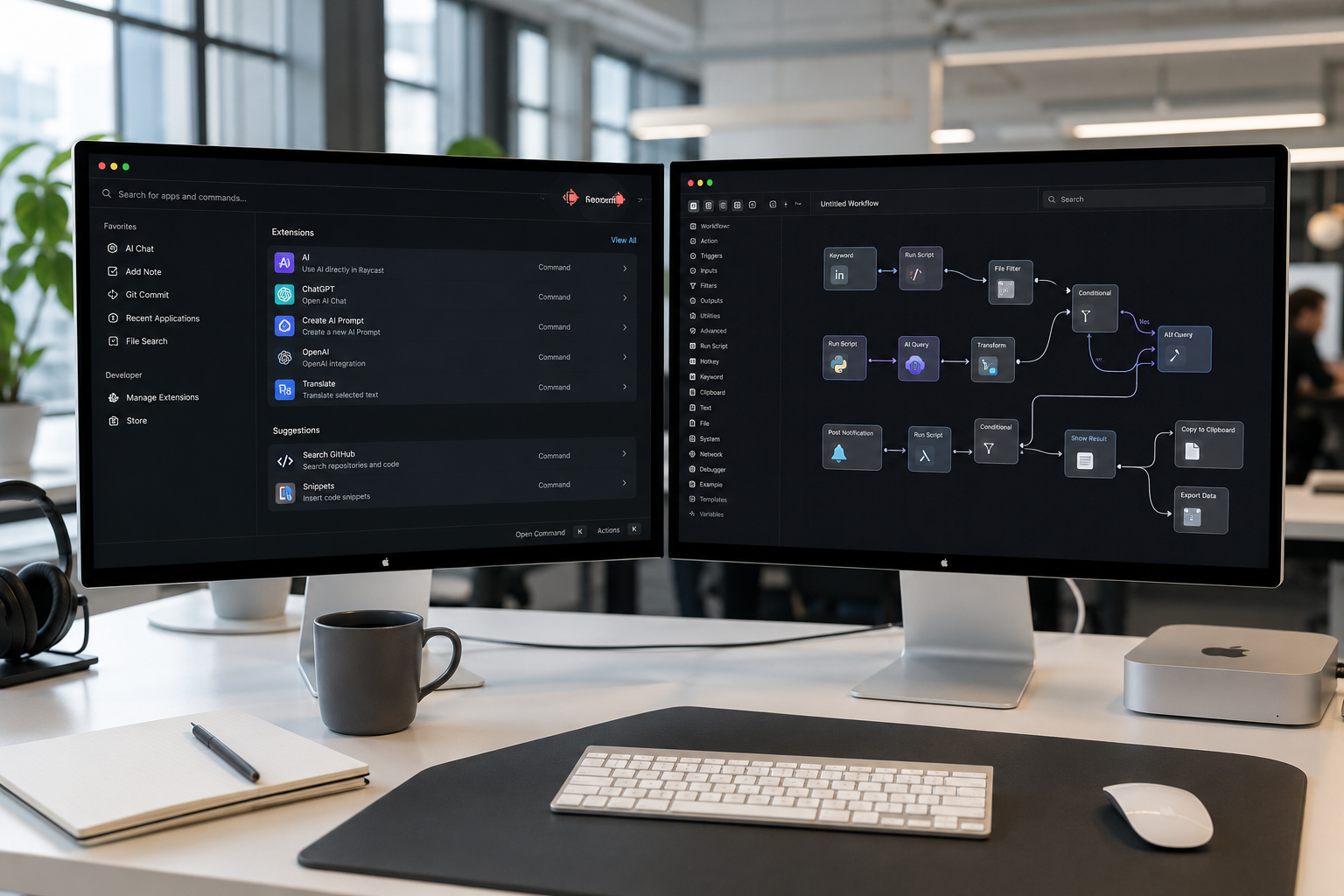
Which Mac productivity launcher actually wins when scaled across a modern software team: Raycast or Alfred?
Here is the immediate verdict: Choose Raycast if you are equipping a collaborative team that relies on shared extensions, centralized prompt engineering, and native SaaS integrations out of the box. Its cloud-synced Team tier ($12 per user per month) allows engineering and product groups to instantly share internal commands, snippets, and workflow templates. Choose Alfred if your primary requirements are local data privacy, offline script execution, zero recurring subscription fees, and deep local customization. Alfred's Powerpack (a one-time payment of $45 to $69 per user) remains unmatched for solo developers and security-sensitive organizations that refuse to route keyboard telemetry through external cloud infrastructure.
While solo power users have debated Raycast vs Alfred on Reddit for years based on UI polish and personal keybindings, evaluating these tools for enterprise teams requires a completely different calculus. You aren't just selecting a personal Spotlight replacement; you are choosing an execution layer for your company's operational knowledge.
The Fundamental Architectural Divide
To understand why these tools feel so vastly different in a team setting, you must look at when and how they were architected.
Alfred was introduced in 2010. It was designed in an era where local desktop automation reigned supreme. Its core engine relies heavily on local index searching, local AppleScript execution, Shell scripts, Python, and local JSON payloads. Alfred treats your Mac as an isolated, sovereign island. Powerpack licenses are tied to individual seats, and sharing custom workflows across a ten-person team typically involves exporting `.alfredworkflow` files, putting them into a shared Dropbox or Google Drive folder, and manually telling every team member to import and update them.
Raycast launched nearly a decade later with a cloud-native architecture. While it executes commands locally using React and TypeScript extensions, its sync engine is built around modern organizational management. Teams can create an organization account, set up central role-based permissions, and deploy a shared extension store. When a staff engineer writes a quick Raycast command to query internal staging database logs, that extension instantly populates on every teammate's launcher bar.
In terms of workflow distribution:
- Raycast Architecture: Uses a cloud-synced central hub to manage role-based permissions and auto-distribute React extensions directly to user bars.
- Alfred Architecture: Uses local engine execution and manual file distribution (or Git repositories) to manage independent local script configurations.
This core difference dictates every trade-off between the two tools—from security and pricing to maintenance overhead.
Modern Team Workflows: Feature-by-Feature Breakdown
When evaluating launcher platforms for engineering, product, and operations departments, several core operational capabilities dictate daily productivity.
| Feature Matrix | Raycast (Pro / Team) | Alfred (Powerpack v5+) |
|---|---|---|
| Primary Tech Stack | React, TypeScript, Swift | AppleScript, Bash, Python, Zsh, Swift |
| Team Sharing Model | Cloud-synced team store & shared snippets | Manual file sync (Dropbox/Git repository) |
| AI Model Access | Integrated (GPT-4o, Claude 3.5 Sonnet, Llama) | Via manual third-party workflows & API keys |
| Pricing Architecture | Free tier, Pro ($8/mo), Team ($12/user/mo) | Single ($45 one-time), Mega ($69 lifetime) |
| Clipboard & Window Management | Built-in native tools (Free) | Clipboard built-in; Window management via workflows |
| Data Residency & Offline Use | Requires cloud connection for AI & Team Sync | 100% Local offline execution |
| Ecosystem Discovery | Curated visual Extension Store | Community forum, Alfred Gallery, GitHub repositories |
1. Centralized Extension & Workflow Sharing
In a growth-stage company, repetitive tasks kill speed. Engineers regularly need to pull Linear issue IDs, test API endpoints, or retrieve staging tokens. Sales representatives constantly paste updated demo scripts and calendly links.
- Raycast Teams: Allows organization admins to create a private team organization workspace. You can publish internal extensions written in TypeScript directly to your team's workspace. When an admin pushes an update to a custom internal tool (e.g., an internal customer-lookup extension), every team member receives the update automatically without touching a configuration menu. Shared snippet libraries ensure that every customer success manager uses the exact same up-to-date messaging.
- Alfred: Lacks a native multi-tenant enterprise portal. To share workflows across a team using Alfred, your engineering team must set up a shared Git repository or symlink folder (e.g., via Dropbox or iCloud Drive) where custom workflows reside. While highly technical teams can manage this via dotfile repositories or automated shell scripts, non-technical team members (marketing, sales, executive assistants) often struggle with broken local paths and manual updates.

2. AI Infrastructure and Prompt Standardization
AI availability inside the launcher window has changed how quickly teams synthesize text, debug stack traces, and rewrite code snippet logic.
- Raycast AI: Built directly into the core user experience on paid tiers. Users can invoke AI instantly using a keybinding, switching seamlessly between models such as Claude 3.5 Sonnet, GPT-4o, and Perplexity for web search. Crucially for teams, Raycast allows admins to create and distribute Shared AI Commands. For example, your lead developer can craft a custom system prompt called 'Explain SQL Query Plan' or 'Format SaaS Release Notes,' making that exact prompt strategy available across the entire company with zero configuration.
- Alfred: Does not offer a native, managed AI backend service. To get AI capabilities inside Alfred, users must install third-party community workflows (like OpenAI or Anthropic API connectors) and supply their own API keys. While this gives total control over endpoint usage and token costs, it places the configuration burden entirely on individual team members. There is no central governance layer for managing prompt libraries.
3. Developers and Extension Ecosystem
Both platforms feature vibrant developer communities, but the languages and tooling required to build extensions reflect two different eras of software development.
Developer onboarding looks distinct across both platforms:
- Raycast Onboarding: Developers install Node/npm, clone the React/TypeScript boilerplate, run `npm run dev`, and hot-reload their extensions inside the Raycast launcher window.
- Alfred Onboarding: Developers open the Visual Workflow Builder, select a Trigger, drag a Script Block, write a Shell or Python script, and connect the Output Node manually.
- Raycast Developer Experience: Raycast extensions are built using modern web standards—React, TypeScript, and Node.js—backed by a comprehensive Raycast API documentation suite. If your team already writes frontend React code, creating a custom Raycast extension feels identical to building an internal dashboard component. It includes hot-reloading during local extension development and built-in UI components for lists, detail views, and action forms.
- Alfred Visual Workflow Editor: Alfred uses a drag-and-drop canvas editor where you connect Triggers, Inputs, Actions, and Outputs. It supports virtually any language that runs in a macOS terminal (Bash, Zsh, Python, Ruby, Swift, PHP). For quick system-level automations—like triggering a local shell script, mounting a network drive, or transforming clipboard text via Regex—Alfred's visual canvas is faster to build for system administrators and DevOps engineers who prefer terminal scripting over Node.js environments.
Total Cost of Ownership (TCO): Evaluating the Real Numbers
When pitching software to finance or operations leads, pricing models play a massive role in long-term platform viability.
Raycast Cost Structure
Raycast uses a traditional SaaS per-seat subscription model:
- Free Tier: $0 per user. Includes core launcher, window management, clipboard history, public extension store access, and basic system utilities. Highly functional for individual developers.
- Pro Tier: $8 per month (billed annually at $96/year per user). Unlocks Raycast AI, cloud sync across personal Macs, custom themes, and unlimited clipboard storage.
- Team Tier: $12 per user per month (billed annually at $144/year per user). Includes all Pro features plus shared team extension stores, shared team snippets, centralized organization management, single sign-on (SSO) options, and admin security controls.
- Advanced AI Add-on: Optional additional monthly cost per seat to unlock higher-tier LLM token limits and flagship reasoning models.
Alfred Cost Structure
Alfred adheres to a classic perpetual desktop software licensing strategy:
- Free Tier: $0. Basic app launcher, system commands, and web searches. Does not include clipboard history, snippets, or custom workflows.
- Powerpack Single License: ~$45 (one-time fee per user, subject to exchange rate currency conversions from GBP £34). Grants access to workflows, clipboard history, snippets, and themes for a single major version.
- Powerpack Mega Supporter License: ~$69 (one-time fee per user, subject to currency conversion from GBP £59). Grants lifetime access to all future major upgrades (v5, v6, v7, etc.) without additional payment.
| 5-Year Cumulative Cost (20-Person Team) | Year 1 | Year 3 | Year 5 |
|---|---|---|---|
| Raycast Teams ($12/user/mo) | $2,880 | $8,640 | $14,400 |
| Alfred Powerpack Mega (~$69 one-time) | $1,380 | $1,380 | $1,380 |
The ROI Trade-off
From a pure line-item software expenditure perspective, Alfred is dramatically cheaper over a 3- to 5-year time horizon. A 20-person engineering team running Alfred Mega Supporter licenses incurs a single fixed investment of $1,380 forever. The same team on Raycast Teams will spend $14,400 over five years.
However, team productivity metrics change the equation. If Raycast's auto-distributing team extensions save each developer just 10 minutes per week (eliminating context switching between Jira, GitHub, Linear, and internal admin panels), that represents roughly 8.6 hours saved per engineer annually. At a standard senior developer rate of $80/hour, Raycast returns over $680 in recaptured engineering time per user every year—easily justifying the $144 annual SaaS subscription.
Practical Implementation: Deploying Launchers at Scale
Deploying command launchers across a remote or hybrid company requires careful rollouts to prevent configuration fragmentation.
Scenario A: Engineering & Product-Led Growth Teams (Raycast Deployment)
If your organization runs on modern cloud tools—GitHub, Linear, Notion, Vercel, Figma, and Slack—Raycast provides immediate turnkey value.

Here is how to structure a smooth Raycast rollout:
- Admin Setup: Create your organization account at raycast.com and enforce SAML/SSO authentication.
- Extension Curation: Pin core public extensions (GitHub, Linear, Notion) to the Team Default directory.
- Custom Extension Creation: Use `npx @raycast/api create` to generate internal operational scripts.
- Snippet Distribution: Import engineering boilerplates, staging credentials, and customer response templates.
- User Provisioning: Invite developers via automated MDM (Jamf/Kandji) or direct email invitation.
Because settings, keybindings, and extensions sync instantly through the Raycast cloud engine, a newly onboarded developer gets an fully configured engineering launcher bar on day one without manual setup.
Scenario B: Security-Conscious & Finance-Focused Teams (Alfred Deployment)
If your organization enforces strict data governance, operates under HIPAA/SOC2 restrictions that forbid keyboard input processing via third-party cloud APIs, or simply mandates zero recurring utility software fees, Alfred is the ideal candidate.
Here is how to execute a managed Alfred rollout:
- Mass Licensing: Acquire bulk Powerpack Mega licenses directly from Running with Crayons.
- Dotfiles Repository: Establish a private Git repository containing pre-configured `.alfredworkflow` packages.
- MDM Distribution: Use Kandji or Jamf to deploy Alfred across company MacBooks via background installer.
- Symlink Configuration: Script local user defaults to automatically point Alfred sync paths to a local managed directory.
- Maintenance Cadence: Designate an internal platform champion to manage PRs for workflow updates.
This setup guarantees that all execution remains completely local, keyboard logs never leave the device, and zero ongoing subscription charges hit the company credit card.
Common Pitfalls and How to Avoid Them
Transitioning an organization between launchers or attempting to enforce standardization can lead to unnecessary operational friction if managed poorly.
1. Forcing Single-Tool Standardization on Senior Developers
Senior engineers are notoriously attached to their local development environments. Force-migrating a developer who has spent 8 years customizing an intricate, hyper-optimized Alfred setup over to Raycast will spark immediate pushback. The fix: Allow individual power users to keep Alfred for local system operations, but mandate that company-wide snippet libraries and operational scripts are maintained in a central repository that exports to both formats.
2. Ignoring Third-Party API Rate Limits & Security Policy
When teams adopt Raycast Pro AI, they frequently assume that all internal source code searched via launcher extensions is protected under standard enterprise privacy terms. While Raycast Pro includes business privacy guarantees, company security officers must review vendor data processing agreements (DPAs) regarding LLM data retention. When using Alfred with custom OpenAI workflows, individual API keys can quickly hit rate limits or expose team members to unmonitored API usage billing if team-wide keys are shared hardcoded in workflow files.
3. Extension Bloat and Performance Degradation
Because Raycast's extension store makes installing integrations as simple as clicking a button, team members can easily clutter their background process environment with dozens of unnecessary extensions. This can cause CPU micro-spikes and search latency. The fix: Train teams to audit their active extensions quarterly, disabling unused background polling scripts (e.g., live stock tickers or real-time pull request counters).
Real-World Case Studies: How Modern SaaS Teams Execute
To highlight how these structural differences play out in daily operations, consider two contrasting organizational choices made by high-growth software companies.
Case 1: High-Velocity Fintech Scale-Up (35 Engineers)
- The Choice: Raycast Teams ($12/user/month)
- The Problem: Engineers were losing an estimated 25 minutes per day context-switching between AWS management consoles, GitHub pull requests, Linear project boards, and staging logs. Onboarding a new engineer took three days of configuring local terminal scripts and web bookmarks.
- The Outcome: The team built three custom Raycast extensions using TypeScript that connected directly to their internal staging APIs. New hires were added to the Raycast Team organization on day one, immediately receiving access to all internal tools inside their launcher bar. Onboarding time for internal tools dropped from days to minutes, recapturing over 120 engineering hours per month across the organization.
Case 2: Enterprise Healthcare Systems Provider (120 Employees)
- The Choice: Alfred Powerpack Mega Licenses ($69 one-time per seat)
- The Problem: Strict HIPAA compliance and zero-trust security architecture prohibited any software that processed keystrokes or system clipboard data via third-party cloud synchronization endpoints. A recurring SaaS expenditure for utility tools was also rejected by executive finance leadership.
- The Outcome: The infrastructure team deployed Alfred across all company MacBooks via Jamf MDM. They created a central, internally hosted Git repository containing 12 custom Shell and Python workflows for system diagnostics and local environment orchestration. The company achieved full operational automation with zero compliance risk and zero recurring annual software overhead.
Final Verdict: Which Launcher Belongs on Your Team's Macs?
Choosing between Raycast and Alfred ultimately comes down to your organization's operating philosophy, security requirements, and budget framework.
- Pick Raycast if: You want a modern, out-of-the-box productivity hub designed for team collaboration. If your team relies heavily on SaaS integrations (GitHub, Linear, Jira, Notion), wants centralized AI access without configuring raw API keys, and values auto-distributing team snippets and internal extensions, Raycast's $12/user/month Team subscription yields an exceptional return on investment.
- Pick Alfred if: You prioritize long-term cost efficiency, offline privacy, and complete control over local system execution. If your team consists of shell-scripting veterans, system administrators, or operates under strict security protocols that ban cloud-synced productivity utilities, Alfred's perpetual Powerpack license is the indisputable winner.
At Saasbonus, we evaluate software solutions based on measurable operational ROI and long-term workflow velocity. If you are scaling a modern engineering or product group where shared knowledge and sub-second tool execution drive competitive advantage, standardizing on Raycast Teams is the fastest path to eliminating daily organizational friction.




