
Replacing Intercom with AI Agents: Why SaaS Companies Switch
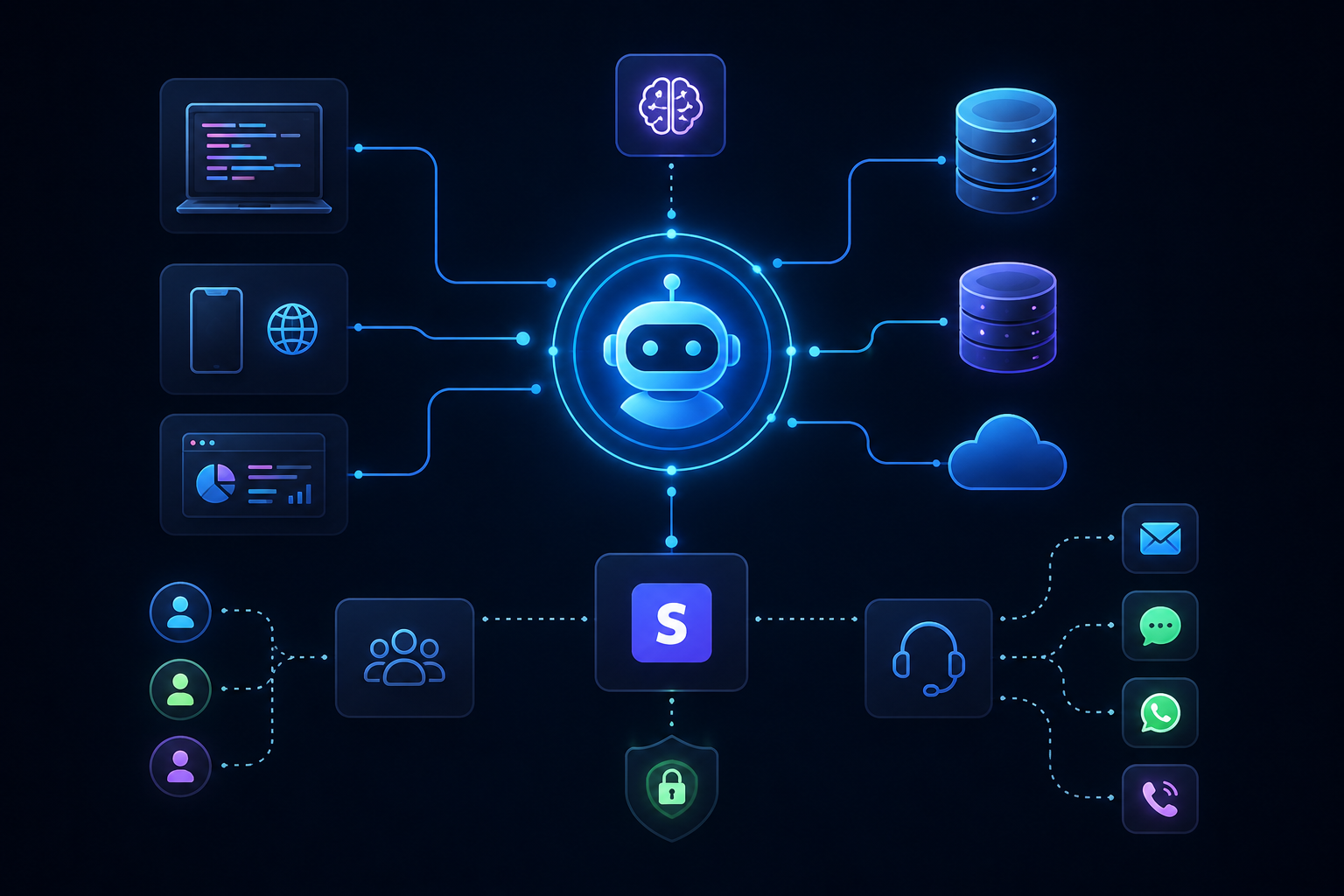
Intercom’s base seat licenses cost between $29 and $139 per seat every month, but adding its Fin AI agent stacks an extra $0.99 fee on every single resolved conversation. For a high-velocity B2B SaaS platform handling thousands of monthly tickets, that hybrid pricing model means support software costs scale directly alongside customer growth—punishing the business for expanding its user base.
For over a decade, Intercom stood as the category leader in customer messaging. It pioneered the sleek, bottom-right chat bubble that defined modern SaaS product design. However, as generative AI evolved from basic canned responses into fully autonomous action-taking agents, the underlying paradigm of customer support underwent a permanent shift. SaaS engineering and growth teams are realizing that overlaying AI on top of legacy, human-first chat infrastructure creates structural bottlenecks, restricted data ownership, and unpredictable software bills.
Engineering leadership and Heads of Customer Success across the software ecosystem are actively migrating away from traditional chat platforms in favor of dedicated, API-native AI support agents. Below is an in-depth breakdown of why this transition is occurring, the architectural limitations of legacy live chat, and how modern AI agents are restructuring support operations.
The Core Shift: Live Chat Platforms vs. Native AI Agents
To understand why software companies are migrating away from Intercom, it is necessary to examine how legacy chat platforms differ from purpose-built agentic AI systems.
Legacy platforms were architected around a human-in-the-loop paradigm. The core object in Intercom is an inbox thread designed for a human support representative to triage, tag, and answer. When AI was added to these platforms, it was integrated as an overlay—a front-end gatekeeper meant to deflect simple queries before routing the remaining conversation to a human desk.
Conversely, modern autonomous AI agents treat the human representative as the escalation target rather than the default handler. Native AI agents operate as stateful execution engines capable of reading complex context, querying multiple microservices in parallel, taking dynamic operational actions, and confirming resolution without human intervention.
| Operational Dimension | Legacy Chat Systems (e.g., Intercom) | Native AI Support Agents |
|---|---|---|
| Core Architecture | Human inbox with AI added as a deflection layer | Autonomous execution engine with human escalation pathways |
| Primary Goal | Ticket deflection and human chat queuing | End-to-end task execution and automated workflow completion |
| Backend Integration | Basic webhooks and predefined app ecosystem integrations | Deep read/write API access across local databases, CRMs, and APIs |
| Data Ownership | Siloed within vendor chat infrastructure | Transcripts and telemetry written directly to team data warehouses |
| Cost Mechanics | Hybrid: Per-seat monthly fee + per-resolution surcharge | Predictable flat-rate infrastructure or true usage-based API consumption |
1. The Financial Trap: Seat Fees Mixed with Per-Resolution Penalties
The primary catalyst driving software CFOs and Operations leads to re-evaluate Intercom is its pricing structure. Intercom utilizes a hybrid model that combines per-seat licensing with per-resolution surcharges.
The Math Behind the Escalating Invoice
Under Intercom’s tiered structure, teams pay per human seat (ranging from $29 to $139/month on standard tiers). When a team activates Fin, Intercom’s AI agent, they are charged $0.99 for every issue the AI resolves.
Consider the financial trajectory of a mid-market B2B SaaS platform handling 4,000 monthly support conversations:
- Human Team Costs: 10 customer support reps on the Advanced plan ($85/seat/month billed annually) = $850/month.
- AI Resolution Costs: The AI agent successfully resolves 50% of incoming tickets (2,000 resolutions at $0.99 each) = $1,980/month.
- Base Outbound & Channel Usage: Standard messaging allowances and surcharges = ~$250/month.
- Total Monthly Spend: $3,080/month (over $36,900 annually).
In this scenario, as the SaaS product scales and attracts thousands of new active users, support volume naturally increases. If the engineering team optimizes its documentation and knowledge base, causing the AI resolution rate to jump to 75% (3,000 tickets), the software invoice increases by nearly $1,000 per month.
The business is financially penalized for making its support automation more effective. Modern dedicated AI agent platforms (and self-hosted custom agents built on framework infrastructures) decouple team seats from execution outcomes, charging flat infrastructure rates or raw token generation costs that drastically reduce total cost of ownership at scale.

2. Superficial Deflection vs. Deep Operational Execution
When a user reports a bug or requests a configuration change, they rarely want an article summary. They want the action performed. Legacy chat bots struggle when forced to execute complex logic across disparate external APIs.
Why Knowledge Base Lookup Is No Longer Enough
Legacy AI widgets operate primarily via Retrieval-Augmented Generation (RAG) mapped over a static help center. If a user asks, 'Why was my workspace suspended?', standard chat bots search published documentation and output a generic list of reasons why accounts get suspended.
Autonomous AI agents operate with full agentic tooling access:
- Query Database: The agent authenticates the user session and queries internal administrative APIs to inspect account status.
- Identify Root Cause: It identifies that a failed billing webhook caused an automated suspension.
- Execute Remediation: It cross-references payment gateways (like Stripe), validates that the user updated their credit card 10 minutes prior, invokes a retry sequence, reactivates the workspace, and informs the user directly in the thread.
This level of autonomous multi-step execution requires deep read/write function-calling capabilities. While Intercom has introduced custom actions, its closed environment makes building, testing, and versioning complex code-level logic far more cumbersome than deploying open-framework agents natively connected to internal microservices.
3. Data Lock-in and Vendor Lock-in Issues
Customer support conversations contain valuable telemetry regarding product usability, technical bugs, churn indicators, and feature requests.
In standard SaaS chat architectures, conversation histories, user intent tags, macro executions, and resolution metrics are stored in a proprietary database. Exporting this data for fine-tuning custom machine learning models, running advanced offline analysis in Snowflake or BigQuery, or training internal LLMs requires managing complex REST API pagination rate limits or paying for enterprise-tier integrations.
SaaS engineering teams are increasingly favoring an open data architecture: point-of-contact tools should store operational data in the company's own infrastructure. Dedicated AI agents log interaction data, step-by-step reasoning chains, and custom function logs directly to your team's PostgreSQL databases or analytical data warehouses.
If you decide to switch underlying LLM providers (for example, moving from Anthropic's Claude to OpenAI's GPT models or a fine-tuned open-weight Llama model), an open agent architecture allows you to swap model parameters instantly without migrating your customer support stack or losing conversational history.
4. Sub-Par Developer and Engineering Workflows
Historically, customer support software was purchased exclusively by Customer Success managers. However, because modern support automation requires API integrations, webhooks, database queries, and custom prompt tuning, software engineering teams now audit these platforms.
When developers evaluate Intercom's automation builders alongside dedicated AI platforms, several friction points emerge:
- Non-deterministic Debugging: Debugging a failed AI conversation path inside a drag-and-drop visual builder offers limited visibility into exact prompt tokens, system instructions, or tool payload failures.
- Lack of Local Environment Testing: Engineers cannot easily spin up local development branches of their support agent logic to run automated integration tests or continuous evaluation (eval) benchmarks against production bug reports.
- Rigid Version Control: Changes made to support workflows inside closed web GUIs lack Git-based pull requests, code reviews, semantic versioning, and instant rollback capabilities.
Modern developer-first AI agent platforms allow teams to define support workflows as code (TypeScript or Python), run regression test suites across thousands of synthetic customer prompts, and deploy agents using standard CI/CD pipelines.
Step-by-Step: How SaaS Teams Migrate from Intercom to AI Agents
Migrating away from an established messaging vendor requires a structured approach to prevent support coverage gaps and maintain high Customer Satisfaction (CSAT) scores.
Step 1: Audit Conversation Types and Map API Endpoints
Begin by analyzing 30 to 90 days of historical support transcripts. Categorize incoming tickets into three distinct buckets:
- Tier 1 (Informational): Password resets, pricing queries, documentation lookups (candidate for immediate 100% AI resolution).
- Tier 2 (Operational): Seats additions, invoice adjustments, key provisioning, subscription pauses (requires read/write API actions).
- Tier 3 (High-Touch Escalations): Security incidents, enterprise contract negotiations, complex bug reports (requires routing to human engineers or account managers).
For all Tier 2 workflows, document the exact internal backend APIs, database routes, and third-party tools required to complete each task.

Step 2: Establish the Data Warehouse and Vector Knowledge Base
Extract your help center articles, API documentation, developer guides, and high-quality historical support tickets. Process and chunk this data, generating vector embeddings stored in a dedicated database (such as Pinecone, Qdrant, or Pgvector).
Unlike vendor-managed knowledge bases, maintaining an independent vector database ensures your AI agent can query internal context across product documentation, internal Notion specs, and GitHub issue trackers simultaneously.
Step 3: Select and Deploy the Agentic Framework
Choose the target platform based on your team's engineering capacity:
- Managed Enterprise AI Platforms (e.g., Decagon, Sierra, Fini): Ideal for mid-market to enterprise teams wanting a turnkey solution with minimal custom code.
- Open/Code-First Frameworks (e.g., LangChain, LlamaIndex, Custom Python/Node Microservices): Ideal for technical engineering teams seeking total data sovereignty, zero seat costs, and direct LLM API access.
Step 4: Implement a Phased Shadow Rollout
Before pointing live customer traffic to the new AI agent, run it in Shadow Mode behind your existing setup:
- Pass incoming live tickets to the new AI agent in real-time without sending its responses to the customer.
- Have the agent draft proposed answers and function calls.
- Compare the agent's output against the responses delivered by human reps or Intercom's Fin.
- Measure the agent's accuracy, execution success rate, and safety rail compliance across at least 1,000 real-world interactions.
Step 5: Switch Live Routing and Decommission Unnecessary Seats
Once the agent achieves a verified accuracy rate exceeding 90% in shadow mode, update your DNS or embedded widget scripts to route live chat, email, and in-app inquiries directly through the AI agent platform. Downscale your legacy platform subscription down to minimal core seats or migrate historical ticket archives to a low-cost internal ticketing system.
Comparing Key Intercom Alternatives for B2B SaaS
When evaluating alternatives, software companies generally choose between specialized managed AI platforms and custom open frameworks. Below is a direct comparison of leading approaches:
| Vendor / Solution | Pricing Model | Primary Strengths | Ideal Target Company |
|---|---|---|---|
| Intercom (Status Quo) | Per seat ($29-$139/mo) + $0.99 per AI outcome | Turnkey setup, sleek UI, integrated outbound messaging | Non-technical teams wanting an all-in-one chat and email inbox |
| Fini AI | Outcome-focused ($0.69/res) with no per-seat fees | Rapid deployment (~48 hours), enterprise security compliance | High-volume SaaS wanting lower per-resolution fees |
| Decagon / Sierra | Custom enterprise contract based on usage/value | Deep autonomous actions, complex workflow reasoning, custom voice/chat | Mid-market to enterprise SaaS platforms with dedicated support operations |
| Custom Open Agent | Flat hosting + raw model API token costs | Complete data ownership, infinite flexibility, lowest long-term cost | Engineering-led SaaS startups with strong developer resources |
Common Pitfalls When Moving to AI Support Agents
While migrating away from legacy chat offers significant financial and operational upside, avoiding common implementation mistakes is essential for a smooth transition.
1. Launching Without Granular Guardrails and Tool Permissions
Giving an AI agent unconstrained read/write access to your production database or Stripe API can lead to unintended side effects. Always scope API keys tightly using least-privilege principles. For actions involving money transfers, account deletions, or data exports, configure the agent to require explicit human confirmation before executing the API call.
2. Treating Prompts as a One-Time Setup
AI agents require ongoing evaluation and continuous testing. Customer queries shift when you release new product updates or alter subscription tiers. Establish automated eval pipelines that benchmark your agent against historical edge-case tickets whenever prompt instructions or tool code are updated.
3. Hiding Escalation Paths from Users
Nothing degrades user experience faster than an AI agent trapped in an endless loop that refuses to hand off to a human. If the AI agent fails to resolve an issue after two consecutive turns, or if the user explicitly asks to speak with a team member, the system should immediately escalate the thread to a human agent alongside a summarized transcript of the conversation.
The Strategic Advantage: Support as an Operational Engine
Replacing legacy chat platforms with autonomous AI agents is not merely a cost-cutting exercise; it changes how SaaS products operate. When customer support shifts from manual messaging queues to real-time API execution, first-response times drop from hours to seconds, and routine operational tasks are handled automatically around the clock.
By reclaiming ownership of conversation data, eliminating seat-based pricing penalties, and giving AI systems direct permission to take action, software companies transform support from an expensive overhead center into a scalable competitive advantage.
If you are currently auditing software subscriptions or looking to optimize your SaaS technology stack, explore hands-on reviews and software breakdowns on Saasbonus to evaluate the right AI tools for your growth stage.




