
SaaS License Management: Cut Unused Seats Faster Now
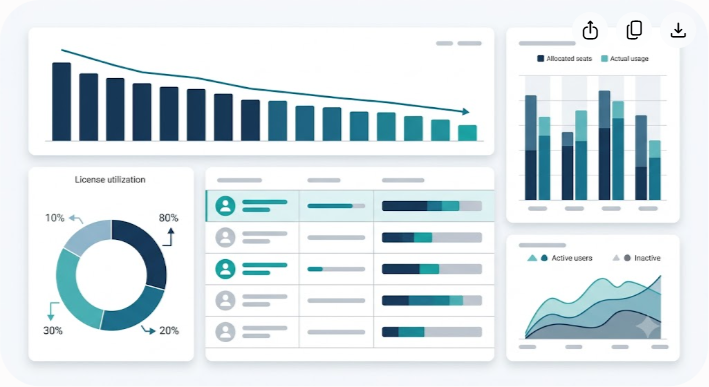
Unused SaaS seats are rarely caused by one obvious purchasing mistake. They accumulate quietly when employees leave, projects end, teams change tools, administrators provision more seats than they need, or annual contracts renew before anyone reviews actual usage.
The practical answer to how to cut unused SaaS seats is not to delete every account that has been quiet for 30 days. A reliable SaaS license management process combines application discovery, contract data, user activity, business context, and a controlled reclamation workflow. The goal is simple: pay for the access your organization actually needs, while preserving the applications, data, integrations, and workflows employees depend on.
A good process also distinguishes between an unused seat, an inactive user, an over-provisioned license, and a service account. Those categories require different actions. Reclaiming the wrong account can create more operational trouble than the original software expense.
This guide explains how to audit SaaS licenses, identify genuine waste, reclaim seats safely, improve renewal decisions, and build a repeatable governance process.
What SaaS License Management Actually Covers
SaaS license management is the ongoing practice of discovering, tracking, reviewing, optimizing, and governing software subscriptions across an organization. It covers more than counting the number of seats shown on an invoice.
A useful license management process answers several practical questions:
- Which SaaS applications does the company use?
- Who owns each application and contract?
- How many licenses have been purchased?
- How many are assigned, unassigned, or actively used?
- Which users have access they no longer need?
- Are some users paying for a higher tier than their work requires?
- Which applications were purchased outside the normal procurement process?
- When can unused capacity be removed or reduced?
- Which contracts have renewal dates approaching?
The answers usually come from several sources rather than one dashboard. Identity providers can show authentication activity. Vendor administration consoles can show assigned seats. Finance systems can reveal recurring charges. Application APIs may provide deeper usage information. HR systems can supply employment and department data.
The important point is that no single signal tells the whole story.
A user who hasn't logged into a design application for 45 days may be inactive. Or they may be a creative director who only opens the application for monthly campaign reviews. Likewise, an account that has no interactive login may be a service account supporting an integration.
Good SaaS governance combines technical evidence with business context before making a change.
The Real Cost of Unused SaaS Seats
The financial impact of unused software is easy to understand: an organization continues paying for access that provides little or no value. The harder part is finding that waste when it is distributed across dozens or hundreds of subscriptions.
Imagine a company with 150 SaaS applications. One product has eight unassigned seats, another has five former employees still listed, and a third has several users on an expensive plan even though they only need basic functionality. None of these issues looks significant on its own. Together, they can become a recurring cost that receives little scrutiny because each charge is buried inside a larger software budget.
Direct Software Costs
Unused seats can affect monthly spending, annual renewals, or both. The exact savings depend on the vendor's billing model and contract terms.
For example, a vendor may allow an administrator to remove seats from a monthly subscription immediately. Another vendor may sell a fixed annual commitment that cannot be reduced until renewal. In the second case, removing a user from the administration console may improve internal license availability without creating an immediate refund.
That distinction matters when calculating expected savings.
Before reporting a reclaimed license as financial savings, check whether the vendor actually reduces the invoice, whether the seat can be reassigned, or whether the benefit will appear at the next renewal.
Hidden Operational Costs
License waste also creates administrative overhead. IT teams spend time provisioning duplicate seats, finance teams reconcile unnecessary invoices, and managers repeatedly approve purchases that could have been filled from existing capacity.
A poorly managed software stack can also make procurement slower. When nobody knows which subscriptions already exist, employees are more likely to request another tool rather than search for an approved alternative.
Security and Access Risks
Unused access deserves a security review as well as a financial review.
An account belonging to a former employee may retain access to documents, customer information, project data, or other connected systems if the application's access controls are separate from the company's main identity system. OAuth connections and personal access tokens can introduce additional considerations.
Not every inactive account is a security incident, but stale access increases the number of identities that security teams need to understand and govern. Timely deprovisioning reduces that exposure.
Why Unused SaaS Seats Accumulate
Most SaaS waste has a recognizable cause. Once the cause is understood, the solution becomes much easier to design.
Offboarding Gaps
A common assumption is that disabling an employee in the identity provider automatically removes every SaaS entitlement. In a well-integrated environment, it may remove access to many applications. It does not guarantee that every application, local account, API token, or separately managed subscription has been handled correctly.
The result is a familiar pattern: an employee leaves, their corporate identity is disabled, but their paid seat remains assigned in one or more vendor systems.
A strong offboarding process should therefore include application ownership and license checks, not just identity deactivation.
Defensive Over-Provisioning
Teams often buy extra seats because they expect new hires, temporary projects, or organizational changes. Sometimes the additional capacity is commercially sensible. Sometimes it simply becomes forgotten inventory.
The problem isn't buying a small buffer when the contract supports it. The problem is never reviewing that buffer afterward.
A license pool should have an owner, a purpose, and a review date. If the seats remain unused through several planning cycles, the organization should reconsider whether they belong in the next contract.
Shadow IT
Employees can adopt software without going through central procurement, especially when a free trial or individual subscription solves an immediate problem. A team may later expense the subscription or attach it to a corporate payment method.
These applications are easy to miss because they may not appear in the company's SSO directory or approved software catalog.
Financial records, expense reports, corporate card transactions, DNS records, and employee surveys can all help uncover this part of the software estate.
Role and Tier Changes
People change jobs without leaving the company. A designer may move into management. A salesperson may transfer to operations. A contractor may become a full-time employee.
Their original software permissions can remain untouched even though their responsibilities have changed.
This creates a different kind of license waste: the account is active, but the assigned plan is more expensive than necessary. License optimization should therefore examine fit, not just activity.
A 5-Step Process to Audit and Cut Unused SaaS Seats
A practical SaaS audit should be systematic but not complicated. The following five steps provide a workable starting point for most organizations.
Step 1: Build a Complete SaaS Inventory
You cannot optimize software that you don't know you have. Start by creating an inventory of applications, vendors, contracts, owners, payment methods, license counts, and renewal dates.
Pull information from several sources:
- Identity provider records: Review application assignments and authentication activity from systems such as Okta, Microsoft Entra ID, or Google Workspace.
- Vendor administration consoles: Export assigned users, available seats, roles, subscription tiers, and account status from important applications.
- Finance records: Review accounts payable data, corporate card transactions, purchase orders, and expense reports for recurring software charges.
- Procurement records: Match active contracts to the applications actually being used.
- HR data: Compare current employees and contractors with users assigned to paid software.
- Application integrations: Where available, use APIs or administrative reports to obtain deeper usage information.
Record at least these fields for each subscription:
| Field | Why It Matters |
|---|---|
| Application | Identifies the software being reviewed |
| Vendor | Links the subscription to the supplier and contract |
| Business owner | Establishes who can confirm business need |
| Contract owner | Identifies who handles renewal and negotiation |
| Purchased seats | Shows contracted capacity |
| Assigned seats | Shows current allocation |
| Active users | Indicates recent engagement |
| Subscription tier | Helps identify over-provisioning |
| Cost | Supports financial prioritization |
| Renewal date | Determines when reductions can affect the contract |
| Authentication method | Helps identify SSO and local-account gaps |
Don't expect the first inventory to be perfect. The goal is to create a reliable baseline that can be improved during each audit cycle.
Step 2: Define Activity Thresholds by Application Type
There is no universal definition of an inactive SaaS user. A fixed 30-day rule may work for some applications and be completely inappropriate for others.
Start by grouping applications according to how frequently employees are expected to use them.
| Application Type | Example Use | Possible Review Window |
|---|---|---|
| Daily work applications | Messaging, CRM, collaboration | Around 30 days |
| Specialist applications | Design, analytics, development | Around 60 days |
| Periodic business applications | Tax, travel, compliance, equity administration | 90 to 180 days or based on business cycles |
| Seasonal applications | Event, campaign, or project tools | Based on project or seasonal schedules |
These are review starting points, not automatic deletion rules.
More importantly, distinguish between login activity and meaningful application usage. A login can confirm that an account was accessed, but it doesn't necessarily show that the user relies on the product. If a vendor provides feature-level activity, use it where appropriate.
Also consider integrations. An account that rarely receives human logins may still be essential to an automated workflow.
Step 3: Classify Every License
Once the inventory and activity data are available, assign each license to a clear category.
- Active and appropriately provisioned: The user works with the application regularly and the assigned tier fits their role.
- Active but over-provisioned: The user needs the application but may be able to move to a lower-cost tier.
- Inactive: The assigned user has not shown meaningful activity within the agreed review period and has no documented business reason for continued access.
- Unassigned: The company has paid capacity that is not currently allocated to a user.
- Orphaned: The account is associated with a former employee, obsolete role, or abandoned ownership structure.
- Service or integration account: The account supports an automated process and should not be judged using ordinary human-login rules.
This classification prevents a common mistake: treating every quiet account as disposable.
Step 4: Reclaim Seats Safely
License reclamation should be predictable. Employees are far more likely to accept it when they understand what will happen and have a clear way to retain access if they still need it.
A practical soft-deprovisioning process looks like this:
- Identify the candidate: Flag the user or seat based on the agreed usage rules.
- Check business context: Review the employee's role, manager, project assignments, and any known seasonal requirements.
- Notify the user: Explain why the account was selected and provide a simple way to request continued access.
- Notify the manager when necessary: Escalate unresolved cases to the responsible manager or application owner.
- Protect business data: Confirm ownership of documents, dashboards, projects, automations, and integrations before changing access.
- Reclaim or downgrade the license: Remove the paid entitlement, transfer it to another user, or move the account to a suitable lower tier.
- Record the result: Log the action, date, reason, and resulting license availability.
A seven-day notice period can be useful for frequently used applications, but it shouldn't be treated as a universal rule. High-risk or sensitive systems may require a different process, while low-risk applications may support faster reclamation.
Step 5: Use the Data at Renewal
The strongest savings opportunity often comes when the vendor contract is reviewed.
For each renewal, compare the contracted seat count with historical allocation and usage. Look for persistent unused capacity rather than relying on a single month's snapshot.
Suppose a company has contracted 500 seats and typically has only 410 assigned, with activity data showing that most of those 410 users are active. That doesn't automatically mean the renewal should be reduced to 410. The business may expect rapid hiring, seasonal demand, or a planned organizational change.
Instead, the usage history gives procurement a defensible starting point for negotiation.
Ask vendors about:
- Minimum annual seat commitments
- Monthly versus annual billing
- Seat reduction rules
- Renewal true-down rights
- Proration policies
- Tier downgrade options
- Reallocation between users
- Contract co-termination
- Volume discounts at different seat levels
- Renewal notice deadlines
Document the terms. A seat can be technically reclaimable inside an application while remaining financially committed under the contract.
How to Find Inactive SaaS Accounts
Finding inactive accounts is harder than simply sorting users by their last login date.
Start with a layered approach.
Layer 1: Identity Activity
Check authentication records from the identity provider. This is useful for identifying accounts that have not authenticated recently, particularly when applications use centralized SSO.
Layer 2: Application Activity
Where possible, review vendor-specific activity such as file edits, project changes, report views, workflow actions, or other meaningful events. This provides stronger evidence of actual product use than authentication alone.
Layer 3: Employment Status
Compare application users against HR records. Former employees and expired contractor accounts should receive immediate attention, subject to the organization's security and retention procedures.
Layer 4: Business Context
Ask whether the person has a role that naturally requires infrequent access. Finance, legal, executives, administrators, and seasonal teams can have very different usage patterns from sales or engineering.
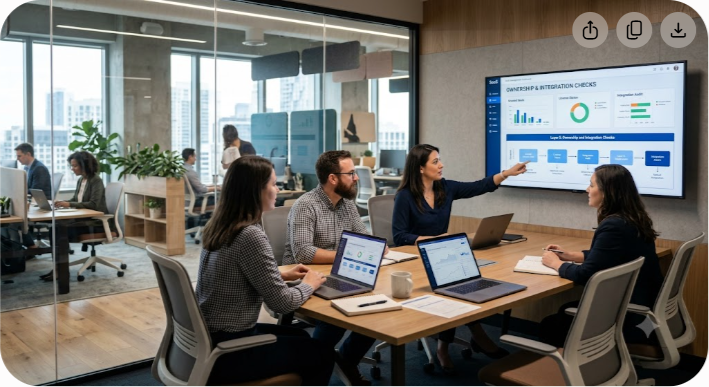
Layer 5: Ownership and Integration Checks
Before removing an account, verify that it doesn't own critical workflows, scheduled reports, API integrations, shared files, or administrative settings.
This layered method reduces false positives and makes license reclamation safer.
How to Reclaim Software Licenses Without Disrupting Work
The safest reclamation process separates access removal from data ownership.
Removing a paid seat may sound simple, but the account can contain valuable information or be connected to other systems. Before changing it, check:
- Files and documents owned by the user
- Shared project spaces
- Scheduled reports
- Automated workflows
- API credentials
- OAuth connections
- Billing or administrative permissions
- Customer records
- Shared inboxes
- Dashboards and saved searches
- Team-specific configurations
Transfer ownership where necessary. If the vendor doesn't support ownership transfer, document the limitation and involve the application owner before proceeding.
For employees who still need occasional access, a lower-cost tier may be preferable to full removal. For employees who no longer need the product, complete deprovisioning may be appropriate.
The objective is not the highest possible number of reclaimed seats. It's the lowest sustainable software cost without creating operational risk.
SaaS License Management Approaches Compared
Different organizations need different levels of tooling. A spreadsheet can be enough for a small, stable software environment. A larger organization with hundreds of applications may need automated discovery and workflow management.
| Feature / Metric | Manual Spreadsheet | Finance and Procurement Review | Dedicated SaaS Management Platform |
|---|---|---|---|
| Discovery | Limited and manual | Good for paid subscriptions | Broader when connected to SSO, finance, and application data |
| Seat tracking | Manual updates | Moderate | Automated or synchronized where integrations exist |
| Usage analysis | Basic | Usually limited | Deeper when application APIs provide usage data |
| Shadow IT visibility | Low | Moderate for paid tools | Higher when financial and identity signals are combined |
| Workflow automation | Minimal | Limited | Usually strong |
| Renewal tracking | Manual | Strong if procurement owns the process | Usually integrated |
| Implementation effort | Low | Moderate | Higher |
| Ongoing labor | High | Moderate | Lower after implementation |
| Best fit | Smaller teams | Organizations with mature finance operations | Larger or more complex SaaS estates |
A dedicated platform isn't automatically the right answer. Tooling should follow the complexity of the problem. If a company has a manageable number of applications and a disciplined IT team, a well-maintained inventory can deliver meaningful results.
The deciding factor is whether the organization can consistently maintain accurate data and act on it.
Common Mistakes in SaaS License Optimization
Mistake 1: Using a Single Inactivity Rule for Every Application
A blanket rule such as "no login in 30 days means remove the license" is easy to implement and easy to get wrong.
Usage patterns differ dramatically between applications. Establish thresholds by business function and validate unusual cases before taking action.
Mistake 2: Treating SSO Data as Complete Usage Data
SSO records are valuable, but authentication is not the same as product usage. An application may support local accounts, API activity, shared access, or other usage that doesn't appear in the same identity report.
Use SSO as one source of evidence rather than the entire audit.
Mistake 3: Reclaiming Service Accounts
Service accounts can look inactive because no employee signs into them. Yet they may run integrations, automated jobs, reporting processes, or notifications.
Maintain a separate category for service and integration accounts. Require an owner and documented purpose rather than applying ordinary user rules.
Mistake 4: Ignoring Tier Optimization
Seat count isn't the only variable that affects software cost. A user may be active every day while still holding a premium plan that their role doesn't require.
Review permissions and features alongside usage. A downgrade can sometimes achieve the same business objective as removing the license entirely.
Mistake 5: Waiting Until Renewal Week
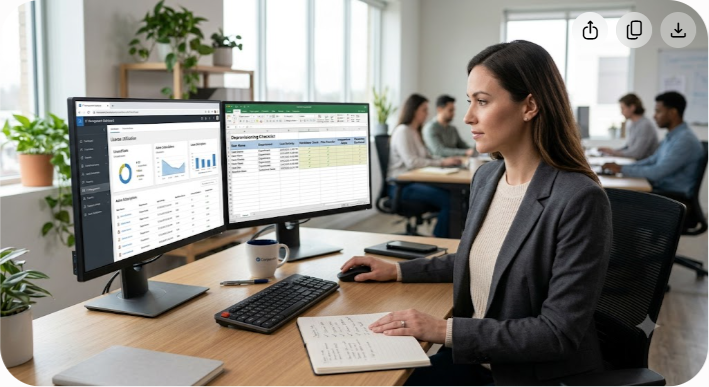
Starting a license audit immediately before renewal leaves little time to validate data or negotiate with a vendor.
Begin the review well before the contract deadline. Ninety days is a useful planning target for many annual agreements, although the right lead time depends on contract terms and procurement complexity.
Mistake 6: Measuring Reclaimed Seats Instead of Real Savings
A dashboard showing 100 reclaimed seats may look impressive, but the organization may not save cash immediately if those seats remain part of a fixed annual commitment.
Track both operational metrics and financial outcomes:
- Seats reclaimed
- Seats reassigned
- Seats downgraded
- New purchases avoided
- Contracted seats reduced
- Actual invoice savings
- Renewal savings
- Time spent managing licenses
This gives leadership a much clearer picture of the program's value.
Build a Long-Term SaaS Governance Framework
A one-time cleanup won't prevent new waste from appearing. SaaS governance works best when license decisions become part of normal IT, finance, security, and procurement processes.
Assign Application Owners
Every significant application should have a named business owner and, where appropriate, a technical or procurement owner. Someone should be accountable for deciding who needs access, which tier is appropriate, and whether the application still serves a business purpose.
Create a Standard Software Request Process
Give employees a simple way to request software. A good intake process can check whether an approved application already meets the need, whether a spare license exists, and whether the requested tool introduces security or compliance concerns.
The process shouldn't be so difficult that employees bypass it. Fast approvals and clear ownership are important parts of shadow IT prevention.
Maintain a Re-Harvesting Loop
When a new employee requests a paid application, check the existing license pool before purchasing another seat.
For example, if the company already has an unassigned seat available, that seat should be offered before procurement opens a new purchase request. When a departing employee releases a seat, record it as available capacity rather than allowing it to disappear from view.
This simple loop prevents the organization from simultaneously paying for unused seats and buying new ones.
Review Licenses During Role Changes
Offboarding is only one trigger for access review. Promotions, transfers, reorganizations, and changes in employment type can all alter software requirements.
A quarterly access review can identify users whose license tier no longer matches their role.
Schedule Regular License Harvesting
A practical cadence is to monitor high-cost or high-risk applications continuously, perform lighter monthly checks where useful, and conduct a broader quarterly review.
The exact schedule should reflect the size of the software estate. The important part is consistency.
Coordinate IT, Finance, Security, and Procurement
SaaS management becomes much more effective when these teams share information.
IT understands identities and access. Finance sees spending. Security evaluates risk. Procurement manages contracts and negotiations. No single team necessarily has enough information to optimize the entire software estate alone.
SaaS Audit Checklist
Use this checklist when running a license review:
- Build a current inventory of SaaS applications.
- Identify the business and contract owner for each important application.
- Record purchased, assigned, and available seats.
- Compare application users with current employee and contractor records.
- Review SSO and vendor-specific activity data.
- Identify inactive, unassigned, orphaned, and over-provisioned accounts.
- Separate human accounts from service and integration accounts.
- Check files, workflows, integrations, and ownership before deprovisioning.
- Notify users and managers before reclaiming non-critical access.
- Reassign available seats before buying new ones.
- Review lower-cost tiers for users who don't need premium features.
- Record contract restrictions on seat reductions.
- Start renewal reviews early enough to support negotiation.
- Measure actual savings rather than counting reclaimed seats alone.
- Repeat the process on a defined schedule.
Using Software Reviews During Procurement
License management doesn't begin after a contract is signed. Procurement decisions determine how easy a subscription will be to manage later.
When comparing software products, look beyond feature lists and headline pricing. Ask how the vendor handles seat changes, billing, user provisioning, role management, data ownership, integrations, and contract reductions.
A product with flexible seat management can be easier to operate than one with a lower nominal price but rigid annual commitments.
Independent software review resources such as Saasbonus can also help teams compare products before making a purchase. The useful question isn't simply which tool has the most features. It's which product fits the organization's actual requirements, budget, security model, and expected usage pattern.
How to Measure SaaS Waste Reduction
A mature SaaS license management program needs measurable outcomes.
Start with a small set of metrics that leadership can understand:
License Utilization Rate
This measures how much purchased capacity is actively used. The formula can be adapted to the application's billing model, but a basic version is:
License utilization rate = active or appropriately used seats / purchased seats x 100
Be consistent about what counts as "active". Otherwise, comparisons between applications become misleading.
Reclamation Rate
Track how many seats are identified for reclamation and how many are actually reclaimed or reassigned.
A high number of flagged seats with very few completed actions may indicate that the approval process is too slow or that the activity rules are too aggressive.
Avoided Purchases
When a new employee receives a reclaimed license instead of a newly purchased one, record the avoided purchase. This is often more meaningful than simply counting the seat as reclaimed.
Renewal Reduction
Track changes in contracted seat counts and subscription costs at renewal. This is where historical usage data can become useful in procurement negotiations.
Time to Deprovision
For security-sensitive applications, measure how long it takes to remove unnecessary access after an employee leaves or changes roles.
Financial savings and security improvements are related but distinct outcomes. Measure both.
What Percentage of SaaS Licenses Go Unused?
There is no single reliable percentage that applies to every company or every SaaS application. Published estimates vary because researchers and vendors define "unused," "inactive," and "underutilized" differently.
Some studies focus on assigned seats without recent logins. Others measure feature usage, while some analyze financial commitments rather than individual accounts. Company size, application type, workforce model, and procurement practices also affect the result.
For that reason, organizations should avoid building a business case around a generic industry percentage. Your own usage data is more useful.
Measure purchased seats, assigned seats, meaningful activity, tier fit, and renewal commitments separately. That creates a defensible picture of where the actual waste sits.
Key Takeaways
SaaS license management is most effective when it becomes an operating process rather than a one-time cleanup.
The practical approach is straightforward:
- Discover every application and subscription you can.
- Combine finance, identity, HR, procurement, and application data.
- Define activity thresholds according to business context.
- Separate inactive human accounts from service and integration accounts.
- Review license tiers as well as seat counts.
- Give employees and managers a clear reclamation process.
- Reassign available licenses before purchasing new ones.
- Use historical usage data during contract renewals.
- Track real financial savings instead of relying on reclaimed-seat counts.
- Repeat the review regularly.
The best license optimization program doesn't simply remove software access. It creates a reliable system for matching software costs with real business requirements. That makes the savings more sustainable and reduces the risk of disrupting the people and processes that depend on the tools being managed.
Frequently Asked Questions
What is SaaS license management?
SaaS license management is the process of discovering, tracking, reviewing, and optimizing software subscriptions across an organization. It covers seat allocation, user activity, access changes, license tiers, contracts, renewals, and software ownership. The goal is to maintain appropriate access while reducing unnecessary spending, improving visibility, and supporting stronger security and procurement decisions.
What percentage of SaaS licenses go unused on average?
There is no universal unused-seat percentage that applies across all organizations. Estimates vary because studies use different definitions of inactive or underutilized licenses. Instead of relying on a generic benchmark, measure your own purchased, assigned, active, and appropriately tiered seats. That provides a more accurate basis for identifying waste and planning renewal reductions.
How often should a business audit its SaaS licenses?
Many organizations benefit from monthly checks for high-cost or high-risk applications and a broader quarterly review of their SaaS estate. Annual contract renewals deserve earlier preparation, often beginning around 90 days before expiration. The right schedule depends on application count, contract terms, employee turnover, and how quickly software usage changes.
What is the difference between an unassigned seat and an inactive seat?
An unassigned seat is purchased capacity that currently has no user attached to it. An inactive seat is assigned to a user who has not shown meaningful activity within the organization's defined review period. Both can represent unused capacity, but they require different checks. An inactive account may still have business context, ownership, or data that needs review.
How do you reclaim SaaS licenses without upsetting employees?
Use a predictable reclamation process rather than removing access without warning. Notify the user, explain the reason for the review, give them a simple way to request continued access, and involve the manager when appropriate. Before changing access, protect files, workflows, and integrations. Downgrading an account can also be preferable to removing access entirely.
Can SSO tools like Okta completely solve unused seat tracking?
No. SSO provides useful information about authentication and application assignments, but it doesn't necessarily show feature-level usage, local accounts, service accounts, or software purchased outside the managed environment. A reliable SaaS audit combines identity data with vendor usage reports, financial records, HR information, procurement data, and business-owner confirmation.
Sustainable Software Efficiency
Cutting unused SaaS seats is not about chasing a perfect utilization number. It's about creating enough visibility to make sensible decisions before costs become permanent.
Start with the applications that have the highest spend, the largest seat pools, the greatest security exposure, or the closest renewal dates. Build a clean inventory, establish sensible activity rules, reclaim seats carefully, and use the resulting data in future procurement decisions.
Once those habits are embedded, SaaS license management becomes part of normal operations rather than an emergency cost-cutting exercise. The result is a software estate that is easier to govern, easier to secure, and better aligned with how the business actually works.




