
Stop Chasing Status Updates: The Best Asynchronous Workflows for Growing Content Teams
The Morning Ping Apocalypse
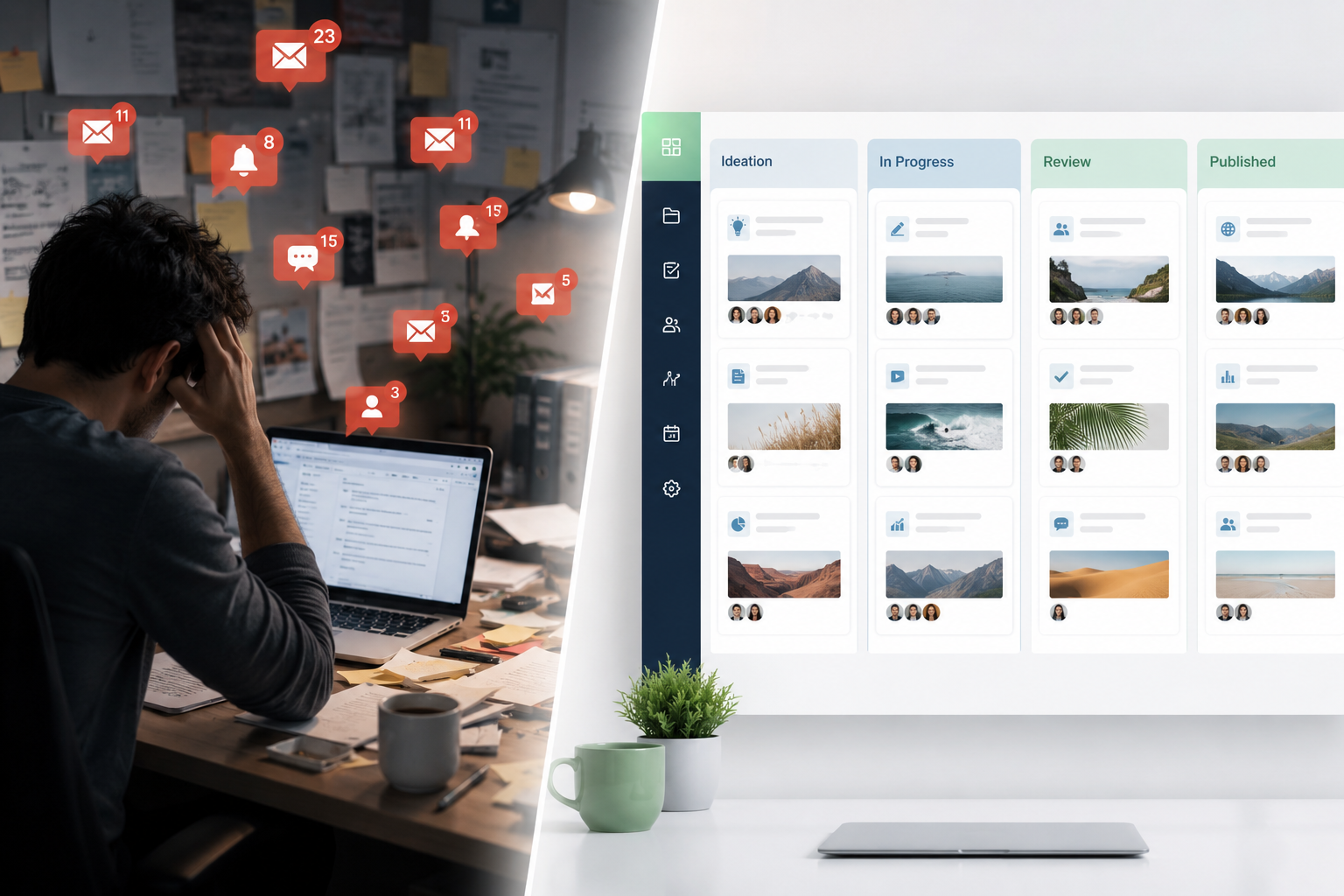
It is 9:02 AM. You open your laptop, take a sip of coffee, and prepare to spend the next hour actually writing or planning quarterly strategy. Instead, the red notification dots start multiplying.
'Hey, quick question on that B2B SaaS draft—where are we at with the graphics?' 'Are we still on track for Friday's publish date?' 'Can you jump on a quick 10-minute sync to discuss the edits for the security whitepaper?'
That 10-minute sync turns into a 30-minute calendar block. The 30-minute block derails your focus. By noon, your content team has produced precisely zero words of actual content, but everyone has spent three hours discussing the status of the content.
When you are a team of two or three creators, managing production via Slack pings and impromptu Zoom calls feels natural. It feels fast. But as your team scales to five, ten, or twenty writers, editors, and designers, this real-time dependency becomes an operational chokehold. It breeds a culture of hyper-responsiveness where deep work goes to die, and shallow administrative management takes its place.
Growing content teams do not need more status updates. They need asynchronous workflows that protect deep focus, establish clear ownership, and let software handle the administrative heavy lifting. At SaaSBonus, we spend our days testing and breaking the tools meant to solve these operational bottlenecks. Let's look at exactly how to transition your content engine from chaotic real-time chasing to an efficient, asynchronous machine.
The Real Cost of Synchronous Content Operations
Why does real-time communication hurt content teams more than almost any other department? Because content creation requires prolonged periods of uninterrupted cognitive focus.
A developer can look at an asynchronous pull request. A salesperson can work through a queue of leads. A writer, however, needs to hold an entire narrative arc, a brand voice, complex technical data, and SEO keyword structures in their head simultaneously. Every time a Slack notification pops up asking for a status update, that mental house of cards collapses. Research shows it takes an average of 23 minutes to regain focus after a single distraction. If your writers are interrupted three times a morning, their deep work window for the entire day is effectively ruined.
Furthermore, synchronous operations create massive communication debt. When decisions about an article's direction are made during a quick Zoom call, that context is lost to everyone else who wasn't on the call. The freelance designer doesn't know the angle changed. The SEO specialist doesn't know a target keyword was dropped.
True asynchronous work isn't just about working at different times; it's about creating a single, self-documenting source of truth where work moves forward without requiring two people to be online at the exact same moment.
The Four Pillars of an Asynchronous Content Engine
To build a content team that functions seamlessly across time zones and schedules, you need to replace verbal agreements and real-time check-ins with structural frameworks. An effective async content engine relies on four core pillars.
1. Centralized Single Source of Truth
If a team member has to ask 'Where is the latest draft?' or 'What are the current brand guidelines?', your asynchronous system has failed. Every asset, brief, guideline, and deadline must live in a centralized project management hub that is accessible to everyone from full-time directors to freelance copyeditors.
2. Radical Documentation
Every process must be documented so clearly that a brand-new freelance writer can onboard, receive an assignment, understand the brand voice, utilize the correct formatting, and submit their draft without needing to speak to a manager. This means maintaining an updated internal wiki containing style guides, sourcing requirements, and tool-specific instructions.
3. Hyper-Detailed Briefs
Most real-time meetings happen because the initial instructions were vague. An asynchronous workflow demands comprehensive content briefs. A brief shouldn't just be a title and a keyword list; it must outline the target audience, search intent, internal links to include, specific product features to highlight, and a rough structural outline.
4. Stage-Gate Handoffs
Instead of passing work back and forth through direct messages, work should move linearly through predefined stages within your project management software. When a writer finishes a draft, changing the status to 'Ready for Edit' should automatically notify the editor, attach the relevant brief, and assign a new due date based on predefined rules.

Designing the Perfect Async Editorial Pipeline
Let's break down exactly how a piece of content moves from an initial idea to a published asset without a single status alignment meeting.
Stage A: Ideation and Pitching
Instead of a weekly brainstorming meeting where the loudest voice wins, move ideation to an asynchronous database. Team members submit content ideas via a standardized form. Each submission must include the core topic, target keyword, business value justification, and target persona. The content director reviews these pitches once a week, leaving text feedback directly on the submission card, and either approves them to the backlog or archives them.
Stage B: Briefing and Assignment
Once an idea is approved, the content strategist creates the comprehensive brief within the project management tool. The task is then assigned to a writer with a clear deadline. The writer receives a notification containing everything they need to start. If the writer has questions, they leave a comment directly inside the task card rather than sending a private message, ensuring the conversation remains attached to the asset for future reference.
Stage C: Drafting and Deep Work
Writers work within dedicated writing tools (like Google Docs or Notion). While drafting, their communication tools are closed. They are not expected to answer messages instantly. The goal is uninterrupted focus.
Stage D: The Asynchronous Edit
When the draft is ready, the writer moves the task status to 'In Editorial Review.' The editor uses inline commenting and suggestion modes within the document editor to provide feedback. For complex structural critiques that are tedious to type out, the editor records a three-minute screen-share video using tools like Loom or Vidyard, walking through the document. The writer reviews these comments and the video on their own schedule, makes the changes, and tags the editor when finished.
Stage E: Design and Formatting
Once the text is approved, the task shifts to the design phase. The graphic designer looks at the embedded design brief within the same task card, creates the required featured images or infographics, and uploads them directly to the asset card or a connected digital asset management (DAM) system.
Stage F: Production and Publishing
The content manager takes the approved copy and design assets, uploads them to the CMS, runs final SEO formatting checks, and schedules the post. Once published, the live URL is added to the database card, and the status is changed to 'Published,' automatically triggering a notification to the distribution team.
The Tool Stack for Frictionless Async Operations
You cannot run an asynchronous team on email and basic spreadsheets. You need a deliberate software stack designed to capture context and automate handoffs. Here are the leading platforms evaluated by SaaSBonus for optimizing your editorial pipeline.
| Tool Category | Software Options | Best Used For |
|---|---|---|
| Project & Task Management | ClickUp, Notion, Asana | Managing the overall editorial calendar, custom fields, and task dependencies. |
| Asynchronous Communication | Loom, Threads, Slack (with boundaries) | Replacing stand-up meetings with video walk-throughs and long-form text discussions. |
| Knowledge Management | Notion, Slite, Guru | Storing brand style guides, SEO playbooks, and writer onboarding documentation. |
| Collaboration & Editing | Google Workspace, Notion | Real-time and async collaborative writing, commenting, and version tracking. |
Project Management Hubs
- ClickUp: Excellent for complex content teams that require rigid, automated workflows. You can set up custom statuses (e.g., 'Outline', 'Drafting', 'Internal Review', 'Client Review') and create automation rules that reassign tasks and change due dates automatically when a status shifts.
- Notion: Perfect for teams that prefer flexibility and want their project management to live right alongside their actual workspace and wiki documentation. You can view your pipeline as a Kanban board, a calendar, or a relational database, making it incredibly simple to link a content brief to a specific author profile and asset folder.
Contextual Video and Messaging
- Loom: The ultimate tool for eliminating the 'quick sync'. Editors can record their screens while scrolling through a draft, explaining exactly why a paragraph needs rewriting. It saves time for the editor and provides rich, tone-accurate context for the writer.
- Threads or Twist: These platforms are designed as alternatives to the chaotic, linear chat of standard Slack. They force conversations into organized, topical threads, allowing team members to catch up on specific decisions without wading through thousands of unread random chat messages.
Common Pitfalls When Moving to Async Workflows
Shifting away from real-time communication is an ongoing cultural adjustment. Teams often run into a few predictable roadblocks during the transition.
The Oversharing Trap
When people stop talking in meetings, they sometimes compensate by writing massive, multi-page essays for every minor decision. Asynchronous documentation should be clear and thorough, but it must remain concise. Use bullet points, bold text for key takeaways, and explicit action items so team members can skim and understand the core message in under thirty seconds.
The Ghosting Phenomenon
Asynchronous does not mean 'answer whenever you feel like it next week.' It means responding thoughtfully within an agreed-upon, predictable window—usually 12 to 24 hours. Teams must establish clear service-level agreements (SLAs) for internal communication. For example: editorial feedback must be returned within 48 hours of a status change; comment notifications on active assignments must be acknowledged within one business day.
Over-Automation Chaos
It is tempting to build intricate automated systems that trigger dozens of Slack alerts, emails, and task updates every time a writer fixes a typo. Too many automated notifications create notification fatigue, causing team members to ignore their dashboards entirely. Keep your automations focused strictly on major handoffs: moving from drafting to editing, or moving from editing to design.
Actionable Steps to Transition Your Content Team This Week
You don't have to overhaul your entire organizational infrastructure overnight to start reaping the benefits of async work. Start with these three practical steps this week:
- Cancel Your Weekly Status Meeting: Take your next scheduled content status alignment meeting and delete it from the calendar. In its place, set up a simple automated thread or a dedicated text channel where every team member posts three bullet points by 10 AM Monday: what they shipped last week, what they are focused on this week, and any current blockers.
- Audit Your Content Briefs: Look at your last three assigned briefs. Did the writer have to ask clarifying questions about the goal, audience, or structure? If yes, expand your brief template to include those missing data points explicitly.
- Implement the 2-Hour Deep Work Rule: Block out two consecutive hours on your team's shared calendar every day where internal messaging tools are completely optional. Encourage writers to shut down their chat apps entirely during this window to focus solely on production without the fear of missing an urgent ping.
By moving away from constant real-time tracking, you give your content team their most valuable asset back: the uninterrupted mental space to create exceptional work that drives revenue and builds brand authority.




