
Software Evaluation Checklist: How to Pick the Right B2B Software the First Time
It is 4:00 PM on a Friday, and you are staring at a line item in your departmental budget that makes your stomach drop. It is a five-figure annual renewal for a software platform that nobody on your team has logged into since last quarter.
We have all been there. It starts with a dopamine hit. You find a shiny new platform that promises to fix your team's biggest operational bottleneck. The demo looks flawless. The sales rep is incredibly attentive. You sign the contract, celebrate the upcoming digital transformation, and then... nothing. Six months later, you realize you bought an expensive digital paperweight. Your team reverted to their chaotic spreadsheets because the software was too complex, lacked a critical integration, or required a small army to maintain.
In the B2B world, bad software choices are brutal. They eat your budget, kill team morale, and burn hundreds of hours of engineering time on failed implementations. At Saasbonus, we spend all day conducting independent, hands-on reviews because we hate seeing companies waste hard-earned cash on shelfware.
You do not need a miracle to get software procurement right. You just need a repeatable, objective process. This comprehensive B2B software evaluation checklist will walk you through how to vet vendors, calculate true costs, and ensure your team actually uses what you buy.
Phase 1: Define the Problem Before You Look at Features
Most software procurement failures happen before a single demo is booked. They happen because the buyer starts shopping for solutions before truly defining the problem.
The 'Problem Statement' Trap
When you ask a manager why they need new software, they usually give a vague answer: 'Our project management is messy,' or 'We need better analytics.' Vague problems lead to vague software purchases.
Before you browse a review site, build a hyper-specific problem statement. Talk to the frontline employees who are actually struggling.
- Bad: We need a new content management system because the old one is slow.
- Good: Our editorial team takes 45 minutes to publish a single blog post because our current CMS requires manual image resizing, lacks an intuitive rich-text editor, and doesn't connect directly to our asset library. We lose 15 hours of production time weekly due to these manual workarounds.
Audit Your Existing Tech Stack
Before bringing a new vendor into your ecosystem, look at what you already own. Feature creep is real. The marketing automation tool you bought last year might have quietly launched a new module that solves your current sales pipeline issue.
Ask your IT department for a full list of active software subscriptions across the company. You might find another team is already using the exact platform you are eyeing, meaning you could negotiate an enterprise tier or add seats for a fraction of the cost.
Phase 2: Build Your Buying Committee
If you buy software in a silo, it will die in a silo. Modern B2B software touchpoints extend far beyond the department lead who signs the check.
Gather your key stakeholders early. You do not need dozens of people in every meeting, but you do need their core requirements before you short-list vendors.

The Core Four Stakeholders
- The Executive Sponsor: The person holding the budget. They care about high-level metrics: return on investment (ROI), time-to-value, and strategic alignment with company goals.
- The Power User: The team member who will spend four to six hours a day inside the platform. They care about user interface, speed, keyboard shortcuts, and daily efficiency.
- The Technical Lead (IT/Engineering): The gatekeeper who reviews API documentation, webhooks, and data structures. They care if the tool plays nicely with your existing infrastructure or if it requires custom engineering work to function.
- The Security Officer (CISO): The defender of company data. They will want to know about SOC 2 compliance, single sign-on (SSO) capabilities, encryption standards, and GDPR compliance.
Phase 3: The Technical Evaluation Checklist
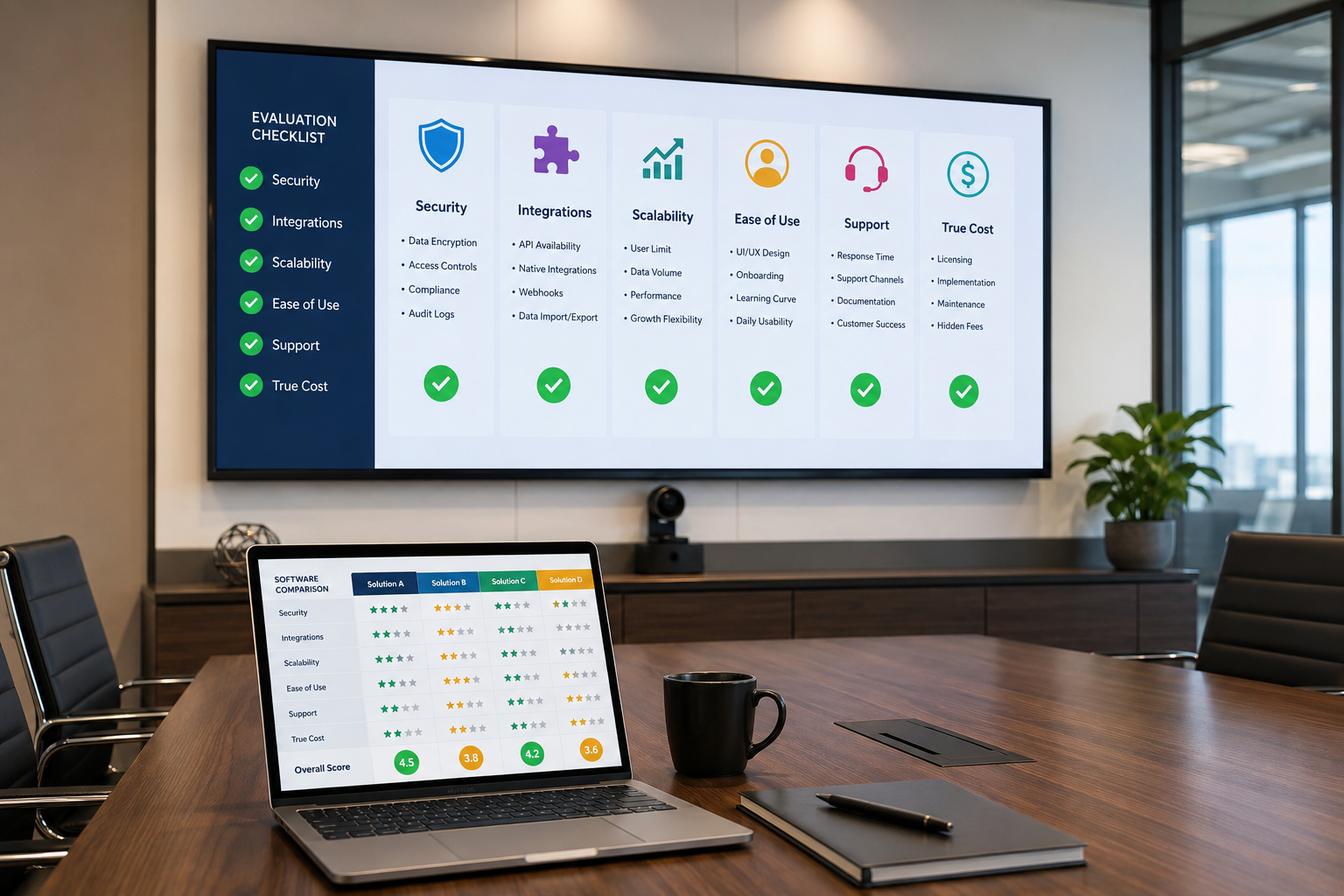
Do not rely on the marketing copy on a vendor's landing page. You need to look under the hood. When evaluating the technical capabilities of a new B2B platform, use these four pillars as your checklist.
1. Integration Ecosystem
Software does not live on an island. If your new tool cannot automatically pass data to your CRM, project management suite, or data warehouse, your team will end up doing manual data entry. Manual data entry is where data goes to die.
- Native Integrations: Does the vendor have pre-built, one-click connections to your core stack (e.g., Salesforce, HubSpot, Slack, Jira)?
- API Robustness: Is their API fully documented and accessible on the standard pricing tier, or is it locked behind an enterprise wall?
- Webhooks: Can the system trigger real-time actions in other apps based on internal events?
2. Security and Compliance
This is where promising software deals go to die a slow, painful death in the legal department. Save yourself three months of back-and-forth by filtering for security requirements immediately.
| Compliance Standard | What to Ask the Vendor | Why It Matters |
|---|---|---|
| SOC 2 Type II | Can you provide your latest audit report under an NDA? | Proves the vendor actively maintains rigorous data security controls over time. |
| SSO / SAML | Is Single Sign-On included, or is there an 'SSO tax' upcharge? | Crucial for IT to quickly provision and de-provision user accounts when staff changes. |
| GDPR / CCPA | Where are your servers located, and how do you handle data privacy? | Non-compliance can result in massive legal liabilities for your business. |
| Data Export | Can we download our entire raw dataset easily if we cancel? | Prevents vendor lock-in and protects your operational history. |
| SLA Guarantee | What is your uptime guarantee, and what are the penalties for downtime? | Protects your business if a critical system crashes during peak operational hours. |
3. Scalability and Performance
A tool that works perfectly for a five-person team might choke when you scale to fifty. Look closely at how the software behaves under load.
- API Rate Limits: How many calls can your team make per day before the system throttles your speed?
- Data Volumetrics: Are there hidden caps on the number of contacts, records, projects, or file storage gigabytes you can use?
- User Roles: Can you create granular permissions (e.g., admin, editor, viewer, billing) to maintain clean governance as the team grows?
Phase 4: Calculating the True Total Cost of Ownership (TCO)
SaaS pricing pages are notorious for hiding the real cost of doing business. The per-user price tag you see on the pricing grid is rarely what ends up hitting your corporate credit card. To pick the right B2B software the first time, you must calculate the true Total Cost of Ownership.
$$ ext{True TCO} = ( ext{Annual Subscription Cost}) + ( ext{Implementation Fees}) + ( ext{Custom Integration Work}) + ( ext{Internal Employee Training Hours}) + ( ext{The "SSO Tax"})$$
The Sneaky Costs to Watch For
- Implementation and Professional Services: Many enterprise platforms mandate a setup fee ranging from $5,000 to $50,000. They will not let you use the software without paying them to configure it.
- The SSO Tax: Some vendors list a reasonable price per seat, but force you to upgrade to their expensive Enterprise tier just to unlock SAML/SSO security features.
- Overage Fees: Watch out for variable billing metrics like API calls, data bandwidth, or automated workflows. A sudden spike in usage can result in an unexpected, massive bill.
- Opportunity Cost of Migration: Moving data from an old system to a new one takes time. If two of your engineers spend a month migrating databases instead of building product features, that is a massive hidden expense.
Phase 5: The Demo and Trial Playbook
Never enter a software demo unprepared. If you let the sales representative steer the call, they will take you on a curated tour of their prettiest, lowest-friction features. You will leave the call feeling amazed, but you won't actually know if the tool solves your specific operational bottlenecks.
Take Control of the Demo

Send the sales rep a realistic scenario ahead of time. Tell them: 'We don't want a generic overview. We want to see exactly how an operator inputs a raw data file, processes it through your engine, and exports the final report to Slack.'
Watch how long it takes them to complete the task. Count the clicks. Look for clunky load screens. If the expert who works for the software company struggles to navigate the user interface, your team stands no chance.
Set Strict Boundaries for Free Trials
If the vendor offers a 14-day or 30-day sandbox trial, do not sign up until your calendar is completely clear. A trial is useless if it sits empty while your team focuses on daily fires.
- Clear Milestones: Set a goal to test three specific features by day five.
- Real Data: Do not use fake placeholder data. Upload a small, anonymized batch of real production data to see how the system handles your actual operational complexities.
- Gather Direct Feedback: Force your power users to spend at least two hours inside the sandbox. Ask them to grade the user experience on a scale of one to ten.
Phase 6: Vendor Health and Customer Support Analysis
You are not just buying a piece of technology; you are entering a long-term business relationship. If the vendor goes bankrupt, gets acquired by a slow-moving private equity firm, or fires their support staff, your business will suffer.
Vetting the Company Behind the Product
- Funding and Viability: Are they a venture-backed startup with six months of runway left, or are they a profitable, stable business? A rocky startup might pivot their product strategy next year, leaving you stranded.
- Product Roadmap: Ask the team what features they have shipped in the last ninety days. A vibrant, active engineering team means the product will continuously improve. A stagnant changelog is a major red flag.
- Support Ecosystem: Do you get a dedicated Customer Success Manager (CSM), or are you stuck filing tickets to a generic support inbox? Look closely at the guaranteed response times in their documentation. If your system goes down on a Tuesday morning, waiting forty-eight hours for an email response is completely unacceptable.
The Ultimate B2B Software Evaluation Checklist
Print this framework out, turn it into an internal spreadsheet, or drop it into your project management system before your next software purchase.
1. Requirements & Discovery
- [ ] Written specific problem statement based on team input.
- [ ] Audited internal stack to ensure no duplicate software exists.
- [ ] Identified the primary business goal (e.g., save 10 hours a week, reduce errors by 20%).
- [ ] Listed all non-negotiable feature requirements.
2. Stakeholder Realignment
- [ ] Secured explicit budget approval from the Executive Sponsor.
- [ ] Had the Power User test the interface for ease of use.
- [ ] Handed technical documentation to the Engineering/IT lead.
- [ ] Received data security and privacy clearance from the CISO.
3. Technical & Security Vetting
- [ ] Confirmed native integrations with our current core systems.
- [ ] Verified API availability and documented rate limits.
- [ ] Reviewed and stored the vendor's SOC 2 Type II report.
- [ ] Checked data export policies to ensure no vendor lock-in.
- [ ] Reviewed the vendor's SLA uptime guarantees.
4. Financial Due Diligence
- [ ] Calculated total annual subscription costs including planned team growth.
- [ ] Factored in one-time onboarding, migration, and implementation fees.
- [ ] Analyzed potential overage charges (data limits, API calls, extra storage).
- [ ] Verified the cost of adding required security features like SSO.
5. Hands-on Vetting & Proof of Concept
- [ ] Ran a guided demo using a custom, real-world company workflow.
- [ ] Tested a live sandbox environment using real, anonymized operational data.
- [ ] Surveyed the internal testing team for usability roadblocks.
- [ ] Checked public review spaces like Saasbonus for independent, unbiased feedback.
Making the Final Decision
When you finish running your top three software options through this framework, one platform will usually emerge as the clear winner. If you end up with a tie between two competitive tools, prioritize user experience and deployment velocity over a long list of niche features.
A simpler, highly intuitive platform that your team happily uses every single day will always deliver a higher business ROI than a feature-heavy, overly complex monster that everyone avoids.
Take your time, push for transparency during the sales cycle, and run every option through this evaluation checklist. Your team, your budget, and your peace of mind will thank you.




