
What Is Google Workspace? Features, Pricing, and Benefits Explained
The Tuesday Afternoon Productivity Meltdown
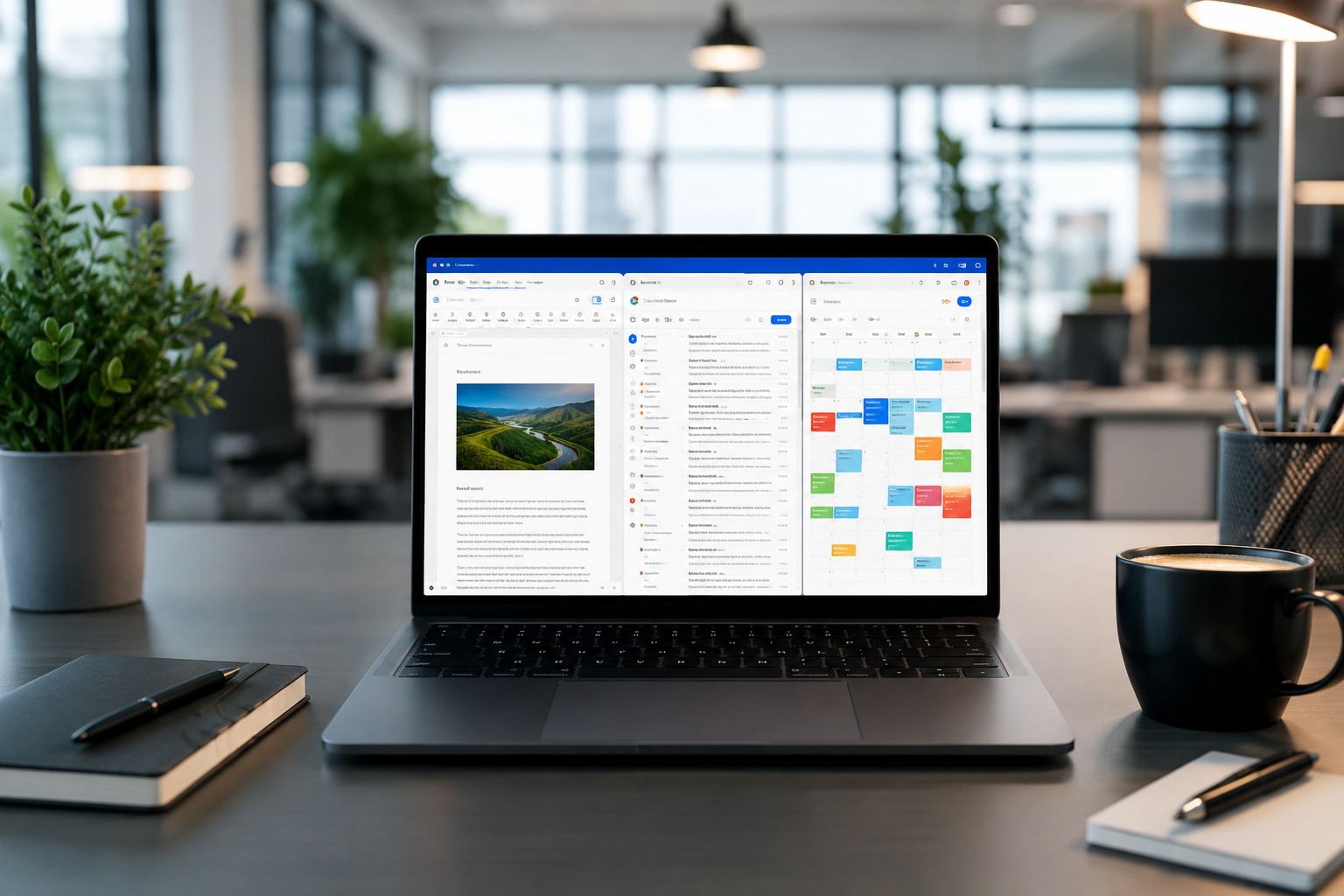
It usually happens on a Tuesday around 2:15 PM. You are trying to find an invoice sent three weeks ago, but your inbox is drowning under forty unread threads. Your browser has twenty-two open tabs, your team is sending attachments across three different messaging platforms, and someone just uploaded a document named Final_v2_edit_FINAL.docx to a random cloud folder.
If that chaotic sequence feels intimately familiar, you aren't alone. Managing digital tools across a growing business often feels like herding cats. You buy one app for email, another for file storage, a third for video calls, and a fourth for team chat. Before long, your monthly software stack looks like a small mortgage, and nobody can find the files they need.
This exact fragmentation problem is why cloud productivity suites exist. At the center of this market stands Google Workspace—Google's integrated bundle of cloud-based communication, collaboration, and administrative software. But what exactly is Google Workspace today? How does its pricing break down for real-world teams, and is it genuinely worth adding to your monthly software bill?
At SaaSbonus, we spend our days breaking down software subscriptions, testing features hands-on, and cutting through corporate marketing speak. In this detailed guide, we will unpack everything you need to know about Google Workspace: its core applications, pricing structure, security features, business benefits, and how to decide if it fits your operations.
What Is Google Workspace? (And How It Differs From Free Gmail)
At its simplest, Google Workspace is a subscription-based collection of cloud computing, productivity, and collaboration tools developed by Google. Think of it as the professional, business-grade edition of the free consumer apps you likely already use every day, like Gmail, Google Docs, Google Drive, and Google Meet.
Many business owners ask us a fair question: "If I can use Gmail, Google Docs, and Google Drive for free with a personal @gmail.com address, why should I pay for Google Workspace?"
The answer comes down to four critical pillars: identity, ownership, storage, and control.
Personal Google Account vs. Business Google Workspace
| Feature | Free Personal Google Account | Google Workspace (Business) |
|---|---|---|
| Email Address | user@gmail.com | user@yourcompany.com (Custom Domain) |
| Data Ownership | Owned by the individual user | Owned entirely by the organization |
| Base Cloud Storage | 15 GB shared across apps | 30 GB to Pooled/Unlimited per user |
| Administrative Control | None (Individual manages account) | Centralized Admin Console & Endpoint Management |
| Security & Compliance | Basic protection | Advanced DLP, Vault archiving, HIPAA/SOC 2 compliance |
| Support | Community forums & basic help articles | 24/7 Phone, Email, and Chat Support |
| SLA & Uptime | No uptime guarantee | 99.9% uptime guarantee with no scheduled downtime |
When an employee creates a document using a free personal Google account, they own that document. If they leave your company tomorrow, taking their personal login with them, you lose access to those critical company files.
With Google Workspace, your business owns every email, file, contact, and calendar event created within the account. If a team member leaves, your administrator can revoke access in two clicks, transfer all their work to another manager, and wipe company data off their mobile phone remotely.
Core Apps Included in Google Workspace
Google Workspace brings over a dozen interconnected applications under a single umbrella. Instead of isolated software silos, these tools share a single identity engine, unified permission settings, and real-time synchronization.
1. Communication Tools
- Gmail for Business: The core email client powered by Google's infrastructure. It allows you to send and receive emails using your custom domain (you@yourbusiness.com). You get advanced spam filtering, automated categorization, and integration with third-party CRM tools.
- Google Meet: High-definition video conferencing that runs directly in your browser without requiring desktop downloads. Business plans support up to 500 participants, inline polling, Q&A sessions, noise cancellation, breakout rooms, and automatic meeting recording saved directly to Google Drive.
- Google Chat: Team messaging designed for direct messages and group discussions. It features threaded conversations, file sharing, and direct integration with Google Drive files so you can adjust document permissions directly inside a chat thread.
2. Creation and Collaboration Apps
- Google Docs: A powerful browser-based word processor built for multi-user, real-time collaboration. Dozens of people can edit the same document simultaneously, leave comments, tag team members using @mentions, and track every historical edit via detailed revision history.
- Google Sheets: Cloud spreadsheets supporting complex formulas, pivot tables, conditional formatting, and visualization options. With features like connected sheets, you can analyze billions of rows of big data hosted in Google BigQuery directly from a spreadsheet.
- Google Slides: Presentation software for building sleek decks collaboratively. It includes real-time co-authoring, presenter view, and seamless embedding of charts directly linked to Google Sheets data.
- Google Forms: A simple tool for building surveys, feedback forms, event registrations, and internal request intake forms. Responses auto-populate into Google Sheets for instant analysis.
- Google Keep: A lightweight note-taking app for quick text notes, checklists, voice memos, and images that sync across mobile and desktop interfaces.
- Google Vids: An AI-powered video creation tool designed for workplace communication, letting teams generate video presentations, onboarding modules, and project recaps effortlessly.
3. Storage and Management
- Google Drive: The centralized cloud storage hub. Beyond individual storage, Workspace includes Shared Drives—folders owned by the company rather than individual users. If a team member leaves, files inside a Shared Drive stay exactly where they are.
- Google Calendar: Integrated team scheduling. You can view colleagues' availability side-by-side, create shared department calendars, reserve meeting rooms or physical office equipment, and automatically insert Google Meet video links into invites.
- Google Sites: A drag-and-drop website builder designed for internal company intranets, project hubs, wiki pages, or client portals without writing code.
- Google AppSheet: A no-code app building framework included in most Workspace plans. It lets non-technical staff build mobile and web applications directly on top of data stored in Google Sheets or Databases.
Google Workspace Pricing and Plans: Breakdown
Understanding Google Workspace pricing is crucial when projecting software expenses for a growing team. Google splits its business offerings into two main tiers: Business (for companies up to 300 seats) and Enterprise (for larger organizations requiring unlimited seats and advanced compliance controls).
Here is a breakdown of the core plans, their pricing, and what they include.
Google Workspace Business Plans (Up to 300 Users)
1. Business Starter
- Best For: Freelancers, solopreneurs, and micro-businesses needing custom email and basic storage.
- Storage: 30 GB pooled storage per user.
- Key Features: Custom domain email, 100-participant video calls, standard security controls, security center alerts.
- Considerations: 30 GB fills up quickly if your team handles video files, large PDFs, or detailed design assets. It lacks Shared Drives.
2. Business Standard
- Best For: Growing SMBs that need higher storage limits, team-wide file sharing, and professional meeting features.
- Storage: 2 TB (2,000 GB) pooled storage per user.
- Key Features: Everything in Starter, plus 150-participant video calls with recording capabilities, Shared Drives for teams, and enhanced administrative search controls.
- Why It's Popular: This is the sweet spot for the vast majority of small-to-medium businesses due to the massive jump in storage and access to Shared Drives.
3. Business Plus
- Best For: Established businesses requiring strict legal compliance, advanced security, and device management.
- Storage: 5 TB (5,000 GB) pooled storage per user.
- Key Features: Everything in Standard, plus 500-participant video calls, Google Vault for legal holding and eDiscovery, advanced endpoint management (MDM) for locking down mobile devices, and enhanced security tracking.
Google Workspace Enterprise Plans (300+ Users or Advanced Compliance)
For companies exceeding 300 employees or operating under strict regulatory mandates (like healthcare, financial services, or defense contracting), Google offers custom Enterprise tiers.
- Features: Unlimited/as-needed storage configurations, Data Loss Prevention (DLP) rules, S/MIME encryption for Gmail, in-depth security logs pushed to your SIEM tools, and localized data region selections (guaranteeing your data stays within US or EU borders).
- Pricing: Custom quote required via Google Sales or an authorized Google Cloud Partner.
Pro Tip on Pooled Storage: Google Workspace uses pooled storage. If you have 10 users on the Business Standard plan (2 TB per user), your company has a shared pool of 20 TB. If one video editor uses 5 TB and a salesperson uses 50 GB, nobody gets locked out—the system automatically balances storage across the whole domain.
The Key Benefits of Google Workspace for Businesses
Transitioning an entire organization to a new software suite is no small feat. Why do millions of businesses choose Google Workspace over standalone tools or traditional desktop software? It comes down to six measurable operational advantages.
1. Unified Brand Professionalism
First impressions matter. Sending client proposals or invoices from yourbusiness@gmail.com or john.company@yahoo.com instantly hurts credibility. Google Workspace allows you to manage professional email addresses (john@yourcompany.com), create group aliases (sales@yourcompany.com, billing@yourcompany.com), and maintain consistent email signatures across your entire staff.
2. Frictionless Real-Time Collaboration
Traditional file management involved emailing Word files back and forth, dealing with conflicting copies, and trying to figure out who made which change. Google Workspace eliminates file attachment clutter entirely.
Multiple team members can open a single Google Doc, Sheet, or Slide at the exact same time. You see live cursors moving across the screen, leave targeted comments, assign task action items, and approve changes instantly. If a mistake happens, you can roll back a document to any point in its history with two clicks.
3. Centralized Admin and Security Controls
Managing software permissions manually across fifty employees is an operational nightmare. The Google Workspace Admin Console brings all user management into a single dashboard.
From one dashboard, IT managers can:
- Instantly create or deactivate employee email accounts.
- Enforce 2-Step Verification (2FA) and security key policies across all staff.
- Restrict file sharing so sensitive company spreadsheets cannot be shared outside your domain.
- Remotely wipe corporate email and data off an employee's personal smartphone if the device is lost or stolen.
4. Zero Installation Footprint (Pure Cloud)
Unlike traditional office suites that require installed software, heavy patches, and local file storage, Google Workspace runs natively inside modern web browsers.
Your team can log into their account from a Mac, Windows PC, Chromebook, iPad, or mobile phone and immediately access their entire workspace. There are no software licenses to install, no desktop updates to push, and no files trapped on a broken laptop's local hard drive.
5. AI Productivity Integration

Google has built artificial intelligence capabilities directly into Workspace apps. Features include:
- Smart Compose and Smart Reply in Gmail and Docs, auto-completing sentences and suggesting quick responses.
- Automated Data Insights in Google Sheets, allowing users to type natural-language questions like "What was our top revenue month in 2025?" and instantly get charts and formulas.
- Background Noise Cancellation and Lighting Adjustment in Google Meet.
- Gemini for Google Workspace add-on, which lets teams draft content, summarize massive email threads, create custom images, and analyze documents directly inside their workflow.
6. Predictable Costs and Scalability
Subscription pricing means your software costs scale predictably with headcount. Adding a new employee takes seconds: create their account, assign a license, and they immediately gain access to their email, files, shared calendars, and group chats.
Security, Privacy, and Compliance Framework
For any business evaluating cloud infrastructure, security is non-negotiable. Storing confidential client contracts, financial metrics, and IP on external servers requires ironclad protection.
Google Workspace builds its security framework on top of Google's global data center infrastructure. Key security features include:
- Data Loss Prevention (DLP): Administrators can set rules that automatically scan outgoing emails and shared files for sensitive data, like Social Security numbers, credit card details, or proprietary code blocks. If detected, the system blocks the file transfer automatically.
- Google Vault: An archiving and eDiscovery tool essential for legal holds, audits, and regulatory compliance. It retains, holds, searches, and exports company data across Gmail, Drive, Chat, and Meet records even if an employee deletes the original files.
- Data Governance & Localization: Enterprise users can specify geographic locations for their data at rest, satisfying strict US, EU, or regional data sovereignty requirements.
- Compliance Certifications: Google Workspace complies with major global standards, including HIPAA (for healthcare providers using Signed Business Associate Agreements), SOC 2, SOC 3, ISO/IEC 27001, and GDPR.
Google Workspace vs. Microsoft 365: How Do They Compare?
It is impossible to discuss Google Workspace without mentioning its primary rival: Microsoft 365. Both suites dominate the corporate workplace, but they stem from fundamentally different design philosophies.
| Feature / Aspect | Google Workspace | Microsoft 365 |
|---|---|---|
| Primary Architecture | Cloud-native, browser-first | Hybrid (Desktop Apps + Cloud) |
| Core Word Processor | Google Docs | Microsoft Word |
| Spreadsheet Tool | Google Sheets | Microsoft Excel |
| Email & Calendar | Gmail / Google Calendar | Outlook |
| Video Conferencing | Google Meet | Microsoft Teams |
| Offline Work | Browser caching / Mobile apps | Native desktop installation |
| Collaboration Style | Seamless real-time co-authoring | Deep formatting & offline power |
| Best For | Tech-forward SMBs, remote teams | Legacy enterprises, heavy Excel |
When to Pick Google Workspace:
- Your business values speed, real-time collaboration, and low IT maintenance.
- Your team works across diverse operating systems (Macs, PCs, Chromebooks, mobile).
- You want an intuitive interface that requires almost zero staff training.
- You prefer working directly inside web browsers without managing desktop installations.
When to Pick Microsoft 365:
- Your business relies heavily on advanced, multi-layered Excel macros, complex financial modeling, or legacy VBA scripts.
- Your team insists on full-featured native desktop applications for offline work.
- Your infrastructure is already built heavily around Microsoft Active Directory and Azure environments.
How to Get Started with Google Workspace: Step-by-Step
Setting up Google Workspace for your company takes under thirty minutes if you follow a clean deployment path.
Step 1: Register Your Domain
To set up custom business emails, you need ownership of a domain name (e.g., yourbusiness.com). You can purchase one during the Google Workspace setup process or connect an existing domain registered with platforms like Namecheap, GoDaddy, or Cloudflare.
Step 2: Choose Your Plan
For most small-to-medium businesses starting out, Business Standard offers the best balance of value, storage capacity (2 TB/user), and access to team Shared Drives. If you are a solo operator with light storage needs, Business Starter works well.
Step 3: Verify Domain Ownership & Update MX Records
Google needs to confirm that you own the domain you are connecting. You will add a quick verification record to your domain's DNS settings. Next, you update your MX (Mail Exchange) records to route incoming emails to Google's servers.
Step 4: Create User Accounts & Groups
Add your team members to generate their new business logins. Set up email aliases and departmental distribution groups like info@, support@, or sales@ (these group aliases do not cost extra license fees).
Step 5: Configure Security Rules
Head into the Admin Console immediately and enable 2-Step Verification. Mandate that all employees set up authenticator apps or security keys to safeguard your corporate network against credential theft.
Is Google Workspace Worth It for Your Business?
If you are running a business on fragmented free software, juggling separate subscriptions for file hosting, chat, and video calls, or managing emails from personal accounts, upgrading to Google Workspace is a high-leverage decision.
It fixes the fragmented file problem, establishes brand trust with custom domain emails, protects your business IP, and allows your team to collaborate in real time from anywhere in the world.
At SaaSbonus, we review software so you can buy with confidence. Google Workspace remains our primary recommendation for companies seeking an intuitive, low-maintenance cloud OS that lets teams focus on work rather than managing software infrastructure.
Take a look at your current departmental budget. Calculate what you spend across standalone email hosting, cloud storage apps, video calling software, and team chats. You will likely find that consolidating those line items into a single Google Workspace account saves money while eliminating technical headaches.




