
Best SaaS Customer Onboarding Software Tools in 2026
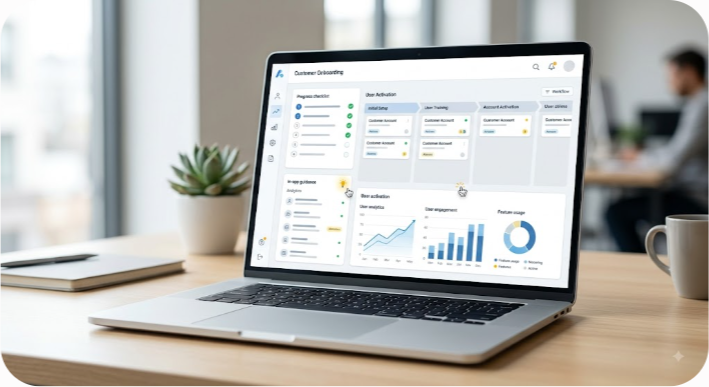
SaaS customer onboarding software has one job: help customers reach meaningful value before confusion, delays, or competing priorities push them away. The best platform for you depends on how customers buy and adopt your product. A self-serve SaaS company usually needs in-app guidance, while a high-touch B2B company may need shared implementation workspaces, task management, and customer collaboration.
For 2026, seven platforms stand out for different onboarding models: Userpilot, Dock, Appcues, OnRamp, Pendo, GUIDEcx, and Zite. They aren't interchangeable. Userpilot and Appcues are strongest when the work happens inside your product. Dock, OnRamp, GUIDEcx, and Zite are better suited to customer-facing implementation workflows. Pendo sits between product analytics, adoption, and in-app guidance, with a strong enterprise focus.
This guide compares those tools by use case, features, pricing approach, strengths, limitations, and implementation fit. The goal isn't to find one universal winner. It's to identify the platform that matches the way your customers actually become successful.
The Short Verdict: Which SaaS Onboarding Tool Should You Choose?
Start with your onboarding motion rather than the feature list. Ask one question first: Where does most of the onboarding work happen?
If customers need help completing actions inside your application, look at Userpilot, Appcues, or Pendo. These platforms are designed around in-app guidance, segmentation, product adoption, and user behavior.
If onboarding involves stakeholders, data collection, implementation tasks, security reviews, integrations, or project milestones outside the product, consider Dock, OnRamp, GUIDEcx, or Zite. These tools are built around customer-facing workspaces and implementation workflows.
| Software | Best For | Core Strength | Pricing Approach |
|---|---|---|---|
| Userpilot | PLG and product adoption teams | No-code in-app experiences, segmentation, and product analytics | Primarily based on usage and plan level |
| Dock | B2B client workspaces | Shared onboarding hubs, tasks, resources, and sales-to-CS handoffs | Plan-based workspace pricing |
| Appcues | In-app onboarding and product teams | No-code flows for web and mobile products | Plan and usage-based pricing |
| OnRamp | Complex B2B onboarding | Customer portals, implementation workflows, and automation | Sales-led, quote-based plans |
| Pendo | Enterprise product adoption | Product analytics, guides, feedback, and adoption insights | Custom pricing for larger deployments |
| GUIDEcx | Enterprise implementation teams | Project delivery, dependencies, milestones, and customer tasks | Quote-based pricing |
| Zite | Custom customer portals | Flexible no-code portal creation and workflow customization | Subscription-based pricing |
Pricing changes frequently, and several vendors tailor quotes to users, workspaces, features, or contract size. Treat the figures you may see on third-party sites as directional rather than guaranteed. Before buying, request a current quote for your actual usage.
What Is SaaS Customer Onboarding Software?
SaaS customer onboarding software helps new users or customer accounts move from signup or purchase to successful product adoption. It can guide someone through an application with tooltips and checklists, or it can manage a larger implementation involving several people, tasks, documents, and deadlines.
That distinction matters because "onboarding" can describe two very different processes.
In-App Product Onboarding
In-app onboarding happens inside the product. A new user might see a welcome message, a checklist, a tooltip explaining an unfamiliar control, or a guided workflow that takes them through their first important task.
This model works particularly well for product-led growth businesses. The customer can learn by doing instead of waiting for a customer success manager or training session.
The strongest in-app onboarding experiences don't explain every feature. They guide users toward the first action that proves the product is useful.
Customer Implementation Onboarding
Implementation onboarding happens at the account level and often extends beyond the application itself. A new customer may need to provide data, invite administrators, complete security requirements, schedule training, configure integrations, and approve a go-live plan.
A client portal or implementation platform gives everyone a shared place to see what needs to happen, who owns each task, and what is blocking progress.
This is especially useful for mid-market and enterprise SaaS companies where onboarding can take weeks rather than minutes.
Why Time-to-Value Matters
The practical objective behind both models is the same: reduce the time between purchase or signup and the point where the customer gets meaningful value.
That value might be creating a first report, inviting a team, connecting an integration, completing a workflow, or reaching another product-specific activation event. Your onboarding software should support that milestone rather than simply making the onboarding process look polished.
The 7 Best SaaS Customer Onboarding Software Platforms in 2026
1. Userpilot: Best for In-App Guidance and Product-Led Growth
Userpilot is a strong fit for SaaS product teams that want to improve activation and adoption without putting every onboarding change into the engineering backlog. Its focus is on creating in-app experiences around user behavior, segments, and product usage.
The platform is most useful when your onboarding challenge is inside the product. For example, you might want one onboarding path for workspace administrators and another for regular users. You can also use product usage data to decide when guidance should appear instead of showing the same tour to everyone.
Key features:
- In-app flows: Build tooltips, modals, checklists, banners, and other guidance elements around product workflows.
- Behavioral segmentation: Target experiences using user attributes, account information, or product behavior.
- Product analytics: Examine funnels and feature usage to identify where users struggle or stop progressing.
- Surveys and feedback: Collect feedback during or after the onboarding journey.
- Experimentation: Test different onboarding experiences and compare their effect on activation or other defined outcomes.
Where Userpilot fits best:
Userpilot makes sense when your product has a clear activation path and you want product, growth, or customer success teams to control the experience without depending heavily on developers.
Imagine a project management application. An administrator might need to create a workspace, invite teammates, and configure permissions. A team member may only need to create a project and complete their first task. Showing both users the same onboarding tour creates unnecessary friction. Role-based guidance is a better approach.
Tradeoffs:
Userpilot is primarily focused on digital product experiences. It isn't a replacement for a full implementation project-management system when customers need to exchange documents, coordinate several stakeholders, or manage a long sequence of external tasks.
Usage-based pricing can also become an important consideration for products with a large active-user population. Calculate expected usage before comparing plans solely on the headline monthly price.
Pricing:
Userpilot's pricing depends on the plan and usage requirements. Because pricing and included limits can change, check the current vendor pricing or request a quote based on your monthly active users before making a decision.
Best for: Product-led SaaS companies focused on activation, feature adoption, and in-app education.
2. Dock: Best for Collaborative B2B Client Workspaces
Dock approaches onboarding from the customer relationship rather than the product interface. It gives sales, customer success, and implementation teams a shared workspace where customers can find tasks, resources, documents, meeting links, and other information related to the relationship.
That makes it useful when the biggest onboarding problem isn't "How do we explain this button?" but "Who still needs to complete this part of the implementation?"
Key features:
- Client workspaces: Create customer-facing hubs for onboarding information and activities.
- Task management: Give customers clear next steps and ownership instead of relying on long email threads.
- Embedded content: Bring documents, videos, forms, calendars, and other resources into one customer experience.
- CRM connectivity: Connect customer workspaces with sales and customer success processes where supported.
- Engagement visibility: Give internal teams insight into customer interaction with shared materials.
Where Dock fits best:
Dock is particularly useful for B2B companies where the transition from sales to customer success needs more structure. A customer may have several stakeholders, each responsible for different parts of the rollout. A shared workspace makes those responsibilities visible.
It can also create a smoother handoff from the sales process. Instead of sending a new customer a collection of emails and attachments, the account team can direct them to one organized onboarding environment.
Tradeoffs:
Dock isn't an in-app product tour platform. If your main problem is getting a free-trial user to discover a feature inside your application, a tool such as Userpilot or Appcues is a closer match.
The same distinction matters when comparing Dock with implementation-focused platforms. Dock is strongest as a customer workspace and collaboration layer; complex delivery organizations may need deeper project management capabilities.
Pricing:
Dock offers plan-based pricing, with availability and limits varying by plan. Check current pricing directly with the vendor because workspace, user, and feature limits can change.
Best for: B2B SaaS teams that need a polished customer workspace for onboarding, collaboration, and handoffs.
3. Appcues: Best for Fast In-App Onboarding
Appcues is one of the better-known no-code platforms for creating in-app experiences. It is designed for teams that want to build and publish onboarding flows without turning every small product education request into a development project.
Its appeal is straightforward: product, marketing, and customer success teams can create experiences on top of the application interface, test them, and iterate as they learn what users need.

Key features:
- Visual flow builder: Create tooltips, modals, banners, slideouts, and checklists through a visual interface.
- Web and mobile support: Build onboarding experiences for supported web and mobile environments.
- Segmentation: Deliver different experiences to different groups of users.
- Product announcements: Use in-app messaging for feature launches and other customer communication.
- Analytics and experimentation: Measure interaction with flows and use results to improve future onboarding work.
Where Appcues fits best:
Appcues is a practical choice for teams that value speed and ease of use. If your product team frequently needs to adjust onboarding copy, introduce a new checklist, or guide users toward a newly released feature, a no-code builder can reduce the operational cost of making those changes.
For example, a CRM company could create one onboarding flow for a new sales representative and another for an account administrator. The representative might receive guidance on creating their first opportunity, while the administrator gets instructions for configuring permissions and integrations.
Tradeoffs:
Appcues is not designed to replace a full implementation management platform. It also may not provide the depth of product analytics that a dedicated analytics or broader product adoption platform can offer.
Teams with sophisticated measurement requirements should decide whether Appcues' analytics are sufficient on their own or whether they will continue using another analytics platform alongside it.
Pricing:
Appcues uses plan and usage considerations that can vary over time. Check its current pricing for your required products, users, and features rather than relying on older published figures.
Best for: SaaS teams that want an approachable way to launch and iterate on in-app onboarding experiences.
4. OnRamp: Best for High-Touch B2B Onboarding
OnRamp is built around a problem that looks very different from self-serve product onboarding: getting multiple people at a customer organization through a complicated implementation.
A typical enterprise onboarding project may involve a customer champion, IT administrator, finance team, security reviewer, implementation manager, and several product users. Each person has different responsibilities, and a delay in one area can affect the entire go-live date.
OnRamp provides a structured customer-facing experience around that process, while giving the internal team tools to manage the work.
Key features:
- Customer onboarding portals: Give customers a central location for onboarding activities and information.
- Internal and external workflows: Help internal teams coordinate implementation while customers see the tasks relevant to them.
- Automated follow-ups: Reduce manual chasing when customer-owned tasks remain incomplete.
- Templates and playbooks: Standardize onboarding processes for different customer types or packages.
- CRM integrations: Connect onboarding information with customer records in supported systems.
Where OnRamp fits best:
OnRamp is most compelling when onboarding is a project rather than a short product tutorial. A SaaS company selling a complex platform to larger businesses can use it to coordinate tasks such as data delivery, training, configuration, integrations, and approvals.
This approach also addresses a common operational problem: the vendor knows what needs to happen, but the customer has competing priorities. Automated reminders and clear ownership can keep the project moving without requiring a customer success manager to send another manual follow-up email every few days.
Tradeoffs:
OnRamp is more infrastructure than most small self-serve SaaS products need. If your customers can become successful by completing three actions in your application, an in-app onboarding tool will usually be simpler and less expensive to operate.
The platform also makes more sense when your team has a defined customer implementation process. Buying the software before establishing that process can simply move an unclear workflow into a nicer interface.
Pricing:
OnRamp uses sales-led pricing for its plans. Enterprise and mid-market customers should request a current quote based on their implementation volume, users, and required capabilities.
Best for: B2B SaaS teams managing complex, multi-stakeholder customer implementations.
5. Pendo: Best for Enterprise Product Analytics and Adoption
Pendo combines product analytics, in-app guidance, feedback, and product adoption capabilities. That broader scope makes it a strong option for organizations that want onboarding to be part of a larger product experience and measurement strategy.
Rather than treating onboarding as a standalone sequence of popups, Pendo can help teams examine how users behave across the product and use those insights to shape in-app experiences.
Key features:
- Product analytics: Analyze feature usage, paths, funnels, and other product behavior.
- In-app guides: Create contextual messages and guidance within supported products.
- Resource experiences: Give users a persistent place to find help and relevant product resources.
- Feedback collection: Gather product feedback and connect it with usage information.
- Product adoption analysis: Monitor whether customers are using important capabilities after initial onboarding.
Where Pendo fits best:
Pendo is a strong candidate for larger organizations where the question extends beyond "Did the user finish onboarding?" Product leaders may need to know which features drive adoption, where users struggle, how behavior differs between segments, and whether in-app education changes those patterns.
For a multi-product software company, that broader view can be particularly valuable. Teams can use product data to identify adoption gaps and then create targeted experiences rather than adding more generic onboarding screens.
Tradeoffs:
Pendo can be more platform than a small team needs. Its breadth means teams should plan their data structure, ownership, reporting requirements, and rollout carefully.
Cost is another consideration. Enterprise software pricing is typically negotiated, so comparing Pendo with a lightweight onboarding tool requires looking at the total package rather than just one feature.
Pricing:
Pendo offers different products and plans, including options aimed at smaller deployments and custom enterprise arrangements. Confirm current pricing and product limits directly with Pendo.
Best for: Enterprise and growing product organizations that want onboarding, analytics, feedback, and adoption work in one broader platform.
6. GUIDEcx: Best for Enterprise Implementation and Delivery Operations
GUIDEcx focuses on implementation and delivery management rather than in-product user education. It is designed for organizations where getting a customer live involves dependencies, project milestones, customer tasks, internal resources, and a defined delivery process.
That makes it a better comparison with implementation management software than with a traditional product tour tool.
Key features:
- Customer task management: Assign and track work that customers and internal teams must complete.
- Project templates: Standardize repeatable implementation processes across customer segments.
- Milestone and dependency management: Make delays visible and help teams understand how unfinished work affects delivery.
- Resource planning: Give implementation leaders visibility into team workloads and project demands.
- Customer communication: Keep customers informed about what they need to do and what happens next.
Where GUIDEcx fits best:
Consider GUIDEcx when implementation delivery is a meaningful operational function in your business. A software company deploying a complex platform across several departments may have dozens of dependencies before go-live. Managing those dependencies through spreadsheets and email becomes difficult as volume increases.
A dedicated implementation platform gives the delivery team a repeatable structure. It also gives management better visibility into project status, capacity, and potential delays.
Tradeoffs:
GUIDEcx can be excessive for teams that only need a simple onboarding checklist or in-app product tour. Its value increases with implementation complexity.
The platform is also less relevant to a pure PLG motion where customers expect to sign up and become productive without human-led implementation.
Pricing:
GUIDEcx uses quote-based pricing. Contract terms depend on the organization's needs and deployment, so request a current proposal before comparing it with self-service onboarding platforms.
Best for: Enterprise SaaS and professional services teams that manage structured customer implementation projects.
7. Zite: Best for Flexible Customer Onboarding Portals
Zite takes a more flexible approach to customer-facing portals. Instead of relying entirely on a fixed implementation template, teams can create customized workflows and interfaces for specific customer processes.
That flexibility can be useful when your onboarding process doesn't fit neatly into a standard project-management model. You may need to collect information, display account-specific content, provide forms, organize tasks, or create a branded customer experience.
Key features:
- Custom portal creation: Build customer-facing experiences around your own workflow.
- No-code configuration: Reduce the amount of engineering work required for routine portal changes.
- Data collection: Structure customer information and onboarding inputs within the workflow.
- Brand customization: Adapt the portal experience to your company's identity and customer requirements.
- Workflow flexibility: Create processes that go beyond a basic checklist.
Where Zite fits best:
Zite is worth considering when you want a custom onboarding portal but don't want to build and maintain one entirely from scratch. It can suit smaller teams that need more flexibility than a standard customer success checklist provides.
The important question is whether your process is genuinely unique. If a conventional client workspace already handles your requirements, extra customization may add work without adding much value.
Tradeoffs:
Flexible platforms require clear process design. You still need to decide what the customer sees, which tasks belong to each stakeholder, what information you collect, and what constitutes completion.
The tool can make a weak onboarding process easier to manage, but it can't decide what successful onboarding should mean for your customers.
Pricing:
Zite offers subscription plans that can make it accessible to smaller teams, but plan limits and features may change. Check current pricing and included capabilities before purchasing.
Best for: Teams that need a flexible, branded customer portal without committing to a fully custom software build.
In-App Onboarding vs. Client Portals: Which One Fits Your SaaS?
The biggest buying mistake is choosing software based on the feature list before deciding what kind of onboarding you actually need.
A product tour and an implementation portal solve different problems. One teaches users how to use software. The other coordinates the work required to get a customer operational.
Product-Led Growth and Self-Serve SaaS
Choose an in-app onboarding platform when customers are expected to learn and activate largely on their own.
Typical characteristics include:
- Customers sign up without a sales-assisted implementation process.
- The first value milestone can happen inside the product.
- A single account may contain many active users.
- Product teams need to change onboarding frequently.
- Activation and feature adoption are major growth metrics.
Best-fit tools: Userpilot, Appcues, and Pendo.
For example, a design collaboration product might define activation as creating a project, uploading a file, and inviting another teammate. Its onboarding software should help users complete those actions rather than introduce every feature in the product.
High-Touch and Mid-Market B2B SaaS

A client portal or implementation platform makes more sense when customers need coordinated work outside the application.
Typical characteristics include:
- Several customer stakeholders have different responsibilities.
- Data migration or configuration is required before go-live.
- Security, procurement, or legal steps affect the timeline.
- Customer success or implementation managers actively guide the account.
- Onboarding can take several weeks or months.
Best-fit tools: Dock, OnRamp, GUIDEcx, and Zite.
The objective here isn't to make the product tour prettier. It's to make the implementation predictable.
Enterprise Product Adoption
Some organizations need both approaches. An enterprise customer may require an implementation workspace before launch and in-app guidance after users begin working in the product.
Pendo can be especially relevant to this broader adoption model, while implementation tools can manage the account-level project. In some cases, using more than one platform is reasonable if each solves a distinct problem and the operational overhead is justified.
Key Features to Look For in SaaS Onboarding Software
Once you've identified the type of onboarding you need, compare products against the workflow rather than a generic feature checklist.
1. No-Code or Low-Code Editing
Product and customer success teams should be able to make routine onboarding changes without waiting for a development sprint. That doesn't mean engineering should never be involved. It means developers shouldn't have to edit every tooltip, checklist item, or customer-facing task.
2. Segmentation and Personalization
A new administrator, end user, developer, and executive rarely need the same onboarding experience. Look for targeting based on role, account attributes, plan, product behavior, or other information relevant to your workflow.
3. Progress and Task Management
For longer onboarding projects, customers need to know what is complete, what remains, and who owns the next action. A clear task structure is more useful than a page full of instructions.
4. Product and Customer Data Integrations
Your onboarding platform shouldn't become another isolated system. Check integrations with your CRM, analytics tools, customer success platform, data systems, and communication stack.
For B2B onboarding, ask whether customer task completion can be reflected in the systems your account teams already use.
5. Analytics That Connect to Business Outcomes
Don't stop at impressions or tour completion. You want to know whether onboarding changes behavior.
Useful measurements can include:
- Activation rate
- Time-to-value
- Completion of the first core workflow
- Feature adoption
- Trial-to-paid conversion
- Support requests during onboarding
- Expansion or retention among activated accounts
The exact metrics depend on your product. A checklist completion rate is only useful if completing the checklist corresponds to something meaningful for the customer.
6. Testing and Iteration
Onboarding is rarely correct on the first attempt. Look for ways to test different messages, sequences, or workflows and compare the results against a defined activation metric.
A good onboarding team treats the flow as a product that needs regular improvement.
7. Accessibility and Localization
If you serve customers in different countries or users with different accessibility needs, confirm that the platform supports your requirements. Check keyboard navigation, screen-reader behavior, language support, right-to-left requirements where applicable, and the accessibility of overlays or interactive elements.
5 Common Onboarding Mistakes That Increase Churn Risk
Buying a sophisticated onboarding platform won't fix an unclear onboarding strategy. These mistakes show up frequently across SaaS products.
1. Turning the First Login Into a Product Tour
A long tour that points out every button feels comprehensive to the product team but often overwhelms the user.
Show people what they need to complete the next meaningful action. Save secondary features for later, when they have context for why those features matter.
2. Giving Every User the Same Journey
An administrator and an everyday user may enter the same product but have very different jobs to do. If the onboarding experience ignores that difference, users can spend their first session reading information that doesn't apply to them.
Segment the experience when the difference is meaningful. Personalization doesn't need to mean building dozens of unique journeys. A few well-chosen paths can remove a lot of unnecessary noise.
3. Measuring Completion Instead of Activation
A user can finish a five-step tour and still have no idea what to do next.
Measure the behavior that represents value. If successful onboarding means creating a project and inviting a teammate, those actions should matter more than whether the user clicked through every tooltip.
4. Relying Only on In-App Messages
An inactive user doesn't see your tooltip. Once someone leaves the application, you need another way to continue the conversation.
Depending on your product, that might include lifecycle email, customer success outreach, help documentation, webinars, or other relevant channels. Keep the message tied to the next useful action rather than sending generic reminders.
5. Treating Onboarding as a One-Time Event
Customers continue learning after their first successful workflow. New features, additional users, advanced capabilities, and plan upgrades all create new adoption opportunities.
A strong onboarding strategy therefore has a first phase and a longer adoption journey. The exact boundary depends on the product, but customer education shouldn't stop simply because the account completed an initial checklist.
How to Select the Right SaaS Customer Onboarding Software
A structured evaluation will give you a better answer than comparing feature counts. Use the following process.
Step 1: Define the Activation Event
Before testing vendors, write down what successful onboarding means for your product.
For a project management tool, it might be creating a project and inviting a team. For an analytics product, it could be connecting a data source and building the first dashboard. For an enterprise platform, it might be completing configuration and reaching an agreed go-live milestone.
If you can't describe the activation event clearly, software selection is premature.
Step 2: Map the Current Customer Journey
Document what happens from signup or contract signature through the first meaningful outcome.
Identify every point where users or customers can get stuck. Look at product analytics, support tickets, sales notes, customer success feedback, and implementation delays. You may discover that the biggest issue isn't the absence of an onboarding tool at all.
Step 3: Decide Whether You Need In-App Guidance or Implementation Management
This decision eliminates many unsuitable products immediately.
If the customer needs education inside the application, prioritize Userpilot, Appcues, or Pendo. If the customer needs to coordinate people, documents, data, and deadlines, focus on Dock, OnRamp, GUIDEcx, or Zite.
Step 4: Calculate Your Real Usage
For in-app products, determine your expected monthly active users and how that number may change over the next year. For implementation platforms, estimate the number of active customers, workspaces, internal users, and projects.
Don't compare only today's usage. A platform that looks inexpensive at your current volume may become much less attractive after a major growth period.
Step 5: Test the Builder With a Real Workflow
Don't evaluate the software only through a sales demonstration. Build one of your actual onboarding journeys.
Ask a product manager or customer success specialist who will use the system day to day to perform the work. Watch where they need help. The quality of the builder experience matters because onboarding changes continue long after the initial implementation.
Step 6: Verify Technical Compatibility
For in-app software, confirm support for your application architecture, authentication setup, mobile environment if applicable, content security policies, and other technical constraints.
For customer portals, verify integrations, permissions, branding, data handling, notifications, and the systems that need to receive onboarding status.
Involve engineering or IT early enough to identify constraints before procurement is finalized.
Step 7: Define Success Before You Buy
Set a baseline for the metrics you want to improve. That could include activation rate, time-to-value, support volume, implementation duration, or another outcome that matters to the business.
After launch, compare performance against that baseline. Otherwise, it's easy to confuse shipping an onboarding tool with actually improving onboarding.
Common Questions About SaaS Customer Onboarding Software
What is the primary purpose of SaaS customer onboarding software?
SaaS customer onboarding software helps users or customer accounts move from signup or purchase to meaningful product value. Depending on the platform, it can provide in-app guidance, manage customer tasks, coordinate implementation, or measure adoption. The practical goal is to reduce friction, shorten time-to-value, and help customers reach the actions that predict successful product use.
What is the difference between user onboarding and customer onboarding?
User onboarding focuses on an individual's experience with the product, using tools such as checklists, tooltips, walkthroughs, and contextual messages. Customer onboarding is broader and can include data migration, configuration, training, integrations, approvals, and stakeholder coordination. A single customer account can therefore have a customer onboarding process that contains several individual user onboarding journeys.
How much does SaaS onboarding software typically cost?
Pricing varies widely by product type, user volume, features, and contract size. In-app onboarding platforms commonly use plan or usage-based pricing, while enterprise implementation platforms often use annual, quote-based contracts. Some customer portal products offer lower-cost subscriptions. Always compare the total cost at your expected usage rather than relying on a starting price alone.
Can I build an onboarding flow without writing code?
Yes. Many modern onboarding platforms provide visual editors that let product, marketing, or customer success teams create in-app flows without writing application code. Customer portal platforms also provide no-code or low-code configuration. However, engineering support may still be needed for complex integrations, custom data requirements, security reviews, or changes that depend on the underlying application.
How do onboarding tools help reduce SaaS customer churn?
Onboarding tools can reduce churn risk by helping customers reach useful outcomes sooner and making friction easier to identify. In-app guidance can direct users toward important workflows, while implementation platforms can keep customer-owned tasks moving. The software itself doesn't guarantee lower churn. Results depend on whether the onboarding journey reflects what customers actually need to become successful.
What key metrics should I track to measure onboarding success?
Track metrics that connect onboarding activity to customer value. Common measures include activation rate, time-to-value, completion of the first core workflow, feature adoption, trial-to-paid conversion, onboarding duration, support volume, and early retention. Choose a small set tied to your product's definition of success rather than treating every available dashboard metric as equally important.
Final Takeaway
The best SaaS customer onboarding software isn't necessarily the platform with the longest feature list. It's the one that fits the way your customers become successful.
For self-serve products, Userpilot and Appcues are strong choices for in-app guidance, while Pendo makes more sense when product analytics and broader adoption work are central requirements. For high-touch B2B onboarding, Dock, OnRamp, GUIDEcx, and Zite address different parts of the customer implementation problem.
Before buying, define your activation event, map the current journey, identify the biggest source of friction, and test the software with a real workflow. Then measure whether the new process improves customer outcomes.
That approach keeps onboarding software in its proper role: a tool for removing friction, not a substitute for understanding what customers need.
At Saasbonus , we publish practical software research and comparisons to help growing companies evaluate SaaS products, control software spend, and make more informed purchasing decisions.




