
Best SaaS Status Page Tools: 7 Top Picks for 2026
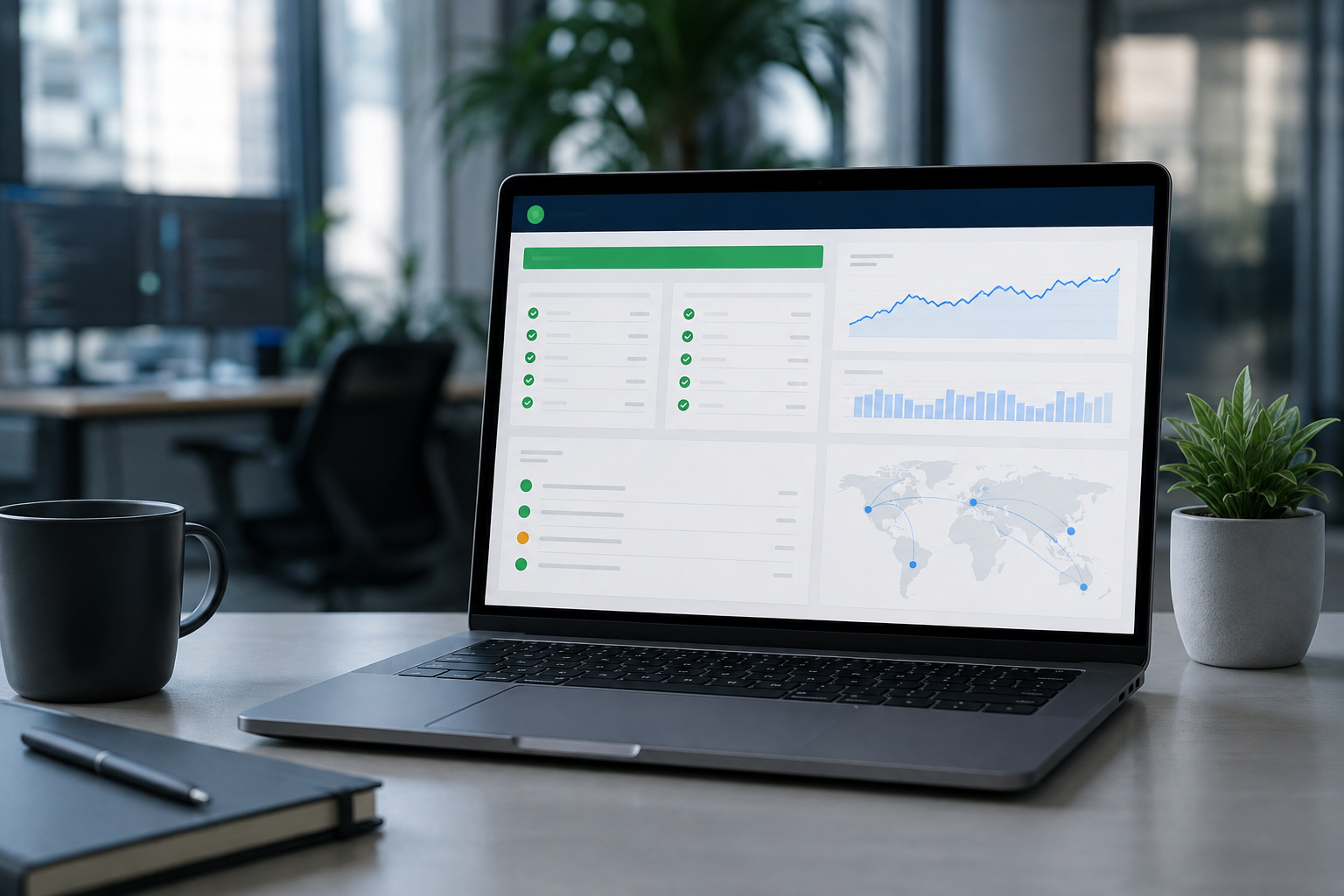
A status page is more than a place to post "we're investigating." For a SaaS company, it's part of the customer experience, the incident-response process, and, in many B2B cases, the trust-building process that happens before and after a sale.
The best SaaS status page tools give customers one dependable place to check service health, subscribe to incident updates, and review past disruptions. The strongest options also reduce work for engineering teams by connecting monitoring alerts to incident communication.
If you need a quick answer, start with these seven options: Atlassian Statuspage for enterprise-facing SaaS, Instatus for a simple branded experience, Better Stack for teams that want monitoring and incident management together, Hyperping for an all-in-one monitoring and status workflow, Xitoring for infrastructure monitoring, Uptime Kuma for self-hosted open-source deployments, and Status.io for complex multi-component environments.
The right choice depends less on the size of your company than on how you operate. A small SaaS with strict infrastructure requirements may need more control than a larger company that simply wants an easy public status page. Subscriber limits, monitoring depth, integrations, authentication, customization, hosting, and operational ownership all matter.
Why Your SaaS Needs a Dedicated Status Page
A public status page gives customers a reliable source of information when your application is slow, unavailable, or partially degraded. That sounds simple, but it solves several practical problems during an incident.
First, a status page should remain reachable when your primary application isn't. If the same infrastructure serves both the product and the outage message, customers may be unable to reach either one. A separately hosted status page reduces that dependency and gives you another channel for communication.
Second, it gives support and customer success teams somewhere useful to send customers. During a major incident, dozens or hundreds of people may ask the same question: "Is the service down?" A well-maintained status page answers that question once and keeps the answer current.
Third, the incident history becomes part of your operational record. Prospective customers, existing customers, and internal teams may all want to understand how frequently services fail and how the company handles disruptions. A history that clearly documents incidents, maintenance, impact, and resolution is much more useful than a page that only displays a green status indicator.
A status page also changes the tone of an outage. Customers may be frustrated when a product stops working, but uncertainty usually makes the situation worse. Clear updates tell people what is happening, what is affected, and when they should expect another update.
What a Good SaaS Status Page Should Include
The exact feature set varies by provider, but most SaaS teams should look for:
- Independent hosting or infrastructure that doesn't depend on the main application.
- Component-level status reporting rather than one vague overall status.
- Incident creation and update workflows.
- Scheduled maintenance announcements.
- Email or other subscriber notifications.
- Historical incident records.
- Custom domains and branding when customer-facing presentation matters.
- Integrations with monitoring, alerting, ticketing, or collaboration tools.
- An API or webhook capability for automation.
- Access controls for private or customer-specific status pages when required.
- Responsive pages that load quickly during a real incident.
Not every company needs every feature. The goal is to choose the smallest tool that handles your real incident workflow without creating another system your team has to maintain.
The 7 Best SaaS Status Page Tools
1. Atlassian Statuspage: Best for Enterprise B2B Buyers
Atlassian Statuspage is one of the most established products in the status-page category. It makes sense for SaaS companies that sell into organizations where vendor risk, reliability communication, and established enterprise workflows matter.
Its biggest advantage is familiarity. Enterprise IT and procurement teams are likely to recognize the format, which can make a public status page feel like a standard part of your operational setup rather than an improvised support page.
Key Strengths
- Mature incident communication: Teams can publish component status, incident updates, scheduled maintenance, and historical events from a dedicated platform.
- Atlassian ecosystem: Organizations already using Jira and related Atlassian products may find it easier to connect incident workflows across their existing tools.
- Flexible visibility: Depending on the plan and configuration, organizations can support public or restricted status experiences.
- Subscriber notifications: Customers can subscribe to updates rather than repeatedly checking the page themselves.
- Enterprise familiarity: The product has a long track record in the status-page market, which can be useful when customers ask how you communicate operational incidents.
The Trade-Offs
Statuspage is primarily a communication platform rather than a complete observability stack. If your team needs synthetic monitoring, application performance monitoring, logs, or infrastructure telemetry, you'll generally need other tools to detect and diagnose the underlying problem.
Cost can also become an important consideration as communication requirements grow. Before choosing a plan, check current limits around subscribers, notifications, components, integrations, and other usage-based features rather than assuming the entry-level price will cover a large customer base.
Best for: B2B SaaS companies selling to enterprise customers and teams already invested in the Atlassian ecosystem.
2. Instatus: Best for Simple, Branded Status Pages
Instatus takes a more focused approach. It's aimed at teams that want a polished status page without adopting a large incident-management or observability platform.
That simplicity is the main attraction. If your engineering team already has monitoring and alerting under control, a lightweight status page can be all you need to communicate outages effectively.
Key Strengths
- Clean customer-facing design: The interface is built around quick communication rather than a crowded operations dashboard.
- Branding and custom domains: Teams can create a status experience that fits their existing website and product identity.
- Subscriber communication: Customers can subscribe to service updates instead of relying on support channels for every incident.
- Low operational overhead: The product is easier to adopt when your main requirement is public incident communication.
- Useful for smaller teams: A focused tool can be preferable when a full monitoring suite would add unnecessary complexity.
The Trade-Offs
Instatus isn't intended to replace a complete observability platform. Teams that need detailed logs, infrastructure telemetry, advanced application monitoring, or complex synthetic testing will still need other systems.
That isn't necessarily a weakness. It simply means you should decide whether you want your status page and monitoring system to be separate products or part of one platform.
Best for: Indie SaaS companies, startups, and B2C products that want a modern public status page without a large operational footprint.
3. Better Stack: Best for Monitoring and Incident Management Together
Better Stack is a strong option for teams that don't want their status page sitting in isolation from monitoring and incident response. Its platform brings together uptime monitoring, logs, alerting, on-call workflows, and status pages.
That combination can be useful during a real incident. Instead of detecting an outage in one product, coordinating responders in another, and manually updating a third, your team can connect more of the workflow inside one ecosystem.
Key Strengths
- Unified monitoring and communication: Uptime checks, logs, alerting, incident response, and status pages can work together.
- On-call workflows: Teams can define who should respond and how alerts should escalate.
- Incident automation: Monitoring events can be used to trigger or support incident workflows, reducing manual steps.
- Status page integration: Customer-facing updates can sit closer to the systems engineers already use to investigate incidents.
- Useful for growing teams: Combining related operational functions can reduce the number of disconnected tools a team needs to manage.
The Trade-Offs
The same breadth that makes Better Stack attractive can make it more than a small team needs. If your only requirement is a branded page where customers can check service status, paying for a broader monitoring and incident platform may not be the most efficient choice.
Pricing should also be evaluated against your actual monitoring, log, and team requirements. A platform that looks inexpensive at a basic level can have a very different total cost once your usage grows.
Best for: SaaS engineering teams that want monitoring, incident response, and customer communication in one platform.

4. Hyperping: Best for All-in-One Monitoring and Status Workflows
Hyperping combines uptime monitoring, status pages, incident communication, and related operational features in a single product. It's a useful middle ground for teams that want more than a standalone status page but don't necessarily need a large enterprise observability stack.
The appeal is straightforward: fewer separate systems to configure and maintain.
Key Strengths
- Monitoring plus status pages: Detection and customer communication can be connected within the same workflow.
- Browser monitoring: Browser-based checks can test user journeys that a basic HTTP request cannot validate.
- Incident management: Teams can use alerts and escalation workflows to organize responses when services fail.
- Customer-facing status pages: The status page can communicate component health and incidents without requiring customers to understand the underlying monitoring setup.
- Useful for technical teams: Teams that want monitoring and communication together can avoid building as many integrations themselves.
The Trade-Offs
Hyperping isn't a replacement for every observability or application-performance tool. If your engineering organization needs deep log analysis, full APM, distributed tracing, or extensive infrastructure telemetry, you may still need a dedicated observability stack.
Before choosing a plan, review current pricing and limits for monitors, team members, browser checks, notification channels, and other usage factors. These details can change over time.
Best for: Growing SaaS teams that want monitoring, incident response, and a customer-facing status page without assembling several separate products.
5. Xitoring: Best for Infrastructure Monitoring and Status Pages
Xitoring is particularly interesting for teams that want infrastructure monitoring and public status communication to live close together. Its monitoring capabilities cover areas such as servers, websites, APIs, SSL certificates, domains, and scheduled jobs.
For an infrastructure-heavy SaaS operation, that breadth can be more useful than a status-page product that expects another monitoring platform to provide all of the technical signals.
Key Strengths
- Broad infrastructure monitoring: Teams can monitor servers, websites, APIs, certificates, domains, and other operational dependencies.
- Status-page integration: Monitoring information can feed into customer-facing service communication.
- Component organization: Teams can present different services or infrastructure areas separately instead of reducing everything to one overall status.
- Useful automation: Automated alerts reduce the chance that an outage sits unnoticed while engineers are dealing with the underlying problem.
- Technical depth: The platform is well suited to teams that want monitoring capabilities beyond a simple uptime check.
The Trade-Offs
The broader monitoring model can require more configuration than a basic public status page. Teams need to decide which internal signals should become customer-visible components and which should remain internal.
That distinction matters. Customers generally don't need to see every server, queue, or internal dependency. They need a clear explanation of which customer-facing services are affected.
Best for: SMB and mid-market engineering teams that want to consolidate infrastructure monitoring and status communication.
6. Uptime Kuma: Best Free Open-Source Self-Hosted Option
Uptime Kuma is the strongest choice on this list for teams that prioritize self-hosting and open-source software. It can monitor a wide range of endpoints and services and provides a status-page experience without requiring a commercial SaaS subscription.
The important word here is self-hosted. The software may be free, but operating it isn't automatically free or maintenance-free.
Key Strengths
- Open source: Teams can inspect, modify, and run the software on infrastructure they control.
- No commercial subscription required: There is no vendor subscription fee for the software itself.
- Broad monitoring support: It supports multiple monitoring methods, including HTTP(S), TCP, ping, DNS, Docker-related checks, and other protocols or services.
- Self-hosting: Organizations with strict infrastructure or data-control requirements can keep the monitoring system within their own environment.
- Community-driven development: The project has an active open-source community and a substantial user base.
The Trade-Offs
Self-hosting transfers responsibility from the vendor to your team. You have to maintain the host, keep the software updated, configure notifications, protect the instance, manage backups, and make sure the monitoring system remains available when the infrastructure it monitors has a problem.
That last point is easy to overlook. If your Uptime Kuma instance runs on the same network or server environment as the application it monitors, a regional or network-level outage could take down both systems. For serious production use, think about where the monitoring instance is hosted and how you'll access it during a wider incident.
Best for: Technical teams, privacy-conscious organizations, homelab users, and SaaS companies comfortable owning their monitoring infrastructure.
7. Status.io: Best for Complex Multi-Component Environments
Status.io is designed for organizations that need detailed control over components, incidents, subscribers, and service communication. It's particularly useful when a SaaS platform has multiple regions, services, or customer-facing dependencies that need to be represented separately.
For example, a global product might need to distinguish between an API issue in one region and a broader outage affecting the entire platform. A detailed component model makes that distinction easier to communicate.
Key Strengths
- Multi-component status management: Teams can represent complex service architectures without reducing everything to one overall status.
- Regional communication: Global SaaS providers can organize service health around geographic regions and infrastructure boundaries.
- Subscriber management: Customers can receive notifications through supported communication channels rather than monitoring the page manually.
- Brand customization: Teams can create a customer-facing experience that fits their company's visual identity.
- Enterprise-oriented workflows: The platform is suitable for organizations with more complicated incident communication requirements.
The Trade-Offs
Status.io can be more infrastructure and configuration than a small SaaS company needs. Teams should avoid building a highly detailed status architecture simply because the software allows it.
It also doesn't remove the need for a separate monitoring and observability stack if your team requires automated detection and deep technical diagnosis. A status page tells customers what is happening; it doesn't replace the systems engineers use to find out why it happened.
Best for: Larger SaaS companies with multi-region infrastructure, many customer-facing components, or complex incident communication needs.
Feature Comparison: Choosing the Right Tool
The table below focuses on the differences that matter when evaluating SaaS status page software. Prices and plan limits can change, so treat commercial figures as a starting point and confirm current terms with each provider before purchasing.
| Tool | Pricing Approach | Monitoring Included | Best Suited For | Main Consideration |
|---|---|---|---|---|
| Atlassian Statuspage | Paid plans with plan-based limits | Primarily a status and incident communication platform | Enterprise B2B SaaS | Check subscriber, notification, and feature limits carefully |
| Instatus | Free and paid plans | Basic monitoring on supported plans | B2C, indie, and modern SaaS | Best when you don't need deep observability |
| Better Stack | Usage and plan-based pricing | Yes, with broader monitoring capabilities | Teams combining monitoring and incident response | Total cost depends on usage and team requirements |
| Hyperping | Plan-based pricing | Yes | Teams wanting monitoring plus status pages | Review current limits for monitors and advanced checks |
| Xitoring | Tiered monitoring plans | Yes, broad infrastructure coverage | SMB and infrastructure-heavy teams | More technical configuration may be required |
| Uptime Kuma | Free, self-hosted software | Yes | Open-source and privacy-focused teams | Your team owns hosting, security, backups, and maintenance |
| Status.io | Paid plans aimed at operational teams | Typically requires external monitoring | Multi-region and complex enterprise environments | More functionality can mean more setup and administration |
How to Choose the Right SaaS Status Page Tool
The best status page isn't necessarily the one with the longest feature list. Start with your incident workflow and work backward.
1. Decide Whether You Need Monitoring Included
Ask a simple question: How does your team currently know that something is broken?
If you already use a reliable monitoring platform, a dedicated status page may be enough. Your monitoring system detects the problem, your incident process determines the impact, and the status page communicates the result to customers.
If you don't have that infrastructure yet, an all-in-one product such as Better Stack, Hyperping, or Xitoring may reduce setup work.
Don't choose bundled monitoring simply because it sounds convenient. Compare the monitoring depth with what your engineers actually need.
2. Map the Components Customers Care About
Avoid creating a status page with one line that says "All Systems." It's technically simple but provides little information.
Instead, identify the services that affect customers directly. A SaaS product might have components such as:
- Web application
- API
- Authentication
- Billing
- File processing
- Email delivery
- Mobile synchronization
The exact list depends on the product. Keep it understandable. Customers should be able to look at the page and immediately see whether the service they use is affected.
3. Check Subscriber and Notification Limits
Subscriber pricing deserves more attention than it usually gets. A status page may be inexpensive for a small customer base but become significantly more expensive when thousands of users subscribe to email or SMS alerts.
Look at the full notification model, including:
- Number of subscribers allowed.
- Email notification limits.
- SMS charges or allowances.
- Webhook availability.
- API access.
- Per-user or per-seat charges.
- Whether notification limits differ between plans.
If customer communication is a core part of your reliability strategy, don't leave this comparison until after you've chosen the platform.
4. Decide Whether You Need a Custom Domain
A custom domain can make a status page feel like part of your product rather than a third-party destination. For many SaaS companies, something like status.example.com is easier to communicate and remember than a vendor-hosted URL.
Custom domains aren't mandatory for every startup. They become more useful when the status page is part of a formal customer-support, security, or trust program.
5. Test Incident Automation Before an Outage Happens

A status page is most valuable when your team is under pressure. That's exactly when manual processes are most likely to fail.
Connect monitoring alerts to your incident workflow where practical. Then test the process. Make sure the right person receives the alert, understands what triggered it, and can publish a customer-facing update without switching through a confusing sequence of systems.
Automation should help with detection and repetitive tasks. It shouldn't blindly publish every monitoring alert to customers. Internal alerts often contain noise that doesn't represent a meaningful customer impact.
6. Review Security and Access Requirements
B2B SaaS companies should determine whether they need a fully public page, a private status page, or separate communication for specific customers.
Ask about SSO, access controls, authentication, auditability, API security, and data handling if these requirements are important to your buyers.
Don't assume a public status page is automatically the right choice. Some products expose sensitive infrastructure information or serve customers who require restricted operational communication.
How to Set Up a High-Trust Status Page
Buying the software is the easy part. The quality of your incident communication depends on how you configure and use it.
Step 1: Define Customer-Facing Components
Start with the services customers actually depend on. Group technical infrastructure into understandable product-level components instead of publishing an inventory of internal servers.
For example, customers are more likely to understand "API" than "us-east-1-api-cluster-03."
Step 2: Connect Monitoring Carefully
Use monitoring webhooks or APIs where supported, but keep a human review step for significant public incidents. Automated detection is useful; automated public communication needs sensible rules.
A failed check lasting a few seconds shouldn't necessarily become a customer-facing incident. Establish thresholds and escalation rules based on your service-level objectives and the impact on customers.
Step 3: Write Updates Around Customer Impact
A useful incident update answers three questions:
- What is affected?
- What is the team doing about it?
- When will customers receive the next update?
You don't need to expose every internal debugging detail. You do need to give customers enough information to make decisions about their own work.
For example, "Some customers are unable to complete API requests. The engineering team has identified elevated error rates in the API service and is rolling back the latest deployment. The next update will be posted in 30 minutes" is more useful than "We are investigating an issue."
Step 4: Keep Updates Consistent During Long Incidents
Long incidents are difficult because the underlying problem may not change for several hours. That doesn't mean communication should stop.
If there is no major technical change, tell customers that. A short update explaining that the team is still working on the issue is better than leaving the page untouched while customers wonder whether anyone is responding.
Step 5: Publish a Useful Resolution and Post-Mortem
Once service is restored, update the incident with the resolution and affected components. For significant incidents, publish a fuller post-mortem when your internal review is complete.
A useful post-mortem should explain the customer impact, the root cause at an appropriate level, the duration, and the corrective actions being taken. Avoid turning it into an internal engineering document full of details that customers cannot interpret.
Common Status Page Mistakes That Damage Trust
Mistake 1: Saying Nothing
Silence creates its own narrative. If customers know something is broken but your status page remains green, they may assume that your team hasn't detected the issue or doesn't want to acknowledge it.
The first update doesn't need to contain the root cause. Acknowledge the problem, describe the affected service, and provide the next update time.
Mistake 2: Using Vague Corporate Language
Phrases such as "intermittent degraded velocity" or "we are experiencing some challenges" hide the information customers actually need.
Plain language is better. Say that login requests are failing, that the API is returning elevated errors, or that billing pages are unavailable.
Mistake 3: Publishing Every Internal Detail
Transparency doesn't mean exposing your entire incident channel. Customers generally care about impact, progress, expected next steps, and resolution.
Internal hostnames, security-sensitive details, speculative root causes, and unverified theories don't belong in a public incident update.
Mistake 4: Forgetting Scheduled Maintenance
Planned maintenance is much easier for customers to handle when they know about it in advance. Publish maintenance windows with the expected impact and timing, then update the notice if the schedule changes.
Mistake 5: Treating the Status Page as a Marketing Page
A status page should feel trustworthy first and polished second. Excessive marketing copy can make an outage communication page feel less credible.
Use your brand identity, but keep the interface focused on service health and incident information.
Mistake 6: Choosing a Tool Without Testing Failure Scenarios
A product can look excellent in a demo and still be awkward during a real incident. Test your workflow before production use.
Simulate an outage and ask the team to detect it, assign responders, create the incident, publish an update, notify subscribers, and close the incident. You'll quickly find where the process breaks down.
Public vs. Private Status Pages
There isn't one correct answer for every SaaS company.
A public status page works well for consumer products and many commercial SaaS applications. Anyone can check service health without logging in, which reduces friction during an outage and can help support teams direct customers to a single source of information.
A private status page can make more sense for enterprise environments, internal platforms, or products where infrastructure details shouldn't be exposed publicly. Access can be restricted to authorized users or customers.
Some companies use both. A public page can communicate broad service availability, while authenticated customers receive more detailed component information.
The important thing is consistency. Customers should know where to look and what level of information they'll find there.
What About Atlassian Statuspage Alternatives?
Companies looking for Atlassian Statuspage alternatives usually fall into one of three groups.
The first wants lower operational complexity. Instatus is a reasonable direction when the main requirement is a clean, branded status page rather than a large incident platform.
The second wants monitoring and incident response in one system. Better Stack and Hyperping are worth evaluating when reducing the number of separate operational tools matters.
The third wants more control over infrastructure. Uptime Kuma is the obvious open-source option for teams comfortable with self-hosting, while Xitoring can suit teams that want broader infrastructure monitoring without building the system themselves.
Status.io is another option when component and regional complexity is more important than having the smallest possible setup.
How Much Should You Pay for Status Page Software?
There is no useful universal price target because the cost structure differs considerably between providers.
A small SaaS company may only need a basic public status page and email subscriptions. Another company may need thousands of subscribers, SMS alerts, multiple private pages, SSO, API access, monitoring, on-call workflows, and custom branding.
Those are completely different purchasing requirements.
When comparing pricing, calculate the total cost around your actual usage rather than comparing the headline monthly price. Include monitoring, notification volume, subscribers, team seats, advanced checks, SMS, API access, and hosting costs for self-hosted products.
For Uptime Kuma, for example, the software itself doesn't carry a commercial subscription fee, but your team still pays in infrastructure, maintenance, backups, security, and engineering time. That can be a very good trade for a technically capable team, but it shouldn't be treated as zero operational cost.
Final Takeaway
The best SaaS status page tools all solve the same basic problem: they give customers a dependable place to understand service health and incident progress. The difference is how much operational machinery sits behind that communication.
Choose Atlassian Statuspage if enterprise familiarity and established incident communication workflows are important. Choose Instatus if you want a focused, polished status page without a large operational platform. Choose Better Stack when monitoring, logs, on-call response, and status communication belong together. Hyperping is a strong fit for teams looking for an all-in-one monitoring and status workflow. Xitoring makes sense for infrastructure-heavy teams, while Uptime Kuma stands out for organizations that want open-source self-hosting. For complex multi-region environments, Status.io deserves a closer look.
Whichever tool you choose, don't judge it only by the dashboard. Test what happens at 2 a.m. during a real outage. Can the team detect the problem? Can someone publish an accurate update in a minute or two? Can customers subscribe to updates? Can engineers keep the status page available if the main application is offline?
Those answers matter more than a long feature list. A good status page won't prevent outages, but it can prevent an outage from becoming a communication failure too.
For more practical SaaS software comparisons and operational guidance, explore the other hands-on reviews and guides from Saasbonus.




