
Reduce SaaS Churn With 7 Automated Retention Workflows
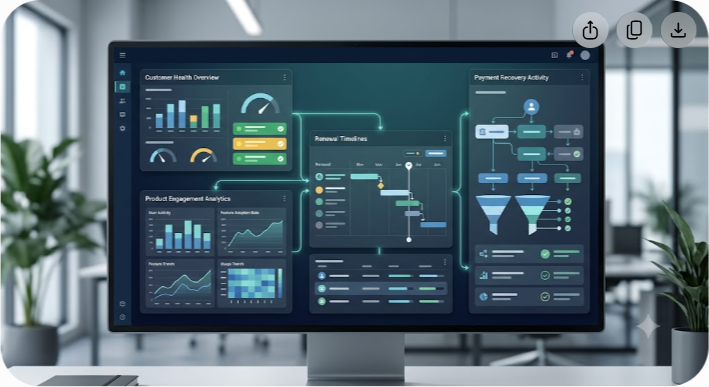
SaaS churn is rarely caused by one dramatic event. More often, the account drifts toward cancellation after a series of smaller problems: onboarding never quite gets finished, a core feature stops being used, support issues remain unresolved, or a payment fails at the wrong time.
The practical answer is not to automate every customer interaction. It is to automate the parts of retention that are predictable and time-sensitive, while giving customer success teams a clear signal when a human needs to step in.
Automated customer retention workflows connect product activity, billing events, support data, customer health signals, and lifecycle messaging. When the right trigger fires, the system can send a useful message, create a task for a CSM, recover a failed payment, pause an irrelevant campaign, or offer an appropriate alternative to cancellation.
If you want to reduce SaaS churn, start by separating voluntary churn from involuntary churn. Then identify the customer signals that appear before each type of loss and build a small number of workflows around those signals. The seven workflows below cover the most useful starting points, from payment recovery and onboarding to health-score alerts and cancellation flows.
Understanding SaaS Churn Before You Automate It
Retention automation works best when it is tied to a clear business problem. Before choosing a tool or writing a workflow, determine where revenue is actually leaking.
A simple churn rate tells you how many customers leave. It does not tell you why they leave, when they become vulnerable, or which intervention might have changed the outcome. Those details matter because a failed payment requires a very different response from a customer who has stopped seeing value in the product.
For subscription businesses, it is also useful to separate customer churn from revenue churn. Losing one small account and losing one large enterprise contract may count as one customer in a basic customer churn calculation, but their financial impact is very different.
Gross Revenue Retention and Net Revenue Retention
Gross Revenue Retention, or GRR, measures how much recurring revenue remains after churn and contraction. It excludes expansion revenue, so it gives you a cleaner view of how well the existing revenue base is being protected.
Net Revenue Retention, or NRR, includes expansion revenue as well as churn and contraction. A company can have customer churn while still producing strong NRR if the remaining customers expand enough to offset those losses.
That distinction is important when designing retention workflows. A workflow that saves a small account is useful, but a health-score workflow that helps a large account avoid contraction may have a much larger financial effect.
Why Retention Automation Matters at Scale
A customer success team can manually review a small account base. That approach becomes harder as the number of customers, users, products, and behavioral signals increases.
Automation gives every account a defined set of checks without asking a CSM to watch dashboards all day. The goal is not to replace customer success. The goal is to remove repetitive monitoring so the team can spend more time on conversations that require judgment.
A good retention system therefore has two jobs:
- Handle predictable problems automatically.
- Escalate meaningful risks to a person with enough context to act.
That second point is easy to overlook. An alert without useful context simply creates another task for an already busy team.
Voluntary Churn vs. Involuntary Churn
The first step in reducing SaaS churn is to separate customers who choose to leave from customers who lose access because a payment does not go through.
Voluntary Churn
Voluntary churn happens when the customer decides to cancel. Common reasons include poor onboarding, weak product adoption, missing capabilities, low perceived value, budget changes, a completed project, or a change in business priorities.
Automation can help identify the warning signs, reinforce product value, provide useful education, and route higher-risk accounts to a CSM. It cannot guarantee that a customer will stay. A customer may have a legitimate reason to leave even when the product is working perfectly.
Involuntary Churn
Involuntary churn happens when a customer does not intend to cancel but a billing problem ends the subscription. Expired cards, insufficient funds, bank declines, fraud checks, and outdated payment details are common causes.
The response here is more operational. The billing system should retry the payment according to the payment provider's guidance, notify the customer clearly, provide a secure way to update payment details, and give the business a defined recovery period before access is restricted.
Published recovery rates vary widely by payment method, customer mix, billing system, and retry strategy, so generic claims such as recovering a fixed percentage of failed payments should be treated cautiously. Measure your own recovery rate by failure reason and payment method instead.
The Architecture of an Automated Retention System
You do not need a complicated data platform to start. A useful retention system can be built from four practical layers: data collection, decision logic, action, and measurement.
1. Collect the Right Customer Signals
Start with events that have a plausible connection to customer value. Product analytics might include core feature use, completed workflows, team invitations, integrations, exports, or successful project launches.
Billing data should include payment status, invoice status, renewal dates, failed payment reasons, and subscription changes. Support data can include open ticket counts, ticket priority, resolution time, and customer satisfaction feedback.
Avoid collecting dozens of signals simply because your tools make them available. A smaller set of reliable signals is usually easier to interpret and maintain.
2. Turn Signals Into Rules or Health Scores
The next layer decides what the signals mean.
A simple rule might say: if a paying account has not completed its first activation milestone within three days, start the onboarding workflow. A more advanced system might combine product adoption, support activity, account usage, and stakeholder engagement into a health score.
Neither approach is automatically better. Rules are easier to explain and debug. Health scores are useful when churn risk depends on several variables at once.
The most important requirement is that the trigger has a clear action behind it. If the team cannot explain what it will do when a score falls, the score probably needs more work.
3. Choose the Right Intervention
The action should match the problem. A failed card needs a billing recovery path. A stalled implementation needs onboarding help. A low health score may require a CSM review rather than another automated email.
Possible actions include lifecycle emails, in-app guidance, account tasks, internal alerts, payment recovery steps, campaign suppression, plan changes, or cancellation alternatives.
4. Measure What Happened
Every workflow should have a measurable outcome. Track the number of accounts entering the workflow, the percentage completing the desired action, the number that churn, and any downstream revenue impact.
This turns retention automation from a collection of rules into an operating system that can be tested and improved.
7 Automated Customer Retention Workflows for SaaS

The following workflows cover common churn points across the customer lifecycle. Treat the timing and thresholds as starting points, not universal benchmarks. Your product's normal usage pattern should determine the final rules.
1. Smart Dunning and Involuntary Churn Recovery
Failed payments deserve their own workflow because the customer may still want the product. A billing failure should not automatically be interpreted as a product-retention problem.
Trigger: A subscription payment fails and the payment provider returns a retryable or actionable failure status.
Filter: Exclude accounts already involved in a billing dispute, fraud investigation, or manual payment arrangement.
Actions:
- Apply the payment processor's recommended retry strategy rather than repeatedly charging at arbitrary intervals.
- Show a billing notice to an authorized billing contact or administrator inside the product when appropriate.
- Send a clear transactional email explaining that the payment failed and provide a secure payment-method update path.
- Maintain a defined grace period when the commercial and product policies allow it.
- Escalate high-value accounts to the appropriate billing or customer success owner before access is restricted.
- Record the failure reason and recovery outcome so the finance team can identify recurring payment problems.
The important measure is not how many reminders the workflow sends. It is how much failed-payment revenue it recovers without creating unnecessary customer friction.
2. Power User Re-Engagement Workflow
A drop in activity from an important product user can be an early warning sign, particularly when that person is responsible for driving adoption inside the account.
Do not assume that every reduction in activity means churn is coming. Usage can fall because a project ended, a seasonal workload changed, or the customer successfully automated part of its work. The workflow should therefore focus on meaningful value actions rather than login counts alone.
Trigger: A meaningful core feature or workflow drops materially below the account's established usage pattern.
Filter: Consider account tenure, normal usage cycles, role, product adoption, and recent support activity before labeling the account at risk.
Actions:
- Send a targeted message related to the customer's actual use case rather than a generic re-engagement email.
- Offer a relevant guide, template, training resource, or feature walkthrough.
- Show contextual in-app guidance the next time the user returns.
- If usage remains weak, create a CSM task with the usage history and recent changes attached.
A good re-engagement workflow helps the customer recover useful product activity. It should not simply try to increase the number of logins.
3. Stalled Onboarding Workflow
Early activation is one of the clearest places to use customer success automation. If a new paying customer has not completed the steps required to reach first value, waiting until renewal to intervene is too late.
Trigger: A defined number of days has passed since account creation or purchase, but one or more important activation milestones remain incomplete.
Examples of milestones:
- Invite the required team members.
- Connect a required integration.
- Create the first project or workspace.
- Import the first dataset.
- Publish the first workflow.
- Complete the initial configuration.
Actions:
- Send a short onboarding email that addresses the specific missing step.
- Offer a setup guide, template, or onboarding appointment where appropriate.
- Display a focused checklist inside the application.
- Create an internal task when a technical or implementation blocker requires human attention.
- Stop the sequence as soon as the customer completes the relevant milestone.
That final rule matters. Once a customer has completed setup, continuing to send reminders about incomplete onboarding makes the automation look broken.
4. Customer Health Score Degradation Response
Health scores are useful when they summarize several meaningful signals and lead to a defined response. They become much less useful when they are treated as an objective measurement of customer sentiment without validation.
Trigger: The account's health score moves from a healthy range into a predefined risk range, or several important risk signals appear together.
Useful inputs may include:
- Declining use of core workflows.
- Low adoption of purchased capabilities.
- A growing number of unresolved support issues.
- Negative customer satisfaction feedback.
- Reduced stakeholder engagement.
- Contract or renewal risk.
- Significant changes in active users or licensed seats.
Actions:
- Alert the assigned CSM with a concise explanation of what changed.
- Pause unrelated upsell or promotional campaigns while the account is at risk.
- Check recent support and product incidents for possible causes.
- Create a recovery task with a deadline and owner.
- Record the eventual outcome so the health model can be evaluated against real churn behavior.
A health score should help a CSM decide where to look first. It should not replace the CSM's judgment.
5. Pre-Renewal Value Review
Renewal conversations are easier when customers already understand what they achieved with the product. A renewal workflow can bring that information together before procurement or budget discussions begin.
Trigger: A defined period before renewal, such as 90 days for an annual contract.
Actions:
- Gather relevant product usage and outcome data from the account.
- Prepare a customer-facing summary of meaningful activity, such as workflows completed, teams enabled, or operational volume processed.
- Flag low adoption, unused seats, open support issues, and other renewal risks for the account team.
- Give the CSM enough time to address problems before the commercial renewal conversation.
- Where appropriate, discuss right-sizing rather than treating every reduction in seats as a lost account.
Avoid inventing return-on-investment figures. If your system cannot reliably calculate hours saved or revenue generated, say what the customer actually did instead. Specific usage data is more credible than a polished but unsupported savings claim.
6. Cancellation Flow Optimization
The cancellation screen is one of the few moments when a customer is explicitly telling you that the relationship is at risk. That makes it a valuable source of feedback, but it does not justify putting obstacles in the customer's way.
Trigger: The user starts the cancellation process.
Actions:
- Ask for the primary cancellation reason in a short, optional or required form depending on your product and legal requirements.
- Present a relevant alternative only when it directly addresses the selected reason.
- Offer a lower plan when price or usage is the issue.
- Offer a pause option when the customer expects to return later and your business model supports it.
- Offer help for technical or product problems when a real solution exists.
- Complete the cancellation cleanly if the customer still wants to leave.
- Send confirmation and explain relevant data retention or deletion policies.
Do not assume a discount is always the best retention tool. Discounts can reduce revenue from customers who would have stayed at full price, and they do nothing to fix a product problem.
7. Post-Support Incident Follow-Up
A resolved ticket is not necessarily a satisfied customer. If a serious incident interrupted an important workflow, the customer may still be evaluating whether the product is reliable enough for continued use.
Trigger: A high-severity support ticket is resolved, or the customer submits materially negative satisfaction feedback.
Actions:
- Suppress unrelated promotional messages while the issue is fresh.
- Send a short follow-up asking whether the reported problem has actually been resolved.
- Route serious negative feedback to a support lead or CSM.
- Review related incidents or recurring technical problems when appropriate.
- Close the loop with the customer rather than assuming ticket closure means the relationship has recovered.
This workflow is especially useful after outages, data problems, integration failures, or other incidents that can affect a customer's trust in the platform.
Retention Workflow Comparison
| Workflow Name | Primary Churn Type | Key Trigger | Main Automated Action | Best Outcome to Measure |
|---|---|---|---|---|
| Smart Dunning Cascade | Involuntary | Payment failure | Retry and payment update sequence | Failed-payment revenue recovered |
| Power User Re-Engagement | Voluntary | Meaningful usage declines | Relevant education and CSM escalation | Core usage recovery and retained accounts |
| Stalled Onboarding | Voluntary | Activation milestones remain incomplete | Targeted onboarding assistance | Activation and early retention |
| Health Score Response | Voluntary | Multiple risk signals increase | CSM alert and recovery task | Retention of at-risk accounts |
| Pre-Renewal Value Review | Voluntary | Renewal approaches | Value summary and risk review | Renewal rate and retained revenue |
| Cancellation Flow | Voluntary | Cancellation begins | Relevant alternative or clean cancellation | Save rate and post-cancellation satisfaction |
| Post-Support Follow-Up | Voluntary | Serious issue resolved or poor CSAT | Human follow-up and issue review | Retention after support incidents |
Building a SaaS Retention Automation Tech Stack
You can build these workflows with a combination of existing SaaS tools. The right stack depends on company size, data maturity, billing model, and the number of systems that need to exchange customer information.
Product Analytics
Tools such as PostHog, Mixpanel, and Amplitude can collect product events and help teams understand feature adoption and behavioral changes.
Choose an analytics platform that can reliably answer practical retention questions. For example: Which customers have stopped using the feature that normally creates value? Which activation steps are incomplete? Which account segments show a meaningful change in behavior?
Customer Success and Health Management
Customer success platforms such as Gainsight, Vitally, and Totango can combine customer information, health indicators, tasks, and playbooks. These systems become more useful when the underlying data is reliable and the team has agreed on what each health state should trigger.
Lifecycle Messaging
Platforms such as Customer.io, Braze, and Userflow can support behavioral messaging and in-app guidance. The key is to connect messaging to customer state rather than treating every workflow as a marketing campaign.
A customer with a failed payment should receive a billing message, not a product announcement. An account with an unresolved critical incident should not receive a cheerful upsell email at the same time.
Billing and Dunning

Payment providers and subscription platforms often provide retry and recovery capabilities. Depending on your billing architecture, specialized tools may also help with failed-payment recovery and cancellation flows.
Before adding another product, check what your existing payment processor or billing platform already supports. Extra tooling is only worthwhile when it solves a real gap.
Data Orchestration
A customer may appear under different identifiers in analytics, billing, CRM, support, and messaging systems. That creates a serious automation problem: one system may think a customer is overdue while another already knows the payment succeeded.
A CDP or event-routing layer such as Segment or RudderStack can help keep identities and events consistent. For smaller teams, a simpler integration approach may be enough. What matters is that critical customer states are synchronized reliably.
When comparing retention and customer success software, review the total cost of the stack rather than the price of one tool. Independent software reviews and comparisons can help teams evaluate features, pricing, integrations, and alternatives before committing to another platform.
How to Build a Retention Workflow Step by Step
If you are starting from scratch, resist the temptation to automate every possible churn signal. Begin with the problems that are frequent, measurable, and easy to act on.
Step 1: Map the Churn Journey
Look at recent cancellations and group them by reason. Separate payment failures from deliberate cancellations. For voluntary churn, identify recurring patterns such as poor activation, low adoption, missing functionality, price pressure, or unresolved support issues.
Step 2: Find the Earliest Reliable Signal
A cancellation event is too late for prevention. Search backward for signals that appear earlier and consistently enough to be useful.
For example, if customers who never complete an integration are more likely to leave, the incomplete integration is a better workflow trigger than the eventual cancellation.
Step 3: Define One Action Per Risk
Every trigger should have a clear next step. If the correct response depends on account size or problem severity, add routing rules rather than sending the same message to everyone.
Step 4: Add Suppression Rules
Suppression rules prevent competing workflows from firing at the same time. Pause promotional messaging during billing problems, serious support incidents, or active cancellation processes. Stop onboarding reminders when the activation event is complete.
Step 5: Test With Real Account Histories
Before activating a workflow, replay it against historical data. Ask whether the trigger would have fired at a useful time, whether the message would have made sense, and whether the proposed intervention could realistically have changed the outcome.
Step 6: Measure Incremental Impact
Do not judge a workflow solely by clicks or email opens. Where practical, compare retention outcomes for customers exposed to the intervention with a suitable control group.
A workflow can generate impressive engagement metrics while having little effect on churn. Revenue retention is the business outcome that ultimately matters.
Five Costly Mistakes That Can Increase Churn
Automation can reduce operational workload, but poorly designed automation can make the customer experience worse.
1. Sending Generic Re-Engagement Emails
A message such as "We miss you" does not explain why the customer stopped using the product or what they should do next. If the customer is stuck on setup, show them how to finish setup. If a feature changed, explain the change. If the account has a technical issue, route it to someone who can help.
2. Treating Enterprise and Self-Serve Accounts the Same
A self-serve customer may be comfortable with automated billing and lifecycle messages. A strategic enterprise account may expect a named owner and coordinated communication.
Use account value, contract structure, customer preferences, and issue severity to determine when automation should stop and a human should take over.
3. Using Login Frequency as the Main Health Signal
Login frequency is easy to measure but often says little about value. Some products require daily interaction. Others deliver value through integrations that run in the background.
Measure the actions that indicate successful use of the product instead. Those actions differ by business model and should be defined from actual customer behavior.
4. Letting Multiple Automations Collide
A customer should not receive a payment reminder, an upsell campaign, a cancellation message, and a health-check email within the same hour simply because four independent systems detected different events.
Create a communication priority model. Billing and service-critical messages should generally take precedence over promotional campaigns, while serious account risks should route to the appropriate owner.
5. Setting Workflows and Never Reviewing Them
Customer behavior changes. Products change. Pricing changes. A workflow that was useful last year may become noisy or ineffective.
Review trigger volume, conversion, churn outcomes, false positives, complaints, and manual overrides. Remove workflows that do not produce a measurable benefit.
Metrics to Measure Retention Workflow Performance
Retention automation needs its own measurement layer. Track both workflow-level performance and broader revenue outcomes.
Gross Revenue Retention
GRR measures recurring revenue retained from the existing customer base after churn and contraction, excluding expansion revenue.
GRR = (Starting MRR - Churned MRR - Contraction MRR) / Starting MRR x 100
GRR is useful when you want to know whether the business is protecting its existing revenue before counting expansion.
Net Revenue Retention
NRR includes expansion revenue as well as churn and contraction.
NRR = (Starting MRR + Expansion MRR - Churned MRR - Contraction MRR) / Starting MRR x 100
NRR helps show whether the existing customer base is shrinking or expanding financially over time.
Dunning Recovery Rate
Dunning recovery rate measures how much failed-payment revenue is recovered before the account is ultimately canceled or restricted.
Dunning Recovery Rate = Recovered Failed MRR / Total Failed Payment MRR x 100
Break this metric down by payment method, failure reason, customer segment, and recovery window. A single blended number can hide important differences.
Cancellation Save Rate
Cancellation save rate measures the proportion of customers who enter a cancellation process and then remain subscribed after an intervention.
Cancellation Save Rate = Customers Who Remain After Intervention / Customers Who Entered Cancellation x 100
Also track what happens afterward. A customer who accepts a discount and cancels two weeks later is not necessarily a successful retention outcome.
Workflow Precision
A useful additional metric is the percentage of triggered accounts that actually meet the intended risk condition. If a workflow fires on hundreds of accounts but most are healthy, the trigger needs refinement.
This is especially important for health-score and usage-based workflows, where false positives can create unnecessary CSM work and excessive customer messaging.
Common Retention Workflow Mistakes to Avoid
A few practical rules can keep an automation program from becoming another source of operational complexity.
Do not automate a problem you cannot define. If the team cannot explain what the customer is experiencing, adding a message is unlikely to solve it.
Do not confuse activity with value. More logins, clicks, or emails opened do not automatically mean stronger retention.
Do not hide the human escalation path. Customers with complex problems should be able to reach a person when automation is not enough.
Do not use discounts as the default retention tactic. Price concessions can be appropriate, but they should not become a substitute for fixing product or service problems.
Do not measure only the immediate conversion. Follow retained customers over time to see whether the intervention produced durable retention or simply delayed cancellation.
Sustainable SaaS Churn Reduction Strategy
The best retention program is not the one with the most automation. It is the one that catches meaningful problems early and responds in a way that makes sense for the customer.
Start with your actual churn data. Separate involuntary payment losses from voluntary cancellations, identify the customer behaviors that precede each outcome, and build a small number of workflows around those signals.
For most SaaS businesses, a sensible starting sequence is payment recovery, stalled onboarding, meaningful usage decline, health-score escalation, and cancellation-flow analysis. Once those workflows are producing reliable data, expand into renewal preparation and post-support follow-up.
Keep humans involved where context matters. Automation should monitor the account, assemble the evidence, and take predictable actions. Customer success should handle the conversations where judgment, negotiation, or product understanding can change the outcome.
That balance is what makes customer success automation useful. It reduces repetitive work without turning the customer experience into a collection of generic messages.




